
Trustee card review: a virtual USD card on a Trustpilot-thin base
 Available in US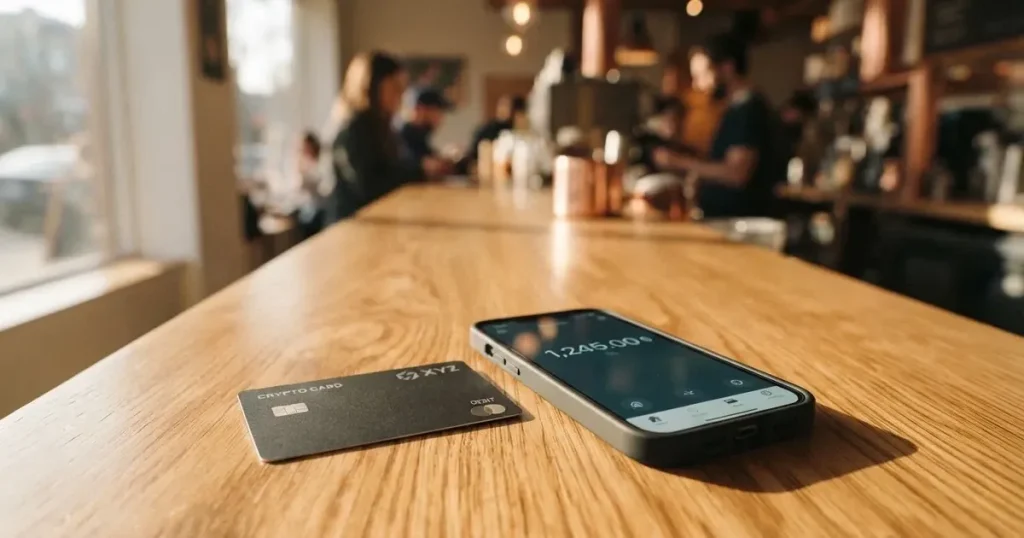
The Trustee card is a USD-denominated payment card attached to a crypto balance held in the Trustee Plus app. The virtual card is orderable for 10.00 $ and the physical card is, at the time of writing, temporarily unavailable. In everyday terms, the product is a virtual card first, with a physical one in the pipeline. Whether it is worth your time depends on how much you trust a brand that is light on official detail, has a public Trustpilot score of 2.2 out of 5 and has card-related complaints sitting in plain sight. I went through the card’s published pages, the Trustee Plus wiki and user reviews, and what follows is what I found.
The conditions described here are current as of October 28, 2026.
Verdict
The Trustee card earns 5.1 out of 10. It is a workable virtual USD card if you already use the Trustee Plus wallet, you want to pay in dollars from a stablecoin balance and you are comfortable with a service that is still in the middle of platform changes. It is the wrong fit if you need a physical card right now, want a published list of supported countries, need a transparent fee table or expect strong consumer protections.

The score is built from the criteria below. The numbers are the card’s, the notes are mine.
| Criterion | Mark | Note |
|---|---|---|
| Who can get it | 5 / 10 | The card’s own pages say only “Issued in Great Britain” and “Worldwide Crypto Card”; a list of countries is not published. |
| Cost | 7 / 10 | The headline says “0% fees on transactions”; the markup on the conversion itself is not disclosed, and user reviews mention up to 2% on top. |
| Top-up options | 5 / 10 | USDC or USDT only, moved from the Trustee Plus wallet to the card balance; supported networks are not named. |
| Reliability and complaints | 3 / 10 | Trustpilot 2.2 from 236 reviews, 56% one-star, with several reports of funds frozen under AML review. |
| Everyday use | 5 / 10 | Virtual card available, physical temporarily unavailable, ATM withdrawals not available; Apple Pay and Google Pay supported. |
| Total | 5.1 / 10 |
The most natural reader for this card is someone in the EEA, Ukraine or Moldova, holding USDC or USDT in Trustee Plus, who wants a virtual USD card to spend online. If that is you, the card can do the job. If you are looking for a properly disclosed fee schedule, a published list of supported countries, a physical card in your hand or a provider with a cleaner public reputation, look elsewhere.
Will they give you the card
Trustee does not publish a list of supported countries. The card’s own page says only that it is “Issued in Great Britain” and describes the product as a “Worldwide Crypto Card”. Third-party sites list EEA residents plus Ukraine and Moldova, with usability anywhere Mastercard is accepted, but those guides are not dated and may be out of date, so treat them as unofficial and unconfirmed by the card. The fact that I am writing this as a general guide rather than country-specific advice is itself the point: if the card itself won’t tell you which countries it serves, neither can I.
On the ground, this means two things for you as an applicant. First, your eligibility is effectively decided during the in-app KYC step, not up front. Second, if you live somewhere that is not, in practice, supported, you may only find out after you have already handed over documents. The single KYC step is described in more detail under “How to get it” below; what matters here is that the public page does not pre-commit to a country list you can check before installing the app.
The card issuer named on the page is Wirex Limited, a UK-regulated e-money institution. The Trustee brand itself is not identified on the card’s page. I will return to what that split means in practice when I look at risks and complaints.
How to get it
The official flow runs entirely through the Trustee Plus app, in five steps: install the app, complete KYC, order the card, top up the card balance, then spend. The virtual card is orderable now; the physical card is on a waitlist because it is temporarily unavailable. The card’s own pages do not name the network, but the issuer is Wirex Limited and the card balance is in USD. A virtual card is issued “in a few minutes”; physical card delivery, cost and replacement are not stated because the physical product is not being shipped.
The KYC step is a single in-app flow. You go to Profile, choose Identity, pick your country, pick “Other method” as the account purpose, state the account purpose and your source of income, give your address and upload either an ID card (national passport) or an international passport plus a selfie. Levels, processing time and reasons for rejection are not stated, except that the verification “usually takes little time”. User reviews note that proof of address and other documents can be requested later, so what looks like a one-shot verification can turn into a longer exchange.
Two things to check before you start. First, make sure you can state the source of funds for the stablecoins you plan to load. Several of the complaints in the public reviews are not really about KYC at signing up, but about source-of-funds reviews on balances that have already been deposited. Second, make sure your documents are consistent: the country on your profile, the country of issue on the ID, and your address. AML systems tend to compare all three, and a mismatch is a common reason for an account being put on hold later.
A point worth flagging: Trustee’s own pages do not state what happens to your existing card if the product is paused again, nor do they describe an account-closure or balance-return process for the card specifically. The published wiki links to articles on withdrawing money to a bank card and on the “Trustee Plus fees” schedule that I could not retrieve, so those details are not stated on the public pages I read. If that matters to you, ask support before you load any meaningful amount.
What it really costs
Fees
The headline message is that the card advertises “0% fees on transactions”. The numbers underneath that headline are less tidy. The virtual card is listed at 10.00 $; the page does not label this an “issuance fee” and a monthly fee is not stated. Automatic conversion happens for payments in EUR, PLN, GBP and other non-USD currencies, and the FX markup is not stated. ATM withdrawals from the card are not available at present, so ATM fees and limits are moot until the team ships that feature.
Unofficial sources describe a 0.5% crypto-to-euro conversion fee and 0 € per month, with Trustpilot reviews citing conversion fees of up to 2% per transaction. Treat these as unofficial and unconfirmed by the card. Earlier third-party guides also reference ATM withdrawals of up to 2,000 € a day and 10,000 € a month at 1.5% plus 1 €, but this contradicts the current official position that ATM cash withdrawals are not available now, so I would not plan around those numbers.
| Fee or limit | Value |
|---|---|
| Virtual card price | 10.00 $ |
| Physical card | Temporarily unavailable |
| Monthly fee | not stated |
| Card transactions | “0% fees on transactions” (advertised) |
| FX / non-USD conversion markup | not stated (unofficial: 0.5%; reviews: up to 2%) |
| ATM withdrawal | not available at present |
| Daily transaction limit | not stated |
| Monthly transaction limit | 30,000 USDC |
| Tiers / cashback | not stated |
The cleanest way to read this table is to assume the worst and check the small print. If you pay only in USD, your cost is the 10.00 $ entry ticket and the network fee on the on-chain transfer of USDC or USDT into the Trustee Plus wallet. If you pay in any other currency, the actual cost depends on the conversion margin, which Trustee does not publish, and which the user reviews suggest can be uncomfortably high.
Three everyday payments and which fees apply
To translate the table into something a person does, I worked through three everyday situations. The numbers are the card’s; the way they land is mine.
Paying 50 $ online in USD to a US merchant. The card side is 0% per the advertised fee policy. The blockchain side is whatever network fee your USDC or USDT transfer costs on the network you choose; this is charged by the blockchain, not by Trustee, and the supported networks are not stated on the card’s own pages.
Paying 50 € at a shop in Spain. The card converts USD to EUR at the moment of payment. Trustee does not publish the markup. If you take the unofficial 0.5% figure, you lose about 0.25 €; if you take the 2% figure from user reviews, you lose about 1 €. The variance is the entire point: you cannot price this in advance.
Withdrawing 200 € from an ATM in Berlin. Not possible at present, because ATM cash withdrawals from the card are not available, despite the physical card’s feature list mentioning them. The third-party numbers for ATM fees and limits should be ignored until the official position changes.
How to top it up
Top-up is a two-step process. First you move USDC or USDT into the Trustee Plus wallet, then you move it from the wallet balance to the card balance. These are described as separate balances. The transfer is “usually within up to 5 minutes”. The fee, the minimum top-up, and the supported networks for the deposit are not stated on the card’s own pages. The Trustee Plus wiki mentions a personal IBAN for SEPA transfers and an article on adding funds to the EUR balance, but the fees page is not retrievable, so I cannot quote specifics.
Unofficial sources describe 30+ assets available in the Trustee Plus wallet (BTC, ETH, TRX, USDT, USDC, SOL) and one comparison site says card spending is limited to BTC, ETH and USDT, with USDC used only for wallet top-ups. That conflicts with the official position that the card is funded in USDC or USDT, so I would not rely on the unofficial list for the card itself.
A few practical points worth raising before you put real money in.
Networks matter. The card’s pages do not name the supported networks, so the safe move is to send on a network Trustee has confirmed in writing through its support channel, not on the cheapest network. Blockchain transfers are irreversible; a USDC transfer on a network the card does not support, or to an address of another network, can be lost or, at best, need a manual recovery with no guarantee of success.
You need gas. ERC-20 transfers on Ethereum are paid in ETH, not in USDC, so a wallet that holds only stablecoins cannot actually send. TRC-20 transfers on Tron use bandwidth and energy, often burning TRX. Make sure the sending wallet has a small balance of the native token of the network you choose.
A personal IBAN in the wiki, if it works for you, lets you fund the EUR balance through SEPA. This is the most “normal” funding path if you are in the EEA, because it skips the blockchain. Treat the published details as the starting point and confirm with support before sending a large amount.
Cashing back out. The wiki links to a “How to withdraw money to a bank card” article, which I did not read. Card-balance-back-to-crypto steps, fees and what happens to the balance on account closure are not stated. Several of the public complaints I read describe a “return to source” refund that took many weeks. Pull small amounts out first to test the path.
Paying with it every day
In the wallet, the card shows up alongside Apple Pay and Google Pay, both of which are supported. Blocked merchant categories are not stated, so you should expect the usual crypto-card rules of thumb: gambling, adult content and some FX-heavy merchants may decline. There is no cashback scheme stated, and one comparison source says cashback is “in development”. The iOS app needs iOS 17.0 or later (version 2.1.6 on the App Store storefront I read) and the Android app is offered as an APK from the site, with the developer listed as MIKEPAY INC. and an empty Google Play rating I did not read. App Store languages: English, Bulgarian, Lithuanian, Polish, Portuguese, Russian, Ukrainian.
In practical use, the day-to-day experience looks like this. You top up the card balance in USDC or USDT, you pay in-store through Apple Pay or Google Pay, you pay online by entering the card details, and your account statement shows the original USD amount and, where relevant, the converted local-currency amount. Disputes and chargebacks are not described on the card or wiki pages I read. One Trustpilot reviewer reports that a chargeback request was followed by account closure, so the practical dispute process is “ask support and see”. That is a thin answer, and the absence of a published dispute process is a real reason to be cautious with large balances.
A note on the app rating. The App Store page I read shows no rating, with a message that there are not enough ratings; the Google Play rating was not retrieved. That is a small signal: the user base of the Trustee Plus app, as measured by either store, is not large enough to generate a public score, which is consistent with a product in transition.
What can go wrong
Three risk buckets stand out: cardholder-protection risk, operational risk, and AML/process risk.
On cardholder protections, the public pages do not state whether the card is covered by chargeback, by consumer credit law or by an equivalent consumer-credit regime. The card is described as issued by Wirex Limited, an e-money institution, and e-money is generally not covered by deposit guarantee schemes. Prepaid card coverage is uneven and should not be assumed. The official security page says the company “safeguards, but does not control” client funds, which is a custodial posture, and the page advertises sign-in by passkey, biometrics, or Apple/Google account, multi-level two-factor authentication, Hacken vulnerability testing, a HackenProof bug bounty and 24/7 reserve monitoring; insurance is not mentioned, and a card-freeze feature is not stated. The absence of insurance and a freeze control on a custodial product are gaps worth noting.
On operational risk, the published page state on 2026-10-20 is that the physical card is temporarily unavailable and that ATM cash withdrawals from the card are not available. Trustpilot reviews from January 2026 describe cards being moved to a merged platform or a new provider, and a July 2026 review reports a card block that the company’s reply (30 July 2026) attributes to the card issuer. There is no licence or fine news I found, but there is a real product transition in progress and the cost of being on the wrong side of that transition is paid by the cardholder.
On AML/process risk, this is where the public reputation takes the most damage. The Trustpilot page for Trustee Plus sits at 2.2 out of 5 from 236 reviews, with 97 in the last twelve months and 56% one-star. The company replies to 98% of negative reviews, mostly with templated “funds are safe” messages. The themes are: funds frozen under AML review with no clear timeline (one reviewer reports 21,360 USDT held since 1 October 2026, with 53 days of waiting; another cites 30+ days), “return to source” refunds not completed, copy-paste support replies, lost access or verification being revoked, and a card blocked in July 2026. A separate Trustpilot page for the service sits at 2.5 from 5 reviews, all one-star, with reports of AML holds, a chargeback followed by account closure on 22 September 2026 and a five-document request on 12 October 2026; the profile is unclaimed, which means a complaint may not even get a response. I am not the card’s lawyer and I will not tell you which complaints are well-founded, but I will tell you that the pattern is the kind of thing a person should see before sending a serious amount.
A second observation. Where the company does reply, the template is essentially “funds are safe, AML review is in progress, we will update you”. That can be true and still leave a customer without access to their balance for months. Custodial platforms have a record of serious failures (Mt. Gox, Coincheck, Ronin Network); the lesson from those cases is not that any one platform is unsafe, but that “safe” is something you confirm by what you can do, not by what the platform says. The way to read this section is: the card is workable, the company is in transition, and the operational and AML frictions are real and visible.
What to take instead
If the Trustee card is not quite right, three alternatives cover most of the same ground. They are not endorsements; they are the other doors on the same street, with their own trade-offs.
TokenPocket (TP Card) scores 5.8 out of 10. It is a Visa debit card in a listed set of European countries (Germany, France, Spain, Switzerland and others) and a Mastercard debit in Australia, Canada, Hong Kong, Japan, Taiwan, New Zealand, Singapore, South Korea and the UK; the Americas are planned for Q2 2025. Cards are virtual, run on Arbitrum and sit in EUR24 and USD24 balances. The fee model is unusual: an NFT creation fee is partly covered by TokenPocket (the user’s “small portion” is not stated) and the FAQ describes a 1% fee on crypto deposits to the card, “to be refunded later via rewards, reduced transaction fees, etc.” Beyond that, “TP Card does not charge any additional fees”, and the FX fee is not stated. The headline 1% deposit fee is a real number to plan around, and the refund mechanism is a real dependency.
MetaMask Card scores 7.1 out of 10 and is the most clearly disclosed of the three. Sign-up is open in 45 listed countries and territories (Andorra, Argentina, Brazil, Canada, Mexico, Germany, France, Spain, Uruguay among them); other regions join a waitlist. The card is a Mastercard, virtual first and instant, with a Metal version pre-orderable in app for 199 $ a year. The virtual card is free, with no annual or maintenance fee. The fee language is “minimal fee for each transaction” plus “no additional MetaMask fees”, and the Mastercard rate is used for FX. Spending happens directly from the connected wallet, on Linea, Base, Monad, Solana and similar, with the named tokens (mUSD, wETH, EURe, GBPe, USDC, USDT) shown in app. Cashback is paid in mUSD into the Money Account: 1% on Virtual and a headline 3% on Metal (foot of the page limits the 3% to the first 10,000 $ spent, then 1%), plus a $FLY bonus of 5x (Virtual) or 7x (Metal) through the Blackbird dining app. The US/UK are temporarily closed to sign-ups per the FAQ, which is a real constraint for some readers.
KAST scores 6.1 out of 10. Residency is checked at KYC, with a “If your country isn’t listed, it means KAST is not available there” prompt; the country list itself is not published, and dual-citizenship cases are addressed explicitly: a resident in a supported country holding only an ID from a restricted region can still be ineligible, and a dual citizen with an ID from a supported country can pass. The card is a Visa, virtual and physical, up to 10 cards per user, in three tiers (Standard, Premium and Private, with the metal and gold-plate options at the higher tiers) and several designs (Pengu, Solana, Bitcoin); the account balance is in USD, with stablecoin deposits converted 1:1 at 0% spread. Annual membership: 0 $ (Standard), 1,000 $ (Premium), 10,000 $ (Private), all billed annually upfront; an extra virtual card is 2 $ in some regions, the Standard physical card is 0 $ card fee plus 40 $ delivery, the Premium and Private physical cards are included, an inactivity fee of 1 $ a month starts after 12 months. The fee model is unusually explicit: stablecoin top-up 0%, card spend in USD 0%, transaction fee 0%, Apple/Google Pay 0%, non-USD FX 0.5% to 1.75% depending on residence, transaction country and programme, non-USD transactions under 25 $ cost 0.10 $, a declined transaction costs 0.50 $, and non-stablecoin tokens may be auto-converted at a fee shown in the app. Cashback in USD: Standard 1.5% on the first 2,000 $ a month, Premium 2% on 10,000 $, Private 3% on 40,000 $; KAST Points add +1% (Premium) and +2% (Private) on eligible spend. Funding is stablecoin (USDT, USDC, PYUSD, RLUSD) on Ethereum, Solana, Polygon, Arbitrum, Tron; bank account not needed; the Terms say “currently USDT and USDC”, which conflicts with the live app list, so the live app is the source of truth. KAST is the most fee-transparent of the four cards in this review, and that alone makes it a useful comparison.
| Card | Score | Card form | Currency | Annual fee | FX | Cashback |
|---|---|---|---|---|---|---|
| Trustee | 5.1 / 10 | Virtual (physical paused) | USD | not stated | not stated (unofficial 0.5%, reviews up to 2%) | not stated |
| TokenPocket | 5.8 / 10 | Virtual | EUR24, USD24 | not stated | not stated | 1% deposit fee refundable via rewards |
| MetaMask | 7.1 / 10 | Virtual, Metal | wallet tokens (mUSD, wETH, EURe, GBPe, USDC, USDT) | Metal 199 $ | Mastercard rate | Virtual 1% in mUSD; Metal 1% after 10,000 $ |
| KAST | 6.1 / 10 | Virtual, physical | USD | 0 / 1,000 / 10,000 $ | 0.5%-1.75% | 1.5% / 2% / 3% USD |
The shape of the trade-off is consistent. Trustee is the cheapest at entry but the most opaque on fees, MetaMask is the most clearly disclosed and the most flexible on assets, KAST is the most fee-transparent and the most explicit about the cost of being inactive, and TokenPocket is the most dependent on its own refund mechanism to make the headline number work.
Who I would recommend it to
I would recommend the Trustee card to a specific kind of reader, and I would steer the rest away.
I would recommend it if you are an EU user who already uses the Trustee Plus wallet for USDC or USDT, you want a virtual USD card to spend online, you are happy to pay 10.00 $ for the card, you can absorb a non-zero conversion margin in non-USD payments without a published number for it, and you are willing to keep the balance small. The card works in that role, and the 5.1/10 reflects that it is workable, not that it is a top-of-class product.
I would steer you away if you need a physical card in your hand, you need to know in advance whether your country is supported, you want a published fee schedule you can price against, you keep a large custodial balance with any single provider, or you have a complex history of stablecoin deposits that might draw a longer source-of-funds review. In each of those cases, the cleaner choice is a card with a published country list, a published fee schedule and a track record that does not require you to read a Trustpilot page first.
Two final checks before you sign up. First, ask support which deposit networks are currently supported for the card, in writing, before you send anything. Second, send a small test amount, wait for it to land, spend it, and only then size up. On a custodial product in transition, the cost of being wrong is paid by the cardholder, and a 10.00 $ virtual card plus a 5 $ test transfer is the cheapest insurance you can buy.
Frequently asked questions
What is the Trustee card?
The Trustee card is a USD payment card linked to a stablecoin balance held in the Trustee Plus app. The virtual card is orderable now for 10.00 $; the physical card is temporarily unavailable. The card’s pages say only that it is “Issued in Great Britain” and described as a “Worldwide Crypto Card”.
Is Trustee a bank?
No. Trustee is not a bank and does not describe itself as one. The card’s page names Wirex Limited as the issuer; Wirex Limited is a UK-regulated e-money institution. E-money is not the same as a bank deposit and is generally not covered by deposit guarantee schemes.
How does the Trustee card work?
You install the Trustee Plus app, complete KYC, order the virtual card, top up the card balance in USDC or USDT, and spend. Payments in non-USD currencies are converted at the moment of payment at a markup the card’s pages do not disclose. The virtual card is issued in a few minutes.
Which countries is the Trustee card available in?
The card’s own pages do not publish a country list; they say only “Issued in Great Britain” and “Worldwide Crypto Card”. Unofficial guides list EEA residents plus Ukraine and Moldova, but those guides are not dated and may be outdated, so treat the country list as confirmed only by the in-app KYC step itself.
Does the Trustee card require KYC?
Yes. The flow runs through the Trustee Plus app: Profile, Identity, country, “Other method” as account purpose, source of income, address, and an ID card or international passport plus a selfie. Levels, processing time and reasons for rejection are not stated, and user reviews note that further documents can be requested later.
How do I top up the Trustee card?
You first move USDC or USDT into the Trustee Plus wallet, then transfer from the wallet balance to the card balance. The transfer usually completes within up to 5 minutes. Fee, minimum, and supported networks for the deposit are not stated on the card’s own pages, and the wiki mentions a personal IBAN for SEPA transfers into the EUR balance.
How do I add the Trustee card to Apple Wallet or Google Pay?
The card supports both Apple Pay and Google Pay. You add it from inside the Trustee Plus app in the same way you would any other supported card. Blocked merchant categories are not stated, so you should expect the usual restrictions on gambling and similar MCCs.
Is the Trustee card safe?
The card’s pages advertise passkey, biometric, or Apple/Google sign-in, multi-level 2FA, Hacken vulnerability testing, a HackenProof bug bounty and 24/7 reserve monitoring. Insurance is not mentioned and a card-freeze feature is not stated. The Trustee Plus Trustpilot score is 2.2 out of 5 from 236 reviews, with several reports of funds frozen under AML review, so the operational and AML risk is the more useful thing to look at.
Is the Trustee card free?
The card advertises “0% fees on transactions”, but the virtual card is listed at 10.00 $ on the card’s own page; a monthly fee is not stated. The conversion markup for non-USD payments is not disclosed, and user reviews cite conversion fees of up to 2% per transaction. ATM withdrawals from the card are not available at present.
How do I withdraw money from Trustee?
The Trustee Plus wiki links to a “How to withdraw money to a bank card” article; the steps, fees and any account-closure balance return are not stated on the public card pages I read. Several user reports describe a “return to source” refund process that took many weeks. Pull a small test amount out before relying on the path.
Choosing a wallet card – cryptocardadvisor
Content created by the «cryptocardadvisor» team