
Kazepay reviewed: a privacy-first crypto card with quiet fees and quiet gaps
 Available in US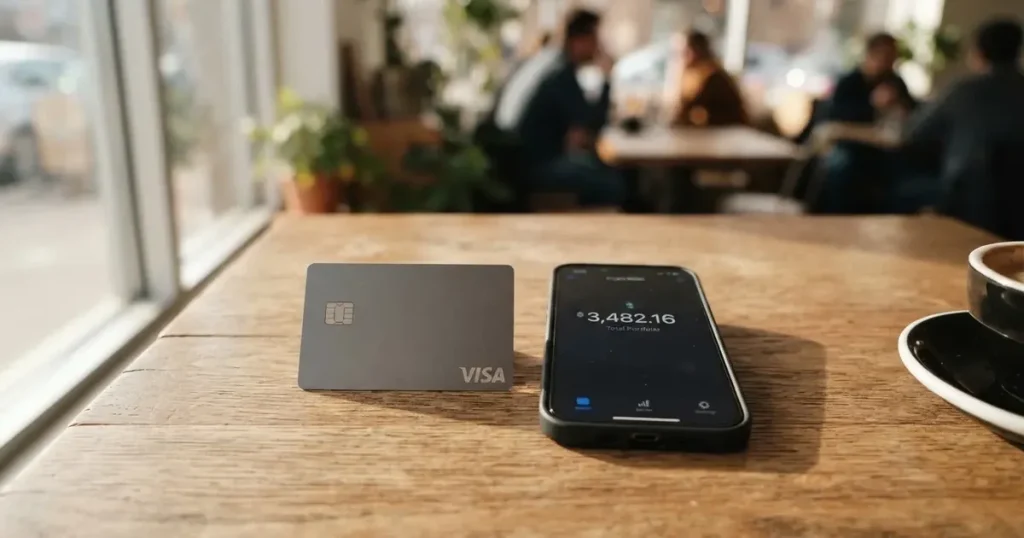
The Kazepay card is a crypto payment card sold by a company that describes itself as privacy-first, backed by METABANK INC and a Hong Kong parent called KAZEFI. You load it from crypto, it converts to fiat, and you spend it like an ordinary card — online, in shops, or at an ATM. On paper that is a familiar proposition. In practice, the interesting part of this review is a different one: which of the things you would want to know are stated plainly by the card, and which are not stated at all.
That distinction matters more here than in most card reviews, because the Kazepay public pages lean on slogans. “Transfer Your Crypto Across 210 Countries” is the headline claim. “No hidden fees” is the fee claim. Neither is accompanied on the pages I could read by a number you could check. Meanwhile the parts that would actually change your decision — issuance cost, monthly cost, supported fiat currencies, KYC documents, processing time — are either absent, deferred to a PDF, or described only in the negative (“no tiers”, “no fixed limit”).
I scored this card 6.9 out of 10. That is not a bad score; it is a middling one, and the reason for it is legible: the card’s strong suits are the parts it talks about, and its weak suits are the parts it leaves out.
The conditions described on this page are current as of October 28, 2026.
Score: 6.9 / 10 — a capable card wrapped in a documentation gap
Kazepay earns its marks in the places a crypto card usually struggles. It supports a genuinely wide range of top-up assets, it converts rather than requiring you to hold fiat, and its everyday-use story — virtual and physical cards, mobile wallets, ATM access — is broad. Where it loses points is cost transparency. A card that will not publish its own issuance fee is asking you for trust before it has given you anything to check.
Here is the breakdown, criterion by criterion, with the reason for each mark.
| Criterion | Mark | Why |
|---|---|---|
| Who can get it | 9 / 10 | The card advertises “Transfer Your Crypto Across 210 Countries” and names no excluded countries. Unofficial listings put actual availability at 171 countries with six restricted. |
| Cost | 4 / 10 | Recharge is quoted at 1.8%–2.2% virtual and 2% physical, ATM at 2% with a $1 minimum — but issuance is not disclosed on the pages, and unofficial figures of $25, $49 and $99 circulate. |
| Top-up options | 8 / 10 | BNB, BTC, ETH, USDC and USDT are supported; funds reach the card as USDT or USDC, and withdrawals run across BSC, Solana, Aptos, Tron, Base, Avalanche and Arbitrum. |
| Reliability and complaints | 6 / 10 | METABANK INC (20231581273) is named with Hong Kong parent KAZEFI under INFI TECH; the issuer is not named, and I found no complaint pattern to weigh either way. 2FA, multisignature and instant freeze are in place. |
| Everyday use | 8 / 10 | Virtual and physical cards, Apple Pay and Google Pay, ATM withdrawals up to $1,500 a day. Unofficial sources say the physical card does not support the mobile wallets, which contradicts the official page. |
| Total | 6.9 / 10 | Strong on breadth and privacy tooling, weak on published numbers. |
Who this suits: you are holding USDT or USDC, or other crypto you want to spend without converting through an exchange yourself, and you are somewhere the card is actually available. You are comfortable with an issuer you cannot name, and with fee pages that describe categories of fee rather than amounts. You want an instant freeze button and a phone-number 2FA code, and you will use the card mostly online.
Who it does not suit: you need to know exactly what a card will cost you per month and per year before you start. You want a named issuing bank and a deposit-guarantee story. You are in one of the places where unofficial sources say the card is restricted. You want refunds to behave predictably on a virtual card, because Kazepay’s own page says they may not. You plan to lean on Apple Pay or Google Pay with the physical card specifically — the official page and the unofficial sources disagree, and you should not take either on faith.
Who will they give you the card to?
The official answer is: a lot of people, in a lot of places. The card’s headline promise is “Transfer Your Crypto Across 210 Countries”, and the public pages name no excluded countries at all. No blocklist, no “not available in”, no regional page. If you read only the card’s own marketing, the conclusion is that country is not a gate.
That is not quite the whole picture, and I want to be careful about how I say the rest of it. Third-party listings — unofficial, and not confirmed by Kazepay — put actual card availability at 171 countries rather than 210, and list six as restricted: China, Cuba, Iran, North Korea, Russia and Syria. Those same listings note Hong Kong as missing from the set, and make a distinction the card’s own wording blurs: the “210 countries” figure appears to describe where the card can be *used*, not where you can sign *up*. Acceptance is a much easier thing to advertise than eligibility.
I am not going to tell you how to read around that, and I would be wary of anyone who does. What I will say is that the gap between the two numbers is exactly the kind of thing you should resolve with support in writing before you rely on the card — not after you have moved funds.
For everyone else, the practical filter is your country of residence, and the card itself says physical card availability depends on that. There is no residency test published, no minimum balance requirement I could find, and no statement of which specific countries get the physical card.
A note on who is being screened, generally: KYC rules in most regimes screen citizenship and country of birth separately from residence, because sanctions lists and issuer risk policy are applied to nationality as well as address. A card that names no excluded countries on its site may still be operating under an issuer’s screening policy that you never see.
Signup: what has to happen before a card exists
The short version: you request the card through the app or website, KYC is required, and you cannot get a card without it. Everything finer than that is undocumented on the pages I could read.
The FAQ says the card can be requested “once you’re approved”, which tells you approval comes first and the card is the reward for passing. But the documents required, the minimum age, the processing time and the grounds for rejection are not stated. That is a real gap, and it is one you should probe: an issuer who will not say what documents are needed is also not telling you what happens when one is rejected.
What is stated:
- KYC is required for card issuance, and also gates account features generally.
- Usage may be restricted by local regulations and by country eligibility — the card leaves room for both.
- Virtual cards have “Instant Account Activation”. That is an account activation, not a card activation, and the distinction may matter to you.
- There are both virtual and physical cards. The card refers to “major payment networks” without naming them in the text; a Mastercard logo appears only in an image’s alt text, which is not the same as a statement about which network your card will run on. The card’s currency is not stated.
- On the physical card: availability depends on your country of residence, so confirm with support first. Shipping fees are paid by the applicant. Delivery time is not stated, and neither is the cost of replacing a lost or damaged card.
- Up to five physical cards per user, starting with one. Virtual cards are described as having no fixed limit.
Unofficial, and not confirmed by Kazepay: KYC is required for all cards including virtual ones, and older descriptions of a no-KYC virtual card are considered obsolete. The documents named there are legal name, date of birth, residential address, country, and a passport or ID card. The terms are said to allow proof-of-address checks, a selfie, and source-of-funds checks, and approval is explicitly not guaranteed.
That last detail is the one I would hold onto. Any provider that tells you approval is discretionary is telling you the outcome is not a checklist exercise. Treat the unofficial document list as a preparation guide, not a promise — bring what you would bring to any regulated onboarding, and keep copies.
Fees: what it costs, and what the fee page declines to say
The costs section of this card is the weakest part of the product, and I want to lead with the honest version rather than bury it: the card’s public pricing page carries no amounts at all. It points to the FAQ and a User Guide PDF (version 5.0) which I have not read. The FAQ promises “no hidden fees” and says fees “may” apply to ATM withdrawals and currency conversion, with fee waivers between KazePay users. That is a statement of intent, not a price list.

Third-party listings, unofficial and not confirmed by the card, give the numbers below for issuance: Silver virtual $25, Gold virtual $49, Physical $99, with a monthly or inactivity or setup fee of $0 and a $35 chargeback processing fee unless waived. Treat that table as a strong hint, not a quotation.
Here is the table, with “not stated” wherever the card itself is silent:
| Item | What the card states |
|---|---|
| Card issuance | Not stated on public pages; unofficial figures $25 Silver virtual, $49 Gold virtual, $99 Physical |
| Monthly fee | Not stated; unofficial figure $0 for monthly/inactivity/setup |
| Top-up (recharge) — virtual | 1.8%–2.2% |
| Top-up (recharge) — physical | 2% |
| Currency conversion | Handled by the bank and card network at the time of transaction; rates and fees vary by bank, acquirer and country. No amount published |
| FX / foreign currency | Same mechanism as conversion; no rate or fee stated. Supported fiat currencies not listed |
| Spending transaction fee | “No spending transaction fees”; virtual card bank fees stated as 0% to 5% depending on merchant category and acquirer |
| ATM withdrawal | 2% per transaction with a $1 minimum, plus any local ATM fees |
| Single top-up cap | $500 on the physical card; multiple top-ups allowed. No minimum stated |
| ATM limits | $1,500 daily, up to 6 withdrawals per day, $15,000 monthly |
| Virtual card spending limit | No fixed limit stated |
| Chargeback handling | Not stated on the FAQ; unofficial $35 unless waived |
| Card tiers | FAQ describes no tiers; unofficial Silver and Gold limits described only as “standard” and “higher”, with no numbers, and no published replacement-card price |
Three everyday payments, so the fees stop being abstract.
A $30 online subscription paid with the virtual card. On the card’s own wording there is no spending transaction fee. But the same page says virtual card bank fees run 0% to 5% depending on merchant category and acquirer — and subscriptions frequently sit in a merchant category that carries the top of that range. Then the currency question: if the merchant charges in dollars and your balance is not dollars, the conversion happens at the bank’s and network’s rate with a fee that is not published. Budget 0% to 5% plus an unknown conversion margin, and check whether the merchant accepts prepaid cards at all, because many do not.
A $12 lunch paid with the physical card. The cheapest path the card describes, and it is the clearest one: no spending transaction fee, no conversion if the merchant charges in the card’s currency — except the currency is not stated anywhere, which is precisely the thing you would need to know here. If the terminal offers you a choice of paying in your own currency or the merchant’s, that choice is now doing work for you.
A $200 cash withdrawal at an ATM. This is the one the card prices in full: 2% of $200 is $4, with a $1 minimum not binding, plus whatever local ATM fee the operator adds, and you are inside the $1,500 daily, six-per-day and $15,000 monthly limits. The local fee you may see on a bank’s own ATM signage is not Kazepay’s. Use the virtual card for spending and the physical card for cash, and treat ATM use as the expensive corner of an otherwise cheap card.
The structural point is worth making plainly: because the card says there are no tiers and no monthly fee, the real cost of a Kazepay card is the flat issuance charge (whatever it is) plus 2% per top-up, forever. If you spend monthly, the 2% recharge fee is the number that decides whether this card is good for you. On $1,000 of monthly spending that is $20 a year in recharges, on top of issuance, and on top of whatever your ATM use adds.
Top up: how money actually gets onto the card
Topping up is the part of Kazepay that is documented well enough to plan around. Crypto is converted to fiat at the moment of purchase, and the card’s own logos show BNB, BTC, ETH, USDC and USDT as the assets involved. Networks for those assets are not stated on the funding pages.
From there, the mechanics are specific:
- Recharge is 2% on the physical card and 1.8%–2.2% on the virtual card.
- The physical card has a single top-up cap of $500, and multiple top-ups are allowed. No minimum is stated.
- Funds move from your wallet to the card in USDT or USDC. Not dollars — those two tokens. This is the single most important line in this section and I will come back to why.
- Network fee for a top-up is not stated. On-chain network fees are charged by the blockchain rather than by the card provider, so there is a real cost here that the card does not quote.
Withdrawals only come from your wallet balance; card balances cannot be withdrawn back out. Timing is stated: on weekdays, Monday to Friday between 9:30am and 6:00pm, up to 8 hours; on weekends, up to 24 hours. Networks listed for withdrawal are BSC, Solana, Aptos, Tron, Base, Avalanche and Arbitrum. Internal transfers between KazePay users are near-instant with no network fee. The withdrawal fee amount is not stated, and neither is what happens to a remaining balance if you close your account.
Two warnings follow from the mechanics, and both are general to the category rather than specific to Kazepay.
First, sending on the wrong network is a common and expensive mistake. A deposit to an address or a network the provider does not support can be lost, or need manual support recovery with no guarantee, because blockchain transfers are irreversible. Check the network selector against the network you are actually sending on, every time.
Second, “in USDT or USDC” has teeth. If your balance is denominated in one of those two tokens, then the stability of your card balance depends on that token holding its peg. Stablecoins aim to hold a stable value against a fiat currency but, in the regulator’s own framing, they are not necessarily stable: one collapsed in May 2022, and another temporarily lost its peg in March 2023. Neither of those is a prediction about today. They are the reason to notice what your balance is actually denominated in before you treat it as cash.
One more practical note on the tokens themselves: on Ethereum, gas is paid only in ETH, so a wallet holding USDT but no ETH cannot send. On Tron, fees are paid through bandwidth and energy, often by burning TRX. And Circle stopped supporting USDC on Tron in February 2024, so “USDC over TRC20” is not a native option — you would be sending a token over a network its issuer does not natively support. None of this is Kazepay’s doing. All of it lands in your lap at the moment of top-up.
Paying with it every day
Everyday use is where Kazepay scores well, and mostly on the strength of the surfaces it offers: a virtual card for online spending, a physical card for the real world, and mobile wallet support.
The official page says the virtual card “supports Apple Pay and Google Pay”, and says the physical card is also compatible. That is the version you will read first.
Now the complication. An unofficial source, not confirmed by the card, states that the physical card does *not* support Apple Pay or Google Pay, and that virtual card support depends on the card and the bank. That directly contradicts the official statement. I am not going to resolve this for you, because I cannot — the card’s own pages do not contain the network details needed to settle it. What I will say is that if tap-to-pay on the physical card is the reason you are considering this card, treat it as unverified. Find out before you rely on it.
How the wallets work, in general terms: Apple Pay replaces your card number with a device-specific number stored in the phone’s Secure Element, never on Apple’s servers, and each payment uses a one-time code. Issuers can restrict a tokenised number, for example blocking it on magnetic stripe, phone or website use. So even a supported wallet is not a guarantee that every channel will work.
Three more everyday details the card leaves open:
- The app. No App Store or Google Play links appear on the home page, though the card is requested “through the app or website”. Whether the mobile apps exist, where they are listed, and what they can do are not stated. The security features described on the card — multisignature wallets, two-factor authentication with a code to your mobile, biometric login, “Instant Account Freeze”, and user-defined transaction limits — all imply an app, so its absence from the public page is a documentation gap rather than a sign the app is missing.
- Rewards. Not stated. No cashback, no points, no referral scheme appears on the pages I could read.
- Refunds and disputes. Here the card is unusually blunt, and you should read this twice. For physical cards, merchant refunds are credited back to you, but the timing depends on the merchant and the acquirer. For virtual cards, refunds are not guaranteed and may fail to credit back. The dispute route is: contact the merchant first, then Kazepay support. The chargeback time frame is not stated, and neither is the fee — though an unofficial figure of $35 unless waived circulates.
That virtual-card refund line is the most practically important sentence on this entire page for anyone using the card online. If you buy something you cannot return — a top-up, a transfer, a ticket — the virtual card is the worse instrument for it, and the card has told you so itself.
One more everyday reality that is not Kazepay’s doing but will feel like it is. A card number starts with a 6- or 8-digit issuer identification number, and merchants can look it up to see which institution and country issued it. Some merchants apply extra scrutiny or decline outright when the issuer country differs from the billing address, and some decline prepaid or foreign cards outright. Address verification, which compares the numeric parts of the billing address against issuer records, is mainly offered in the US, Canada and the UK and is generally unavailable for foreign-issued cards. If a payment declines for no visible reason, this is often why — and declined authorisations can also leave a hold on your funds for several days.
What can go wrong
Six things, roughly in order of how likely they are to matter to you.
Nobody names the issuing bank. The card presents itself as “KazePay — Privacy First Crypto Debit Card by METABANK INC (20231581273)”, with KAZEFI as parent, operated in Hong Kong under INFI TECH (75447118). The card issuer and BIN sponsor are not stated. This is a structural fact about how these cards work that is worth internalising: the card network routes messages and sets rules, the issuer is the bank or e-money institution licensed to issue under that network’s licence, and the crypto brand is often only a programme manager and front end. Kazepay is the front end. That matters for two things: who is legally responsible for your balance, and whether your balance is e-money safeguarded or a bank deposit. The card does not say which.
A run on the programme. Card programmes close. Visa terminated its global agreements with FTX on 13 November 2022 and the FTX US debit card was wound down by its issuer. WaveCrest, a Visa issuer that supplied crypto card brands, was suspended by Visa in Europe in 2018, closing all its Visa programmes. Closures follow a pattern: notice, then spending and loading stop, then users are asked to withdraw remaining balances. What happens to your balance at closure matters, and the card does not state it — including on the wallet, where withdrawals are the only route out and card balances cannot be withdrawn at all.
Country and sanctions screening. The card does not name restricted countries; unofficial sources do, and the six listed are exactly the kind of list that sanctions regimes produce. Separately, Tether states it disables tokens in wallets on the OFAC sanctions list and has frozen funds tied to illicit activity — so a stablecoin balance is not censorship-proof, whatever the marketing implies. The card also runs wallet address risk screening that flags addresses tied to exchanges, sanctioned entities, darknet markets and mixers. Blocked merchant category codes are not stated. For context, gambling sits in MCC 7995, and many issuers block it by policy rather than by law, with the blocked list varying by issuer.
Frozen or closed accounts. If KYC cannot be completed, EU rules require the institution to refrain from the transaction or relationship and, where necessary, end the relationship. That is why accounts get closed or frozen pending documents — and it is why the undocumented rejection grounds are worth knowing about in advance. Note also the card’s own rule: for unauthorised transactions, freeze the card in the app and contact support.
Irreversible transfers and lost keys. Crypto transfers are irreversible. Whoever holds the private key or seed phrase controls the funds; a seed phrase is typically 12 to 24 words and unencrypted, and anyone who obtains it can restore the wallet and spend from it. There is no recovery mechanism and no way for the network to reverse anything. On self-custody the risk is yours alone; on custodial services the risk is counterparty risk, and the record there is not reassuring — Mt. Gox (about US$350 million reported stolen, 2011–2014), Coincheck (about US$400 million, 2018) and Ronin Network (US$625 million, 2022). The card’s custody model and any insurance are not stated.
Declines, holds and disputes you have to chase. A declined authorisation can leave a hold on funds that can remain for several days. Merchant category codes and issuer blocks can stop a payment outright. 3-D Secure can shift liability for fraudulent online payments away from the merchant, and in the view of its critics toward you — under 3-D Secure your bank may treat an online payment you authorised as your own responsibility. And if a virtual card refund fails to credit back, that is a support ticket, not a transaction.
Two smaller things, for completeness. Support runs a ticket form, a Telegram channel and a Telegram bot, with the site in English and Chinese — no phone number, no published response times, no published support hours. And I found no complaints: a search across Reddit and Trustpilot returned nothing about Kazepay, and no Trustpilot page for Kazepay’s website exists. Read that carefully. It is equally consistent with a young service and with a service nobody has had cause to complain about yet; I would not treat the absence of complaints as evidence of reliability.
What to take instead
Three alternatives came up in this category, and it is fair to say that none of them is dramatically better on the same axis where Kazepay is weak — published pricing. Kazepay’s 6.9 is the highest of the four scores in this comparison. But they are structured differently, and the differences may matter more than the scores.
| Alternative | Score | Who it says it serves | Card and network | What it costs |
|---|---|---|---|---|
| Kazepay | 6.9 / 10 | “Transfer Your Crypto Across 210 Countries” | Virtual and physical, on “major payment networks” (unnamed) | Recharge 1.8%–2.2% virtual, 2% physical; ATM 2% min $1; issuance not stated |
| Cardex | 5.6 / 10 | “One crypto card, 200+ countries”; no country list or exclusions | Debit card on VERVE, VISA, Mastercard and UnionPay; virtual and physical; card currency Naira per listing | Not stated; conversion is real-time at payment, “AI-Powered Conversion Rate”, no percentage published |
| CardFlow | 4.9 / 10 | “Nigeria’s smartest fintech card platform”, Nigerians and global users | Virtual USD Mastercard, created in about 3 minutes | Creating a virtual card is “completely free”; monthly fee not stated |
| HyperCard | 4.7 / 10 | No country list on official pages; App Store says works in “more than 176 countries” (acceptance, not eligibility) | Prepaid “HyperCard”; network not stated; balance in USD or EUR | Not stated; App Store page lists no fees |
A few honest readings of this table.
Cardex is the closest structural rival and the one to look at if you want network transparency, because it is the only alternative that names its networks — including UnionPay, which matters in much of Asia. Its conversion claim is appealing and vague in equal measure: an “AI-Powered Conversion Rate” that “scans global exchange rates and picks the best one” when you spend, with no percentage attached. Its App Store listing is Naira-focused, which tells you something about who it is really built for. Funding is USDT, USDC and BTC, networks not stated.
CardFlow is narrower and cheaper in the one place it bothers to be clear: the virtual card is free to create, and it is a virtual USD Mastercard made in 3 minutes. Funding is Bitcoin, USDT, ETH or a Naira bank transfer. If you spend in Nigeria, that is a coherent product. If you do not, the Naira framing is a poor sign.
HyperCard is the vaguest of the three. Prepaid, balance in USD or EUR, funded with USDT, BTC or ETH, with no network named on the App Store page and no fees listed anywhere. Its “176 countries” line is an acceptance claim, the same slippage you see in Kazepay’s “210 countries”.
The category-wide point is this: not one of these cards publishes a complete price list. That is the norm, not an outlier. It means choosing between them comes down to which numbers you can actually confirm for your own situation — your country, your funding asset, your network — rather than which site looks most informative.
If published pricing is the thing you cannot compromise on, the honest answer is that crypto cards are a poor fit for you and an ordinary bank debit card, or an EMI-issued e-money card in your own jurisdiction, will give you a documented price list and a named institution. A prepaid card, or a self-custody-linked card where you hold the key, are also worth weighing — the latter keeps your funds in your own wallet until the moment of payment, with the trade-off that key loss, phishing and clipboard-hijacking malware become your problem alone.
Who I would recommend it to
I would recommend this card, with reservations, to someone in a specific position: you already hold USDT or USDC, or crypto you would otherwise have to convert through an exchange; you are in a country where the card actually issues rather than merely aims; you want a virtual card for online spending that activates instantly; and you have decided that the 2% recharge fee is acceptable for the convenience.
For that person the card is genuinely good. The conversion happens at purchase, so you are not juggling exchange accounts. You choose between virtual and physical. You can freeze the card instantly, cap transactions yourself, and use a 2FA code on your phone. And you can spend USDT or USDC without converting to fiat in your own bank first — which is the actual reason people look at cards like this, and which Kazepay does well.
I would not recommend it to someone who needs a documented price list, a named issuing bank, a predictable refund on online purchases, or a confirmed answer about tap-to-pay on the physical card. Those are not unusual needs. They are the needs of anyone who has been declined a normal card, which is precisely the reader most likely to be weighing this one — and for them the gaps are the deciding factor, not a footnote.
My honest summary is this. Kazepay has built a card with a broad top-up set, real privacy tooling, and a wide geographic reach, and it has documented those things reasonably. What it has not done is document its prices. The card scores 6.9 because the good parts are visible and the unpriced parts are not, and an unpriced fee is still a fee — it simply arrives after you have committed.
Ask support for the three numbers the pages withhold: the issuance fee for the card type you want, the monthly or inactivity fee, and the conversion margin. Ask whether the physical card supports the mobile wallet you care about. Ask what happens to a wallet balance if you close the account. Those four answers will tell you more than any review, including this one.
Frequently asked questions
What is the Kazepay card?
Kazepay is a crypto payment card that converts crypto to fiat and lets you spend it like an ordinary card, online or in shops, or withdraw cash at an ATM. It is issued under METABANK INC (20231581273) with Hong Kong-based parent KAZEFI, marketed as a “Privacy First Crypto Debit Card”. You can hold a virtual card, a physical card, or up to five physical cards.
How does the Kazepay card work?
You load crypto, it is converted to fiat at the moment of purchase, and the card spends from that converted balance — closer to a prepaid card than a bank debit card, which means it cannot overdraw. Funds move from your wallet to the card as USDT or USDC. Card payments are routed through a card network, with an issuer holding the programme; the card does not name which one.
Is Kazepay a bank?
No — or at least, the pages do not present it as one. The card is issued by METABANK INC with parent KAZEFI operated in Hong Kong under INFI TECH, and the issuing bank or BIN sponsor is not stated. Whether your balance is safeguarded e-money or a bank deposit is not disclosed either, and that distinction determines what recourse you would have if the balance were at risk.
Who owns Kazepay?
The card describes itself as a product of METABANK INC (20231581273), with KAZEFI named as the parent, operated in Hong Kong under INFI TECH (75447118). The card issuer and BIN sponsor are not stated anywhere on the public pages, so the full ownership chain above that level is not something the card discloses.
Does the Kazepay card require KYC?
Yes — KYC is required for card issuance and for account features, and unofficial sources add that it applies to virtual cards too, with older no-KYC descriptions considered obsolete. Documents named unofficially are legal name, date of birth, residential address, country and a passport or ID card. Kazepay’s own pages do not list the documents, the age or the processing time.
How much does the Kazepay card cost?
The public pricing page carries no amounts. What is stated: recharge of 1.8%–2.2% for virtual cards and 2% for physical, ATM withdrawals at 2% per transaction with a $1 minimum plus local ATM fees, and no spending transaction fee. Unofficial figures put issuance at $25 Silver virtual, $49 Gold virtual and $99 Physical, with a $0 monthly fee.
How do I top up the Kazepay card?
You convert crypto in the app or wallet, and the balance moves to the card as USDT or USDC. The card shows BNB, BTC, ETH, USDC and USDT as funding assets, though the networks for them are not stated. Recharge costs 2% on physical and 1.8%–2.2% on virtual, the physical card caps a single top-up at $500, and on-chain network fees are not quoted.
Is the Kazepay card free?
Not as far as the public pages can tell you. No amount for issuance is published, and unofficial listings give $25, $49 and $99 depending on card type, with a $0 monthly, inactivity or setup fee. The FAQ’s no-spending-fee and no-hidden-fees claims are accurate as stated but unpriced, so the true first-year cost depends on answers only the support team can give you.
Can I add the Kazepay card to Apple Wallet?
The official page says the virtual card supports Apple Pay and Google Pay and that the physical card is also compatible. An unofficial source contradicts this for the physical card, saying it does not support either. Treat tap-to-pay on the physical card as unverified and confirm with support, and note that wallet support can also be restricted per tokenised card.
Is the Kazepay card safe?
There are real safeguards: two-factor authentication with a mobile code, biometric login, multisignature wallets, instant account freeze and user-defined transaction limits, plus address risk screening. But the issuer is unnamed, the custody model and any insurance are not stated, and I found no Trustpilot page and no complaints to gauge. That is neutral evidence, not reassurance — treat it as a young service with published security features and undisclosed backing.
Choosing a virtual card – cryptocardadvisor
Content created by the «cryptocardadvisor» team