
Foton card, examined: low fees, no KYC, and very little to confirm
 Available in US
The Foton card sits in an odd corner of the crypto-card market. On paper, the offer is unusually simple: a no-KYC virtual Visa, paid in USDT on Tron, with a flat $2 issuance fee and no monthly charge. In practice, almost everything I would normally check on a card, who runs it, where it is licensed, which countries can use it, what happens if a payment goes wrong, the company is not saying. After spending time on the official site, the listing data, and the few user reviews that exist, my impression is that Foton is a real product, but a thin one: cheap and frictionless at the surface, and worryingly opaque underneath. That tension is the story of this review.
Conditions are current as of October 28, 2026.
Verdict
Foton earns 4.8 out of 10 in my scoring. The number is not a moral judgment; it is a sum of how the card performs on the things I check on every crypto card. Cost is the bright spot: a $2 issuance fee, no monthly charge, a 1% top-up fee and no FX fee are competitive, and the rest of the field does not beat them on price alone. Reliability and complaint handling are the weak point: the issuer is not named, the country list is not published, the BINs that turn up in third-party data point to the United States, Hong Kong and Singapore, and the small public review trail includes serious complaints, including an allegation that a $145 deposit was taken, and a separate report of a refundable deposit that was not returned. The card is virtual-only, so ATM and physical-card questions do not really apply, but the listing still describes “unlimited ATM withdrawal,” which is the kind of contradiction I find when nobody is minding the shop.
| Criterion | Mark | Reason |
|---|---|---|
| Who can get it | 5 / 10 | Country list not published; unofficial mentions of US, Hong Kong, Singapore BINs |
| Cost | 7 / 10 | $2 issuance, no monthly fee, 1% top-up, no FX fee; $100 refundable deposit to start |
| Top-up options | 4 / 10 | USDT on Tron (TRC20) only |
| Reliability and complaints | 3 / 10 | Issuer and company not named; a small number of serious user complaints, deposit-related |
| Everyday use | 4 / 10 | Virtual Visa only, 3D Secure; Apple Pay and Google Pay status disputed across language versions |
| Total | 4.8 / 10 |
Who is it for? Someone who already holds USDT on Tron, has nowhere else to put it, and is comfortable with a card where the company behind it is not transparent. Who is it not for? Anyone who needs a card for everyday life in a specific country, anyone whose bank, employer or tax authority expects a regulated card from a named issuer, and anyone for whom the loss of a $100 deposit, or a $145 missing payment, would be a serious problem.
Who will they give you the card
The honest answer here is: I cannot tell you with confidence, because the card’s own public pages do not tell me either. The official site was not accessible when I checked (a 403 response), and the listing data that is available says plainly that the country list is not stated. Unofficial third-party data mentions BINs in the United States, Hong Kong and Singapore, which is a hint about where the issuing infrastructure sits, not a promise about who can sign up.
That is the first thing to understand about Foton. With a normal card, you read the eligibility page and you know: is this card available in your country, what is the minimum age, what documents are required, and who is the regulated entity behind it. With Foton, none of that is on the table. You can see the offer; you cannot see the rules. If you need a card that clearly works in your country, this is already a problem; if you need a card that clearly works in a country you do not live in, this is even more of a problem.
The “no KYC” framing is the headline, and it is also where the opacity matters most. The same third-party listing that mentions the BINs also says that email, phone, ID, proof of address and selfie are all “Not Required.” In a regulated market, that combination is rare, and it usually means one of two things: either the card is genuinely small, low-limit, and aimed at a narrow audience, or the issuer is operating in a place where those checks are not enforced. Both are possible. Neither is reassuring without more information.
If you are weighing Foton against a card from a regulated bank or e-money institution, the comparison is not really card-to-card. It is product-to-product in two very different risk classes. Foton asks you to take on more, and in return gives you less friction at sign-up. Whether that is a fair trade depends entirely on what you are using the card for and what you can afford to lose.
How to get it
The signup flow, as far as I can reconstruct it, looks like this. You create an account, you fund the refundable deposit, you pay the issuance fee, and a virtual card is generated. After that, you top it up in USDT TRC20 and start spending. That is the official story.
The unofficial story adds a few details. Issuance costs $2. To start using the card you also need to put down a $100 refundable guarantee deposit; the listing treats that as something you get back later, but the same listing has user reports of it not being returned, which I come back to in the risks section. The card is virtual only; no physical card is mentioned, so the questions about delivery, shipping, and replacement that you would have with a physical card do not apply. There is no KYC step in the description I am working from, which means the verification happens at the payment or issuer level rather than at the account level.
A few practical things this implies. First, you will need a TRC20-compatible wallet with USDT, and a small amount of TRX to pay the network fee for the deposit transfer. Second, because there is no identity check at sign-up, the card may rely on transaction-level controls instead, which is why the listing mentions an unofficial 20% maximum decline rate (per third-party sources, not confirmed by the card issuer). If more than 20% of your transactions are refused, you may be cut off; this is a rule from the listing, not an official figure confirmed by the card, and it is a tighter rule than most mainstream cards apply. Third, “no KYC” does not mean the card is anonymous in any deep sense; the BIN identifies the issuer, the merchant can see it, and the payment network can see every transaction. It means the card issuer itself has not run an identity check on you.
If you are reading this because you are thinking of applying, the steps to confirm before you put any money in are simple. Is the official site reachable from your country and your network right now? Does the signup flow match the description above? Is the wallet address you are asked to send USDT to one you can verify on a page you reached through the official channel, not through a Telegram link or a forwarded message? These are the basic safety checks, and they are worth doing because the company’s own transparency is limited.
Fees: what it really costs
This is the section where Foton looks best, and it is also the section where I have to be careful, because the most concrete numbers I have come from a third-party listing, not from the card’s own published schedule. Where the two disagree, I will say so.

The headline numbers, per the third-party listing, are these: card issuance $2, monthly fee free, top-up fee 1%, FX fee free, $100 refundable guarantee deposit to start. There is no separate cashback or rewards program; the listing puts cashback at 0%. One earlier check of the same source came up with a top-up fee of 1.5% instead of 1%, so the figure is not perfectly stable, and that itself is worth knowing.
| Fee or limit | Value |
|---|---|
| Card issuance | $2 |
| Monthly fee | Free |
| Top-up fee | 1% (one source says 1.5%) |
| FX fee | Free |
| Cashback | 0% |
| Refundable guarantee deposit | $100 |
| ATM fee | Free (per listing; card is virtual) |
| ATM withdrawal | “Unlimited” (per listing; card is virtual) |
| Daily spend | Unlimited |
| Monthly spend | Unlimited |
| Maximum decline rate | 20% (unofficial; per third-party sources) |
To make these concrete, here is what three everyday payments would actually cost.
A $5 coffee in your local currency, paid with a card already loaded with USDT that has been converted. The conversion is inside the card flow, and the listing says it is free; the on-chain fee for the original top-up is on Tron, where a USDT TRC20 transfer costs a fraction of a cent in TRX, so the per-payment cost is essentially zero at the moment of swipe. If the merchant is in a different country, the FX fee is also zero on the card side, although the merchant’s own bank may add something on top, which is not Foton’s charge.
A $30 online subscription, paid monthly. If you top up $30 in USDT, the 1% top-up fee is $0.30. If you instead top up more and let the balance accumulate, the per-payment cost drops because the fee is paid on the top-up, not on the spend. There is no monthly card fee, so the only recurring cost is the top-up fee when you actually fund the card. A 12-month subscription funded once a year, with $360 in USDT, costs $3.60 in top-up fees and zero per-payment fees.
A $500 one-off purchase, say a flight or a piece of electronics. The 1% top-up fee on a one-time $500 top-up is $5. The 1.5% figure, if that is the current one, would be $7.50. The FX fee is zero on the card side, so if you are paying in a foreign currency, what you are really comparing is the card-network rate that the card’s conversion uses, which I cannot verify. That is a real gap: the card says “free” for FX, but it does not say which rate it uses, and on a $500 purchase a 1% difference between Foton’s mid-market and the rate Visa or Mastercard publishes is $5 in either direction.
Three small things I want to flag because they surprised me. The 20% decline rate policy (unofficial; per third-party sources, not confirmed by the card issuer) is unusual; if you have a card that has had a hard life (declined hotel authorisations, declined taxi holds, declined parking pre-auths) you can hit that limit faster than you would expect. The “unlimited” daily and monthly limits sound generous, but with no KYC they are also a soft signal that the issuer is leaning on transaction monitoring rather than fixed caps, which means the real limit is what the system decides to let through, not a published number. And the refundable $100 deposit is the lever that makes the rest of the offer work: it is the issuer’s protection against a customer who cannot be identified, and if the company disappears, that $100 goes with it.
Top up: how to fund the card
The funding model is the simplest part of Foton, and also the most restrictive. The only supported top-up, per the third-party listing, is USDT on the Tron network, also known as USDT-TRC20. That is one token, on one network. There is no USDC, no BTC, no ETH, no bank transfer, no card-to-card top-up. If you do not already hold USDT on Tron, Foton is not really a card for you, because converting from any other asset means going through an exchange first and paying a second set of fees before you even get to the card’s 1% top-up fee.
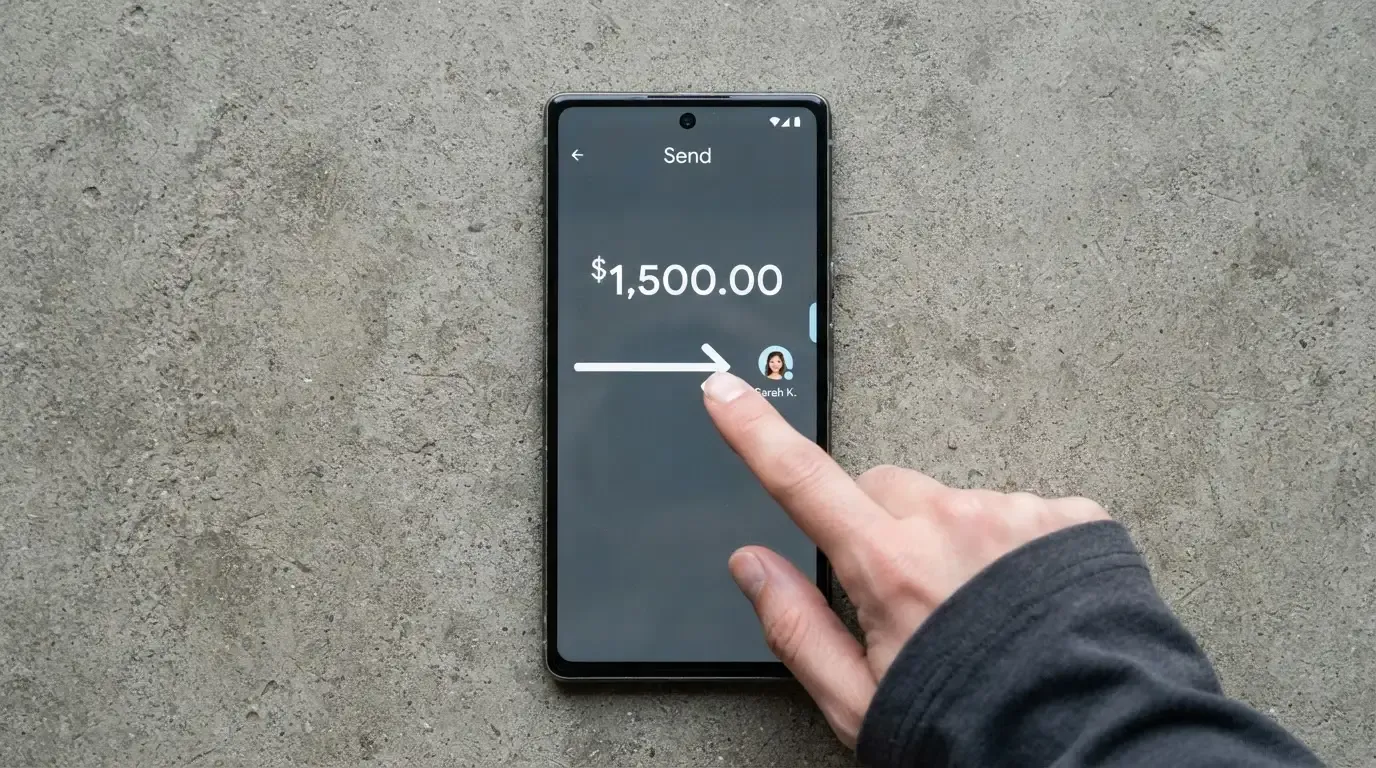
In practice, the flow is: open a TRC20-compatible wallet, buy or transfer USDT to it, copy the deposit address the card app gives you, send the USDT, wait for the network confirmations Tron requires, see the balance appear in the card, and spend. The “fast automated top-ups” line in the listing means that once your wallet is set up, the recurring case is a few screen taps, not a long form.
Three things are worth checking before your first top-up. The Tron network uses bandwidth and energy, and a transfer that runs out of the wallet’s free resources will need TRX to pay the fee; keep a small TRX balance, otherwise the transaction will not go through. The deposit address is a Tron address, and like all blockchain addresses it is case-sensitive; a single wrong character means the funds go somewhere that cannot send them back, because blockchain transfers are irreversible. And the card provider can only credit what arrives on the network it is watching; if you send USDT on Ethereum (ERC-20) or on a network Foton does not support, the funds are not lost on the blockchain, but the card has no way to see them, and support may or may not be able to recover them.
The $100 refundable deposit is part of the funding flow, not a separate fee, and that distinction matters. The listing describes it as a deposit you can get back, and that is the right way to think about it on day one: it is working capital you have handed to the card, not a sunk cost. Whether it is actually returned is a different question, and I come back to that in the risks section.
If you are topping up from a hardware wallet or a self-custody wallet, the usual hygiene rules apply. Verify the address on the card’s official page, not on a copied clipboard; check the first and last few characters; consider doing a small test transfer first. The card’s 1% top-up fee is paid in the same USDT you are sending, so on a $100 test you are paying $1 in fee plus the Tron network fee in TRX.
Paying with it every day
Once the card is funded, the everyday experience is what you would expect from a virtual Visa paid from a prepaid balance. Online checkout works wherever Visa is accepted and 3D Secure is honoured, the listing says 3D Secure is supported, and the BINs in the third-party data are the kind of BINs that merchants will recognise as ordinary Visa, which is the point. For a virtual card, this is the main use case: subscribe to services, buy things online, run the kind of small everyday payments that you would otherwise tap a physical card for.
The mobile-wallet question is the one I want to be careful with, because the listing contradicts itself. The English-language page of the same source lists Apple Pay and Google Pay as supported. The Chinese-language page of the same source says they are not supported. I cannot tell you which is right. If mobile wallet support is a deal-breaker for you, that is a question to verify directly with the card before you fund it, not a question to assume an answer to.
There is no rewards program and no cashback. That is fine if you are using the card as a payment rail, not as a way to earn on your spending. The card is not a credit card and has no credit line; it is a prepaid card, so you cannot spend more than your balance. There is no mention of an app-based freeze, spending limits, or 2FA in the materials I am working from, and the listing does not describe a disputes process. For most cards in this category, disputes are handled at the network level rather than by the brand itself, and what you see in the app is a status, not a resolution. If you need a card where you can pick up the phone and have a chargeback filed quickly, Foton does not currently advertise that capability.
A small thing that is easy to miss. The card’s BIN identifies the issuer’s country, and a merchant’s fraud system can see that. If the BIN is US and you are paying in a different country, the merchant or its processor may apply extra checks, decline the transaction, or send a 3D Secure challenge that the cardholder has to pass. That is not a Foton-specific issue, it is a property of how card networks work, but it is more visible for a card with no clear national identity.
What can go wrong
The risks come in three sizes. There are the risks any crypto card carries. There are the risks Foton specifically amplifies because of how little it says. And there are the risks the user reviews describe.
On the first, the usual crypto-card risks are: the issuer can change fees or close the programme with notice, the network can suspend a programme entirely, your funds on the platform are only as safe as the platform, and on-chain transfers cannot be reversed if you send to the wrong address. If you have used another crypto card, none of this is new. The detail that matters is how exposed Foton is on each of these. With a regulated card, you have a named issuer, a regulator you can complain to, and a deposit guarantee or safeguarding regime that may apply. With Foton, you have a product page.
On the second, the official site was not accessible when I checked, and that is a small data point that says something about how the company presents itself. The issuer is not named. The country list is not published. There is no corporate about page, no licensing disclosure, no mention of an EMI or a banking partner, and no address. The third-party listing says the BINs are in the US, Hong Kong and Singapore, which is the only verifiable footprint I have. A card can be a real product without disclosing all of this, but the more of it that is missing, the more of the risk you are taking on as the customer.
On the third, the user reviews. Trustpilot shows a 3.5 average from a small number of reviews (4 in total, read on 2026-10-21, with none in the last twelve months and an unclaimed profile). The themes are not subtle. September 2023 reviews say the chat support does not answer, accuse the company of taking $145, and call the product a scam. March and April 2024 reviews are positive, mentioning timely customer service. The Chinese review page has a report of an unresolved withheld deposit and unanswered support tickets. The pattern is what you would expect from a small, lightly-staffed operation: when it works, it works; when it does not, the customer has very little recourse.
A few specific things to check before you put real money in. The status of the $100 refundable deposit: is there a documented withdrawal process, or is “refundable” a marketing word? The status of customer support: is there a real channel that responds within a working day, or is it only a chat bot? The status of the official site in your country: is it reachable, and does the signup flow match the description above? And the status of the card’s programme: a single Visa or Mastercard suspension can stop spending overnight, and the smaller and more anonymous the issuer, the higher the chance that you find out about a programme change from a declined transaction rather than from an email.
I am not calling Foton a scam, and I do not think the small number of user complaints is enough on its own to justify that label. What I am saying is that the burden of proof is on the company, and the company is not meeting it. When a card is cheap, fast, and silent about who runs it, the silence is the cost.
What to take instead
I am not going to give you a ranked list here, because the honest answer is that the best alternative depends on what you are trying to do. If you want a no-KYC card, you are already in a narrow category and the trade-off is similar everywhere in it. If you are willing to do KYC, you are in a much larger category and the trade-off is much better. Rather than pick a single winner, let me walk through three of the cards I have looked at recently and what they are, and are not, good for, so you can place Foton next to them in your head.
Cardex is a debit crypto card on the Visa, Mastercard, UnionPay and Verve networks, available in 200+ countries, with virtual and physical options. The currency in the App Store listing is the Nigerian Naira, which is a hint about its home market even though the company frames the product more broadly. On fees, the site describes an “AI-Powered Conversion Rate” that scans global exchanges at the moment of payment and picks the best one, which is a more interesting mechanism than Foton’s “we charge 1% on top-up.” The cost score is 5.6 out of 10, which is a touch higher than Foton. Where Cardex beats Foton is the network and country reach; where it loses is that the same opaqueness about pricing applies, and you still do not get a named issuer from the materials I have.
CardFlow is a virtual USD Mastercard aimed at Nigeria, with a card you can create in about 3 minutes. Creating the card is free per the FAQ; the monthly fee is not stated. Funding is via BTC, USDT, ETH or Naira bank transfer, which is a broader set than Foton’s USDT TRC20 only. The score is 4.9, just above Foton. Where CardFlow beats Foton is the funding variety; where it loses is the same limited public information, the same thin regulatory footprint, and the same risk profile of a small, lightly documented product.
HyperCard is a prepaid card with a balance in USD or EUR, accepted in more than 176 countries according to the App Store page. Funding is in USDT, BTC and ETH inside the app, converted to the card’s balance. The score is 4.7, which is just below Foton. Where HyperCard beats Foton is the funding variety and the dual-currency balance; where it loses is the same lack of public detail on the issuer and the licensing.
What this comparison is really telling you is that the category of “no-KYC, small, lightly documented crypto card” is roughly the same shape across providers, and the differences are in the details: which network, which currency, which funding tokens, which fees. Foton is at the cheap-and-simple end of that shape; the others are at the broader-but-still-cheap end. If you are reading this, you are not choosing between Foton and a regulated card. You are choosing between Foton and another small no-KYC card, and the right answer depends on which of these small compromises you can live with.
If you are willing to do KYC, the comparison is much simpler and the answer is much better. Cards issued by regulated e-money institutions and banks, in the EU, the UK, the US, and a few other jurisdictions, will give you a named issuer, a regulator, a published fee schedule, a real disputes process, and in many cases safeguarding of your balance. The friction is at sign-up. The upside is everything else. That is the trade I would make, and the reason Foton earns a 4.8 rather than a 7.
Who I would recommend it to
I would recommend Foton to a narrow audience and only with eyes open. If you already hold USDT on Tron, you are comfortable with the network’s small TRX fees, you do not need a card for any specific country’s payment system, and you want a low-friction way to convert that USDT into everyday online spending, Foton is cheap and works. The 1% top-up fee, the $2 issuance, and the lack of a monthly charge make it one of the cheaper ways to do this. The catch is what happens if something goes wrong, and the answer is that you are mostly on your own.
I would not recommend Foton if any of the following apply. You need the card to work in a specific country with no risk of being treated as “foreign” by a merchant. You need a card from a named, regulated issuer that you can complain to. You cannot afford to lose the $100 deposit in a worst case. You need Apple Pay or Google Pay and the answer has to be yes. You are using the card for large one-off purchases where the difference between the card’s conversion rate and the mid-market rate is material. You are a first-time crypto user who is not yet comfortable with on-chain transfers and addresses.
The audience note I wrote down while researching was short: “users wanting a no-KYC virtual card paid in USDT TRC20.” That is the card in one line. If that is what you want, Foton does it cheaply. If that is not what you want, Foton is the wrong product, and the fact that it is cheap and frictionless does not make it the right one.
Frequently asked questions
What is the Foton card?
The Foton card is a virtual Visa that you fund with USDT on the Tron network (USDT-TRC20). It is prepaid, with a 1% top-up fee, a $2 issuance fee, and no monthly charge. The card’s own public pages do not currently say who the issuer is or which countries it serves; third-party data points to BINs in the United States, Hong Kong and Singapore.
How does the Foton card work?
You create an account, pay a $2 issuance fee, place a $100 refundable guarantee deposit, top up the card in USDT-TRC20, and spend. The card converts the USDT balance at the moment of payment and routes through the Visa network, with 3D Secure on online checkouts. There is no physical card and no mobile wallet support confirmed across all language versions of the listing.
Is Foton a bank?
Foton does not describe itself as a bank in the materials I could read, and no banking licence is named. It looks more like a card programme than a deposit-taking institution, but the absence of a published issuer means the regulatory classification is not confirmed. Treat it as a prepaid card product rather than a banking relationship.
Who owns Foton?
The owner is not stated on the public pages I checked. The third-party listing that supplies most of the data on Foton does not name a parent company or a registered entity, and the official site was not accessible when I checked. If ownership is important to your decision, that is itself a reason to be cautious.
Is the Foton card available in my country?
I cannot answer that. The country list is not published, and the unofficial data only mentions the BINs the card uses, which are in the US, Hong Kong and Singapore. Before you put money in, check whether the official site is reachable from your country and whether the signup flow actually completes for you.
Does the Foton card require KYC?
The third-party listing says it does not: email, phone, ID, proof of address and selfie are all marked as not required. The same listing is the only place this is said; the card’s own published KYC policy is not in the materials I have. If you want certainty, ask before you fund the card.
How do I top up the Foton card?
Send USDT on the Tron network (TRC20) from a TRC20-compatible wallet to the deposit address the card app gives you. Keep a small TRX balance in the sending wallet to pay the network fee, verify the address character by character on a page you reached through the official channel, and consider a small test transfer first. Only USDT-TRC20 is supported.
How do I add the Foton card to Apple Wallet or Google Pay?
I cannot tell you. The English-language version of the third-party listing says Apple Pay and Google Pay are supported; the Chinese-language version of the same source says they are not. Until that is resolved, treat mobile wallet support as unconfirmed and check directly with the card before relying on it.
Is the Foton card safe?
The card is prepaid, supports 3D Secure, and runs on Visa, which is the basic safety baseline. The risk is the things the company does not publish: the issuer is not named, the country list is not published, the corporate footprint is not visible, and the small number of user reviews includes serious complaints, including an allegation of $145 taken and a separate report of a refundable deposit not returned. Whether that is “safe” depends on how much of that opacity you are willing to take on.
Is the Foton card worth it?
If you specifically want a no-KYC virtual card paid in USDT-TRC20, the price is competitive: $2 issuance, no monthly fee, 1% top-up, no FX fee, and an unlimited daily and monthly limit on paper. If you want a card from a named, regulated issuer with a real disputes process and a clear country list, it is not worth it, and a regulated card will serve you better for slightly more friction at sign-up. The honest reading is that Foton is a small, cheap, thinly documented product, and the right choice depends on which of those three adjectives matters most to you.
Choosing a virtual card – cryptocardadvisor
Content created by the «cryptocardadvisor» team