
The Bolt card promises no annual or other fees, but its public pages leave the exchange rate, the issuing bank and the topping-up route largely unstated.
 Available in US
The Bolt card comes with one clear, quotable promise — the card’s own words are that “there are no annual or other fees associated with the Bolt Card” — and with a great deal that its public pages simply do not say. Which currency network it runs on, what the conversion and foreign-exchange charges are, how long a deposit takes to arrive, which institution actually issues it, which coins and blockchains are accepted for topping up: these pages do not state it. That combination — one strong selling point, several conspicuous blanks — drives the score below, and makes this review useful.
The conditions described here are current as of October 28, 2026.
Verdict: 4.8 out of 10, and the gaps matter more than the promise
I scored the Bolt card 4.8 / 10. That is a low number for a product whose headline fee claim is attractive, but a fee-free card only saves money if the cost of getting value onto the card and the costs of spending in another currency are clear. On both of those, the public material is thin. It suits US residents who want a plain debit card with no monthly charge and are content to hold and spend a single balance in the app. It does not suit anyone shopping across providers for a specific exchange rate, a specific coin, or a specific set of countries — because those are precisely the details the Bolt help pages leave out.
| Criterion | Mark | Why |
|---|---|---|
| Who can get it | 2 / 10 | Starting data says United States; no list of countries is published |
| Cost | 8 / 10 | No annual or other fees stated for the card; conversion and FX are not disclosed |
| Top-up options | 3 / 10 | Top-up happens in the app, but coins and networks are not named, and crypto via Zero Hash is not confirmed |
| Reliability and complaints | 6 / 10 | Bolt Financial, Inc. is the starting data; the issuing bank is not named and no card complaints were found |
| Everyday use | 4 / 10 | Virtual card instantly after a $5 deposit, plastic in about 10 business days; Apple Wallet not supported yet; ATM terms not disclosed |
| Total | 4.8 / 10 | Free of card fees, but quiet on nearly everything that moves money |
The “who can get it” mark is the one that decides the most cases. The starting data gives the United States as the country, and no other country is named. If you are outside the US, the availability is unknown rather than confirmed or refused. Treat that as an open question rather than a maybe — not as a no, and definitely not as a yes.
Will they give you the card?
The stated starting data is United States, and that is the only country figure published. Beyond geography, the help pages require identity verification before you can request the card at all. So the sequence is: verify, then apply.
That is worth pausing on, because “identity verification” is doing more work in that sentence than it appears to. The pages describe a single verification step, and they do not state which documents count, whether proof of address is required, or what the minimum age is. So it is not clear whether a passport alone suffices, whether a utility bill is needed, or whether a non-US citizen living in the US is treated the same as a US citizen. The general rule in this category is that prepaid and debit cards are generally available to adults (18 or over) and some issuers set higher limits — but that is the general rule, not something Bolt’s pages state.
If your situation is that ordinary bank cards are hard to get, the identity verification step is not a formality to skim past. It is the whole of the approval process. In the US, the customer identification programme requires a name, date of birth, address and an identification number, and electronic systems also validate proof-of-address documents against records. In the EU the equivalent customer due diligence additionally covers nationality, a sanctions check, the purpose of the relationship, and whether you are a politically exposed person. Nationality is normally screened separately from residence, because sanctions lists and issuer policy are often applied to citizenship and country of birth as well as to your address. I am not telling you how to get around any of that — I am telling you to expect the questions to be about your identity and your country of birth, not only where you live.
How to get it
The path is short on paper. Complete identity verification in the app first, then request the card. The virtual card is issued instantly once you have an initial deposit of at least $5.
There are two card forms: an instant virtual card, and a physical card described on a separate page. For the physical card, the published estimate is that “approximate card delivery time is around 10 business days”. The cost of the physical card is not stated, nor is the list of countries it ships to, nor what happens if it is lost or has to be replaced. If you are outside the US, that gap matters: you have no published answer on whether a plastic card would arrive.
The network the card runs on and the currency it holds are also not stated. I know that sounds like a detail, but it is the detail that decides whether a payment goes through. Merchants can look up the card’s issuing institution and country from the first digits of the card number, and some apply extra scrutiny when the issuer country differs from the billing address — which is exactly why a card issued in one country can look “foreign” to a shop in another. Address verification, which compares the numeric parts of a billing address against the issuer’s records, is mainly offered in the US, Canada and the UK and is generally unavailable for foreign-issued cards, so a card with an unexpected issuing country is more exposed to a decline at the till. Without a published network or country, you cannot tell how much of that exposure you are taking.
Fees: the no-fee promise is real, the exchange rate is not
Here is the cost picture as far as it is published, and then the parts that are not stated at all. I have kept the wording of the card’s own claim intact, because it is the one firm thing on offer.

| Item | What is published |
|---|---|
| Annual or card fees | “There are no annual or other fees associated with the Bolt Card.” |
| Issuance (virtual card) | Issued instantly after an initial deposit of at least $5; no issuance charge is stated |
| Physical card | Delivery around 10 business days; cost not stated |
| Monthly or maintenance fee | None stated, consistent with the no-fee claim |
| Crypto conversion | Not stated |
| Foreign exchange | Not stated |
| ATM withdrawal | No ATM page; a PIN can be set in the app |
| Withdrawal from the Bolt Account | Available in the app; fees and time not stated |
| Rewards | Disclosures mention “Bolt Account Reward Program Terms”; the rate is not stated |
| Daily and monthly limits | “All limits are set to default by Bolt”; figures are shown only in the app under Bank/Cards > Limits |
| Tiers | Not stated |
So what does a payment actually cost you? Take three ordinary ones.
A coffee in your own country. You tap the card and the balance goes down by the price of the coffee, plus whatever the network and the merchant charge. If the balance is already in the currency the shop wants, there is no conversion for the card to perform and the no-fee claim does what it says. This is the scenario the card is strongest in, and it is why the Cost mark is the highest of the six.
An online subscription priced in dollars while your balance sits in another currency. Here you cross the exchange rate, and the rate itself is not stated. The only thing published about conversion and foreign exchange on this card is that nothing is published. It is entirely possible the rate is competitive; it is equally possible there is a spread baked into the conversion. From the outside those two look identical. You cannot tell them apart from the public pages, which is exactly the problem.
A cash withdrawal. You set a PIN in the app, so cash is clearly meant to be possible, but there is no ATM page and no fee, no per-withdrawal charge and no own-currency guarantee is disclosed. Third-party withdrawals typically carry their own operator fee on top of anything the issuer charges. With nothing published, I would treat a cash withdrawal as the most expensive thing you do with this card until the app shows you otherwise.
The limits deserve their own note. All limits are set to default by Bolt, and the actual numbers live only in the app under Bank/Cards > Limits. That is a reasonable design choice and a poor disclosure choice: you cannot compare this card’s limits against another provider’s from published information, because you cannot see them until you are inside.
One thing that is not this card’s cost but shows up at the same moment: if you fund the card with crypto, the blockchain charges its own network fee for the deposit. That is set by the network, not by Bolt.
Top up: one route, no networks named
Topping up happens in the app. You deposit to the Bolt Account from inside the app, and the stated minimum for the first deposit is $5. Beyond that minimum, other minimums and other fees are not stated.
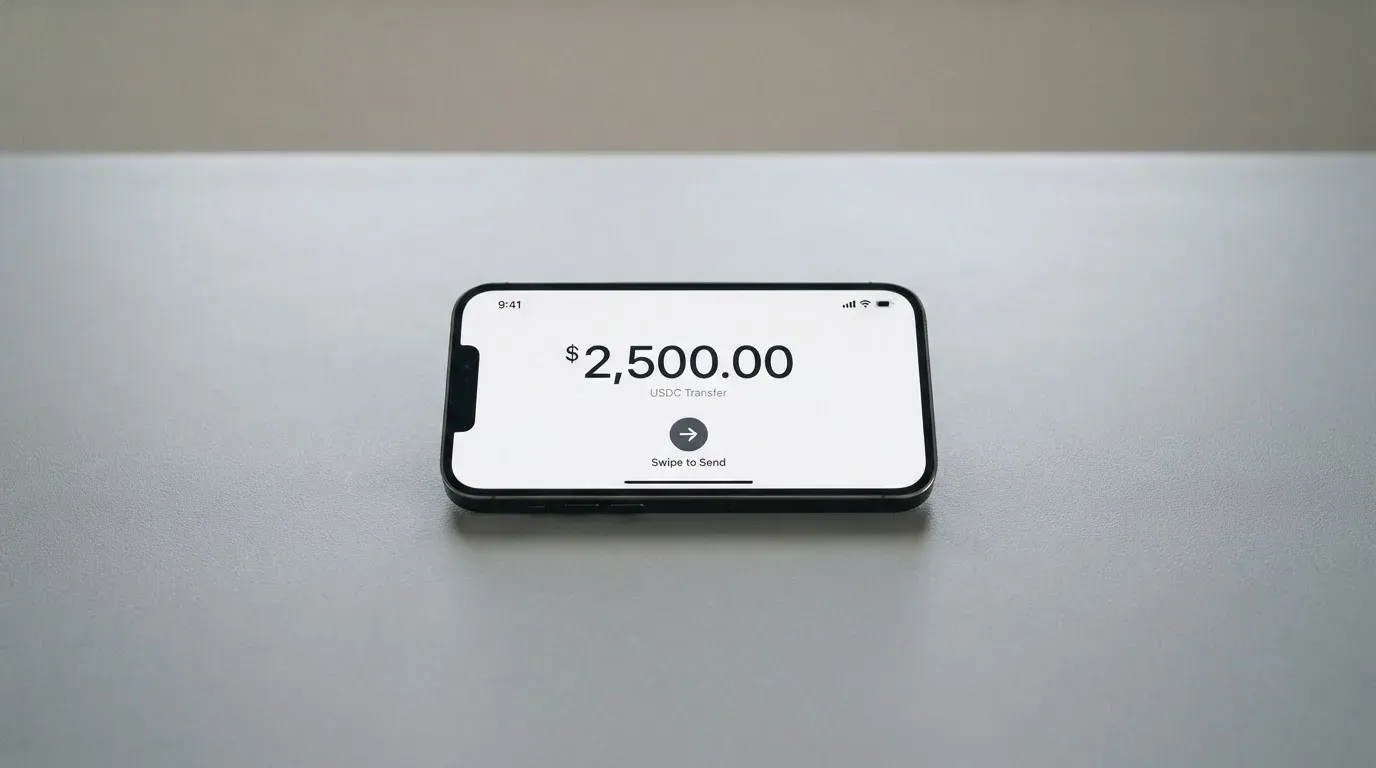
Here is the part that is difficult to assess. The help pages do not name which coins or which networks are accepted. Starting data for the product mentions crypto via Zero Hash, but that is not confirmed by any page — treat it as an unofficial data point, not as a documented feature.
This matters more than it might look, and it is the single biggest reason the Top-up mark is 3 out of 10. The choice of network is not cosmetic. A stablecoin lives on specific chains, and getting it onto the wrong chain, or to an address on a chain the provider does not support, can simply lose the money or require a manual support recovery with no guarantee — blockchain transfers are irreversible. You also need the right token for fees on some chains: on Ethereum, gas is paid only in ETH, so a wallet holding USDT and no ETH cannot send it at all. Tether describes USDT as issued on networks including Ethereum, Tron, Solana, Polygon and Avalanche, and Circle listed USDC as natively supported on 38 networks as of 16 September 2026, including Ethereum, Solana, Base, Polygon PoS, Avalanche, Arbitrum and Stellar. Circle stopped supporting USDC on Tron in February 2024, so “USDC over TRC20” is not a native option any more. None of that is Bolt-specific, but all of it becomes your problem the moment the app asks you to choose a network and the docs will not tell you which ones it accepts.
You can also withdraw from the Bolt Account in the app, under Bank/Cards > Bolt Card > Bolt Account > Withdraw. Fees, timing and the balance needed to close an account are not stated, so treat withdrawal as untested rather than as a guaranteed exit.
Paying with it every day
The day-to-day picture is where this card’s score sits in the middle of the pack, and the reasons are mostly small disappointments rather than disqualifying ones.
Apple Wallet is the one to know about. Adding the card to Apple Wallet is “not supported yet” — the stated wording is that it “will be available soon”. Google Pay is not mentioned at all. That is a real friction point for anyone used to paying by phone, and “soon” is not a date. Until it lands, the virtual card on its own plus a plastic card in the wallet are the routes.
The app is called the Bolt SuperApp. Platforms and ratings are not part of what I could read, so I have no opinion on how it behaves in practice — I only know that the deposit, the request, the limits, the block and the withdraw all happen inside it, which makes it the single point where things can go wrong.
The reward angle is worth one line rather than a paragraph. The disclosures reference “Bolt Account Reward Program Terms”, but no rate is published.
Two further absences matter for daily use. Disputes are not stated — no published procedure for a chargeback, which is the process by which an issuer refunds a disputed payment. And declined payments have their own quirk worth knowing generally: a declined authorisation may leave a hold on the funds that can remain for several days, typically up to 7. That is not a Bolt-specific rule, but it is the kind of thing that makes a card feel broken at the wrong moment, and with a stored-balance model a hold can be more confusing than with a bank account.
What works in your favour is the prepaid structure itself. In the pre-loaded balance model the card spends only the balance you have loaded, so it cannot overdraw. There is no overdraft to fall into and no credit line to be tempted by.
What can go wrong
No official incidents came up in checks, and no complaints about the Bolt card itself were found. That is mildly reassuring: absence of complaints often corresponds to a young or small product, and there is no independent page about the card to gauge from.
The structural risks are more concrete.
Who is actually issuing this. The company behind it is Bolt Financial, Inc. The issuing bank is not named on the pages I read, though the disclosures reference a “Consumer Checking Account Agreement”, which suggests a bank account sits behind the product. That matters because in this category the issuer is the party that holds the card programme and stands behind disputes, while the crypto brand is often only a programme manager or a front end. If you ever need to complain, you need to know who you are complaining to.
Custody. How the funds are held and safeguarded is not stated. And the general risk is real: custodial platforms have a history of failure — Mt. Gox reported about US$350 million stolen in 2011–2014, Coincheck about US$400 million in 2018, Ronin Network US$625 million in 2022. A self-custody-linked card avoids that counterparty risk but moves key loss, phishing and clipboard-hijacking malware onto you, because whoever holds the private key or seed phrase controls the crypto, and a stolen key has no built-in recovery — the network cannot freeze or return the funds.
Programmes can close. This is worth internalising if you plan to hold a balance. Visa terminated its global agreements with FTX on 13 November 2022 and the FTX US debit card was wound down by its issuer; WaveCrest, a Visa issuer that supplied crypto card brands, was suspended by Visa in Europe in 2018, closing all WaveCrest-issued Visa programmes. The pattern is usually a notice period, then spending and loading stop, then you are asked to withdraw. Holding a large idle balance on a young card has a cost that never appears in the fee table.
Platform risk. Stablecoins are not necessarily stable: TerraUSD collapsed in May 2022 and USDC temporarily lost its peg in March 2023 during the US banking crisis. Tether also says it disables tokens in wallets on the OFAC sanctions list and has frozen funds tied to illicit activity.
Practical refusals. Some merchants decline prepaid or foreign BINs because the lookup reveals the card type and the issuer country. Address verification, as noted, is mostly a US, Canada and UK affair and is generally unavailable for foreign-issued cards. Gambling transactions carry their own MCC, and many issuers block that category by policy rather than by law, with the blocked list differing per issuer.
A note on the name. The domain has moved to boltapp.com; the old help address redirects. The date of the move is not stated. This is not sinister — micro-services rebrand constantly — but if you are searching for support or trying to confirm you are on the real site, boltapp.com is the address the company’s own materials use.
Support. Contact is through boltapp.com, help.boltapp.com and a Discord chat. Languages and hours are not stated, which matters if you are outside US hours.
Taxes. I am not giving tax advice here, and you should check with a professional, but the mechanism is worth knowing: the IRS treats digital assets as property, so exchanging them for goods, services or dollars generally produces a taxable gain or loss, measured in local fiat currency at fair market value on the date of the transaction. Each card payment funded from crypto may therefore be a separate disposal. This does not apply if the balance was funded with dollars in the first place.
Identity. One last practical thing. If you fail or abandon verification, EU rules require the institution to refrain from the relationship and, where necessary, end it — which is why accounts get closed or frozen pending documents. Budget for that when you set up your address details properly the first time.
What to take instead
Three alternatives came up in my comparison set. None of them is a perfect answer either, and each solves a different problem.
International Visa Card — 6.7 / 10. A U.S.-issued Platinum Visa, virtual, paying in USD, with the physical card listed as “Coming soon”. Not available to residents or legal registrants of Belarus, mainland China, North Korea, Cuba, India, Iraq, Iran, Israel, Myanmar, Nepal, Nicaragua, Russia, Syria, Turkey, Ukraine, Venezuela and Vietnam, with FATF grey-list countries reviewed case by case; purchases are blocked in North Korea, Cuba, Iran, Russia, Syria, Ukraine and Venezuela. The rule is by residence or registration, and citizenship is not mentioned. Issuance is $5 one-time with no maintenance fee; plans are Classic free, Pro $9.00/month and Max $19.00/month. Use in USD is free on all plans; foreign currency costs “Visa exchange rate + 2% FX fee”. Deposits are free, of USDC or USDT into the USD account at 1:1, or in USD, EUR, via SEPA, SWIFT or FedNow. No cashback is stated. This is the most transparent of the three on pricing, and the 2% FX fee is the number to weigh against Bolt’s silence.
UNi Card — 6.1 / 10. A multicurrency card on the Mastercard network, spending from the UNi.Global account balance, with no annual fee and no foreign transaction fee, assets converted at “live OTC (Over-the-Counter) rates” and “No hidden exchange fees”. Spend-to-Earn rewards up to 3%. Its eligibility, funding routes and physical or virtual format are not stated, so I rate it as attractive on paper and unverified in practice.
Whop Cards — 5.2 / 10. A Visa that works anywhere Visa is accepted, spending from a Whop balance — a pending balance is usable as soon as a payment arrives, standard withdrawals use settled funds — with “No extra fees” and 5% cashback at select merchants, currently Uber. It is available to consumers in 31 US states and businesses in 41, and unsupported in Belarus, mainland China, Cuba, Hong Kong, India, Iran, Iraq, Israel, Myanmar, Nepal, Nicaragua, North Korea, Russia, Syria, Turkey, Ukraine, Venezuela and Vietnam. Whether the restriction follows citizenship or residence is not stated, and neither are the coins and networks behind the balance.
| Bolt | International Visa Card | UNi Card | Whop Cards | |
|---|---|---|---|---|
| Score | 4.8 / 10 | 6.7 / 10 | 6.1 / 10 | 5.2 / 10 |
| Stated country basis | United States | Not stated | Not stated | 31 US states for consumers, 41 for businesses; 18 countries unsupported |
| Network and currency | Not stated | U.S.-issued Platinum Visa, USD | Mastercard, multicurrency | Visa; currency not stated |
| Annual fee | “No annual or other fees” | None; plans $0 / $9.00 / $19.00 per month | “No annual fee” | “No extra fees”; no amounts listed |
| FX and conversion | Not stated | Visa exchange rate + 2% FX fee; USD use free | Live OTC rates, “No hidden exchange fees” | Not stated |
| Funding | App deposit, min $5; coins and networks not stated | USDC/USDT at 1:1, or USD, EUR, SEPA, SWIFT, FedNow | Not stated | Whop balance; stablecoin-backed per unofficial data |
Who I would recommend it to
I would recommend the Bolt card to one specific person: someone in the United States who wants a debit card with no monthly charge, who is happy to keep one balance inside one app, who will mostly spend in that balance’s own currency, and who will check the conversion rate and the limits in the app before committing real money to it. For that person the promise — no annual or other fees — is exactly what they wanted, and the deposit of $5 to get a virtual card instantly is a low-cost way to try it.
I would not recommend it to someone whose main worry is getting a specific coin onto the card, because the networks are not published and getting that wrong is how money disappears. I would not recommend it to anyone outside the US, because no country list exists to check yourself against. And I would not recommend it to anyone choosing on price alone, because the price is the half that is published — the exchange rate, the ATM cost and the limits are the half that is not, and those are the ones that show up in your statements.
The honest summary is that Bolt has built a card whose one advertised number is flattering and whose other numbers are missing. That can be a perfectly good card inside the narrow band it works in. It just cannot yet be compared properly against anything else.
Frequently asked questions
What is the Bolt card?
The Bolt card is a payment card issued through the Bolt app, offered in an instant virtual form and as a physical card. The virtual version appears immediately once you deposit at least $5. Bolt’s starting data names the United States as the country, and the card runs out of an in-app account balance. The card’s own pages state that “there are no annual or other fees associated with the Bolt Card.”
How does the Bolt card work?
You top up a balance in the Bolt app and the card spends that balance, which is the prepaid model rather than the ordinary debit model where your bank is asked for money at the moment of purchase. Because the card draws on a loaded balance, it cannot overdraw. The app is the control point: deposits, limits under Bank/Cards > Limits, card blocks, PIN setting and withdrawals all happen there.
Who owns Bolt?
The company behind the product is Bolt Financial, Inc. The issuing bank is not named on the pages I read, though the disclosures reference a “Consumer Checking Account Agreement”, which points to a bank account sitting behind the card. The public site has also moved from bolt.com to boltapp.com, with the old help address redirecting. The date of that move is not stated.
Is Bolt card available outside the United States?
Based on the available information, it is not clear if Bolt is available outside the United States. The only country given is the United States, and no list of other countries appears. If you live elsewhere, availability is unknown rather than confirmed or refused. The same gap applies to physical card shipping, where cost and destination countries are not stated.
Does the Bolt card require identity verification?
Yes. The help pages require identity verification in the app before the card can be requested, and it is described as a single step. Which documents count, whether proof of address is needed and the minimum age are not stated on those pages. In the US, customer identification generally requires a name, date of birth, address and identification number, with electronic systems also checking proof-of-address documents.
How much does the Bolt card cost?
The card’s stated position is that “there are no annual or other fees associated with the Bolt Card”, and the first deposit needed for the virtual card is at least $5. Crypto conversion charges, foreign exchange fees, ATM fees and the physical card’s cost are not stated. Daily and monthly limits are set to default by Bolt and the figures appear only inside the app, so published information cannot tell you what this card will cost in practice.
Can I top up the Bolt card with cryptocurrency?
Top up happens in the app, and the minimum first deposit is $5. The help pages do not name any coins or networks. Starting data mentions crypto via Zero Hash, but no page I read confirms it, so treat that as unofficial. Choose carefully when depositing: a transfer on an unsupported network can be lost or need manual recovery, and blockchain transfers cannot be reversed.
Is the Bolt card safe and can I add it to Apple Wallet?
Safety is partly a matter of who holds your funds, and that is not stated. The app does let you apply a temporary block, a permanent block, set a PIN and unblock the card. Adding the card to Apple Wallet is “not supported yet” and said to be “coming soon”; Google Pay is not mentioned at all. No official incidents and no complaints about the card were found.
Is Bolt a bank?
The available material does not present Bolt as a bank. It names Bolt Financial, Inc. as the company and refers to a “Consumer Checking Account Agreement” in its disclosures, without naming an issuing bank. How customer funds are safeguarded is not stated, and in this category that question matters — funds held by an e-money institution are not the same as bank deposits and may not be covered by a deposit guarantee scheme.
What can I use the Bolt card for day to day?
Day-to-day spending works anywhere cards are accepted, and the balance behaves like a prepaid card so it cannot overdraw. Two everyday friction points: the card cannot be added to Apple Wallet yet, and cash withdrawals have no published fee schedule, so treat ATM use as the most expensive thing you do until the app shows otherwise.
Choosing an app or neobank card – cryptocardadvisor
Content created by the «cryptocardadvisor» team