
Exa card reviewed: a self-custody Visa that spends from your crypto
 Available in US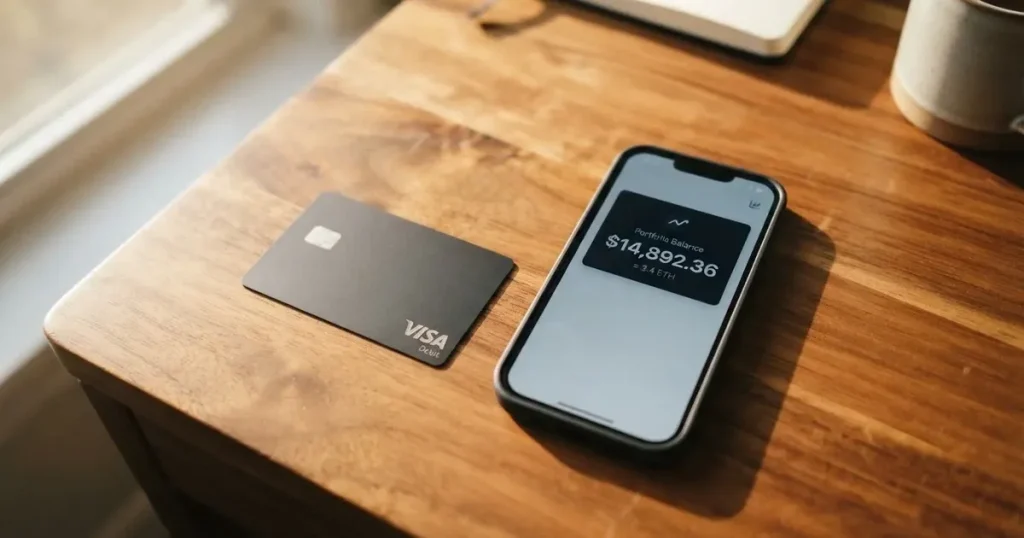
The Exa card (Visa Signature Exa Credit Card) is unusual among crypto cards: the collateral lives in a self-custody app, the card is virtual-only, and the issuing bank isn’t named anywhere on the official site. That shape makes it genuinely useful for one group of people and genuinely awkward for everyone else, which is the main thing to understand before you start the application. I went through the official pages, the help center, and a couple of third-party trackers, and I’ll walk you through what I found, what the card actually does, and where the gaps are.
This review reflects conditions as of October 28, 2026.
Verdict: 6.2 / 10
The card has a real, defined shape — a Visa you can add to Apple Pay or Google Wallet, denominated in USD, that draws against crypto collateral in your own Exa app. That mechanism is interesting, and the 45-country footprint is wide. But there are problems I can’t get past: the issuing bank isn’t disclosed, the help center doesn’t publish basic numbers (ATM fees, daily limits, monthly limits), and Google Play reviews sit at 2.7 out of 5. It’s the kind of card that suits a specific reader — someone with a self-custody crypto wallet who wants to spend against holdings without first off-ramping to a bank — and not a general-purpose replacement for a debit card.
| Criterion | Score | Why |
|---|---|---|
| Who can get it | 7 / 10 | Available in 45 countries and 31 US states, but 18 countries are closed, including Russia, China, India, and Turkey. Nigeria is conditional. |
| Cost | 7 / 10 | Marketed as free; 1.5% FX on non-USD purchases is the main published charge. ATM and loan-origination numbers are not on the official page. |
| Top-up options | 6 / 10 | Funded by USDC, ETH, wstETH, WBTC, or OP held in the Exa App. The official site does not name the networks or any deposit fee. |
| Reliability and complaints | 5 / 10 | Exa Labs SAS runs the programme; cards are “issued by licensed third parties” but the bank isn’t named. No Trustpilot page exists. Google Play 2.7/5 from 58 ratings. An August 2023 exploit of Exactly Protocol took about $7.3M. |
| Everyday use | 5 / 10 | Virtual only, works in Apple Pay and Google Wallet, accepted wherever Visa is taken. No physical card, no published daily or monthly limits. |
The audience that should read on: self-custody users who want to spend against crypto collateral without converting to fiat in a bank account. The audience that should look elsewhere: anyone who needs a physical card, anyone in a closed country, anyone who wants published ATM and monthly limits before signing up, and anyone who values a named, regulated issuer bank on the front of the programme.
Who will they give you the card
Exa lists 45 eligible countries and 31 US states. Among the named countries are Argentina, Brazil, Japan, Kenya, Mexico, Singapore, South Africa, and the UAE; Nigeria is conditional. Eighteen countries are explicitly ineligible, and the list is long enough to matter: Belarus, China, India, Iran, Israel, Turkey, Ukraine, Vietnam, and Russia. The site says “Russian residents cannot be issued a card” and adds that the card cannot be used for spending in Russia. Spending is also blocked in Cuba, Iran, North Korea, Syria, Ukraine, and Venezuela.
The eligibility rule is by residence, not just citizenship, which is the more permissive of the two standards. If you live in a permitted country and have the documents to prove it, you’re in scope; if you live in a blocked country, you aren’t. The country list is the single most important thing to check before you do anything else, because everything that follows (top-up, spending, support) only works if you clear this first filter.
How to get it
The flow is short by design. You download the app, add funds, and a KYC check runs for “about 3 minutes.” A single validation step is supposed to finish in no more than three minutes when you request the card. Above $10,000 in weekly purchases, an automated source-of-funds check starts: you fill in a form and upload supporting documents, and raising the limit further requires proof of address and proof of funds.
The card itself is a virtual Visa Signature, accepted “at over 150 million merchants in more than 150 countries.” A help-center article titled “Is there a physical card?” exists; the help-center article says no — “No, there are no physical cards available at the moment.” The card is stored in Apple Pay or Google Wallet only. There is no delivery, no replacement, and no address to ship to.
A few things the official pages don’t spell out. The list of accepted identity documents is not stated. Proof of address is not stated as a routine requirement, only as a higher-limit step. Age requirements are not stated. The card’s currency is implied as USD because the help center has a non-USD conversion article, but the article’s content isn’t in the public pages I read. The factors that lead to rejection are not stated. If any of these are deal-breakers for you — for example, if you need to know upfront what counts as proof of address — you’ll have to email support.
The help center articles I couldn’t read but should know exist: “Exa Card associated fees and costs,” “Exa Card purchase limits,” and “How is my spending limit calculated?” Those would tell you the basic numbers if they were public. They aren’t.
Fees: what it really costs
The marketing line is “free,” and the official page carries no amounts. The one published number is a 1.5% FX fee on any purchase in a currency other than USD, and the help center is explicit that this is included in the exchange rate rather than added on top. A loan-origination fee may be charged when you borrow against your collateral, and the official pages say it is “included in installment interest” — which is a fair way to say it’s baked in, not waived.

| Fee or limit | Amount |
|---|---|
| Issuance fee | $0 (unofficial, per CryptoCardHub, Aug 2026) |
| Annual fee | $0 (unofficial, per CryptoCardHub, Aug 2026) |
| FX fee (non-USD purchases) | 1.5% (included in the rate) |
| Loan origination fee | May apply; included in installment interest |
| ATM withdrawal fee | $1 + 0.65% per withdrawal (unofficial) |
| ATM per-withdrawal cap | $250 (unofficial) |
| ATM withdrawals per day | 4 (unofficial) |
| Weekly purchase limit | $10,000 |
| Daily purchase limit | Not stated on official pages |
| Monthly purchase limit | Not stated on official pages |
| ATM operator surcharge | May apply (third-party fee) |
To translate the table into what you’ll actually feel, walk through three everyday payments:
- Coffee in London for £4.50. The card converts pounds to US dollars at a rate that already includes the 1.5% FX fee, then settles in USD. You don’t see a separate fee line on the receipt; the mark is in the rate.
- A $60 dinner in New York. No FX conversion, no FX fee. The dollar amount is the dollar amount, settled against your USD-denominated card.
- A $200 ATM withdrawal in Mexico. The official page doesn’t publish ATM fees, so I’m relying on a third-party tracker (CryptoCardHub, August 2026): $1 fixed plus 0.65% of the withdrawal, capped at $250 per pull, four pulls a day, and you need a contactless NFC ATM and a PIN from the app. The ATM operator can also add its own surcharge on top. The combination of card fee plus operator fee is what you’ll actually pay.
The honest summary: the public fee schedule is thin. The 1.5% FX fee is published. ATM fees, daily limits, and monthly limits are not published by Exa, which is unusual for a card that wants to be your everyday payment method.
Top up: how to fund the card
The card doesn’t work from a bank account. It works from funds you hold inside the Exa App, which is a self-custody wallet: the funds are your collateral, and the card spends either directly (“Pay Now”) or in installments against that collateral as a credit line. The published supported collateral assets are USDC, ETH, wstETH, WBTC, and OP, drawn from Exactly Protocol markets. Exa’s help center doesn’t name the networks these assets are sent on, and the site doesn’t list a deposit fee, a minimum top-up, or fiat on-ramp options.
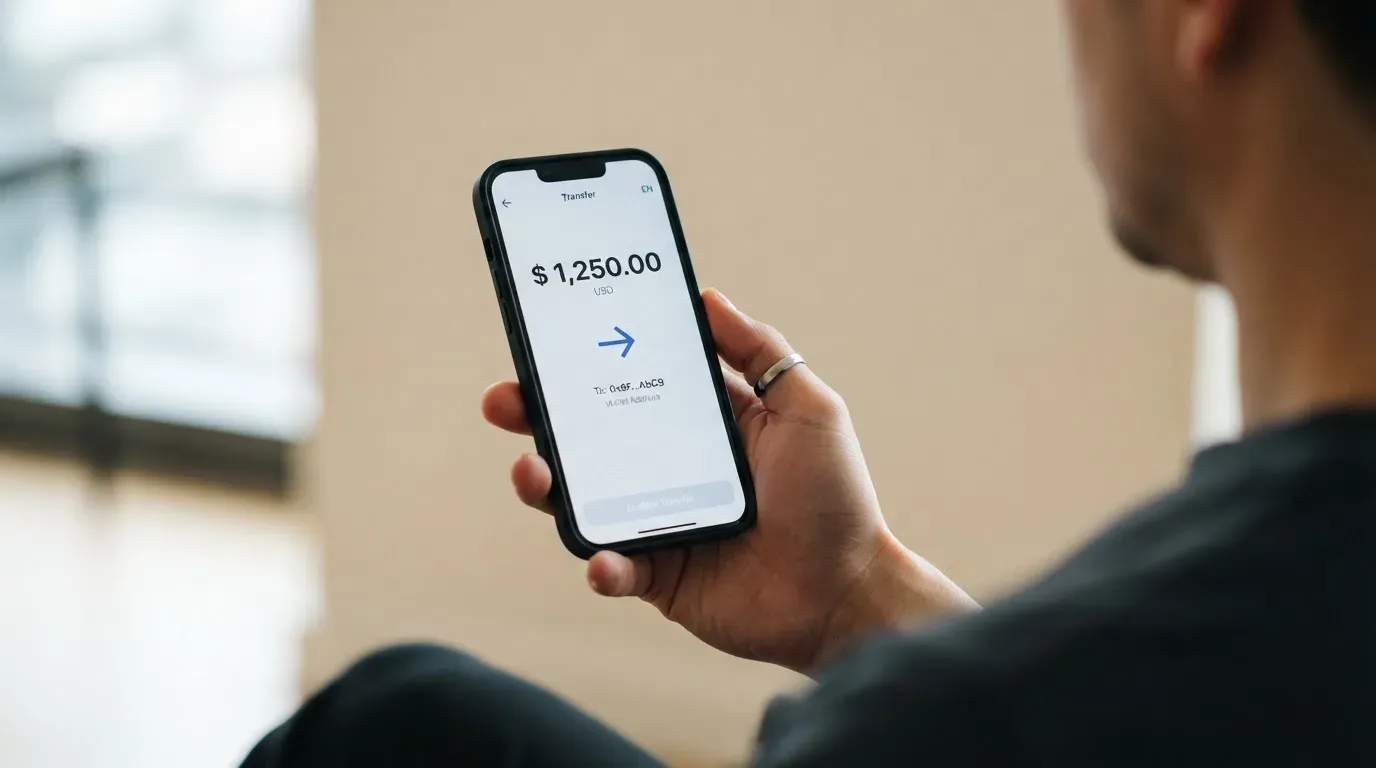
A few practical implications. If you only have USDT, you can’t top up directly — you’d have to swap into USDC first, which adds network and slippage costs. If you want to send USDC, you have to know which network Exa expects, and the docs don’t tell you; sending on the wrong network is a common way to lose crypto permanently, because blockchain transfers are irreversible. There is no fiat on-ramp on the official page, so to get funds in you typically send crypto from another wallet or buy it elsewhere and transfer.
On the unofficial side, CryptoCardHub (August 2026) reports no stated fee for crypto deposits, and says fiat on-ramp fees vary by the third-party route and by country. The bottom line: the funding path is simple if you already hold the right crypto on the right network, and is genuinely awkward if you don’t, and Exa doesn’t smooth that path for you.
Paying with it every day
Adding the card to Apple Pay and Google Wallet is supported — the help center has articles for both. Once added, the virtual card works at any merchant that takes Visa contactless, including online checkout. The card is USD-denominated, so domestic US payments settle without FX; cross-border payments pick up the 1.5% fee described above.
The Exa App itself is the centre of the experience. It’s available on iOS and Android, downloaded via a QR code on the site or at web.exactly.app. Unofficial store ratings, as of August 2026, are stark: 5.0/5 on the Apple App Store from 4 ratings (small sample), and 2.7/5 on Google Play from 58 ratings. Exa’s official pages don’t list store ratings, so I’m treating these as third-party observations.
Two practical things the help center does explain. A purchase is “placed on hold at authorization” and “completes (settles) usually 1 to 3 days later,” which means the final amount on your statement can differ from the amount you saw at the register — the obvious cases being restaurant tips, hotel incidentals, and exchange-rate moves on non-USD charges. And the help center lists Visa Signature benefits, a 20% discount on Airalo eSIMs, and a US activation reward (spend $100, get $20 in XRP via Uphold). Cashback is not stated as a current feature; an earlier 1.5% USDC cashback rate is described in third-party trackers as historical or unverified.
What the official pages don’t cover is just as important. Disputes, refunds, and chargebacks are not described. Restricted merchant categories are not listed. The card’s posture on gambling, crypto purchases, and other categories that issuers commonly block is not stated. If your typical spend includes those, you have to test and see.
What can go wrong
Reading through the public material, four things stand out as risks worth taking seriously.
The issuing bank is not named. Exa Labs SAS runs the card programme, and the cards are “issued by licensed third parties.” A US legal address in San Juan, Puerto Rico is “provided by Rain,” but the issuer bank behind that address is not stated. The help center says the card is “issued in the United States” without saying by whom. That’s unusual, and it means the regulatory framework of your card sits behind a corporate layer you can’t see from the public pages. If something goes wrong, the institution that ultimately owes you a refund is not the one you signed up with.
The Exactly Protocol was exploited. Third-party reporting (cryptocards.so) records a $7.3M exploit of Exactly Protocol in August 2023. The card spends against collateral in that protocol. A repeat incident is not a question of if, but when, and your spending ability is tied to the protocol’s uptime. Self-custody protects you from a custodian going bust, but it does not protect you from a smart-contract bug.
No Trustpilot, weak Google Play reviews. I could not find a Trustpilot page for exactly.app. The Google Play rating is 2.7/5 from 58 ratings — a small sample, but a low one. The recurring complaint pattern cited by cryptocards.so is KYC failures for users in African markets, especially Nigeria, and the absence of a documented support SLA. If you’re in a market where KYC approvals are slow or hard, your experience is likely to be that.
Closed countries and a thin public fee schedule. 18 countries are closed to new applicants, including major markets like India, China, and Russia. The fee schedule on the official site is thin enough that you’d need to email support to find out what an ATM withdrawal or a non-USD online purchase actually costs. For a card that wants to be your everyday payment method, that’s a gap.
A few more things to know. The help center can be reached through intercom.help/exa-app and help.exactly.app, and there’s an X account at @Exa_App. The account is “secured with passkeys,” and you can add a second account owner; audits and insurance are not mentioned on the page. In-app card freeze and spending controls are not described.
What to take instead
Three other cards I looked at, with their own trade-offs:
- Sponge (4.9/10). A virtual Visa credit card issued by Rain, funded by USDC collateral moved from the Sponge wallet (example chain: Base; SDK also mentions Solana as an option). The card is created by a
createSpongeCardfunction. The country list, fees, and rewards are not stated on the public pages. It’s a developer-friendly shape with very little to tell a regular user.
- Nexo (6.3/10). A virtual-and-physical Mastercard (issued by DiPocket UAB) for residents and citizens of “selected European countries, including the EEA and the United Kingdom.” No monthly, annual, or inactivity fee. FX on weekdays 0.2% in the EEA/UK/Switzerland and 2% elsewhere (0.7% and 2.5% on weekends). Virtual card needs at least $50 in the account to activate; physical card is free to ship but requires more than $5,000 in digital assets and at least Gold tier. Cashback is in NEXO or Bitcoin, tier-dependent (Platinum 2%/0.5% down to Base 0.5%/0.1%), and is paid only in Credit Mode above the $5,000 threshold. Third-party news in 2025 reported a Bulgarian police raid on Nexo’s Sofia office over alleged Russia-sanctions/AML issues; no official Nexo statement on Russian users was found in the materials I read.
- Xplace (7.7/10). A Visa available as a virtual card (instant) and a physical card (Silver tier live; Gold and Platinum coming soon, with 7–14 business day delivery). Annual fees by tier: Basic free, Silver $99, Gold $249, Platinum $999. “0% FX on Platinum”; FX for other tiers and conversion fees are not stated. Deposit assets include BTC (cbBTC), ETH (wETH), SOL, JitoSOL, USDC, USDT, and xStocks on the Solana network. Cashback in Credit Mode, paid in USDC to the wallet at settlement, ranges from 0.5% (Basic) to 2% (Platinum); Cash-mode cashback is not stated.
The pattern: if you want a card with a named issuer bank and published fees, Nexo is closer to that. If you want low fees on a Solana-native flow, Xplace is the more interesting shape. Sponge is a different product — closer to a developer primitive than a consumer card.
Who I would recommend it to
I would recommend Exa to a specific reader: someone who already keeps crypto in a self-custody wallet, is comfortable with the mechanics of a non-custodial lending protocol, lives in one of the 45 eligible countries, and wants a virtual Visa to spend against that collateral. If that is you, the mechanism is interesting: you keep your keys, you deposit collateral into Exa’s protocol markets, and you spend from a Visa accepted at 150 million merchants. The 1.5% FX fee on non-USD purchases is the main published cost, and the Apple Pay / Google Wallet support means you can use it at any contactless terminal.
I would not recommend Exa to several other readers, and it’s worth being clear about who they are. If you need a physical card, look elsewhere — Exa is virtual-only. If you’re in Russia, China, India, Turkey, or one of the other 18 closed countries, you cannot get the card at all. If you want a named, regulated issuer bank on the front of the programme, you won’t find one in Exa’s public materials. If you need published ATM fees, daily limits, and monthly limits before signing up, you won’t find those either. And if you have a low tolerance for smart-contract risk, the August 2023 exploit of Exactly Protocol is a concrete reminder that the collateral layer has been compromised before.
If the card’s shape doesn’t fit, the alternatives section above gives you three working comparisons. For a self-custody user who wants a published fee schedule and a named issuer, Nexo is closer to that, though its geographic scope is narrower. For a Solana-native flow with transparent tiers, Xplace has the most clearly described structure. Sponge is worth a look if you’re building rather than spending.
The honest one-line summary: Exa is a genuinely self-custody-linked Visa for a specific reader, and a public-information-thin product for everyone else. Decide which one you are before you download the app.
Frequently asked questions
What is the Exa card?
The Exa card is a virtual Visa Signature credit card whose collateral lives in the Exa App, a self-custody wallet. It is run by Exa Labs SAS, and the cards are “issued by licensed third parties” — the issuing bank is not named on the public pages. The card is accepted wherever Visa is taken, in over 150 countries.
How does the Exa card work?
You deposit supported assets (USDC, ETH, wstETH, WBTC, or OP) as collateral in the Exa App, and the card spends against that collateral either directly or in installments as a credit line. The protocol markets that hold the collateral are part of Exactly Protocol. A 1.5% FX fee applies to non-USD purchases, included in the exchange rate.
Is Exa a bank?
No. Exa is a card programme run by Exa Labs SAS, a French company. The cards are issued by an unnamed licensed third party, and a US address in San Juan, Puerto Rico is “provided by Rain.” Exa Labs does not issue payment instruments itself.
Is the Exa card available in my country?
It is available in 45 countries (including Argentina, Brazil, Japan, Kenya, Mexico, Singapore, South Africa, and the UAE) and 31 US states. Eighteen countries are ineligible, including Belarus, China, India, Iran, Israel, Turkey, Ukraine, Vietnam, and Russia. The rule is by residence.
How do I get an Exa card?
You download the Exa App, add funds, complete a KYC check that takes no more than 3 minutes, and request the card. The card is virtual and is added to Apple Pay or Google Wallet. There is no physical card, no delivery, and no shipping address.
Does the Exa card require KYC?
Yes. A single validation step is run when you request the card and is meant to finish in under three minutes. Above $10,000 in weekly purchases, an automated source-of-funds check starts; raising the limit further requires proof of address and proof of funds.
How do I top up the Exa card?
You add funds in the Exa App from the supported assets (USDC, ETH, wstETH, WBTC, or OP). The official pages do not name the networks, a deposit fee, or a minimum top-up, and there is no fiat on-ramp. In practice you send crypto from another wallet to the deposit address Exa provides, on the network Exa expects.
How do I add the Exa card to Apple Wallet or Google Pay?
The help center has articles for both Apple Pay and Google Wallet. Once your virtual card is issued, you follow the standard “add card” flow in your phone’s wallet app. The card then works at any contactless Visa terminal.
Is the Exa card free?
It is marketed as free. The published charge is a 1.5% FX fee on non-USD purchases; a loan-origination fee may apply and is included in installment interest. ATM fees, daily limits, and monthly limits are not published on the official page.
Is the Exa card safe?
The account is self-custody and secured with passkeys, and the cards run on non-custodial smart contracts. The trade-off is that you bear smart-contract risk: Exactly Protocol was exploited for about $7.3M in August 2023. The issuing bank is not named, there is no Trustpilot page, and Google Play reviews sit at 2.7/5 from 58 ratings. Audits and insurance are not mentioned on the official page.
Choosing a credit or cashback card – cryptocardadvisor
Content created by the «cryptocardadvisor» team