
A virtual card for spending across borders, priced in dollars, with fees that bite outside the US
 Available in US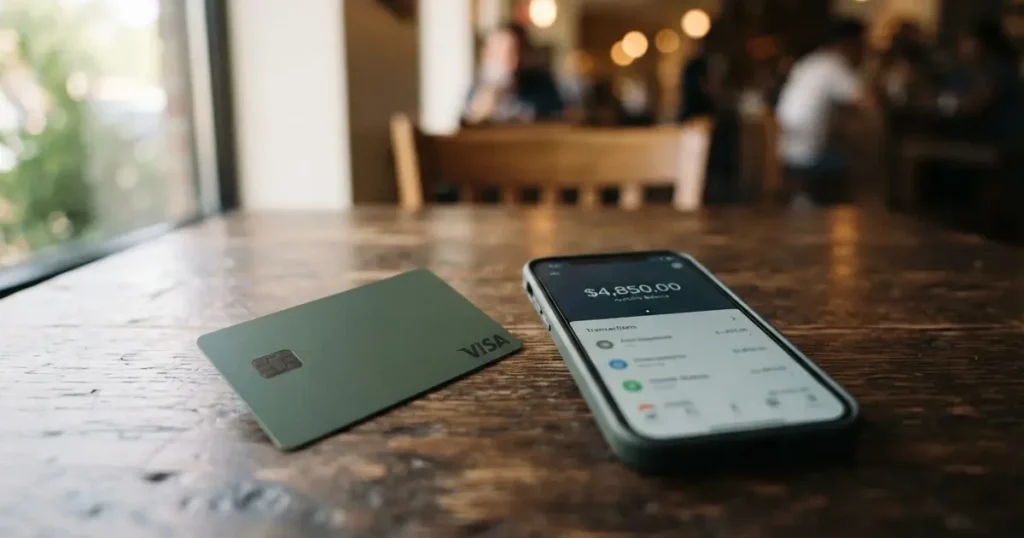
Onboard is a virtual Visa card you load with stablecoins or local currency and spend like an ordinary payment card, in stores and online, with Apple Pay and Google Pay support. It is aimed at what the company itself calls “professionals who spend across borders”. If that is you — someone living or working outside the US who needs a card that works internationally and is willing to hold US dollars — the pitch is coherent and the first card is free. If you need a physical card, cash from an ATM, or a card accepted in the United States, Onboard does not do those things, and no amount of good intentions will change that.
I scored Onboard 6.5 out of 10. It is a competent, narrowly built virtual card with a clear use case and a first-free-card offer, held back by three things that are not its fault but still shape your day: it is virtual only, verification is closed in a long list of countries including the United States, and it describes itself as a technology platform rather than a bank, with no named issuing bank on the pages I read.
The conditions described here are current as of October 28, 2026.
The Score, Criterion by Criterion
| Criterion | Mark | Why |
|---|---|---|
| Who can get it | 8 / 10 | Verification is closed in a named list of countries that includes the United States; elsewhere it is open, but in Turkey, Israel, India and several others only the Classic card is available |
| Cost | 6 / 10 | The first Flex card is free, further cards are $2; USD payments are free, payments in another currency are $0.30 + 1.5%, and top-up is 1.25% |
| Top-up options | 8 / 10 | USDT and USDC on a chosen network — Tron and Ethereum named — plus bank transfer in NGN, IDR, KES; there is also an article on BTC and SOL |
| Reliability and complaints | 5 / 10 | A platform, not a bank: partners are Gopay Financial Services (FINTRAC) and Onboard Digital (FinCEN); no issuing bank is named; Trustpilot shows 2.6 out of 5 from 4 reviews |
| Everyday use | 5 / 10 | Virtual Visa only; Apple Pay and Google Pay exist; no ATM is described and there is no physical card |
That total is not a verdict of failure. It is a card that does one thing well for a specific reader, and quietly is not for everyone else. Read on, and I will tell you which of the two you are.
Will They Give You the Card?
This is the first gate, and for some of you it closes before anything else matters.
Onboard says it is “built for professionals who spend across borders” and describes the product as something to “spend globally”. Beyond that framing, the country picture is specific.
- Verification is not available at all — so no Onboard feature, including cards — in a long official list: Afghanistan, Algeria, Belarus, Burundi, Central African Republic, China, Comoros, Congo (DR), Congo (Republic), Cuba, Gambia, Iran, Iraq, Kyrgyzstan, Lebanon, Liberia, Libya, Maldives, Myanmar, Nicaragua, North Korea, Russia, Sao Tome and Principe, Serbia, Somalia, South Sudan, Sudan, Suriname, Svalbard and Jan Mayen, Syria, Tajikistan, Togo, Tokelau, Turkmenistan, Ukraine, United States, Uzbekistan, Venezuela, Wallis and Futuna, Yemen, Zimbabwe.
- Only the Classic card (no Flex) in Cyprus, India, Israel, Montenegro, Nepal, North Macedonia, Palestine, Turkey, Vietnam.
- Georgia, Armenia, Kazakhstan and the UAE appear on neither list, so they are not excluded as far as the pages say — but the pages do not state what applies there either.
Two things to note. First, the United States is on the closed list. If you are an American, this card is not for you regardless of how good it looks. Second, the “Classic only” countries are not dead ends — you get a working virtual card, just the one with higher fees, which I come to below.
What the public pages do not state: minimum age, required documents in detail, or proof-of-address rules in the pages I read. The card’s help centre does have an article on how identity verification works; I did not read it, so treat the specifics below as what the main pages say, not as the full picture.
How to Get It
The route is short, and Onboard markets it as fast.
- Download the app.
- Verify your account.
- Create a virtual Flex Card.
The card you get is virtual only — the company calls it “a virtual card that lets you spend your balance globally”, and the help centre calls them “virtual Visa cards”. Its currency is USD. There is no physical card and no delivery to wait for.
Verification is not something you do once at signup and forget. On the pages I read, you are prompted to verify when you fund, withdraw, trade, or create a card. What that involves:
- Phone number, confirmed by an SMS or WhatsApp code.
- Address.
- ID — a passport, national ID card, or driver’s licence.
- A live selfie.
Which documents are accepted depends on the country you chose at signup. The card says this “usually finishes within seconds”, though some cases go to manual review and take longer. The pages do not say how long manual review actually runs, nor what the KYC tiers are, nor the specific reasons a verification can be refused — there is an article titled “Why was my account restricted?” that I did not read, so I cannot tell you what trips people up. And, as above, verification itself is simply not offered in the closed-list countries.
What It Really Costs: Fees, Limits and Everyday Charges
This is where the free-first-card headline starts to matter less than the currency line. Let me lay out the numbers first, then walk through three ordinary payments.

| Fee or limit | Value |
|---|---|
| First card (Flex) | Free |
| Each subsequent card | $2 creation fee |
| Monthly or annual fee | Not stated |
| USD payments (Flex) | Free |
| Non-USD and cross-border USD payments (Flex) | $0.30 + 1.5% |
| Decline charges (Flex) | None |
| Non-USD and cross-border (Classic) | $0.50 + 2.5% |
| Decline charges (Classic) | $0.32 international / $0.02 domestic |
| Crypto conversion rate | Not stated |
| Top-up fee | Flex 1.25%, Classic 1.5% |
| Daily limit | $5,000 |
| Monthly limit | $20,000 |
| ATM / cash withdrawal | Not stated |
Read the middle of that table again. A payment in USD is free. A payment in any other currency, or a USD payment that crosses a border, costs $0.30 plus 1.5% on the Flex card. That is the fee that will touch you, not the top-up fee.
Three everyday payments, and which fees apply
A coffee in a country that uses dollars. If the merchant charges you in USD and the payment is domestic where you are, no fee. This is the free case, and it is genuinely free.
A hotel in a country that charges in euros, or a USD charge routed cross-border. Here you pay $0.30 + 1.5%. On a $200 hotel bill that is $0.30 plus $3.00, so $3.30 for one transaction. This is the fee most people will actually meet, because “spend across borders” usually means paying a foreign merchant.
Anything paid with crypto being converted on the spot. The card says it charges “fees for certain actions like funding, currency conversion” but does not give the conversion rate or a percentage for it. So the honest answer is: I cannot tell you what the conversion costs you. Ask before you rely on it.
A fourth thing, not a payment but felt like one: if you are on the Classic card rather than Flex, the same foreign payment is $0.50 + 2.5%, and a decline — a payment the merchant refuses, which prepaid cards get declined more often — costs you $0.32 internationally or $0.02 domestically. On Flex there are no decline charges at all, which is a real advantage of the free-first-card product.
Limits are $5,000 a day and $20,000 a month, with higher limits available on request through support. The pages do not say whether those limits differ by verification level.
How to Top Up
Top-up is where Onboard is at its most flexible, and this is the strongest part of the offer.
- Stablecoins. USDT or USDC on a network you choose; Tron and Ethereum are named. Credits arrive in about 5 minutes. Note that stablecoins are not credited strictly 1:1 — about 1.0125 USDT per $1 on Flex — and some networks add a base fee the payer covers: $1.25 on Tron, $0.10 on Ethereum.
- Bank transfer. In NGN, IDR or KES.
- Internal moves. From your Cash balance, Trading Wallet, or another card, with no network involved.
There is also an article covering BTC, SOL and other crypto that I did not read, so other coins may be supported through that route. The per-transaction funding fee is 1.25% on Flex and 1.5% on Classic, with a minimum of $1 and a maximum of $5,000 per transaction.
Getting money back out
Withdrawals from the card are free, but with two conditions worth knowing:
- At least $1 must remain on an active card.
- USD and EUR cannot be withdrawn directly from a card. You move the money to your Cash or USD balance first, then out.
From there, external transfers go to bank accounts in NGN, IDR, KES or UGX, or to USDT/USDC wallets. One thing the help article does not say: what happens to the balance if you terminate a card. What it does say is that refunds landing on a terminated card go to your Cash Balance — the same logic, you would assume, applies to a balance, but I would not bank on it without asking support.
Paying With It Every Day
Here the picture narrows to what a virtual card can do.
- Apple Pay and Google Pay — yes, “compatible with Apple Pay and Google Pay for in-store payments”. That is how most people will actually tap this card, since there is no plastic.
- No physical card, no ATM. The card does not describe ATM withdrawals, and there is no physical delivery.
- No cashback mentioned. There is a “Refer & earn” referral programme, but nothing in the way of rewards on spend.
- Blocked merchant categories, automatically: money transfer services, cryptocurrency platforms, securities brokers, dating services, massage parlors, telemarketing, government-licensed gambling, financial services companies. Prohibited outright: unlicensed controlled substances, weapons, gambling, counterfeit goods, Ponzi schemes, pirated media.
That last list is worth a pause if you are one of the people who spends at a cryptocurrency exchange from a card, or moves money through a transfer service — you are in the automatically blocked set, whether or not that is what you would have expected.
If a merchant refunds you, the money goes back to the same card and “can take up to 30 days to process after the merchant initiates it”. Past 30 days you contact support with the transaction ID, merchant name and proof of payment. A refund that arrives after you have terminated the card goes to the Cash Balance. The chargeback procedure is not stated.
What Can Go Wrong
Three risks, roughly in order of how much they should bother you.
Counterparty risk, and no bank behind it. Onboard is explicit: “Onboard is a technology platform, not a bank”. The services run through licensed partners — Gopay Financial Services Inc. d/b/a Onboard Pay (Canada, FINTRAC MSB C100000565) and Onboard Digital (FinCEN MSB 31000293152346), a subsidiary of Nestcoin Holding Limited (BVI). The card issuing bank, or BIN sponsor, is not named on the pages I read. Custody arrangements and insurance are not stated either. If you are holding money on the platform, you are holding it with a technology company that routes through partners, not with a deposit-taking bank.
The complaints that exist. On the official side, none found. On the user side, the picture is thin and negative: the Trustpilot profile for onboard.xyz shows a TrustScore of 2.6 from 4 reviews, all one-star, profile unclaimed. The themes are unpaid promotional and referral rewards (February 2026), generic support replies (August 2025 to May 2026), slow or difficult verification and restricted services (August 2025, May 2026), and unclear fees (February 2026). Four reviews is not a body of evidence, and an unclaimed profile is not a rebuttal either. But it is the only user signal there is, and “unpaid referral rewards” is exactly the kind of complaint you should weigh against a “Refer & earn” programme on offer.
Foreign BIN, foreign currency, declined payments. A card number starts with 6 or 8 digits identifying the issuing institution, and merchants can look it up. If the issuer country differs from your billing address, a shop may apply extra scrutiny, and some merchants decline prepaid or foreign-issued cards outright. Declines can also leave a hold on your funds for several days, typically up to 7. Plus, of course, there is the 1.5% fee on anything not domestic-USD. This is category-level background, not a complaint about Onboard specifically, but it is the environment the card operates in.
Security on the card’s own side is reasonable: passkeys (recommended) for login and withdrawal authorisation, a 6-digit passcode, Face ID/Touch ID, phone OTP for sensitive actions, and a freeze in the app. Two cautions on the freeze: pending transactions may still settle, and freezing does not cancel subscriptions.
Complaints about support are the help centre’s “Chat with us” and email. No dated licence or programme events were found on the pages I read.
What to Take Instead
If Onboard is not right for you, these are the nearby alternatives — all virtual or prepaid crypto cards, all scoring lower or comparable in my assessment, so read this as “what fits a different need”, not “upgrade”.
Cardex — score 5.6 / 10. A debit crypto card on the VERVE, VISA, Mastercard and UnionPay networks, virtual and physical, with the card currency as Naira per its app listing. It converts crypto to fiat at the moment of payment, and says an “AI-Powered Conversion Rate” picks the best rate at the moment you spend. No fee percentage is stated, and no cost for the card is stated. Supports 200+ countries per its own claim, funded by USDT, USDC and BTC. App Store listing is Naira-focused.
| Onboard | Cardex | CardFlow | HyperCard | |
|---|---|---|---|---|
| Score | 6.5 | 5.6 | 4.9 | 4.7 |
| Card | Virtual Visa, USD | Debit card, Naira, multi-network | Virtual USD Mastercard | Prepaid, USD or EUR |
| Physical | No | Yes | No | No |
| Card cost | First Flex free, then $2 | Not stated | Free to create | Not stated |
| Fees stated | Yes, clearly | No | No | No |
| Coins | USDT, USDC (BTC, SOL article) | USDT, USDC, BTC | BTC, USDT, ETH, Naira | USDT, BTC, ETH |
CardFlow — score 4.9 / 10. Aims at Nigeria (“Nigeria’s smartest fintech card platform”) and “Nigerians and global users”. A virtual USD Mastercard created in about 3 minutes, and creating one is “completely free” per its FAQ. Funded by Bitcoin, USDT, ETH or Naira bank transfer. Fees not stated. Its appeal is the free, fast virtual USD Mastercard; its drawback is that almost no pricing is published.
HyperCard — score 4.7 / 10. A prepaid card in USD or EUR, deposit crypto such as USDT, BTC or ETH in the app and it converts to card balance. Its app says the card works in “more than 176 countries” — that is acceptance, not eligibility. No network, no fees and no card cost are stated on the pages I could read.
What none of the alternatives clearly fix is the missing physical card or the missing ATM. If you need cash or plastic, the answer is not another virtual crypto card.
Who I Would Recommend It To
I would point Onboard at three kinds of reader, in this order.
- A professional living or working abroad, already holding stablecoins, who pays mostly online or by tap and wants a USD card that costs nothing on domestic USD spend and $0.30 + 1.5% elsewhere. The first card being free is a genuine bonus, and USDT/USDC on Tron or Ethereum top up in 5 minutes.
- Someone in a “Classic only” country — Turkey, Israel, India, Cyprus, Montenegro, Nepal, North Macedonia, Palestine, Vietnam — who accepts the higher 1.5% top-up and $0.50 + 2.5% foreign-payment fees as the price of having the card at all.
And I would not point it at:
- Anyone in the United States, or in any of the countries where verification is closed, including Russia, Belarus, Serbia, Ukraine and China.
- Anyone who needs a physical card or cash from an ATM. Neither exists here.
- Anyone who needs a named bank behind the card. Onboard is a platform, not a bank; the issuing bank is not named.
- Anyone for whom fee clarity is the deciding factor. The USD case is clear; the conversion rate is not stated, and “unclear fees” is one of the four Trustpilot themes.
One last piece of background that applies to everyone here, not just Onboard: in the United States the IRS treats digital assets as property, so converting crypto to dollars to pay with a card can be a taxable event, with each card payment potentially its own disposal measured at the fair market value on the transaction date. I am not offering tax advice — I am flagging that a “free” payment funded by crypto is not necessarily costless to you.
Frequently Asked Questions
What is Onboard card?
Onboard is a virtual Visa card you load with stablecoins or local currency and then spend like an ordinary payment card, in stores and online. It is aimed at what the company calls “professionals who spend across borders” and “spend globally”. The card is virtual only — there is no plastic version — its currency is USD, and it works with Apple Pay and Google Pay. My score for it is 6.5 out of 10.
How does Onboard card work?
You download the app, verify your account and create a virtual Flex Card. Then you fund it — USDT or USDC on a network you choose, or a bank transfer in NGN, IDR or KES — and the balance becomes spendable card balance. Payments in USD are free on Flex; payments in another currency or across a border cost $0.30 plus 1.5%. Verification is prompted again when you fund, withdraw, trade or create a card.
Is Onboard a bank?
No, and the company says so plainly: “Onboard is a technology platform, not a bank”. Its services run through licensed partners — Gopay Financial Services Inc. d/b/a Onboard Pay, registered in Canada with FINTRAC, and Onboard Digital, registered with FinCEN and a subsidiary of Nestcoin Holding Limited in the BVI. The card issuing bank is not named on the pages I read, and custody or insurance arrangements are not stated.
Who can get an Onboard card?
Verification is not available at all in a long list of countries that includes the United States, Russia, Belarus, Serbia, Ukraine, China, Iran, Cuba and many others. In Cyprus, India, Israel, Montenegro, Nepal, North Macedonia, Palestine, Turkey and Vietnam, only the Classic card is available, not the Flex card. Georgia, Armenia, Kazakhstan and the UAE appear on neither list, but the pages do not state what applies there. Minimum age and document rules are not stated.
Does Onboard card require KYC?
Yes. You are asked for a phone number confirmed by SMS or WhatsApp code, your address, a photo of a passport, national ID card or driver’s licence, and a live selfie. Which documents count depends on the country chosen at signup. Onboard says this “usually finishes within seconds”, though some cases go to manual review and take longer. Verification is prompted when you fund, withdraw, trade or create a card.
What are Onboard card fees?
Your first Flex card is free; each further card costs $2, and no monthly or annual fee is stated. On Flex, USD payments are free while non-USD and cross-border USD payments cost $0.30 plus 1.5%, with no decline charges. On Classic, foreign payments are $0.50 plus 2.5% and declines cost $0.32 internationally or $0.02 domestically. Top-up is 1.25% on Flex, 1.5% on Classic.
How do I top up the Onboard card?
The main routes are USDT or USDC on a chosen network — Tron and Ethereum are named — arriving in 5 minutes, and bank transfer in NGN, IDR or KES. You can also move money internally from your Cash balance, Trading Wallet or another card. Funding costs 1.25% on Flex or 1.5% on Classic, with a $1 minimum and $5,000 maximum per transaction, and stablecoins are not credited 1:1.
Can I use Onboard card in Apple Wallet and Google Pay?
Yes. The card is compatible with Apple Pay and Google Pay for in-store payments, and because there is no physical card, that is how most people tap it day to day. It also works online. What it does not offer is a plastic card or ATM withdrawals — the pages describe neither. Some merchant categories are blocked automatically, including money transfer services, cryptocurrency platforms, gambling and telemarketing.
Is Onboard card safe?
It has sensible security for a virtual card: passkeys recommended for login and withdrawal approval, a 6-digit passcode, Face ID or Touch ID, phone OTP for sensitive actions, and an in-app freeze. Two caveats — pending transactions may still settle after a freeze, and freezing does not cancel subscriptions. But because it is a platform rather than a bank, with no named issuing bank and no stated custody or insurance, safety here is about how you hold the balance, not just about the app.
Is Onboard card worth it?
It is worth it if you are a professional spending a stablecoin balance across borders, the first card is free, and most of your spend is either domestic USD (free) or you can live with $0.30 plus 1.5% elsewhere. It is not worth it if you need a physical card, cash, or US availability, or if unclear fees decide for you — the crypto conversion rate is not stated, and “unclear fees” is one of the four Trustpilot themes on a profile showing 2.6 out of 5.
Choosing a virtual card – cryptocardadvisor
Content created by the «cryptocardadvisor» team