
OrbitX Card: Fees, Security and Whether It Is Worth It
 Available in US
The OrbitX card gives you access to a crypto-backed Visa card without leaving your self-custodial wallet. You lock collateral in USDT or USDC, then spend that balance anywhere Visa is accepted. No bank account required in many jurisdictions, no exchange intermediary holding your funds. The catch is a 5.7 out of 10 overall score: the card works reasonably for daily spending, but the cost structure, unclear fee documentation, and the fact that physical cards are “coming soon” rather than actually in your hand make it a difficult choice for most people. It suits self-custody holders comfortable with stablecoin mechanics who want a card tied to crypto they already control. It does not suit beginners, those who need a card in hand this week, or anyone expecting bank-grade clarity on costs.
The information in this review reflects the card’s stated conditions as of October 28, 2026.
OrbitX Card Review: Overall Verdict and Who It Suits
The OrbitX card scores 5.7 out of 10 overall. It is neither a clear recommendation nor a warning to avoid — it is a specialist tool for a specific audience, and that audience should understand both what the card does well and where it falls short.
The card’s strongest suit is everyday use (8 out of 10). You get a virtual Visa you can add to Apple Pay or Google Pay, and physical plastic and metal options are listed in the fee schedule even though the app currently says they are “coming soon.” Daily payments work smoothly through the mobile wallet, and there is an ATM network available.
The weakest suit is cost (4 out of 10). Annual fees are modest ($12 for Neo, $30 for Lux), but plastic costs $100 and metal costs $350, the ATM fee is a base charge plus 2% plus $2, and corporate cardholders face a 1.50% forex fee on non-USD spending. Combined with unclear conversion terms for consumers, this makes the card expensive to hold lightly and use casually.
Score breakdown by criterion:
| Criterion | Score | Reason |
|---|---|---|
| Who can get it | 7 / 10 | International users under international terms; US citizens under separate US terms; no country list published |
| Cost | 4 / 10 | Annual fees $12–$30; plastic $100, metal $350; ATM fee 2% + $2; corporate FX 1.50% |
| Top-up options | 5 / 10 | Self-custodial wallet with USDT/USDC collateral; liquidation at point of sale; networks not named |
| Reliability and complaints | 5 / 10 | Singapore company “not a bank”; App Store 2.5/5 from 2 ratings; one user complaint about transfer failure |
| Everyday use | 8 / 10 | Virtual Visa available; Apple Pay and Google Pay supported; ATM access |
| Total | 5.7 / 10 | Specialist card for crypto-native users |
The card’s audience is specific: self-custody holders who hold USDT or USDC and want to spend that collateral directly without moving it to a custodial exchange first. If that describes you, the card delivers on its promise. If you are new to crypto, want bank-grade clarity on what a purchase will cost, or expect a physical card in your mail this week, keep looking.
Who Can Get the OrbitX Card
The OrbitX card is available to international users under the International Consumer Terms, and to US consumers under separate US terms. That distinction matters more than it first appears.
To qualify for the international version, you must attest that you are “not a United States citizen.” You must also confirm you are not sanctioned under OFAC (Office of Foreign Assets Control) rules. The card does not publish a country list, so you cannot check ahead whether your specific country qualifies — the terms are described as applying to “international users” generally, but there is no published exclusion list.
US citizens can apply under separate US terms, which is a distinct application pathway with its own rules.
What this means for you in practice: if you hold a passport from a country other than the United States and are not subject to sanctions, you are a plausible candidate for the international card. If you are a US citizen, you follow a separate onboarding flow, although official details on this process are not publicly detailed.
The card’s parent company is OrbitX Network Group Pte. Ltd, registered in Singapore. The company describes itself as “not a bank or regulated financial institution.” The actual card is issued by a partner named “Third National” under a Visa licence. This is a common structure in the crypto card space: a technology company operates the app and the crypto logic, while a licensed issuer handles the card programme itself.
How to Get the OrbitX Card
The card runs through an iOS app called OrbitXPay. The app carries an 18+ age rating in the App Store, which confirms you must be at least 18 to use it. Google Play availability is not stated.
What you need to provide:
KYC (Know Your Customer) verification exists. The app’s release notes mention a KYC process and resubmissions, meaning if your first submission is rejected, you can try again. However, the card’s public pages do not state exactly what documents are required — proof of address, identity documents, and the specific formats are not stated. You should expect to submit some form of identification, but you will not find a checklist on the official site.
What you get:
The card is a Visa. A virtual card is available immediately. Plastic and metal physical options appear in the fee schedule — the Neo tier is listed as “Visa Platinum” and the Lux tier as “Visa Signature” — but the table is garbled and the app currently says physical cards are “coming soon.” So in practice, you get a virtual Visa you add to your phone’s wallet, and you wait for the plastic or metal card option to materialize.
Fees for both USD and non-USD transactions are listed, though the specific conversion terms for consumers are not clearly stated.
Delivery timing:
If and when physical cards ship, the stated delivery window is “1 to 4 weeks depending on user location.” Replacement cost is not stated, so you do not know what it costs to replace a lost or damaged card.
Fees and What It Really Costs
The cost picture is where the OrbitX card is weakest. The 4 out of 10 score reflects a combination of real charges (annual fees, card prices, ATM fees) and missing information (consumer conversion rates, FX terms for retail cards).

Complete fee schedule:
| Fee or limit | Amount | Notes |
|---|---|---|
| Annual fee (Neo tier) | $12 per year | Paid annually only |
| Annual fee (Lux tier) | $30 per year | Paid annually only |
| Plastic card price (Neo) | $100 | Table garbled in source; Neo is Visa Platinum |
| Metal card price (Lux) | $350 | Table garbled in source; Lux is Visa Signature |
| ATM withdrawal fee | Base ATM charge + 2% + $2 | Tier mapping unclear |
| Corporate card FX fee | 1.50% on non-USD spend | Corporate cards only; consumer FX not stated |
| Corporate deposit fee | 0.50% | Corporate cards only |
| Corporate transaction fee | $0.20 | Corporate cards only |
| Daily spending limits | Not stated | App Store claims “no spending limits” but vendor marketing |
| Monthly spending limits | Not stated | App Store claims “no spending limits” but vendor marketing |
Two everyday payments, and which fees apply:
*Payment 1: A $20 lunch in your local currency.* If you are spending from your USDT collateral, the card converts stablecoins to fiat and processes the transaction. The consumer conversion rate is not published. You may pay a spread baked into the conversion, or the card association’s own rate. If this is a corporate card, add 1.50% forex on top. That is roughly $0.30 on a $20 purchase, purely in fees.
*Payment 2: Withdrawing $100 from an ATM.* You pay the base ATM charge, plus 2%, plus $2. On a $100 withdrawal, that is $2 (2%) + $2 (fixed) plus whatever the ATM operator charges as a base fee. The card does not break down what “Base ATM charges” means, so your real cost could be $5 or $8 depending on the ATM. The tier mapping — which tier gets which ATM terms — is unclear.
*Payment 3: A $50 online purchase in a foreign currency on a consumer card.* The consumer FX fee is not stated. The card is USD-based, so non-USD transactions are converted by the card association. Whether OrbitX adds its own margin on top is not disclosed. This is a genuine information gap, not just a formatting issue.
The card’s tiers differ in more than price. Neo includes 10 add-on cards; Lux offers unlimited add-on cards. Beyond that and the card material and Visa level, other differences between the tiers are not clear from the published material.
The bottom line on cost: if you spend lightly and use the virtual card through your phone, the annual fee is manageable. If you need physical cards, travel often, withdraw cash, or run a business through the card, the fees add up fast and the missing consumer conversion terms make it hard to predict what a purchase will actually cost.
How to Top Up the OrbitX Card
The OrbitX card uses a collateralised model rather than a prepaid balance. Here is how it works:
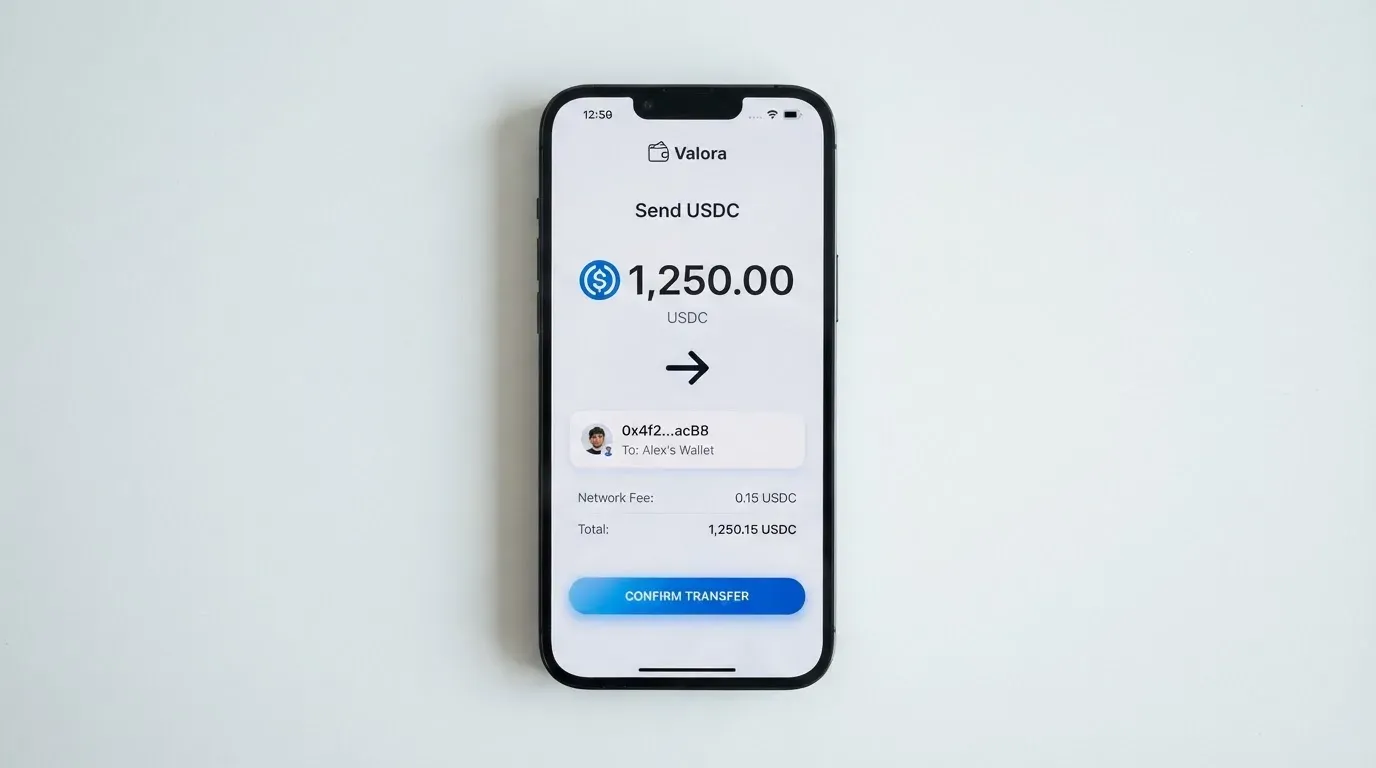
You hold your own crypto in a self-custodial wallet — you control the keys, not OrbitX. To use the card, you pledge USDT or USDC as collateral. The card then lets you spend against that collateral up to a limit.
The critical mechanic: stablecoins are liquidated at the point of sale. When you make a purchase, the system liquidates part of your USDT or USDC to cover it. This is not a debit from a pre-loaded balance — it is a collateral-backed credit line that liquidates your stablecoin positions as you spend.
The app has two named accounts: “Cash Account” and “Card Account.” The exact mechanics of moving funds between them or the precise top-up flow for consumer cards are not described in the public documentation.
Networks are not named. This is a significant gap. When you deposit USDT or USDC to fund the card, you must send it on the correct blockchain network. If you send on the wrong network, the funds can be lost with no guaranteed recovery, because blockchain transfers are irreversible. The card does not publish which networks it accepts.
For context on why this matters: USDT has been issued on networks including Ethereum, Tron, Solana, Polygon, and Avalanche. USDC is natively supported on 38 networks including Ethereum, Solana, Base, and Polygon. But USDC is no longer supported on Tron — Circle stopped that in February 2024. So “USDC over TRC20” is not a native option. If OrbitX accepts only certain networks and you guess wrong, you need support to recover funds, with no guarantee they will.
Withdrawing money: There is no explicit balance-return process described. The terms say “Any unencumbered Collateral balances shall remain freely accessible,” which means collateral that is not being used as a pledge stays available to you. However, the specific process for withdrawing funds back to your wallet is not documented.
If you are comfortable holding stablecoins in your own wallet and tracking which network to use, this model gives you real control. If you want a straightforward “load and spend” experience, the missing top-up documentation is a genuine obstacle.
Paying With the OrbitX Card Every Day
For daily spending, the OrbitX card scores its highest mark (8 out of 10). Here is what works and what to expect.
What you can do:
Add the virtual card to Apple Pay or Google Pay. Both wallets’ terms are published, so mobile payments are supported. This is how you will use the card most of the time — tap your phone at a terminal or pay online.
Use it at ATMs. The ATM network is available, though the fees add up quickly.
What you cannot do:
The card’s terms prohibit certain merchant categories. Cash-like transactions, including cryptocurrency purchases, are blocked. Wire transfers are blocked. Betting and gambling transactions are blocked — the card may deny “internet gambling” specifically. This is policy-driven, not legal-mandated, and the blocked list can vary by issuer.
What is not stated:
Rewards: The card does not state any rewards program, such as cashback or points for spending. Do not assume a rewards program exists.
The app:
OrbitXPay on iOS carries a 2.5 out of 5 rating from just 2 App Store ratings. That is a very small sample, but it is not a positive signal. Google Play availability is not listed.
Disputes and chargebacks:
If you need to dispute a charge, the process is: report it within 60 days of the transaction posting. The issuer has 10 business days to respond to a Notice of Dispute. If unresolved after 30 days, the matter may go to arbitration.
These timelines are reasonable and standard, but be aware that 60 days is a hard deadline. Miss it and you likely lose the dispute right. In the US, Regulation E covers debit card reversal rights and Regulation Z covers credit cards, but prepaid card coverage varies and should not be assumed.
For everyday use, the mobile wallet integration works well. The gaps are around cost predictability (you do not know the conversion rate) and around the app itself (a low App Store rating from a tiny sample, plus one user complaint about transfer failures).
What Can Go Wrong
The card has risks in several areas: how the company is structured, how your funds are held, and how the app and support have performed for other users.
The company is not a bank:
OrbitX Network Group Pte. Ltd is registered at 3 Fraser Street, #04-23A Duo Tower, Singapore, UEN 202448623M. The company explicitly states it is “not a bank or regulated financial institution.” The card issuer is a separate entity named “Third National,” operating under a Visa licence.
This means your card is issued by a licensed entity, but the crypto side — the collateral, the app, the liquidation logic — runs through a Singapore technology company that is not a financial institution. If that company fails, your collateral may be at risk even though the card issuer itself is licensed.
Self-custody cuts both ways:
The card’s security model is genuinely non-custodial: “OrbitX and Issuer will not, in any circumstance, be holding custody of your Collateral.” Your funds stay in your wallet until the moment of payment. That is a real advantage over custodial platforms, which have a history of failures — Mt. Gox lost about $350 million, Coincheck about $400 million, Ronin Network $625 million.
But with self-custody, you bear sole responsibility for key loss, phishing, and malware. Blockchain transfers are irreversible: if your seed phrase (typically 12 to 24 words) is stolen, the network cannot freeze or return the funds. A seed phrase is an unencrypted form of the private key, so anyone who obtains it can restore your wallet and spend everything in it.
Liquidation risk:
The card states that liquidation occurs if a payment is unpaid within one calendar day, or if your collateral falls below the charges. If USDT or USDC depegs — and they can — your collateral may not be worth what you pledged. TerraUSD collapsed in May 2022. USDC temporarily lost its peg in March 2023 during the US banking crisis. Tether describes USDT as backed 1:1 by reserves, and Circle says USDC is 100% backed by cash and cash equivalents, but “stablecoins are not necessarily stable.”
Freeze and 2FA are not stated:
The card’s documentation does not say whether you can freeze the card instantly or whether two-factor authentication is available. These are typical safeguards for crypto cards, but you cannot count on them here because they are not documented.
One user complaint:
An App Store review (a user report, not an official incident) warns that a bank transfer showed as failed in the app even though the sender’s side completed. The user reports that support replied from a non-official email address. No official incidents were found. A Trustpilot page for OrbitX was not found.
Support:
The support email is [email protected]. Contact form languages and operating hours are not stated, so do not know how quickly you will get a reply.
Programme closure risk:
Visa and Mastercard can suspend card programmes. Visa terminated its global agreements with FTX on 13 November 2022, and WaveCrest — a Visa card issuer that supplied crypto brands — was suspended in Europe in 2018, closing all its programmes. Programme closures typically involve a notice period, then stopping spending and loading, then asking users to withdraw remaining balances.
Not a bank deposit:
Even though the issuer is licensed, EMIs must safeguard customer funds in dedicated accounts or insure them, but these are not bank deposits and may not be covered by deposit guarantee schemes. Your collateral sits in your own wallet, but any fiat balance the card holds may not have the same protection as a bank account.
What to Take Instead
Three alternatives score differently and target different needs. Here is how they compare.
Sponge (4.9 / 10): A virtual card created through the Sponge platform, described as a credit card issued by Rain, a Visa Principal Member. You fund it with USDC from the Sponge wallet (example chain: Base; the SDK mentions Base or Solana as optional). Cost, fees, and rewards are not stated. No country list is published; platform terms set a minimum age of 13. Compared to OrbitX, Sponge has a lower score and even less published detail — it is not a clear upgrade.
Nexo (6.3 / 10): Available to residents and citizens of “selected European countries, including the EEA and the United Kingdom,” though no country list is published. It offers virtual and physical cards (virtual activates in the app; physical requires a balance above $5,000 in digital assets and at least Gold tier, though shipping is free). No monthly, annual, or inactivity fee. FX fee on weekdays is 0.2% in the EEA/UK/CH and 2% elsewhere; weekends 0.7% and 2.5% respectively. Cashback is Credit Mode only and depends on holding more than $5,000 in digital assets, paid in NEXO tokens or Bitcoin by tier. One note: Cointelegraph (not official) reported a 2025-era Bulgarian police raid on Nexo’s Sofia office over alleged Russia-sanctions/AML violations. Nexo scores higher than OrbitX and has clearer fee disclosure, but it is custodial and Europe-focused.
Xplace (7.7 / 10): A Visa card with instant virtual and physical options (Silver is live; Gold and Platinum are coming soon with 7–14 business day delivery). Cash mode spends your stablecoin balance; Credit mode borrows against your holdings. Annual fees: Basic free, Silver $99, Gold $249, Platinum $999. “0% FX on Platinum”; other tiers and conversion fee not stated. Stablecoin spending has “no hidden spread.” Deposit BTC (cbBTC), ETH (wETH), SOL, JitoSOL, USDC, USDT, or xStocks on Solana. Credit-mode cashback by tier: Basic 0.5%, Silver 1%, Gold 1.5%, Platinum 2%, paid in USDC. Country list not stated; Visa acceptance in 160+ countries. Xplace scores highest and has the clearest “no hidden spread” claim, but its higher-tier annual fees are steep.
Quick comparison:
| Feature | OrbitX | Sponge | Nexo | Xplace |
|---|---|---|---|---|
| Score | 5.7 / 10 | 4.9 / 10 | 6.3 / 10 | 7.7 / 10 |
| Network | Visa | Visa (Rain) | Mastercard (likely) | Visa |
| Virtual card | Yes | Yes | Yes | Yes (instant) |
| Physical card | Coming soon | Not stated | Yes (high tier) | Silver live; Gold/Platinum soon |
| Custody model | Self-custodial | Not clearly stated | Custodial | Not stated |
| Annual fee | $12–$30 | Not stated | None | Free–$999 by tier |
| FX fee | Not stated (consumer) | Not stated | 0.2%–2.5% | 0% on Platinum |
| Rewards | Not stated | Not stated | Cashback (Credit Mode) | Cashback (Credit Mode) |
If the OrbitX card’s appeal is self-custody, none of these alternatives match that model exactly. If your priority is clearer costs and a higher score, Xplace and Nexo both come out ahead — with the trade-offs of custodial accounts (Nexo) or higher tier fees (Xplace).
Who I Would Recommend OrbitX To
The OrbitX card makes sense for one specific person: someone who already holds USDT or USDC in a self-custodial wallet, understands stablecoin mechanics and blockchain networks, and wants to spend that collateral directly without routing through a custodial exchange. If you are that person, the card delivers on its promise of non-custodial spending with mobile wallet support and ATM access.
I would not recommend it if:
- You are new to crypto and have never held a stablecoin
- You need a physical card in your hand this week
- You want predictable conversion costs (the consumer terms are not clear)
- You travel frequently and withdraw cash often (ATM fees add up)
- You want bank-level clarity on what a purchase will cost in total
The 5.7 score reflects a card that works as advertised for its niche audience but leaves too many questions unanswered for everyone else. The missing network information for top-ups alone is enough to make me hesitant to recommend it as a primary card.
If you are comparing options, read the fee sections of each carefully. The difference between a 0% FX card and one with a 1.5% corporate fee is 1.5% of every foreign-currency purchase — that adds up.
Frequently Asked Questions
What is the OrbitX card?
The OrbitX card is a crypto-backed Visa card that lets you spend USDT or USDC held in your own self-custodial wallet. You pledge stablecoins as collateral, and the card liquidates part of that collateral when you make a purchase. A virtual card is available now; physical plastic and metal options are listed but the app says they are “coming soon.” The company behind it, OrbitX Network Group Pte. Ltd, is based in Singapore.
How does the OrbitX card work?
You hold crypto in a wallet you control. To use the card, you collateralise USDT or USDC. The card gives you a spending line against that collateral. When you make a purchase, stablecoins are liquidated at the point of sale to cover it. The card is USD-based, and non-USD transactions are converted by the card association. The app has two named areas: “Cash Account” and “Card Account.”
Is OrbitX a bank?
No. OrbitX Network Group Pte. Ltd explicitly states it is “not a bank or regulated financial institution.” The card itself is issued by a separate entity named “Third National” under a Visa licence. This is a common structure: a technology company operates the crypto side while a licensed issuer handles the card programme. The issuer is licensed; the parent company is not a bank.
Who owns OrbitX?
OrbitX is operated by OrbitX Network Group Pte. Ltd, registered in Singapore at 3 Fraser Street, #04-23A Duo Tower, with UEN 202448623M. The card issuer is a separate partner named “Third National,” operating under a Visa licence. You apply through the OrbitXPay iOS app.
Does OrbitX card require KYC?
Yes. The app’s release notes mention a KYC process and resubmissions, so verification exists. However, the card’s public pages do not state exactly which documents are required — proof of address, ID formats, and similar details are not stated. The app carries an 18+ age rating, so you must be at least 18 to use it. Expect to submit identification, but do not expect a published checklist.
How do I top up the OrbitX card?
Top-up works by collateralising USDT or USDC from your self-custodial wallet. The stablecoins are liquidated at the point of sale as you spend. The exact consumer top-up process is not stated in the public documentation. Importantly, the supported blockchain networks are also not named — if you send funds on the wrong network, the transfer is irreversible and recovery is not guaranteed. Check with support before your first deposit.
Is OrbitX card free?
No. The annual fee is $12 for the Neo tier or $30 for the Lux tier, paid annually only. Physical cards cost extra: plastic is listed at $100 (Neo) and metal at $350 (Lux). The virtual card itself carries no separate purchase fee beyond the annual subscription.
Can I add OrbitX card to Apple Wallet?
Yes. Apple Pay and Google Pay terms are published, so both mobile wallets are supported. The virtual Visa card can be added to your phone’s wallet and used for contactless payments at terminals and online. Apple Pay replaces your card number with a device-specific number stored in the phone’s Secure Element, never on Apple’s servers.
Where can I use OrbitX card?
The card is a Visa, so it works wherever Visa is accepted internationally. Prohibited transactions include cash-like transactions (including buying cryptocurrency), wire transfers, and gambling or betting. The card may specifically deny “internet gambling” transactions. Some merchants decline prepaid or foreign-issued cards because the BIN lookup reveals the issuer country.
Is OrbitX card safe?
It depends on what you mean by safe. Your collateral is non-custodial — OrbitX states it never holds custody of your funds, so they stay in your wallet until the moment of payment. That protects you from a provider failure. But you bear sole responsibility for key loss, phishing, and irreversible blockchain transfers. Freeze and two-factor authentication features are not stated. The App Store rating is 2.5 out of 5 from only 2 ratings, and one user reported a transfer failure issue.
Choosing a credit or cashback card – cryptocardadvisor
Content created by the «cryptocardadvisor» team