
Tria card: a tiered Visa for crypto holders who want choice, not hand-holding
 Available in US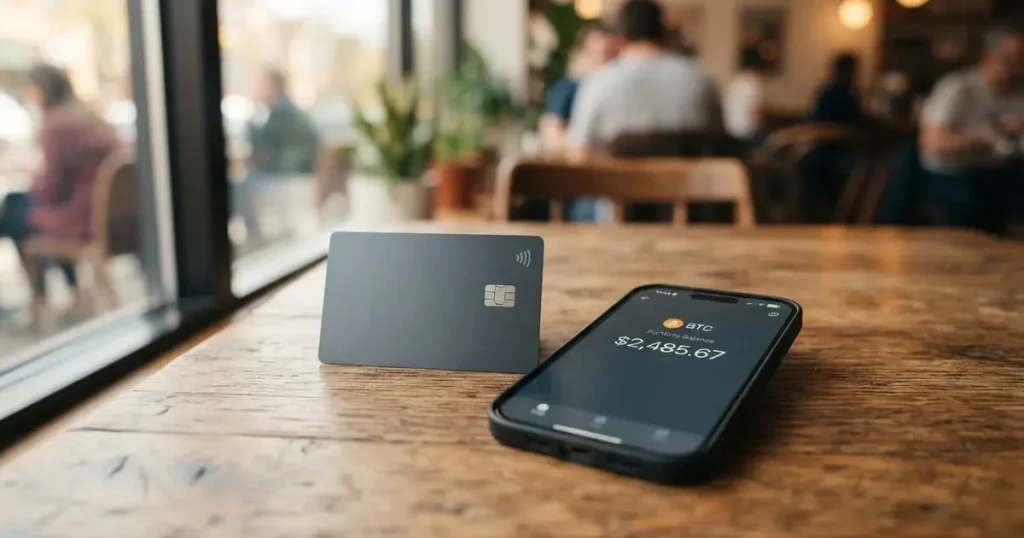
Tria is one of a small but growing number of crypto cards that gives the user a self-custody wallet rather than a custodial account. The card is a Visa, the wallet lives in the mobile app, and the brand has built a three-tier membership (Lite, Pro and Max) that scales from a free digital card to a metal card with higher cashback. I went through the public help center, the app’s stated rules and the alternative cards readers tend to compare it with, and what follows is what I found — what the card actually does, what it costs, where it falls short, and who I think it suits.
The conditions described here are current as of October 28, 2026.
Verdict: who the Tria card is for, and who it isn’t
I rate the Tria card 7.3 out of 10. The breakdown is below.
| Criterion | Score | Why |
|---|---|---|
| Who can get it | 8 / 10 | The rule is by country of residence, with 200+ regions supported in the app; an unlisted country fails KYC. |
| Cost | 7 / 10 | Lite is $0, Pro about $109/year, Max about $250/year; zero Tria FX fee, no top-up fee, but $1.00 + 1% on ATM cash. |
| Top-up options | 9 / 10 | 1,000+ tokens, with Bitcoin, Ethereum, Polygon, Base, Arbitrum, Optimism, BSC, Aptos and Solana supported; minimum $50 for BTC, $10 for everything else. |
| Reliability and complaints | 4 / 10 | The operator and the card issuer are not named on the public pages; third-party reviews call the “0% FX” marketing misleading. |
| Everyday use | 9 / 10 | Apple Pay and Google Pay are supported where the networks allow; Pro and Max give you a physical (PVC or metal) card, Lite stays digital. |
| Total | 7.3 / 10 |
Tria is at its strongest for someone who already holds a long tail of tokens and wants a tiered Visa to spend them from. If your main use case is “spend my USDC at a café,” the card does that, but so do several simpler alternatives. Where Tria earns its keep is the breadth of supported tokens and networks, the fact that the wallet is self-custodial, and the three tiers that let you start free and move up. What holds it back, in my view, is the silence around the issuing company, the marketing-versus-terms gap on FX, and the small number of public reviews.
If you need a physical card on day one, want very low FX fees with no asterisks, or care about who exactly is regulated where, you may want to look at the alternatives at the end of this review.
Who Tria will give the card to
The first thing to clear up is geography. Tria’s rule is by country of residence, not citizenship. The app’s dropdown lists 200+ regions — Australia, Canada, Germany, Hong Kong, the UAE, the UK and the US are all named as examples — and the documents you submit must match the country you pick. You also need to be physically there at the time of KYC. Citizenship is not addressed in the help center, which matters if you are a citizen of one country living in another: what counts is the residence and the documents.
If the country you actually live in is not on the list, the application will not pass KYC. That is a hard cut-off rather than a delay, and there is no waiting list or “we will add your country soon” path I could find. You can create an account in an unsupported country, but you cannot finish the verification.
A few other practical points:
- One account per person; the help center warns that a duplicate account (same documents or same phone number) is a rejection reason.
- The age minimum is 18.
- For Pro and Max, physical cards are shipped only “once shipping is officially enabled” for your country. Until then you have a digital card only. The help center is explicit that earlier buyers get shipped first.
- The help center does not list the exact ID documents or proof-of-address requirements on this page — it points to a separate “KYC Document Requirements” article. If your documents are expired or damaged, Tria says they may not be accepted.
How to sign up
The whole flow happens in the mobile app. Desktop sign-up is not supported.
After you buy the card inside the app, Tria runs a one-time KYC: your personal details, a valid ID document, and a selfie photo. The app does the checks, and the brand says it does not run multiple “tiers” of KYC — there is one level, and you are either through it or you are not. The processing time is not stated.
The official rejection reasons are: a duplicate account, incorrect or incomplete data, a suspected politically exposed person or sanctions match, missing documents, photos that cannot be verified or that do not match, an unsupported ID type, and a mismatch between the country you picked and where you actually are. Using a VPN is a soft red flag — Tria’s wording is that a wrong region “leads to decline,” so a VPN that puts you in a country you do not live in can end the application.
There is no proof-of-address requirement listed in the article I read. If you are asked for one, that will be because your documents or risk profile triggered it.
The card itself is a Visa. You pick a tier at this stage:
- Lite is a digital card only.
- Pro is a plastic (PVC) card and includes a Lite.
- Max is a metal card and includes a Lite.
At payment, your balance is converted to the local currency (USD or EUR, depending on the card). Multi-currency balances are not offered.
Delivery for physical cards is in batches, earlier buyers first, and only where shipping is officially enabled for the country. The delivery time and cost are not stated. If your physical card needs replacing, the in-app physical-card reissue is, as of the help-center article I read, “still pending,” and replacement promo codes are currently unavailable. The Lite (digital) card can be reissued up to three times.
Fees: what the Tria card really costs
Tria’s pricing uses three annual memberships: Lite, Pro, and Max. The help center does not state a price on the page I read and tells you to check the Membership section in the app; the figures below are the ones cited on the official renewal page and in third-party reports, and they vary by region.

| Fee or limit | Amount | Notes |
|---|---|---|
| Lite issuance | $0 | Digital card. |
| Lite renewal | $0 (per official renewal page) | A third-party site lists $20/year — that contradicts the official page and I am treating it as unconfirmed. |
| Pro issuance (promo first year) | about $90 | Promotional; varies by region. |
| Pro renewal | $109 / year | Per the official renewal article. |
| Max issuance (promo first year) | about $225 | Promotional. |
| Max renewal | $250 / year | Per the official renewal article. |
| Tria FX fee | 0% | For members. Visa’s own FX fee can still apply. |
| Top-up fee (Tria side) | 0% “at this time” | Provider fees (swaps, bridging) can apply and are shown in the app before you confirm. |
| ATM withdrawal fee | $1.00 + 1% of the amount | Pro and Max only; $750 per transaction, three withdrawals per 24 hours (the source is Japan-specific). |
| ATM allowance | Not stated | — |
| Spend | “Up to millions per day” | No exact figure published. |
| Cashback spend cap | $1,000 / month (Lite, Pro); $2,000 / month (Max) | — |
Two non-Tria costs you should be aware of. The first is the network fee. On most chains, Tria says the top-up is gasless — the brand pays it. On Solana you need a small amount of native SOL to pay fees, and on Tron a network fee is charged and you need TRX in your wallet to cover it. The second is the “Provider Fee” Tria mentions: when your top-up involves a swap, a bridge or liquidity routing, that fee is shown in the app before you confirm, so you can refuse the top-up if the cost looks wrong.
What a few everyday payments look like
To make the table less abstract, here is what happens at three common merchants, in the three tiers. Numbers come from the published fees; the FX and spread on a real transaction will depend on the day, the network and the token you spend from.
- A $20 coffee in Tokyo on the Lite card. No Tria fee on the conversion (Tria says 0% for members). If Visa adds its own FX fee on top, that is the issuer-side cost and is not controlled by Tria. The unofficial third-party figure I saw puts the all-in FX at around 4% — a meaningful gap to the headline “0%” — and I would treat that as worth checking against your own transactions.
- A $300 supermarket shop in Berlin on the Pro card. No Tria service fee, no Tria FX fee; cashback is credited against the monthly cap of $1,000 spend. The percentage of cashback itself is not stated on the help center — it is shown in the app per tier.
- $200 cash from an ATM in Sydney on the Max card. You pay $1.00 + 1% of $200 = $3.00 in ATM fees, and you count against the three-per-day limit. The Lite card has no ATM access at all.
The cheapest path on top-ups, in Tria’s own framing, is USDC or USDT on an L2 — Optimism, Arbitrum, Base or Polygon — where there is no Tria fee and the network fee is small. Stablecoin top-ups also avoid the swap cost if you are spending in a stablecoin-pegged currency.
Top up: how to fund the card
Tria’s pitch on funding is breadth. The app’s wallet supports 1,000+ tokens, and you can also top up from external wallets (the help center names Gemini and MiniPay as examples) or buy crypto with a credit or debit card. The card itself is topped up from the Tria wallet or from a supported external wallet.
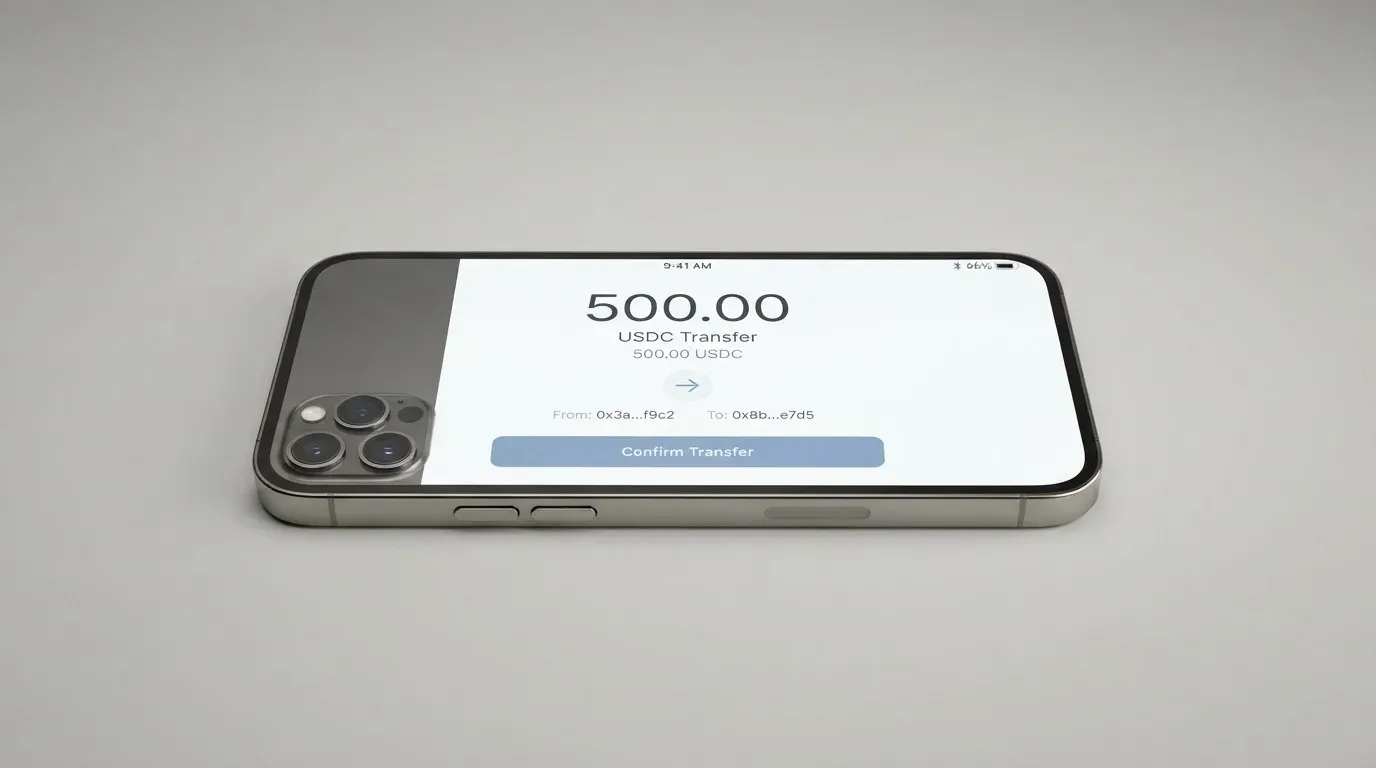
The minimums are simple to remember: $50 for BTC, $10 for every other token. The supported networks for top-ups are Bitcoin, Ethereum, Polygon, Base, Arbitrum, Optimism, BSC, Aptos and Solana. Avalanche is not supported for card top-ups. SOL itself cannot be sent directly — it has to be converted to a supported token first.
A few points that are easy to get wrong:
- Network fees. Most chains are gasless, meaning Tria covers the fee. Solana is the exception: you need a small amount of native SOL to pay the fee. Tron also charges a network fee, and you need TRX in the wallet to cover it. If your wallet has only the token you want to send, the transaction will simply not go through.
- Timing. Top-ups are usually instant. In congestion they can take 2–4 hours.
- Avalanche top-ups are not supported for the card, even if your wallet holds AVAX.
- Fiat. The renewal article mentions topping up with “supported crypto or fiat,” but the help center does not list fiat rails, so I would check the app for what is available in your region.
- No Tria service fee on top-ups “at this time” — but a Provider Fee (from swaps, bridging or liquidity routing) is shown in the app before you confirm. The cheapest top-ups in Tria’s own framing are USDC and USDT on an L2.
Paying with the card every day
Once funded, the card behaves like a prepaid Visa: you pay in the local currency, Tria converts from your balance, and the merchant sees a regular Visa transaction. You can add it to Apple Pay or Google Pay “where supported” — Tria’s wording, which I read as “where the network and the merchant allow,” not “everywhere.”
Cashback scales with the tier: Lite gets a basic rate, Pro a higher rate, Max the highest rate on eligible spend. The exact percentages and the payout currency are not on the help center — Tria says they are shown in the app. The monthly spend cap on cashback is $1,000 for Lite and Pro, $2,000 for Max; if your eligible spend is higher, the rest earns no cashback that month. A third-party site (unconfirmed) describes the Lite cashback as 1.5% in USDC or USDT on the first $1,000 per month, paid quarterly, and notes that unpaid cashback is forfeited on closure; I have left those numbers out of the score because they are not in the official help center.
If a payment fails, the failure is not the same as a refund. The help center’s wording is: ask the merchant to start the refund, expect it to arrive within 14 business days of the merchant processing it, and Visa processing can stretch that to 31 business days. If nothing has happened after two weeks, contact Tria support with the refund transaction ID. The official chargeback or dispute process is not described in the help center article I read.
Blocked merchant categories are not listed. The app is mobile-only; the help center does not state App Store or Google Play ratings, or whether the digital-only Lite card can be frozen if your phone is lost.
What can go wrong
This is the section I would pay the most attention to, because the public information is thin in places where it usually is not.
The company behind the card is not named. Tria’s public pages do not state who operates the brand or who issues the card. A third-party source lists the issuer as Nimbus, LLC — I have not been able to confirm that on an official page. If you are someone who needs to know the regulated entity before you load money, this is a gap.
The FX claim has two readings. Tria says there is zero Tria FX fee for members, but adds that Visa’s own FX fee may apply. Third-party reviews have called the “0% FX” marketing misleading, citing terms that put the all-in FX at up to about 3% (and a separate unofficial site lists 4% for non-members). The official Tria position is that travel-related fees “stay under 1%,” which is a separate claim. The honest reading is: the Tria service fee is zero, the network fee on cross-currency transactions can be non-zero, and the total you pay depends on Visa’s pricing for your transaction. Check a small payment before you rely on the card for large spending.
Trustpilot has two reviews. I read the Trustpilot profile on 20 October 2026: a 3.4 average from two reviews, one five-star (March 2026) and one one-star (January 2026) that asks whether the company is legitimate. The profile is unclaimed. There is not enough volume to draw conclusions from this; I would treat the absence of complaints as silence rather than endorsement.
Physical card logistics are constrained. Cards ship in batches, earlier buyers first, only where shipping is officially enabled. If you are in a country that is on the residence list but not on the shipping list, you have a digital card. The in-app physical-card reissue is “still pending,” and replacement promo codes are currently unavailable.
Self-custody cuts both ways. Because the wallet is self-custodial, Tria cannot recover your funds if you lose your seed phrase, and a crypto transfer is irreversible. A wrong network (for example, sending on Avalanche when the card only supports the other nine), or a clipboard-hijack malware that swaps an address, is not a Tria issue — it is a user issue, and there is no central support that can reverse it.
Chargeback and dispute process is not described. The help center covers merchant-initiated refunds but not the formal dispute or chargeback process. If you have a non-delivery or fraud case, the published guidance is thin.
News section is empty. There is no dated events or news section on the official pages I read; the only dated items are reward seasons (a “Season 3 Rewards” guide) and a Tria Futures / Earn collection. That makes the card harder to track over time.
The two safeguards the help center does describe are: a hidden card number and CVV that you reveal with the eye icon after a biometric check, and the ability to freeze the physical card in the app (whether the digital-only Lite card can be frozen is not stated). 2FA, spending controls, and insurance are not mentioned.
Alternatives to Tria
I have grouped the comparison cards by what they are good at, not by score alone.
TokenPocket (TP Card)
TokenPocket’s score is 5.8 / 10. The card is a Visa debit (in a list of European countries) or a Mastercard debit (Australia, Canada, Hong Kong, Japan, Taiwan, New Zealand, Singapore, South Korea, the UK, among others); the Americas are described as “planned for Q2 2025” on the source I read. It runs on Arbitrum and balances are in EUR24 and USD24. The card is virtual; no physical card is mentioned. Cost: an NFT creation fee that the user pays “a small portion” of, and “apart from these, TP Card does not charge any additional fees.” Funding is from the TokenPocket wallet. A 1% fee is charged on crypto deposits, with the promise that it will be refunded later via rewards or reduced transaction fees; FX fees and inter-institution settlement fees can add to that. No cashback is stated. TP Card is the pick if you are in the listed European or Asia-Pacific countries and you want a low-fee virtual card on Arbitrum; it is not the pick if you want a physical card or US coverage.
MetaMask Card
MetaMask’s score is 7.1 / 10. Sign-up is open in 45 listed countries (Andorra, Argentina, Brazil, Canada, Mexico, Germany, France, Spain, Uruguay are examples), and other regions join a waitlist. Proof of residency is required. US and UK sign-ups are temporarily closed per the FAQ I read. The card is a Mastercard; the issuer is Monovate, the card provider is Crypto Life. A virtual card is issued first, instant; a Metal card can be pre-ordered in the app after the virtual is approved. Cost: virtual is free, no annual or maintenance fee; Metal is $199/year. Fees: a “minimal fee for each transaction” (the exact amount is on a linked fee table, not the page I read), “no additional MetaMask fees,” no foreign transaction fee, and the Mastercard rate is used for FX. Funding is directly from the connected wallet on Linea, Base, Monad and Solana; named tokens include mUSD, wETH, EURe, GBPe, USDC and USDT. Cashback is paid in mUSD: virtual 1%, Metal 3% on the first $10,000 spent and 1% after, plus a $FLY bonus 5X (virtual) / 7X (Metal) via the Blackbird dining app. MetaMask Card is the pick if you live in one of the 45 listed countries and you already keep your wallet in MetaMask; it is not the pick if you want a physical card on day one (you start virtual) or if you are in the US or UK.
KAST
KAST’s score is 6.1 / 10. The residence-based list is shown only at KYC; if your country is not listed, KAST is not available there. A “Restricted Locations” list is referenced but not published. Citizenship also matters: “if you currently live in a supported country but only hold an ID from a restricted region, you may still be ineligible to pass KYC.” Dual citizens with an ID from a supported country may pass. Only the account holder’s own ID is accepted, and a VPN does not bypass the rule. The cards are virtual and physical, up to 10 per user, in three tiers: Standard (Visa Platinum, $0/year), Premium (Visa Infinite metal, $1,000/year) and Private (Visa Infinite gold-plated, $10,000/year). Extra virtual cards are $2; the Standard physical card has no card fee but $40 delivery; the Premium and Private physical cards are included. There is a $1/month inactivity fee after 12 months. The balance is in USD; stablecoin deposits convert 1:1 with 0% spread. Stablecoin top-up is 0%; card spend in USD is 0%; non-USD FX is 0.5%–1.75% depending on residence country, transaction country and card programme; non-USD transactions under $25 carry a $0.10 fee; declined transactions for insufficient balance are $0.50. Cashback: Standard 1.5% on the first $2,000/month, Premium 2% on the first $10,000/month, Private 3% on the first $40,000/month, paid in USD when the transaction is authorised. KAST is the pick if you want a real, named, licensed card programme with published fees and a $0 entry tier; it is not the pick if you are in a country that is not on the KYC list, because there is no fallback.
Who I would recommend the Tria card to
Putting the score and the alternatives together, here is how I would decide.
Tria is a good fit if:
- You hold a long tail of tokens and want a single Visa that can spend from many of them. The 1,000+ token claim and the nine supported networks are the card’s main selling point.
- You want a self-custody wallet as the funding source, with a card on top. The wallet is yours, with the usual self-custody trade-offs.
- You are happy to start on the free Lite digital card and upgrade only if the cashback and the physical card earn their cost.
- You live in one of the 200+ residence-list countries, and your country is on the shipping list if you want a physical card.
Tria is not a good fit if:
- You need to know the regulated entity behind the card. The operator and the issuer are not on the public pages, and the only third-party attribution (Nimbus, LLC as issuer) is unconfirmed.
- You want a physical card on day one and live in a country where shipping is not enabled. The batched shipping and “pending” reissue are real constraints.
- The “0% FX” headline is important to you on its own. Tria’s own wording leaves room for a Visa FX fee on top, and third-party reviews have flagged the gap.
- You want a formal chargeback process documented. Tria’s help center covers merchant refunds but not the dispute procedure.
- You live in a country that is not on the residence list. The KYC step is the cut-off and there is no waiting list.
If you are in the second group, the alternatives cover the gaps. MetaMask Card is the most comparable on the “wallet-first” idea, with named issuer and a Metal tier. KAST is the most comparable on tiered pricing with a $0 entry, named programmes and published FX bands. TokenPocket is the right fit only for users in the listed European or Asia-Pacific countries who are happy on Arbitrum and a virtual card.
Frequently asked questions
What is the Tria card?
The Tria card is a Visa debit card that draws on a self-custody crypto wallet inside the Tria mobile app. You fund the wallet with supported tokens, and at payment the balance is converted to the local currency. Tria offers three tiers — Lite (digital, free), Pro (plastic, about $109/year) and Max (metal, about $250/year).
How does the Tria card work?
You sign up in the mobile app, complete a one-time KYC, buy a card, fund the wallet from a supported network (or from an external wallet or a card purchase), and then spend with the Visa — physically for Pro and Max, in Apple Pay or Google Pay where supported, and online for all tiers. At payment, your crypto balance is converted to the local currency (USD or EUR) at the card’s rate.
Is Tria a bank?
No, and Tria does not describe itself as one. The wallet is self-custodial (you hold the keys), and the card is a Visa issued under a programme the public pages do not name. If “is this a bank?” matters to you for regulatory reasons, that is a gap to flag.
Who owns Tria?
The help center and the brand’s public pages do not name the operating company. A third-party source lists the card issuer as Nimbus, LLC, but I have not been able to confirm that on an official page.
Is the Tria card available in my country?
Tria’s rule is by country of residence, not citizenship, and the app’s dropdown lists 200+ regions. If your country is on the list, you can complete KYC (your documents must match the country you pick, and you must be physically there). If it is not on the list, KYC fails. There is no waiting list.
How do I get a Tria card?
You install the mobile app, buy a card, and complete a one-time KYC with personal details, a valid ID and a selfie. Desktop sign-up is not supported. The card is digital immediately; physical cards (Pro and Max) ship in batches, earlier buyers first, only where shipping is officially enabled for your country.
Does the Tria card require KYC?
Yes, one time, in the mobile app. The checks are personal details, a valid ID, and a selfie. The help center lists the official rejection reasons, including duplicate account, wrong region, suspected PEP or sanctions, and unverifiable photos. Proof of address is not mentioned in the article I read.
How do I top up the Tria card?
You top up from the Tria Wallet or a supported external wallet. The minimum is $50 for BTC and $10 for every other token. Supported networks are Bitcoin, Ethereum, Polygon, Base, Arbitrum, Optimism, BSC, Aptos and Solana. Avalanche is not supported for card top-ups, and SOL itself must be converted to a supported token before sending. USDC or USDT on an L2 (Optimism, Arbitrum, Base, Polygon) is the cheapest path in Tria’s own framing.
How do I add the Tria card to Apple Pay or Google Pay?
You add the card from the app to Apple Pay or Google Pay “where supported” — Tria’s wording. In practice that means where the network has tokenised the card and the merchant accepts the wallet, not at every terminal.
Is the Tria card worth it?
For a crypto holder with a long tail of tokens in a 200+ residence country who is happy to start on the free digital tier, yes. For someone who needs a named issuer, a physical card on day one, a published dispute process, or the “0% FX” headline to mean zero in every case, the trade-offs may not be worth it, and one of the alternatives I compared above may fit better.
What about withdrawing or closing the card?
The wallet is self-custodial, so your crypto is yours regardless of what happens with the card. Renewing or downgrading the membership does not touch the wallet or its funds. The help center does not say what happens if you want to move the card balance back to crypto or to a bank, and it does not say how closure is handled. If you stop renewing, the card is not cancelled automatically — it keeps its number, and your account moves back to Lite. The cashback rate is removed.
Choosing a wallet card – cryptocardadvisor
Content created by the «cryptocardadvisor» team