
Encrypto review: a no-markup USDC debit card built on a self-custody wallet
 Available in US
The Encrypto card is a Visa debit card that draws on a self-custody on-chain USDC balance rather than a bank account. If you already hold stablecoins across several networks and want a clean way to spend them, the setup looks tidy on paper: nine supported blockchains, a 0.5% conversion fee only on non-USDC assets, and a Visa FX rate without an extra markup from Encrypto itself. The card launched invite-only, so the practical question for most readers is not whether the product looks good in a screenshot, but whether you can actually get one, how much it will cost you in everyday use, and where the rough edges sit.
Conditions are current as of October 28, 2026.
This review walks through who Encrypto suits, what the sign-up process really looks like, the fee structure in pounds-and-pence terms, the top-up mechanics across networks, the daily-payment experience and the risks worth weighing before you commit. The conditions described here are current as of 2026-10-20.
Verdict
Encrypto scores 7.9 out of 10. The card is built for a specific reader: someone who already holds USDC across multiple chains, wants a self-custody setup rather than a custodial balance, and prefers paying in dollars abroad without an FX markup. For that reader it is one of the cleaner USDC-first cards on the market. For anyone without on-chain stablecoins, or anyone who needs ATM withdrawals, Google Pay support or a cashback programme today, it is the wrong tool.
Here is how the score breaks down across the criteria I weighed:
| Criterion | Mark | Reason |
|---|---|---|
| Who can get it | 7 / 10 | Six named regions plus a globally available wallet, but access is invite-only and decided at sign-up. |
| Cost | 9 / 10 | No issuance fee on the virtual card, $5 once for the physical, free maintenance, and 0% conversion on USDC. |
| Top-up options | 9 / 10 | Nine blockchains supported, including Ethereum, Base, Arbitrum, Optimism, Polygon, Avalanche, Solana, Stellar and Tron. |
| Reliability and complaints | 8 / 10 | Visa debit issued by Lead Bank, transfers through Bridge, keys held by Privy, and only one unresolved user report from September 2026. |
| Everyday use | 6 / 10 | Virtual card is instant, Apple Pay is live, but Google Pay, ATM withdrawals and cashback are not yet in place. |
The card is not a bank account, not a credit card, and not a way to earn interest on a balance. Treat it as a thin spend layer on top of a wallet you control.
Who can get the Encrypto card
Encrypto states that it operates in the United States, Brazil, Mexico, Argentina, Colombia and Europe, and that card availability is decided during sign-up based on the region you register from. The wallet itself is described as available globally, which means you can install the app and hold a balance from many places, but the card itself is gated by where you are. No list of excluded countries is published. Citizenship rules are not stated, and a Spanish version of the product appeared in October 2026 as part of a Latin American push.
The card is invite-only, so signing up means first verifying an X account, then waiting to see whether you are approved for identity verification. That step is handled by Bridge, a Stripe-owned payments business, and the card activates as soon as KYC clears. Documents required, age limits and proof-of-address rules are not stated on the public pages. Tiers, KYC levels and any graduated limits tied to verification depth are also not stated.
The practical takeaway: if you live in one of the six named regions, you may be able to get a card; if you are outside them, the wallet is open but the card is not. The “invite-only” stage is the real gate for most people, so factor in waiting time as well as eligibility.
How to sign up
The sign-up flow has three steps, in this order: connect an X account, wait for an invite to identity verification, and complete KYC through Bridge. Once KYC is approved, the virtual card is available immediately. The physical card is shipped to your address; the cost is a one-time $5.00 for the physical card, the virtual card is free, and monthly maintenance is free. Shipping time, replacement cost and the list of countries the physical card ships to are not stated. The card is metal, contactless or both, is not stated.
The identity check uses Bridge’s stack. That matters because Bridge sits inside Stripe’s compliance perimeter, so the documents asked for, the data retention and the sanctions screening follow Stripe-style policy rather than a brand-new bespoke flow. The card itself is a Visa debit card usable wherever Visa is accepted, and the spending currency is the US dollar. You do not get a multi-currency wallet, so all purchases settle against your USDC balance.
Two practical points to check before you start: first, have your X account ready in the same name you plan to use for KYC, because mismatches slow things down; second, confirm that your country actually ships the physical card, because the public pages do not spell that out. If you only need a virtual card for online spend, this matters less, since the virtual card is issued instantly.
Fees and what a Encrypto payment really costs
The headline costs are: the virtual card is free, the physical card costs $5.00 once, monthly maintenance is free, and there is no overdraft, so a payment that exceeds the available balance is declined. There is no Encrypto conversion fee when you spend USDC directly, which is the default use case. The Encrypto conversion fee is 0.5%, and it applies only on non-USDC assets that are swapped at the point of sale. A DEX swap, if you choose to swap on-chain before paying, is charged at the prevailing market rate, typically 0.01% to 0.3%. Domestic and international purchases are free of any Encrypto fee; international transactions use the Visa FX rate without an Encrypto markup on top.

Here is the cost structure in one place:
| Fee or limit | Amount |
|---|---|
| Virtual card issuance | Free (instant) |
| Physical card issuance | $5.00 one-time |
| Monthly maintenance | Free |
| Encrypto conversion fee (non-USDC assets) | 0.5% |
| USDC spending | No conversion fee |
| DEX swap fee | Market rate, typically 0.01–0.3% |
| Domestic purchase | Free |
| International purchase | Visa FX rate, no Encrypto markup |
| ATM withdrawal | “Coming soon” (fee not stated) |
| Daily spend limit | $10,000 |
| Overdraft | Not available; declined if balance insufficient |
| Monthly limits | Not stated |
| KYC-level limits | Not stated |
To put that into everyday numbers, three common scenarios look like this:
- A $100 coffee in New York paid from a USDC balance. You pay $100 and Encrypto takes $0. Network gas is paid by you, but on the spending side there is no conversion. This is the cleanest case.
- A €90 dinner in Paris paid from USDC. The Visa FX rate converts euros to dollars at the moment of authorisation; Encrypto adds no markup, so the only friction is the FX rate itself and any fee your USDC chain charges for the underlying settlement. You still pay 0% to Encrypto.
- A $200 online subscription paid from a non-USDC asset, say ETH. Encrypto converts ETH to USDC at the point of sale and charges 0.5% on that conversion. On $200 that is $1, plus the ETH network fee for the swap, plus any price movement between the moment the quote is shown and the moment it settles. The 0.5% is the only fixed Encrypto cost; the rest depends on network conditions and timing.
Two things to watch in the small print. First, ATM withdrawals are “coming soon”, so do not budget any cash access yet. Second, daily spend is capped at $10,000; monthly and per-KYC-tier limits are not stated, so heavy spenders should confirm directly with support before relying on the card for large outflows. Unofficial sources also mention a “Black Tier” that can waive certain transaction fees against collateral, but the threshold and the precise fee schedule are not stated, so I would not plan around it.
Top up
Topping up the Encrypto card means moving USDC into the self-custody wallet on one of nine supported chains: Ethereum, Base, Arbitrum, Optimism, Polygon, Avalanche, Solana, Stellar and Tron. The card spends directly from that on-chain USDC balance; if you hold other crypto, it is converted to USDC at the point of sale. Sending and receiving USDC on-chain is free, cross-chain transfers cost only the network gas, and there is no Encrypto fee on the move itself.
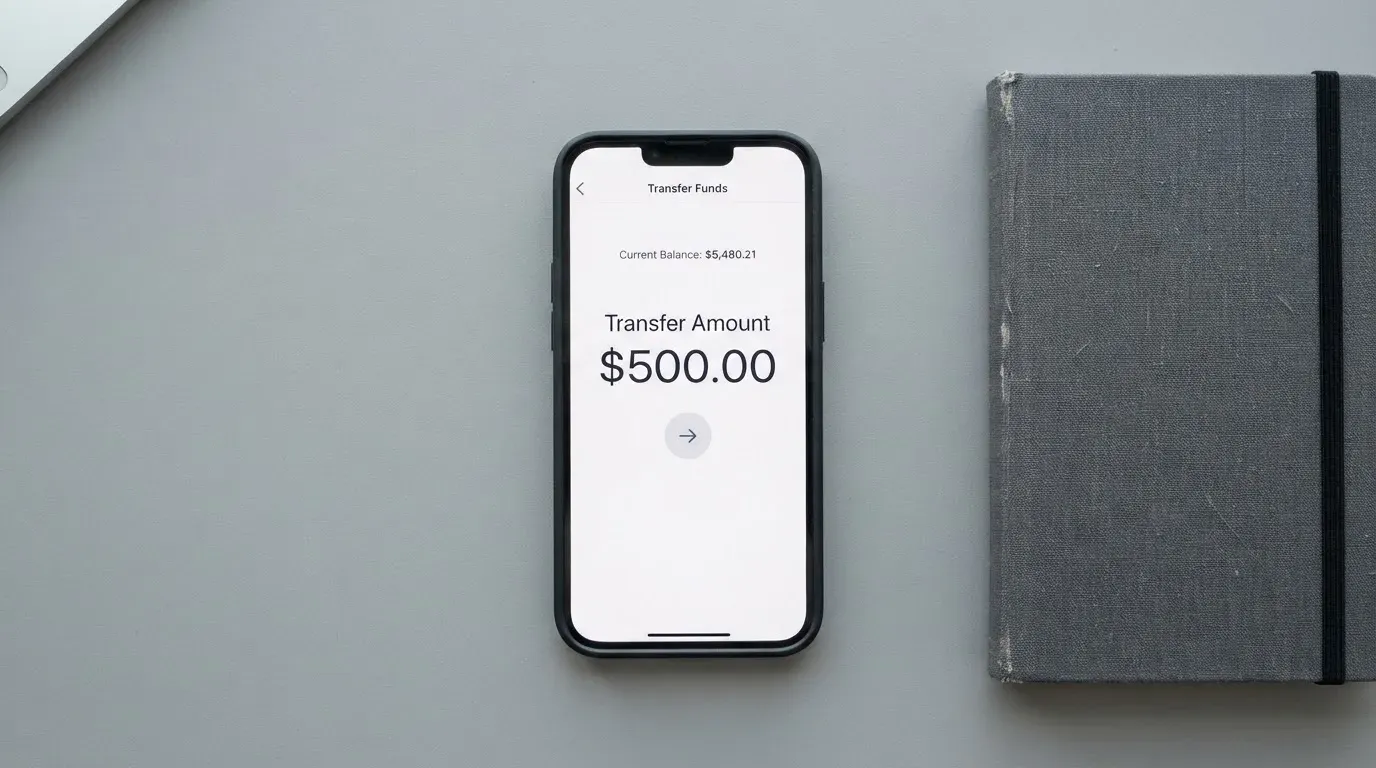
For readers who want to fund the card from a bank account rather than a wallet, there is a small set of fiat on-ramps. ACH transfers from a US bank are free and take one to three business days; a same-day ACH option costs $1.00 where it is available. In Brazil, PIX transfers are free; in Mexico, SPEI transfers are free; in Argentina, a CVU option is rolling out; Colombia and Europe are not listed as having a local on-ramp on the public pages. The minimum top-up is not stated.
Three things go wrong here more often than anything else, and they are all address-handling issues rather than Encrypto issues. First, sending USDC on a chain the wallet does not support is a one-way ticket to a manual recovery request, if it is recoverable at all. Second, sending to a Tron address when you meant to send to an Ethereum address (or any other chain mismatch) is irreversible. Third, sending USDC over TRC20 is not a native option, because Circle stopped supporting USDC on Tron in February 2024. If you want Tron-side USDC, you are looking at a wrapped version rather than a native one.
A short checklist before you send anything: confirm the chain on the deposit screen, send a small test transaction first if the amount is meaningful, and keep enough of the native gas token in the sending wallet to actually push the transfer through. On Ethereum, gas is paid in ETH; on Tron, fees are paid via bandwidth and energy, often burning TRX. A wallet with USDC but no gas token cannot move.
Paying with it every day
The virtual card is usable immediately, the physical card is shipped to your address, and the card itself is accepted anywhere Visa is taken. For mobile wallets, Apple Pay is available; Google Pay is described as “coming soon”. For cash, ATM withdrawals are “coming soon” as well, with no fee or limit published. Blocked merchant categories are not stated, so assume that any category a standard Visa debit handles will work here too.
There is no cashback programme on the official pages. Unofficial sources mention Encrypto Points earned on purchases during early access, with no cash value stated, so I would treat that as a potential future feature rather than a current benefit. The web app lives at app.encrypto.fun, and there are no App Store or Google Play listings or ratings to point to.
Three things make a real difference in everyday use. First, the card is prepaid in the sense that it cannot overdraw: the balance is whatever USDC is sitting in your wallet, and a payment that exceeds it is declined outright. There is no credit line and no grace period. Second, payments in non-USD currencies are converted by Visa at the card-network rate, with no Encrypto markup; what you see on the statement is the Visa rate plus whatever the merchant side charges. Third, because Encrypto is a Visa debit rather than a credit card, the consumer protections you get are debit-level rather than credit-level, so dispute pathways are narrower than they would be on a credit card.
For online subscriptions, 3-D Secure may be requested; the issuer assesses risk and either approves frictionlessly or challenges with a one-time code or biometric check. Address Verification Service is mostly a US/Canada/UK feature, and foreign-issued cards are sometimes declined by US merchants on AVS grounds; this is a category-wide quirk, not an Encrypto-specific one. If a payment is declined, the authorisation can leave a hold on funds for up to 7 days, which is worth knowing if you are budgeting tightly.
Risks and what can go wrong
The official incident record is short. Encrypto’s own pages do not list any security incidents, and there is no Trustpilot page for the brand. The single user report I found is from September 2026: a user said a refund notification did not appear in the card or wallet, and the report was unresolved at the time of writing. One data point is not a pattern, but it is also a reminder that the dispute path for a self-custody-linked card is not the same as for a bank debit card.
The corporate structure is worth understanding. Encrypto is Encrypto Inc. The Visa debit card is issued by Lead Bank under a licence from Visa U.S.A. Inc., and money transmission is handled by Bridge Building Inc. and Lead Bank. Wallet key custody is provided by Privy. Encrypto’s own corporate registration place is not stated, so the regulator that oversees the Encrypto entity itself is not identified on the public pages. The result is a layered setup where the card programme sits with a US bank, the money transmission sits with a Stripe-owned business, and the wallet keys sit with a third-party custody provider. None of that is unusual for the category, but it does mean that if anything goes wrong, you are dealing with at least three different counterparties.
On security, Encrypto describes a self-custody model via managed key custody at Privy, with social login and wallet recovery without a seed phrase. The company states explicitly that it cannot access or move user funds, and that it never receives, controls or holds those funds. On-chain balances are not FDIC-insured, which is standard for self-custody but worth saying out loud: if your keys are lost, your funds are lost, and there is no deposit guarantee scheme behind them. Two-factor authentication is not stated, and the user card-freeze feature is not stated, so I would not assume either is present.
The support channel is X, at @encryptodotfun, and that is the only official support route I can find. For a card that handles real money, a single social-media support channel is thin, and it is worth bearing in mind before you load a large balance.
A few category-level risks are worth naming because they apply to any card in this corner of the market. Crypto transfers are irreversible, so a wrong-address send cannot be undone by the network. A stablecoin is not necessarily stable: USDC and USDT have both depegged in the past, and stablecoin reserves are not bank deposits. Sanctions screening applies, so freezing at the issuer or on-chain level is a real possibility for certain wallets. Programme closures happen, and when a card programme shuts down you usually get a notice period, then a spending stop, then a withdrawal window. Encrypto has none of these issues today, but they are the kind of tail risk that any reader holding meaningful balances should price in.
What to take instead
Encrypto is not the only USDC-first or self-custody card, and it is not the right fit for every reader. Three alternatives cover most of the cases where I would steer someone away from Encrypto.
TokenPocket (TP Card) scores 5.8 out of 10. The card is a Visa or Mastercard debit that runs on Arbitrum, and balances are held in EUR24 and USD24. Eligibility is regional: a Visa debit for a list of European countries (Germany, France, Spain, Switzerland among them) and a Mastercard debit for Australia, Canada, Hong Kong, Japan, Taiwan, New Zealand, Singapore, South Korea and the UK, with the Americas listed as “planned for Q2 2025”. Cards are virtual only, with no physical card mentioned in the public material. The headline fee is “no additional fees” beyond an NFT creation fee partly covered by TokenPocket, where the user pays a “small portion” that is not quantified; a 1% fee is charged when depositing cryptocurrency into the TP Card, with the promise of a later refund via rewards. FX fees are not stated, and extra fees can come from inter-institution settlement. There is no cashback programme.
MetaMask Card scores 7.1 out of 10. Sign-up is open in 45 listed countries and territories (including Andorra, Argentina, Brazil, Canada, Mexico, Germany, France, Spain and Uruguay), with other regions on a waitlist; proof of residency is required, and the rule is “ineligible regions limit sign-ups, not spending”. US and UK sign-ups were temporarily closed per the FAQ at the time of writing. The card is a Mastercard, with a virtual card issued first and a Metal card that can be pre-ordered in the app after virtual approval, one card per user, issued by Monovate and provided by Crypto Life. The virtual card is free with no annual or maintenance fee; Metal is $199 a year. The fee structure is a “minimal fee for each transaction” (amount not stated on the pages I read, with a fee table linked), no additional MetaMask fees, and no foreign transaction fee at the Mastercard rate. The card spends directly from a connected wallet on Linea, Base, Monad and Solana, with mUSD, wETH, EURe, GBPe, USDC and USDT among the named tokens. Cashback is paid in mUSD into the Money Account: 1% on the Virtual card; on Metal, a headline 3% that drops to 1% after the first $10,000 of spend. There is also a $FLY bonus of 5X on Virtual and 7X on Metal via the Blackbird dining app. The card currency is not stated.
KAST scores 6.1 out of 10. Eligibility is shown at KYC: “If your country isn’t listed, it means KAST is not available there”, and the country list is not published, though a Restricted Locations list is referenced. KYC is also tied to the ID you hold rather than only the country you live in, so a residency in a supported country plus an ID from a restricted region can still block sign-up; a VPN does not bypass it. KAST offers up to 10 cards per user, including Visa Platinum (Standard), Visa Infinite metal (Premium), Visa Infinite gold-plated (Private), and themed designs (Pengu, Solana, Bitcoin). Account balances are in USD, with stablecoin deposits converted 1:1 at 0% spread. Annual membership is tiered: Standard is $0; Premium is $1,000 a year; Private is $10,000 a year, billed annually upfront with no monthly option. The Standard physical card is $0 card fee plus $40 delivery, and the physical card is included for Premium and Private. An extra virtual card is $2 (in some regions the $2 also applies to the included Standard virtual card); inactivity is $1 a month after 12 months. Fees: 0% on stablecoin top-up, 0% on card spend in USD, 0% on transactions, 0% on Apple and Google Pay, and 0.5%–1.75% on non-USD FX depending on residence, transaction country and card programme. Non-USD transactions under $25 carry a $0.10 charge, and a declined transaction due to insufficient balance is $0.50. Funding is in USDT, USDC, PYUSD or RLUSD on Ethereum, Solana, Polygon, Arbitrum or Tron. Cashback in USD: Standard 1.5% on the first $2,000 a month; Premium 2% on the first $10,000; Private 3% on the first $40,000. KAST Points add an extra 1% on Premium and 2% on Private of eligible spend.
A quick way to choose: if you want a Metal Mastercard with cashback and you are in one of the 45 listed MetaMask countries, the MetaMask Card is the more rounded product. If you are happy to pay an annual fee for tiered cashback, KAST Premium or Private is the right fit. If you are in Europe and only need a virtual card, TokenPocket is worth a look, but the value is weaker than the other two.
Who I would recommend the Encrypto card to
The short version: I would recommend Encrypto to a fairly specific reader. If you already hold USDC across multiple chains, want a self-custody setup rather than a custodial balance, and spend primarily online or via Apple Pay, the card does what it says it does. The 0% conversion on USDC, the lack of an Encrypto FX markup, and the 0.5% conversion fee on other crypto are genuinely competitive in a category where 1% conversion fees and double FX markups are common.
I would steer you away from Encrypto if you need any of the following today: ATM withdrawals, Google Pay, a cashback programme, a non-USDC default, or a large monthly limit. I would also steer you away if your country is not in the six named regions, because the wallet may be open but the card is gated. And I would not load a large balance onto a card whose only support channel is a single X account, whatever the security model says, until that changes.
Two final checks before you commit. First, read the dispute and refund path with fresh eyes, because a self-custody-linked card sits in a different regulatory bucket from a bank debit, and the consumer protections are not the same. Second, treat the on-chain USDC balance as you would treat a hot wallet: useful, convenient, but not where you keep a year’s salary. The card is a spend layer; it is not a savings account.
Frequently asked questions
What is the Encrypto card?
The Encrypto card is a Visa debit card tied to a self-custody on-chain USDC balance rather than a bank account. It is issued by Lead Bank under a Visa U.S.A. Inc. licence, with money transmission handled by Bridge Building Inc. and Lead Bank, and wallet key custody provided by Privy. Spending USDC directly incurs no Encrypto conversion fee, and other crypto is converted to USDC at the point of sale with a 0.5% Encrypto conversion fee.
How does the Encrypto card work?
You fund a self-custody wallet on one of nine supported blockchains (Ethereum, Base, Arbitrum, Optimism, Polygon, Avalanche, Solana, Stellar and Tron) with USDC, then spend that balance through a Visa debit. USDC spends are converted to the merchant’s currency at the Visa FX rate with no Encrypto markup. Other crypto holdings are converted to USDC at the point of sale and incur the 0.5% Encrypto conversion fee.
Is Encrypto a bank?
No. Encrypto is a card programme manager and wallet provider. The Visa debit card is issued by Lead Bank, money transmission is handled by Bridge Building Inc. and Lead Bank, and wallet key custody is provided by Privy. The on-chain USDC balance is not a bank deposit and is not FDIC-insured.
Who owns Encrypto?
Encrypto is operated by Encrypto Inc. The card is issued by Lead Bank, transfers and money transmission are run through Bridge Building Inc. (a Stripe company), and wallet key custody is handled by Privy. Encrypto’s own corporate registration place is not stated on the public pages.
Is the Encrypto card available in my country?
The named regions are the United States, Brazil, Mexico, Argentina, Colombia and Europe, and card availability is decided during sign-up based on your region. The wallet itself is described as available globally, but the card is gated. No list of excluded countries is published, and access is invite-only, so the only reliable check is to start the sign-up flow.
How do I get the Encrypto card?
Sign-up is invite-only. You first connect an X account, then wait to be invited to identity verification, which is handled by Bridge. Once KYC is approved, the virtual card is available immediately, and the physical card is shipped to your address for a one-time $5.00 fee. Documents required, age limits and proof-of-address rules are not stated on the public pages.
Does the Encrypto card require KYC?
Yes. After the X-account step, identity verification is run by Bridge, a Stripe company. Activation is instant once KYC is approved. The specific documents requested, age thresholds and proof-of-address requirements are not stated on the public pages.
How do I top up the Encrypto card?
The cleanest path is to send USDC to the wallet on one of nine supported blockchains: Ethereum, Base, Arbitrum, Optimism, Polygon, Avalanche, Solana, Stellar and Tron. Sending and receiving USDC on-chain is free; cross-chain transfers cost network gas only. There are also fiat on-ramps: ACH from a US bank is free and takes one to three business days, with a same-day ACH option for $1.00 where available, plus free PIX in Brazil and free SPEI in Mexico. CVU in Argentina is rolling out, and Colombia and Europe are not listed as having a local on-ramp. The minimum top-up is not stated.
How do I add the Encrypto card to Apple Wallet?
Apple Pay is supported, and the standard tokenisation flow applies: the card number is replaced with a device-specific Device Account Number stored in the Secure Element, and each payment uses a one-time dynamic security code. Google Pay is described as “coming soon”, so it is not yet available.
Is the Encrypto card safe?
The card uses a self-custody model with managed key custody at Privy, and Encrypto states that it cannot access or move user funds. The on-chain balance is not FDIC-insured, and the public pages do not state whether two-factor authentication or a user-side card freeze is available. Support is handled through a single X account, which is thinner than a bank or a regulated EMI. As with any self-custody wallet, losing access to your keys means losing access to the funds.
Choosing a wallet card – cryptocardadvisor
Content created by the «cryptocardadvisor» team