
SPay Card Review: A Tiered Virtual Visa With Up to 3% Fees
 Available in US
SPay is a crypto card that gives you a virtual Visa you create inside an app, spend like an ordinary card, and fund from stablecoins. On paper it looks like a sensible answer for anyone who cannot get a normal bank card, or who would rather hold dollars than a checking account. I went through the card’s own pages and terms, and my honest conclusion is that the idea is sound while the fine print is thin. The programme is backed by Third National and the Visa network, while the app operator manages day-to-day operations. The score below is not a rounding error in anyone’s favour.
Conditions are current as of October 28, 2026.
Verdict: 5.5 out of 10 — promising, unfinished, and expensive if you spend outside dollars
SPay earns 5.5 / 10 overall. That is a middling mark, and I want to be precise about why: the card does several things genuinely well (a clean tiered virtual Visa, quick stablecoin funding, points on spending) while leaving large gaps that matter to anyone actually living on this card (no clear country list, no stated monthly fee, a physical card and ATM access still marked “Coming soon”, and Google Pay in an inconsistent state). It suits a specific reader — a non-US user who wants a tiered virtual Visa with points, and who mostly spends in US dollars. It does not suit you if you need a physical card today, if you live far from a bank and need cash, or if you cannot absorb a foreign-exchange fee of up to 3% on every purchase.
Here is the breakdown, criterion by criterion, with the marks exactly as scored:
| Criterion | Mark | Why |
|---|---|---|
| Who can get it | 5 / 10 | No country list on the card page; coverage is by request through the Contact page; the card is for people outside the US, not for US citizens |
| Cost | 3 / 10 | One-time fee: Platinum $9.99, Signature $19.99, Infinite $49.99, physical card $99; FX up to 3%, cross-border up to 3% |
| Top-up options | 8 / 10 | USDT (Tron TRC-20, Ethereum ERC-20), USDC (Ethereum ERC-20), ETH and TRX to the SPay wallet; to the card from a USDC balance of $10 to $500 |
| Reliability and complaints | 7 / 10 | Operated by NOVARA TECH L.L.C S.O.C, issued by Third National under a Visa licence; no complaints found, App Store 5.0 from 1 rating |
| Everyday use | 6 / 10 | Virtual Visa, Apple Pay works, Google Pay is contradictory (“in development” and “both work”); physical card and ATM “Coming soon” |
| Total | 5.5 / 10 | A workable virtual card with real gaps in coverage, cost, and physical-world use |
Read that table as the reader I am writing for. The top-up row is the strongest: funding a SPay card from USDT or USDC is straightforward and quick. The cost row is the weakest: fees are lumpy and the numbers that matter for daily life are not stated. The “who can get it” row is a warning — SPay does not publish a country list, so before you invest time, ask them directly whether your country is served. And the everyday-use row tells you the honest headline: this is a card you will mostly use on your phone, not one you will hand over in a shop.
Who will they give the card to?
SPay does not publish a country list on the card page. Where a country list would normally sit, the page says “For current country coverage” and points you to the Contact page — which means the answer to “is SPay available in my country?” lives in an inbox somewhere, not on the site. That is not a dealbreaker, but it is friction you should resolve before you commit.
There are two eligibility conditions stated in the card’s own terms, and they matter:
- You must not be blocked or sanctioned by the United States (under OFAC rules).
- You must attest that you are not a US citizen. The card is explicitly intended for people outside the US.
Note the distinction the card itself does not resolve: these conditions are about citizenship, not residence. Whether SPay counts your citizenship, your country of birth, or just where you live is not stated. If you hold a passport from a sanctioned country, the OFAC point alone may settle it. If you are, say, a European citizen living in Europe, the card seems designed for you. If you are an American living abroad, the citizenship attestation is the line you need to read twice.
Beyond citizenship, the card asks for identity verification, but how much is not said in the terms I could read. In practice, expect the same kind of checks any regulated card asks for — name, date of birth, address, and identity documents — because that is what anti-money-laundering law requires of any regulated business, and a card issuer is regulated no matter what the app looks like. What SPay does not state is which exact documents qualify, whether proof of address is required, or what age it enforces.
The upshot for you: the card is aimed squarely at non-US residents who hold crypto and want a spending card in dollars. The audience note the card fits is simple — it is built for non-US users who want a tiered virtual Visa with points. If that is you, keep reading. If you are in the US or hold US citizenship, this is not your card.
How to get it
Getting a SPay card is a phone-first process, which is its main practical appeal.
- Download the app and create an account. There is an iOS app (iPhone, iOS 15.1 or newer) and a Google Play listing (com.spay.wallet).
- Complete identity verification. Verification is required during onboarding; unlocking the app uses Face ID or a 6-digit passcode.
- Create your virtual Visa card in-app.
- Fund it, and start spending.
A few specifics so there are no surprises. The virtual card is created instantly inside the app. It is issued by Third National under licence from Visa, and it spends in US dollars. The company behind the app, NOVARA TECH L.L.C S.O.C, says plainly that it is not a bank. The terms are governed by Puerto Rico law.
The physical card is a separate story, and this is where the “worth it” question starts to bend. A physical card, described as teal plastic for tap-to-pay and ATM use, is listed at $99 one-time and is marked “Coming soon”. When it does arrive, it is delivered to your address and activated on arrival. Which countries it ships to, and how long it takes, are not stated. So: if you are reading this hoping for a physical card in your wallet next month, the honest answer from the card’s own pages is “not yet.”
How hard the identity check is, what documents it wants, and whether there are different verification tiers are all not stated on the public pages. Plan for a normal KYC flow and nothing more elaborate.
What it really costs: Fees and everyday payments
This is where SPay is weakest, and it is worth slowing down. The card has no stated monthly fee, which sounds good, but the fee structure that does exist is built on percentages that bite hardest on the spending most people actually do.

First, the one-time cost of getting in, by plan. Every plan is a one-time fee; no monthly fee is stated.
Then the running costs, which are the ones that matter:
| Fee or limit | Value |
|---|---|
| Issuance, Platinum | $9.99 one-time |
| Issuance, Signature | $19.99 one-time |
| Issuance, Infinite | $49.99 one-time |
| Physical card | $99 one-time (“Coming soon”) |
| Monthly fee | Not stated |
| Foreign exchange (non-USD) | Up to 3% |
| Cross-border fee | Up to 3% |
| Crypto conversion / deposit fee | Not listed |
| ATM fee | Not listed (physical card “Coming soon”) |
| Cash advance | Unavailable per terms |
| Monthly cap, Platinum | $20,000 |
| Monthly cap, Signature | $50,000 |
| Monthly cap, Infinite | $100,000 |
| Your own limit | Settable from $0 up to the cap |
| Daily / per-transaction caps | Exist, amounts not listed |
Now let me walk three everyday payments through those rules, because that is where the percentages reveal themselves.
Payment one — a coffee in your own country, in local currency. Suppose you are somewhere the card is accepted and you buy a $4 coffee charged in dirhams or euros, not dollars. That is a non-USD transaction, so the foreign exchange fee applies — up to 3% of the transaction. On $4, three percent is twelve cents; it feels free. This is exactly why the fee is dangerous: it hides in small purchases.
Payment two — a flight or a hotel booked abroad. Same foreign exchange fee, up to 3%, and because the booking is large and cross-border, the cross-border fee of up to 3% may stack on top. On a $600 trip those two percentages together can run into dozens of dollars. The tier you choose determines your monthly cap (Platinum $20,000, Signature $50,000, Infinite $100,000) and how much you can set as your own limit, but it does not shrink these percentage fees.
Payment three — buying something priced in dollars, in a dollar economy. Here the good news applies: no foreign exchange fee, because the spend is already in US dollars. Your cost is just your points and whatever the merchant charges. This is the scenario SPay is actually built for.
Two costs are conspicuously absent from the terms and you should assume they exist until told otherwise: the crypto conversion/deposit fee is not listed, and the ATM fee is not listed. Since the card converts crypto to spend, some conversion cost almost certainly applies somewhere; the terms just do not name it.
One more line worth reading twice: SPay says your limit is set based on collateral, and can be reduced to $0 at any time. That means your spending ceiling is not entirely yours to control. Set it high, and understand it can be lowered without warning.
How to Top up the card
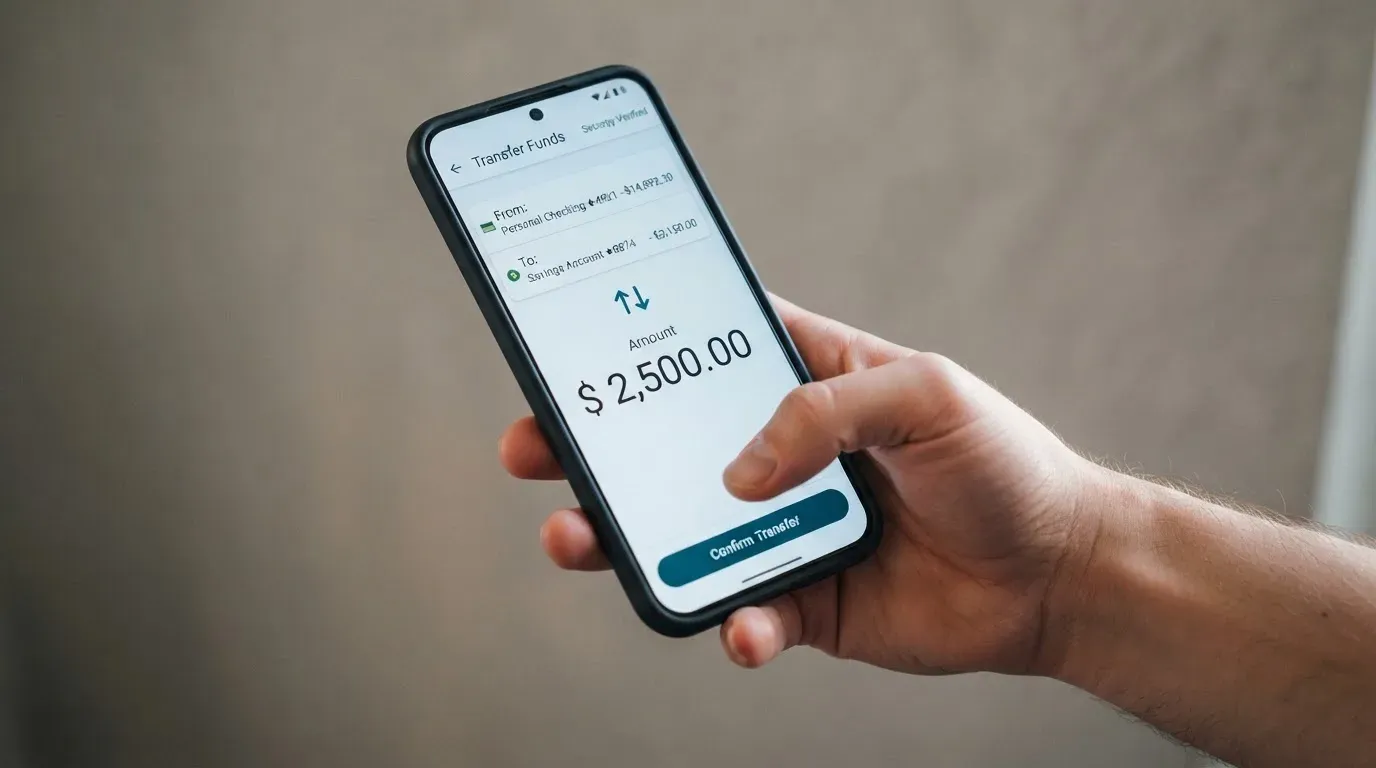
Topping up is SPay’s strongest suit and the reason the score holds above the middle. The card is funded with crypto, converted into spendable balance.
What you can deposit into the SPay wallet, per the card:
- USDT on Tron (TRC-20) and on Ethereum (ERC-20)
- USDC on Ethereum (ERC-20)
- ETH and TRX natively, straight to the SPay wallet
From there, you move funds from your USDC balance onto the card, in amounts from $10 to $500, and the credit lands in minutes. Quick top-up amounts from $10 to $500 from your USDC balance are the same flow.
Getting money back off the card is thinner but functional: withdrawals are sent as USDC on the Base network to any self-custody wallet. The fee is not listed, and what happens to a leftover balance if you close the account is not stated.
A warning that matters more than it sounds: the network matters absolutely. If you send funds on the wrong network, the card’s terms say they cannot be recovered. Blockchain transfers are irreversible by nature — a deposit sent to an address of a network the provider does not support can simply be gone, or need manual support recovery with no guarantee. There is a specific live example of why: Circle stopped supporting USDC on Tron in February 2024, so “USDC over TRC20” is not a native option on this card even though USDT on Tron is fine. Double-check the network before you send, every time.
Two details are not stated: the deposit fee, and who pays the on-chain network fee. That second one is worth a moment — blockchain network fees for your deposit are charged by the blockchain, not by the card provider, so the cost of getting funds in sits outside SPay’s price list. Whether you can top up with ordinary fiat, rather than crypto, is also not stated.
Paying with it every day
Day-to-day, SPay is a virtual Visa that works best on your phone, plus Apple Pay.
Apple Pay works. The card adds to Apple Wallet and pays through the phone’s Secure Element, with a device-specific number rather than your real card number and a one-time code per payment.
Google Pay is in an inconsistent state on the card’s own pages. One part of the site says it is “in development”; the card page says both wallets work with virtual cards on creation. The two statements contradict each other. If Google Pay matters to you, treat it as unconfirmed and ask before relying on it.
Where you can spend, in practice. Because this is a Visa, it works wherever Visa is accepted online and in stores — but with the usual caveats that hit foreign-issued and prepaid cards. Some merchants decline prepaid or foreign-issued cards because the card’s issuing country is visible in the lookup. Address verification, which compares the numeric parts of your billing address against issuer records, is mainly offered in the US, Canada and the UK and is generally unavailable for foreign-issued cards, which can cause declines. So do not be surprised if a payment that should work is declined; that is a category problem, not an SPay bug.
Blocked categories. Cash-like transactions — crypto purchases, gambling, money transfers — “may be limited”. Expect some of these to be restricted by policy.
Points and rewards. Card purchases earn points, up to 1.5% back depending on your tier. Two hundred points convert to $1 of USDC, redeemable from 1,000 points, and are credited to your card balance. You also get bonus points for referrals, completing verification, and creating your first card. The rewards are real but modest; the practical question is whether 1.5% offsets the FX fee when you are spending abroad, and often it does not.
If a payment goes wrong. Try the merchant first. For a disputed charge, report it within 60 days after it posts to your statement; the card network’s chargeback rules apply, and chargebacks you win are credited back to your SPay account. Be aware that US debit-card reversal rights and credit-card rights come from different regulations, and prepaid-card coverage varies — do not assume the strongest protection applies to a virtual prepaid-style card like this one.
The app. iOS is rated 5.0 out of 5, but from a single rating, so treat that as a very thin signal rather than a track record. The app is fully localised in Arabic, which is a genuine plus for Arabic-speaking users and a hint at the card’s centre of gravity.
What can go wrong
Risks are the part of a card review I weight most, and for SPay the honest summary is that the record is clean but thin, and the structural risks are the ones that come with the category.
No complaints found, but also almost no track record. I found no official incidents with this operator, and a search for SPay reviews turned up no SPay results on the usual complaint sites — there is no Trustpilot page for it. Read that carefully: the absence of complaints here is mostly a reflection of a new, small operation rather than a long clean history. The app listing is new and I found no dated public events either way. A young card with one five-star App Store rating is a young card, not a proven one.
Who is behind it. The app is operated by NOVARA TECH L.L.C S.O.C, which states it is not a bank. The card itself is issued by Third National under licence from Visa, and the terms are governed by Puerto Rico law. These entities manage the programme, while the company behind the app handles day-to-day operations.
Custody risk — the big one. SPay does not state its custody model. Whether your crypto sits with a custodian or stays in a wallet you control is exactly the question that determines how exposed you are. Holding funds with a custodian carries real counterparty and hack risk: Mt. Gox reported about US$350 million stolen, Coincheck about US$400 million, and the Ronin Network US$625 million. A seed phrase, by contrast, is typically 12 to 24 words in plain form — anyone who gets it can restore the wallet and spend the funds, and there is no built-in recovery because transfers are irreversible.
Sanctions and screening. You cannot be blocked or sanctioned by the US. Separately, stablecoins are not censorship-proof: Tether says it disables tokens in wallets on the OFAC sanctions list and has frozen funds tied to illicit activity. So a self-custody card does not remove compliance friction — it moves it.
Wrong network, lost funds. As covered above, sending on an unsupported network can lose the money outright, with recovery not guaranteed.
Limits you do not fully control. SPay can reduce your limit to $0 at any time, based on collateral.
Google Pay uncertainty. The card contradicts itself on whether it works. Small, but it is the kind of thing that becomes a real problem when you are at a till.
Declines and holds. A declined payment can leave a hold on your funds for several days, sometimes up to 7 days.
Support. The in-app AI assistant can hand off to a human agent; Platinum includes 24/7 support and Infinite adds a priority 24/7 concierge. There is a phone number, +971 55 947 6972. That is a genuine support channel, which is more than many cards in this category offer.
Regulation, briefly, without turning into advice. A card is a payment service regulated separately from the crypto side, so a crypto card often rests on two licences. In the EU, MiCA’s stablecoin rules have applied since 30 June 2024 and the rest since 30 December 2024, with a transitional period running to 1 July 2026; ESMA keeps a public register of authorised providers you can check. In the US, FinCEN treats administrators and exchangers of convertible virtual currency as money transmitters, while ordinary users buying things are not. None of this is a substitute for checking your own situation — it is background, not a verdict.
What to take instead
If SPay’s mix of “good top-ups, unclear coverage, expensive abroad, no physical card yet” does not match your life, there are three comparable cards in this category. Here is the honest comparison:
| Card | Score | Card type | Cost | Notable strength |
|---|---|---|---|---|
| SPay | 5.5 / 10 | Virtual Visa, issued by Third National | $9.99–$49.99 one-time; FX up to 3% | Tiered virtual Visa with points; USDT/USDC funding |
| Cardex | 5.6 / 10 | Debit crypto card on VERVE, VISA, Mastercard, UnionPay | Not stated | “200+ countries”; real-time conversion at payment |
| CardFlow | 4.9 / 10 | Virtual USD Mastercard, ~3 minutes to create | Virtual card free | Very quick setup; aimed at Nigeria |
| HyperCard | 4.7 / 10 | Prepaid card, USD or EUR balance | Not stated | Works in “176+ countries” per app listing |
Cardex scores marginally higher and offers virtual and physical cards, and its app listing is Naira-focused. Its conversion is real-time at the moment of payment, with an “AI-Powered Conversion Rate” that picks a rate from global exchanges — though no fee percentage is stated. Funded from USDT, USDC and BTC. If a physical card and broad network choice matter to you, it is worth a look; its country position (“one crypto card, 200+ countries”) is also a promise rather than a published list, so verify it.
CardFlow is the lightest option: creating a virtual card is free and fast, funded by Bitcoin, USDT, ETH or a Naira bank transfer. It is aimed at Nigeria and “Nigerians and global users”. If you want zero card-creation cost and speed, this is the one; its score is lower, so expect less elsewhere.
HyperCard is a prepaid card with a USD or EUR balance, funded by depositing crypto such as USDT, BTC or ETH in the app. The app listing says it works in “more than 176 countries” — but that describes where the card is accepted, not who is eligible. If you want a euro balance rather than a dollar one, it is the outlier in this group.
None of these is dramatically better than SPay on the facts available; the scores sit within about a point of each other. Pick on the one requirement that matters most to you — country eligibility, physical card, fee-free creation, or multi-currency balance — rather than on the score alone.
Who I would recommend it to
I would point SPay at a reader with a specific shape: a non-US resident who holds USDT or USDC, does most of their spending in US dollars, is comfortable managing crypto and phone-based security, and wants a tiered virtual Visa with points rather than a plastic card. If that is you, the card does its job — quick stablecoin funding, a real Visa virtual card, Apple Pay, points on everything, and monthly caps that scale with your tier.
I would steer away from it — for now — if any of these are true:
- You need a physical card or cash access soon. Both are “Coming soon”, the physical card is $99, and cash advances are unavailable. If you need a card in hand or ATM today, this is not it.
- You live outside the dollar zone and spend heavily. Foreign exchange up to 3% plus cross-border up to 3% can quietly consume a meaningful share of every purchase, and the rewards rarely fully offset it.
- You are a US citizen. The card is explicitly not for you.
- You are in a country whose coverage you cannot confirm. Ask first, because there is no published list.
- You need to hold large balances and want certainty about custody. The custody model is not stated, and the limit can be reduced to $0 at any time.
If you want the reasoning behind the middle-ground score rather than just the number: this is a well-designed virtual card with solid crypto funding and a genuinely attractive rewards structure, wrapped in thin documentation and a product that is visibly still being built. That combination makes it worth watching as much as worth using. The parts that would most change my view — a published country list, a stated monthly fee and custody model, and the physical card actually shipping — are all things the card itself has to deliver, not things you can decide around.
Frequently asked questions
What is SPay card?
SPay is a crypto payment card that gives you a virtual Visa you create inside a phone app and spend like an ordinary card. You fund it with stablecoins such as USDT or USDC, which are converted into a spendable balance. The programme is managed by Third National and Novara Tech.
Is SPay a bank?
No. As mentioned, the app operator is not a bank. The card programme is backed by Third National and the Visa network. You are interacting with a card front-end, not a traditional deposit bank.
Does SPay card require KYC?
Yes, verification is required during onboarding, and you unlock the app with Face ID or a 6-digit passcode. The card’s public pages do not state which exact documents qualify, whether proof of address is needed, or the age requirement — so expect a standard identity check typical of a regulated card, and nothing more elaborate than that.
Who can apply for the SPay card?
The card is intended for people outside the United States. You must attest that you are not a US citizen, and you must not be blocked or sanctioned by the US (OFAC). Beyond that, the card page does not publish a country list — it points to the Contact page for current coverage — so if your country is not obviously covered, ask them first.
How much does the SPay card cost to open?
It is a one-time fee per plan: Platinum $9.99, Signature $19.99, or Infinite $49.99. There is also a $99 one-time physical card, but it is marked “Coming soon”. No monthly fee is stated. The running costs to watch are a foreign exchange fee of up to 3% on non-USD spending and a cross-border fee of up to 3%.
How do I top up the SPay card?
You deposit USDT (on Tron TRC-20 or Ethereum ERC-20), USDC (on Ethereum ERC-20), or native ETH and TRX into the SPay wallet. Then you move funds from your USDC balance onto the card in amounts from $10 to $500, and the credit arrives in minutes. Check the network carefully before sending, because funds sent on the wrong network cannot be recovered.
Can I use the SPay card in my country?
That depends on two things. First, whether SPay serves your country — there is no published list, so you must ask via the Contact page. Second, even where it is accepted, some merchants decline prepaid or foreign-issued cards, and address verification is often unavailable for foreign-issued cards, which can cause declines. A payment being declined at a shop is a category issue, not necessarily an SPay fault.
Is the SPay card safe and trustworthy?
There is no long track record to lean on. I found no complaints and no Trustpilot page, but the app is new and the single five-star App Store rating is a very thin signal. The card is issued by a real bank under a Visa licence, which is reassuring, but SPay does not state its custody model, and its limit can be reduced to $0 at any time — so treat it as a young product, not a proven one.
Does the SPay card work with Apple Pay and Google Pay?
Apple Pay works. Google Pay is inconsistent on the card’s own pages: one part says it is “in development” while the card page says both wallets work with virtual cards on creation. If Google Pay is important to you, treat it as unconfirmed and ask before you rely on it. Apple Pay is the safe choice today.
Is the SPay card worth it?
For a non-US resident spending mainly in dollars who wants a virtual Visa with points and quick stablecoin funding, it is worth considering — the top-up experience is its strongest feature. It is worth waiting on if you need a physical card or ATM access, if you spend heavily outside the dollar zone and would pay up to 3% in foreign exchange and cross-border fees, or if you are a US citizen. The gaps are mostly things the card itself must still deliver.
Choosing a virtual card – cryptocardadvisor
Content created by the «cryptocardadvisor» team