
Kryptonim card review — a free virtual Visa with a lot still left unsaid
 Available in US
The Kryptonim card is a Visa debit card that pulls from a crypto balance inside the Kryptonim Wallet. On paper, the headline numbers look friendly: a free virtual card, no monthly fee, a QR-code top-up flow, and Google Pay support baked in. Once you start pulling at the threads, however, the card’s public pages run out of words surprisingly fast. Country list, fees, limits, the identity of the card issuer, the list of supported coins — all of these are either missing or buried in unanswered FAQ placeholders.
That is the central tension in this card, and the reason I sit on the fence at 6.1 out of 10. If you are already a Kryptonim wallet user who wants a tidy way to spend crypto at a Visa terminal, the virtual card is hard to argue with on price. If you are choosing a card as your main everyday payment tool, there are too many blanks left for comfort.
The conditions described here are current as of October 28, 2026.
Verdict
My overall score is 6.1 out of 10. The card earns its marks mostly on the cost side, where the virtual option is genuinely free with no monthly fee. It loses them on transparency: eligibility, FX, ATM access, limits, the issuer, and the list of supported coins are not published on the card’s pages.
In the audience note from my research, the card fits users of the Kryptonim wallet who want a free virtual Visa. I would not push it as a primary card for someone shopping around cold, because too much of what you would want to know is “not stated” on the official pages rather than answered in a way that lets you compare.
Here is how the marks break down by criterion.
| Criterion | Mark | Short reason |
|---|---|---|
| Who can get it | 5 / 10 | No country list; the card simply works “where VISA cards are accepted” |
| Cost | 8 / 10 | Virtual card is free, no monthly fee; physical price and FX are not published |
| Top-up options | 5 / 10 | QR-code top-up inside the Kryptonim Wallet, but coins and networks are not listed |
| Reliability and complaints | 6 / 10 | Clean on the card side; the wider on-ramp service has a mixed Trustpilot score (unofficial) |
| Everyday use | 6 / 10 | Virtual or physical Visa with Google Pay; Apple Pay and ATM status are not stated |
| Total | 6.1 / 10 |
The card is a fit for an existing Kryptonim wallet user who wants a low-friction way to spend a small crypto balance at a Visa terminal, and who is comfortable with a virtual-only setup and the limits that go with it. It is not a fit for someone who needs a published country list, a named issuer, clear ATM access, or any number of facts that should be obvious before signing up.
Who can get the Kryptonim card
The first thing I looked for was a list of supported countries. There isn’t one. The card’s pages describe it as usable “anywhere VISA are accepted,” which is a statement about merchant acceptance, not about who the issuer will onboard. So before I tell you anything else, here is the honest framing: I cannot tell you, from the official card pages, whether you personally are eligible.
What I can tell you is the shape of the onboarding. The Kryptonim site says you can get your free virtual card “shortly after account verification.” Verification is mentioned in the singular, so the experience appears to be a single KYC pass at the Kryptonim account level rather than a second, card-specific check.
What the page does not tell me is the list of accepted identity documents, the minimum age, whether a proof of address is required, or whether there are different KYC tiers with different limits. Those details are simply not stated. If those matter to you — and they do matter to most people, especially anyone outside the EU/UK — you will need to ask support directly before you commit to anything.
In practice, that means the card is best approached as something you sign into an existing Kryptonim Wallet account to add, rather than a card you “apply” for the way you would apply for a bank account. The flow is: open the wallet, complete the verification Kryptonim asks for, and add the card to that account. I cannot confirm whether non-wallet users can skip the wallet and go straight to the card, because the card’s own pages are silent on that path.
For readers in jurisdictions where crypto card issuance is restricted, the right move is to ask support first, with your country and citizenship in the first message, and to stop if the answer is vague. The limits you would otherwise run into are not the kind that show up after a small failed transaction; they are the kind that lock a balance.
How to get the card
Once your Kryptonim account is verified, the card itself is a few clicks inside the app. The product comes in two forms: a virtual Kryptonim card and a physical Kryptonim card. The network on both is Visa, and the card is positioned for use anywhere Visa is accepted, with a stated focus on the virtual option as a free starting point.
The card currency is not stated on the page. That is a real gap. If you are in a country whose domestic currency is not USD or EUR, the practical question — “will the card be billed in euros, in dollars, or in something else, and who eats the FX” — is left unanswered on the public material. I would treat the card as a USD-or-EUR-denominated Visa unless Kryptonim tells you otherwise at the point of issue.
Delivery times for the physical card, the regions it ships to, and the activation flow after the card lands in your mailbox are not stated either. So if you specifically need a physical card on a deadline — say, a trip in ten days — I would not commit to this product on the strength of the marketing copy. Ask support, and ask in writing, before paying anything.
There is no mention of an Apple Pay option on the card’s pages. Google Pay is supported, with a link to the Google Pay Terms. If you live inside Apple Pay and are unwilling to fall back to Google Pay or to the physical card, that is a meaningful gap.
The verification process for the card itself is described as part of the broader Kryptonim account verification, with no separate document set, age threshold or proof-of-address requirement published for the card. That makes the card look like a feature add-on inside the Kryptonim Wallet rather than a standalone product, which is consistent with how the audience note frames the user.
Fees and what you actually pay
This is the strongest side of the card, and the side that earned the 8/10 on cost. The virtual Kryptonim card is free, with no monthly fee. The FAQ on the card page literally has a question — “Are there any fees for Kryptonim Card?” — and a placeholder where the answer should be. The clearest cost statement on the page is the absence of a monthly fee for the virtual card.

The physical card’s price is not stated. That is a real gap for anyone who needs a physical card. I would treat it as paid unless told otherwise, and ask the cost up front.
Conversion, foreign exchange, ATM withdrawal, and the standard card spending and loading limits are not stated in the FAQ answers on the card page. There is a placeholder question on spending limits with no published number, and a placeholder question on whether the card balance can be withdrawn to a wallet or bank, again with no answer. The page mentions automatic conversion of digital assets, but the rate, the spread, and the FX margin are not disclosed.
What I can see clearly is the top-up cost on a small demo: a 1.00 EUR top-up shows fees of 0.00 EUR and a network fee of 0.00 EUR. That is a useful data point for the first move — the QR-code top-up into the Kryptonim Wallet — but it does not tell you anything about the cost when you actually spend the card in, say, US dollars in a New York café, or in pounds in London.
Here is the costs table, with every blank reflecting “not stated” on the card’s own pages.
| Fee or limit | Value |
|---|---|
| Virtual card issuance | Free |
| Monthly fee (virtual) | None |
| Physical card issuance | Not stated |
| Conversion / spread | Not stated |
| FX / cross-border fee | Not stated |
| ATM withdrawal fee | Not stated |
| ATM availability | Not stated |
| Daily spending limit | Not stated |
| Monthly spending limit | Not stated |
| Top-up minimum | Not stated |
Now let me walk through three everyday payments and how the published numbers hold up.
Buying lunch in your home currency, on a card loaded in euros. This is the cleanest case. The virtual card is free, no monthly fee applies, and the demo top-up shows zero fees on a 1.00 EUR load. The published material does not state the conversion spread inside the wallet, so the question is whether the rate you see when you convert crypto to euro balance is the rate you actually get, or whether the wallet takes a margin in the conversion screen. If you fund the card with a stablecoin, the spread on the stablecoin-to-euro side is the cost that matters, and it is not published.
Paying in a foreign currency while travelling. This is the test I cannot pass on the official pages. The card currency is not stated, so I do not know whether the card is billed in euros, in dollars, or in something else. Even if I assume it is euros, the FX fee for a non-euro transaction is not disclosed. The honest advice here is to treat the Kryptonim card with caution regarding FX until Kryptonim publishes a number.
Withdrawing cash from an ATM. The page does not state whether ATM withdrawal is supported at all. If it is, the fee and the daily cash limit are not published. For a card whose only public cost is “no monthly fee for the virtual card,” I would not lean on it as a primary ATM card. Use it for point-of-sale, and keep a separate, ordinary card for cash.
A practical habit, if you decide to go ahead: make one small purchase in your home currency, check the amount settled against the screen, and check one foreign-currency purchase the same way. If the spread is large, the math is simple — you can stop using the card for that purpose without losing anything.
Top up
The top-up flow is built into the Kryptonim Wallet, and it is the one part of the card where the page is reasonably specific. The way it works, as described, is that you scan a QR code inside the wallet and send funds in. The page also mentions automatic conversion of digital assets, which is the model most crypto cards use: you send crypto, the wallet converts it, and the resulting fiat balance is what the card spends from.
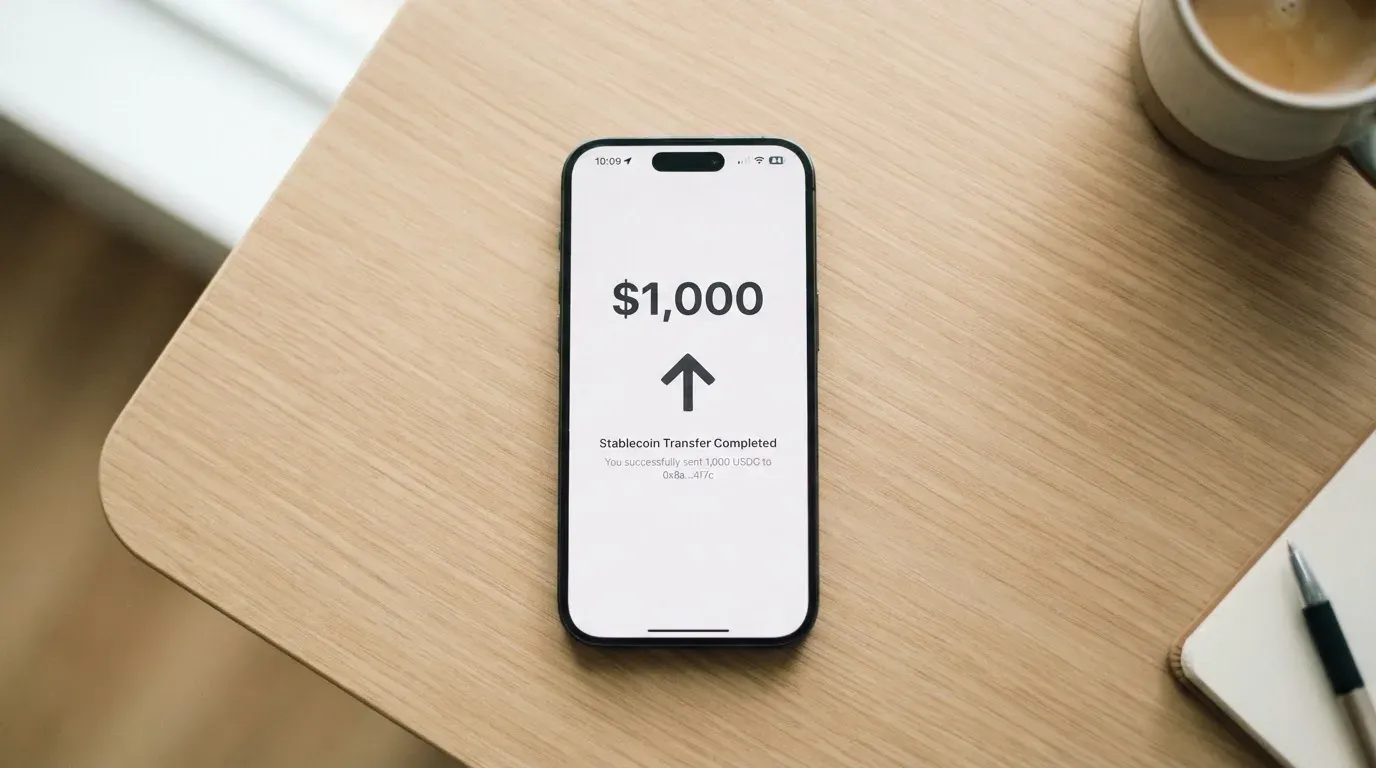
What the page does not tell you is which coins are supported and which networks you can send on. That is a meaningful gap. Two stablecoins on the wrong network can look identical in a wallet app, and the difference between, say, USDC on Ethereum and USDC on a low-fee sidechain is the difference between a workable deposit and a deposit that is either slow, expensive, or — if sent to an address the wallet does not actually accept — lost. Blockchain transfers are irreversible, so a deposit sent on a network Kryptonim does not support is a deposit that may need manual support intervention with no guarantee of recovery.
The minimum top-up amount is not stated. Fiat on-ramp options — the ability to fund the card with a bank transfer or a card rather than with crypto — are not stated either. So in practice, the documented top-up is crypto-only via a QR code, with everything else left to the support team.
On the cost side, the demo screen in the wallet shows fees of 0.00 EUR and a network fee of 0.00 EUR on a 1.00 EUR deposit. That is a real data point, and it is encouraging, but it is one screen on one deposit size. The fee on a real crypto top-up, in gas on the underlying blockchain, is paid by the network, not by Kryptonim. If the wallet shows zero network fees on screen, the gas may be subsidised by the wallet in some cases and simply not apply in others. Treat the demo screen as illustrative until you see your own real deposit.
The withdrawal direction — whether the card balance can be moved back out to a crypto wallet or to a bank — has an FAQ question on the page and no published answer. So before you load a large balance, it is worth confirming with support that you can in fact get the money back out by whatever path you intend to use.
Paying with the card day to day
In everyday use, the Kryptonim card behaves as a Visa debit card: tap, insert, or enter the card details online, and the card pulls from the pre-loaded balance inside the wallet. Because the card is prepaid in nature — you fund it before you spend it — there is no overdraft and no credit line, and the card cannot spend more than what has been loaded.
The card supports Google Pay, with a link to the Google Pay Terms. There is no published Apple Pay option. If your phone is an iPhone and you have built your life around Apple Pay, the absence of Apple Pay is a real friction point: you will need the physical card, or you will need to type the card number into websites by hand. The card issuer can restrict tokenised numbers, including blocking magnetic-stripe, online or in-app use; whether the Kryptonim programme applies any such restrictions is not stated.
Blocked merchant categories are not published. Crypto cards in this corner of the market tend to block gambling, and a small number of high-risk or adult categories, by issuer policy rather than by law. Whether the Kryptonim card blocks any of these is left to the issuer — and, as I will come back to, the issuer is not named on the card’s pages.
A small but real friction for everyday use is the BIN behaviour of a prepaid Visa issued by a non-bank programme. Some merchants decline prepaid cards, and some decline cards whose BIN says the issuer is in a different country from the billing address. Both declines are common enough that the experience can feel uneven, especially for online checkouts that use Address Verification Service — a US, Canadian and UK tool that often does not work for foreign-issued cards, and which can lead to silent declines. The Kryptonim card does not publish its BIN or its issuer country, so I cannot tell you in advance whether you will hit these.
The app itself, the Kryptonim Wallet, has an iOS link from the card’s pages. I did not pull app-store ratings, but the existence of an iOS app is a small positive: a working app is the only realistic way to monitor a card balance that is being topped up by QR codes and converted in the background.
A note on rewards: the card’s pages do not state a cashback, points, or staking-rewards programme. If you are used to a bank card that returns 1% on groceries, you should not expect anything equivalent here unless Kryptonim tells you otherwise.
What can go wrong
This is the section of the review where I would normally walk through the worst cases I have found, and the company behind the card. Here, the worst cases I can point to are mostly absences.
First, the card issuer is not named. The card is on the Visa network, so an issuer exists, but the card’s pages do not state who it is. The wider Kryptonim site, kryptonim, lists several legal entities: Swaps Ltd, registered in England and Wales (company number 11850124), which is described as registered with the UK Financial Conduct Authority (FCA) as a cryptoasset business; QuantiPay AG; KTM Virtual Services Inc., registered in British Columbia and registered with FINTRAC as a money services business (MSB number M23813101); Kryptonim Colombia; and Kryptonim sp. z o.o., listed as a data controller. None of these is named on the card’s pages as the card issuer, and the page does not link these entities to the card. If you want to know who actually issues the card, you have to ask.
Second, the card has no specific complaints attached to it in my research, and I have not found any official incident reports on the card itself. The wider Kryptonim on-ramp service (not the card) has a Trustpilot score of 3.2 out of 5 from 166 reviews, with complaints of unpaid withdrawals and a deposit not returned for weeks. That is unofficial, from a single third-party review site, and it concerns the on-ramp rather than the card, but it is the only external signal I have on the wider brand, and I want it on the table.
Third, the security guidance on the page is generic: “Never share your private keys or sensitive information.” The page does not state whether the card is custodial — meaning Kryptonim holds the underlying crypto on your behalf — or self-custody, where you retain control until the moment of payment. That distinction is not cosmetic. Custodial setups have a record of catastrophic failure, and the safer pattern for the user is to keep only the balance you intend to spend on the card and not to treat the card balance as a savings account.
Fourth, the support model is a “CHAT WITH US” button on the card page, plus a Help section with FAQs and a contact form on the wider Kryptonim site. Support languages, hours and time-to-first-response are not stated. For a product that publishes so few of the operational details elsewhere, a responsive chat is doing a lot of work in the trust model.
Finally, the wider context. Crypto cards as a category have been shut down before. WaveCrest, a Visa issuer that supplied several crypto card brands, was suspended by Visa in Europe in 2018, and the programmes it supported were closed. Visa said in November 2022 that it had terminated its global agreements with FTX, and the FTX US debit card was wound down by its issuer. Those are reminders that the card network can pull the programme from under a card brand, that the user typically gets a notice period and then loses the ability to load and spend, and that withdrawing remaining balances during that window is the user’s responsibility. There is no Kryptonim-specific incident of this kind on the record, but the structural risk is one every crypto card carries, and the Kryptonim card is no exception.
What to take instead
The honest comparison here is between the Kryptonim card and a handful of alternatives that target similar users — people who want a crypto-funded card, often in markets where an ordinary bank card is hard to get. I have pulled three. None is a clone of Kryptonim; each leans into a different region, currency or feature, and each is published with a different level of detail. The numbers below come from the same kind of public-page review I have applied to Kryptonim.
Cardex — score 5.6 / 10. Cardex markets itself as one crypto card for 200+ countries, with no published country list or exclusions. The card is a debit crypto card on the networks VERVE, Visa, Mastercard and UnionPay, with virtual and physical options, and the App Store listing frames the card currency as Naira. The site describes an “AI-Powered Conversion Rate” that scans global exchanges at the moment of payment and picks the best rate, but no fee percentage is published. Top-up is via USDT, USDC and BTC wallets, with networks not stated. Rewards, costs and a clean list of fees are not published either. The pitch is breadth of country coverage and a smart conversion engine; the gap is the same kind of missing detail you find on Kryptonim, plus a card that is visibly anchored to the Nigerian market in the App Store listing.
CardFlow — score 4.9 / 10. CardFlow is positioned as a Nigerian fintech card platform that also serves “global users.” It offers a virtual USD Mastercard, created in 3 minutes, and creating a virtual card is free on the site FAQ. Top-up is via Bitcoin, USDT, ETH, or a Naira bank transfer, with networks not stated. There is no published country list, no published fee schedule, and no rewards programme. The fit is for a user who can fund with Naira and wants a quick virtual Mastercard; the gaps are fees, limits, and the lack of a country list.
HyperCard — score 4.7 / 10. HyperCard is a prepaid card with a balance in USD or EUR, and the App Store page says it works in “more than 176 countries” — that is an acceptance claim, not an eligibility one. The official pages do not state a country list or exclusions. The card is prepaid, with no published fees on the pages I could read, and no rewards. Top-up is via crypto (USDT, BTC, ETH) converted in the app, with networks not stated. The fit is a prepaid USD/EUR card funded by crypto, with very little published on the operational side.
The way to read the four together is straightforward. The Kryptonim card leads on the simple cost story — a free virtual card, no monthly fee, Google Pay. It trails on transparency, and on the operational details a non-wallet user would want. Cardex competes on country reach and a multi-network card but has even less published detail. CardFlow fits a Naira user who wants a free virtual Mastercard. HyperCard fits a user who wants a simple USD or EUR prepaid balance. None of the four publishes a country list I would hand to a reader as definitive, and the right move in each case is to confirm eligibility and fees with support before loading any meaningful balance.
Who I would recommend it to
If you already use the Kryptonim Wallet, the free virtual Visa is a sensible add-on. The cost side is the strongest part of the product — a free card, no monthly fee, a Google Pay option, and a clear QR-code top-up. For small, everyday payments in your home currency, the math works.
If you are choosing a card from scratch, with no existing Kryptonim relationship, I would slow down. The published material leaves too many blanks: country eligibility, the card currency, FX, ATM access, limits, the card issuer, and the list of supported coins and networks. A few of these you can live with — I would, for one, happily use a card whose issuer is not named, as long as the issuer is a regulated entity I can find on a public register. But the rest stack up, and a stack of “not stated” is itself a signal. It tells you that the card is positioned as a wallet feature first and as a standalone payment product second.
The cases I would not push the card for: as a primary ATM card; as a card you load a large balance into; as a card for travel in a currency the page does not name; or as a card in a country the page does not list. For each of those, the right move is the same — start a chat with support, ask the question, and only fund the card once the answer is in writing.
The card is honest in the way it positions itself: a Visa connected to your crypto balance, free for the virtual option, available inside the wallet. It is not a bank account, it is not a credit card, and it does not pretend to be. If you read it that way, it does the job. If you read it as a full-service payment product, the missing facts will bite you.
Frequently asked questions
What is the Kryptonim card?
The Kryptonim card is a Visa debit card linked to the Kryptonim Wallet. You top the card up by sending crypto into the wallet, the wallet converts the balance, and the card spends the resulting fiat balance at any merchant that accepts Visa.
How does the Kryptonim card work?
The flow is: verify your Kryptonim account, open the wallet, scan the QR code shown in the app to send crypto in, and the wallet converts the deposit. The card then draws from that pre-loaded balance at the point of sale, online, or in Google Pay.
Is Kryptonim a bank?
No. Kryptonim is not described as a bank on the card’s pages. The card sits inside the Kryptonim Wallet, which is a crypto wallet, and the card issuer itself is not named on the card’s public pages.
Who owns Kryptonim?
The Kryptonim site lists several legal entities, including Swaps Ltd in England and Wales (registered with the UK FCA as a cryptoasset business), QuantiPay AG, KTM Virtual Services Inc. in British Columbia (registered with FINTRAC), Kryptonim Colombia, and Kryptonim sp. z o.o. The site does not name a card issuer among them, and the card pages do not link these entities to the card.
Is the Kryptonim card available in my country?
The card’s pages do not publish a country list or exclusions. The page describes the card as usable “where VISA cards are accepted,” which is a statement about merchant acceptance, not eligibility. The only reliable way to check is to ask support with your country and citizenship before you sign up.
How do I get the Kryptonim card?
The flow described on the card’s pages is: open a Kryptonim account, complete the account verification, and add the virtual card from inside the wallet. A physical card is also offered, but the price, delivery time and shipping regions are not stated.
Does the Kryptonim card require KYC?
The card’s pages say you can get the virtual card “shortly after account verification,” which points to a KYC step at the Kryptonim account level. The list of accepted documents, the minimum age and whether a proof of address is required are not stated.
How do I top up the Kryptonim card?
The documented top-up is a QR code scanned inside the Kryptonim Wallet, with automatic conversion of digital assets. The list of supported coins, the supported networks, the minimum top-up and the option to top up with fiat rather than crypto are not stated on the card’s pages.
How do I add the Kryptonim card to Apple Wallet?
The card’s pages do not mention Apple Pay. Google Pay is supported. If Apple Pay is essential to you, the only option today appears to be the physical card, and even that path is not described in the published material.
Is the Kryptonim card safe?
There are no card-specific complaints or official incident reports on the Kryptonim card in my research. The wider on-ramp service has a Trustpilot score of 3.2 from 166 reviews (unofficial, single source), with complaints of unpaid withdrawals and a delayed deposit. The card issuer is not named on the card’s pages, which is itself a transparency gap. Treat the card balance as a spend balance rather than a savings balance.
Choosing a virtual card – cryptocardadvisor
Content created by the «cryptocardadvisor» team