
CoinUp card: a practical look at fees, top-ups, and who this card is really for
 Available in US
The CoinUp card is a payment product tied to the CoinUp crypto exchange. You convert or transfer crypto from your CoinUp account onto the card, then spend the resulting balance wherever Mastercard or Visa is accepted, depending on which version you hold. It comes in two flavours: a virtual Mastercard for online and mobile-wallet use, and a physical Visa card that arrives in the post and works at ATMs. If you already keep funds on CoinUp and want a simple way to spend them, the value proposition is straightforward. If you are coming in fresh, the gaps in the published information are worth pausing on.
This review goes through who the card is for, what it costs, how to get one, what everyday use looks like, and where things have gone wrong for other users. The conditions described here are current as of October 28, 2026.
Verdict
The CoinUp card scores 6.1 out of 10. That is a middling result, and the breakdown shows why: the everyday mechanics are good, the geographic reach is wide, and there is no annual or inactivity fee to worry about. What pulls the score down is the cost transparency (the card does not publish most of its fees) and the reliability signal from the parent company.

Here is the score by criterion:
| Criterion | Mark | Why |
|---|---|---|
| Who can get it | 8/10 | The card is available in 170+ countries and regions, with eligibility checked in the app |
| Cost | 6/10 | No annual or inactivity fee, but issuance and transaction fees are not publicly listed |
| Top-up options | 5/10 | You top up from your CoinUp account, but supported coins and networks are not named |
| Reliability and complaints | 3/10 | The issuer is not disclosed; Trustpilot for the CoinUp exchange shows frozen funds and blocked accounts |
| Everyday use | 8/10 | Up to five virtual Mastercards with Apple Pay and Google Pay, plus a physical Visa for ATM access |
The card suits exchange users who want a simple way to spend their crypto balance with a cashback reward attached. It does not suit someone who needs full fee transparency before signing up, or anyone who wants to know exactly who is issuing the card behind the scenes. The two unknown pieces, the fees and the issuer, are not minor details; they are the kind of thing a careful cardholder checks before loading money.
Who will give you the card
CoinUp says the card is available in 170+ countries and regions, which is broader than many crypto cards that lock out entire continents. The exact list is not published; instead, CoinUp tells you to check the app. When you sign in and try to apply, the app will tell you whether your country is on the supported list. That is a common pattern for crypto cards, but it does mean you cannot confirm eligibility from a web page alone.
The card is part of the CoinUp exchange, not a standalone product. You need an active CoinUp account, and the company has to be willing to serve your region under whatever licence it operates. Citizenship and residency are not the same thing in this industry; some issuers screen both, and sanctions lists apply to nationality as well as address. If you hold citizenship in a restricted country but live elsewhere, the card provider may still decline. The CoinUp materials do not spell out citizenship rules, so this is something to confirm with support before you go through the sign-up process.
In short: geography is wide on paper, but the actual decision is made in the app, and the card does not list its issuer or licences, so the underlying authority behind the card is opaque.
How to get it
Getting the CoinUp card is a four-step process:
- Create a CoinUp exchange account.
- Pass KYC (know-your-customer identity verification), which the company says takes “just a few minutes” in the app.
- Apply for the card from within the app. The virtual Mastercard can be activated immediately; the physical Visa is marked as a newer product and is shipped to you.
- Top up the card with crypto from your CoinUp account and start spending.
One CoinUp account can hold both card types. You can have up to five virtual Mastercards active at once, each useful for separating subscriptions or keeping spending caps in check. The physical Visa is limited to one per account. Each card is topped up independently, so a balance on the virtual card does not automatically cover the physical card or vice versa.
The physical card’s delivery country, time, and shipping cost are not stated on the public pages. If timing matters, ask support before you apply.
KYC levels (whether you need a simple ID upload or a fuller proof-of-address check) are also not specified. The app handles this on a case-by-case basis, and the depth of verification can depend on the country, the amount you load, and the company’s risk appetite at the time.
What it really costs
Here is the published cost picture:
| Fee or limit | Value |
|---|---|
| Issuance fee | Not stated |
| Monthly or annual fee | None (no annual or inactivity fees on either card) |
| Conversion fee | Not stated |
| Foreign-exchange (FX) fee | Not stated |
| ATM withdrawal fee | Not stated (physical card only) |
| Monthly limit (physical) | Up to USD 1,000,000 |
| Daily limit (physical) | Not stated |
| Monthly limit (virtual) | Not stated |
That table tells most of the story. The card is free to hold, which is good. Everything else, the part that actually affects how much you pay when you tap or swipe, is missing.
The card is described in two tiers: virtual Mastercard and physical Visa. Neither card requires a VIP membership. Each card is topped up separately, so a low balance on one card does not pull from another. The settlement currency on the card is not stated; if the card settles in USD and you spend in euros, an FX conversion will happen somewhere, and the rate for that conversion is not public.
Three everyday payments, walked through
Because the published fees are thin, here is what the experience looks like for common transactions and which fees you should expect to encounter even when they are not on the pricing page.
- Buying a coffee with the virtual card via Apple Pay. The card converts the crypto balance on the card to the merchant’s currency at the moment of authorisation. The conversion rate is set by CoinUp’s system, and the markup on that rate is one of the unpublished fees. You will also pay a network fee if the conversion goes through a blockchain, though if the balance is already loaded as a stablecoin-equivalent on the card, the on-chain leg happens at top-up time, not at the coffee.
- Paying for an online subscription in a foreign currency. The same conversion applies. Foreign-card BINs (the first six or eight digits of a card number that identify the issuer) sometimes get extra scrutiny from merchants, and Address Verification Service (AVS) checks, which compare the billing address you typed with the issuer’s records, are not always available for foreign-issued cards, which can occasionally cause a decline. This is not a CoinUp-specific issue; it is how the card networks work. But a foreign-issued Visa prepaid or Mastercard prepaid can face more friction at checkout.
- Withdrawing cash from an ATM with the physical Visa. ATM access is only on the physical card, not the virtual one. The ATM operator typically charges its own fee, and your card issuer may charge a separate withdrawal fee. CoinUp does not publish either of those. The card itself caps monthly spending at up to USD 1,000,000 on the physical card, which is high enough that most users will never approach it; the daily limit is not stated, which means it could be lower than the monthly cap or set per transaction.
Until CoinUp publishes its full fee schedule, the safe assumption is that there is a spread or fee somewhere in the conversion, and that ATM withdrawals will cost you both an issuer fee and an ATM-operator fee.
Top up
The card is topped up by transferring crypto from your CoinUp exchange account to the CoinUp card. CoinUp says the funds are “ready to use instantly” once the transfer is confirmed.
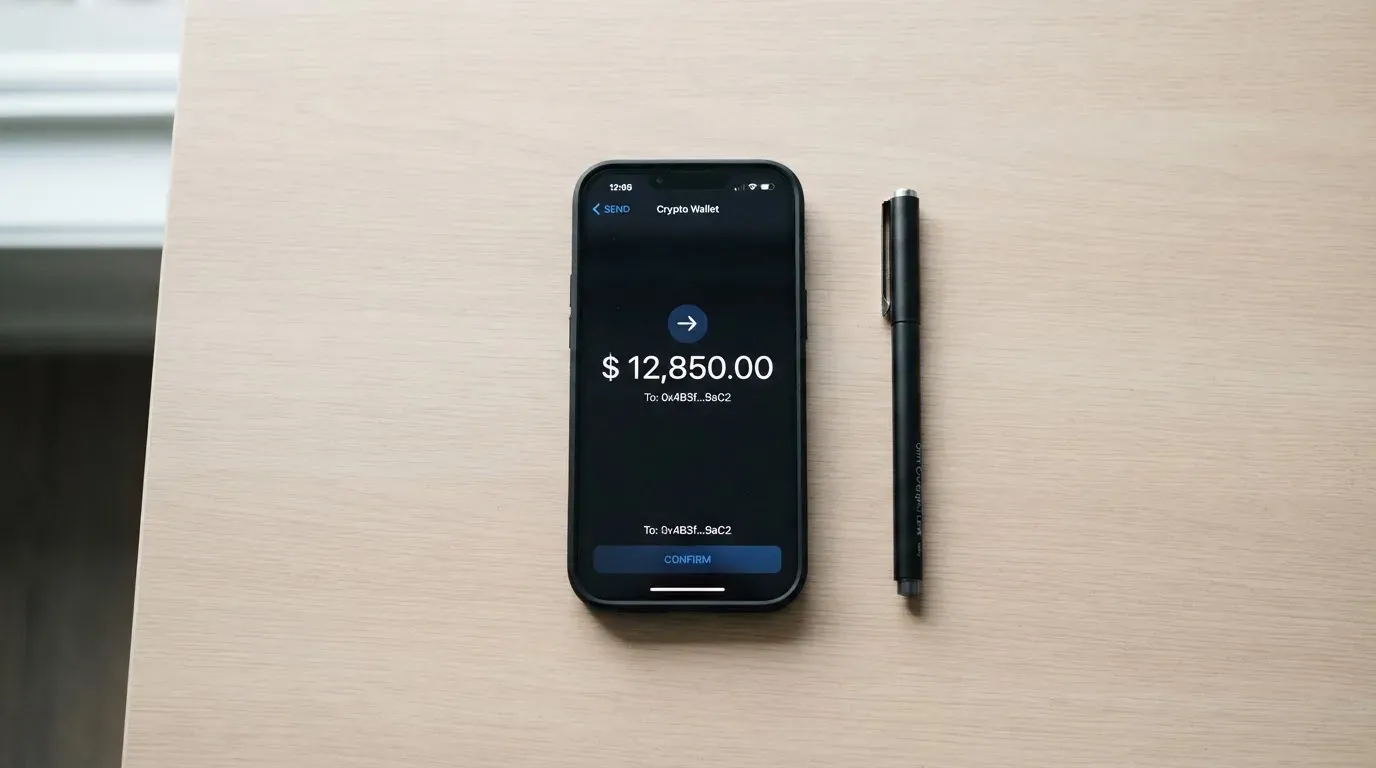
The catch: the supported coins and networks are not listed. That is a real practical problem. Crypto transfers are irreversible, and if you send USDT on a network CoinUp does not support, or to an address on the wrong chain, the funds can be lost. Stablecoin issuer Circle stopped supporting USDC on Tron in February 2024, so the assumption that any “USDC” address will work no longer holds across the industry. The same risk applies to USDT, even though Tether has issued tokens on many chains including Ethereum, Tron, Solana, Polygon, and Avalanche.
On-chain network fees (gas for Ethereum, bandwidth and energy for Tron) are charged by the blockchain, not by CoinUp. You pay those when you move funds, regardless of the card.
There is no public minimum or maximum top-up amount, and no separate top-up fee is mentioned. If the app shows a fee before you confirm the transfer, that is the only warning you will get; once the transfer is sent, it is final.
A withdrawal from the card back to fiat or to a bank account is not described on the public pages, so it is unclear whether you can move money off the card except by spending it.
Paying with it every day
The two cards serve different purposes:
- Virtual Mastercard: online purchases and mobile wallets. Up to five cards per account, each activated in the app. Supports Apple Pay and Google Pay, which tokenise the card number (replacing it with a device-specific number stored in your phone’s secure hardware) so the real PAN never touches the merchant. Each mobile-wallet transaction uses a one-time dynamic code.
- Physical Visa: delivered to your address, works at points of sale and at ATMs. The app lets you manage settings like PIN, alerts, and freeze.
The card offers crypto cashback on every purchase, though the rate and the coin paid out are not published. If the cashback is paid in a volatile token rather than a stablecoin, the headline rate may be worth less by the time you receive it.
There is no separate card app; card management lives inside the CoinUp exchange app. On the App Store, the exchange app is listed as “CoinUp.io-Buy Crypto,Eth,DOGE” with a 4.57 rating from 28 reviews, version 100037 dated 4 July 2026 (read 22 October 2026). A 28-review sample is small, so the rating is suggestive rather than conclusive.
For online shopping, 3-D Secure (the extra identity-check step during checkout, branded as “Visa Secure” for Visa and “Identity Check” for Mastercard) may or may not prompt depending on the merchant and the issuer’s risk assessment. Declined authorisations can leave a temporary hold on your card balance for up to several days, which is standard card-network behaviour, not a CoinUp-specific issue.
ATM access is the physical card’s main practical advantage. Without it, the card is a prepaid online product, useful for subscriptions and online shopping, less useful for cash needs.
What can go wrong
The risk picture has two parts: the card itself, and the company behind it.
Card-level risks
- Lost or stolen card. The physical card offers real-time alerts and PIN verification, and you can manage settings in the app, including freezing the card. Freezing is a basic safeguard, but it only works if you act quickly.
- Tokenised-wallet restrictions. If you add the virtual card to Apple Pay or Google Pay, the issuer can block the tokenised number for specific channels, for example blocking online use while leaving in-store tap-to-pay working. This is how tokenisation works across the industry.
- Unauthorised transactions. Card networks offer dispute and chargeback processes, but CoinUp does not publish its own dispute policy. If you need to challenge a transaction, the path is unclear.
- Merchant declines. Foreign-issued prepaid cards, including crypto cards, sometimes get declined by merchants who run AVS checks or who auto-block foreign BINs. The declines are usually not the cardholder’s fault, but they are inconvenient.
Company-level risks
- CoinUp Global Limited is the company behind the exchange. The card issuer and the licences under which the card operates are not stated on the public pages. That is unusual; most crypto card programmes name the issuing bank or e-money institution, because that entity holds the regulatory authority.
- Trustpilot for the CoinUp exchange (not the card specifically) sits at 2.7 out of 5 from 12 reviews, with 66% one-star ratings (read 21 October 2026). The themes from user reports are serious:
- USDT frozen for eight days with scripted support responses (July 2025).
- Accounts blocked after profitable trades (July–August 2025).
- Broken signed agreement and missed launch dates (August 2026).
- Unpaid refund after a listing deal and removal from Telegram (September 2026).
- Positives in February–March 2026 mention fast KYC and an easy interface.
- A 12-review sample is small, and these complaints are about the exchange, not necessarily the card. But because the card draws directly on your exchange balance, problems with the exchange affect the card.
- Custodial risk applies broadly: cryptocurrency transfers are typically irreversible, and a stolen private key has no built-in recovery. The network cannot freeze or return the funds. With a custodial product, you are trusting CoinUp to hold the balance, and historical exchange failures (Mt. Gox, Coincheck, Ronin, FTX) show what can go wrong when that trust breaks.
What to take instead
If the gaps in the CoinUp card’s information are deal-breakers for you, three alternatives are worth a look.
| Card | Score | Where it stands out | Where it falls short |
|---|---|---|---|
| Young Card | 5.7/10 | Cashback paid in YNG tokens at 0.1% (Essential), 1.8% (Gold), or 3.6% (Platinum) | Cost, availability, and card details not officially stated; Bronze and Silver rates unknown |
| MSX | 6.4/10 | The highest score of the three alternatives | Almost nothing is published about who can get it, what it costs, or how to fund it |
| Bybit Card | 6.0/10 | Clear fee schedule; virtual and physical tiers; supports six cryptos with a default priority | Restricted list includes the US, China, Belarus, Russia, and Serbia; not available to EEA customers |
Bybit Card is the most transparent of the three. It publishes conversion fees (0.5% in Argentina, 0.9% in most other regions), FX fees (1%–7% depending on country), and a tiered cashback system with monthly caps. It supports BTC, ETH, XRP, USDT, USDC, and GRAM, with USDT as the default top-up. The restrictions are significant: it is not available to European Economic Area customers at all, and the fiat-service restricted list includes Belarus, Russia, Serbia, China, and the United States. If you are in a supported country, Bybit is the easier card to evaluate because the fees are on the page.
Young Card and MSX are harder to compare because their public information is thin. The Young Card’s main claim is token-based cashback at rates that depend on your Club tier, but the card’s country list, fees, and funding options are not officially stated. MSX scores slightly higher but is similarly opaque.
If fee transparency matters most, Bybit wins. If you want a card that may offer higher cashback and you are willing to dig for the details, Young Card is a candidate. MSX is worth watching as more information becomes available.
Who I would recommend it to
I would recommend the CoinUp card to someone who already keeps a balance on the CoinUp exchange, is comfortable with the company’s exchange-side risk, and wants a frictionless way to spend that balance online or via mobile wallet. The five virtual cards make it easy to compartmentalise subscriptions, the Apple Pay and Google Pay support covers most everyday online and in-store use, and the cashback, whatever its exact rate, adds a small return on spending. The lack of annual or inactivity fees is genuinely useful if you are a light spender who does not want to be punished for not using the card.
I would not recommend it to someone who needs full fee transparency before committing, who needs to know the card issuer by name for compliance or tax reasons, or who plans to rely on the card for large purchases where a hidden conversion spread would hurt. The unpublished fees, the undisclosed issuer, and the exchange’s Trustpilot score make this a card for users who have already done their own due diligence on CoinUp itself.
If you are in a country where the app says you are eligible, the sign-up is fast and the free-to-hold structure is friendly. Just keep your balance modest, treat the card as a spending tool rather than a store of value, and check the app’s actual fee disclosures before you load a large amount.
Frequently asked questions
What is the CoinUp card?
The CoinUp card is a payment product offered by the CoinUp crypto exchange. It comes as a virtual Mastercard (for online and mobile-wallet spending) and a physical Visa card (for in-store and ATM use). You fund it with crypto from your CoinUp account and spend the balance wherever the card network is accepted.
How does the CoinUp card work?
You transfer crypto from your CoinUp exchange account onto the card; the card then holds a balance that you spend. At the point of sale, the balance is converted to the merchant’s currency. The card supports Apple Pay and Google Pay on the virtual side and ATM withdrawals on the physical side.
Is CoinUp a bank?
No. CoinUp is a crypto exchange (CoinUp Global Limited) that offers a card product. The card’s issuing bank or e-money institution is not publicly named. A crypto exchange and a licensed bank are not the same thing, and the protections differ accordingly.
Who owns CoinUp?
The card is operated by CoinUp Global Limited. The ownership structure, including any parent company, founders, or investors, is not stated on the public pages reviewed. The company registration number COINUP LIMITED 20211565064 appears in the site footer.
Is the CoinUp card available in my country?
CoinUp says the card is available in 170+ countries and regions, but the exact list is not published. The official check happens inside the app: sign in, attempt to apply, and the app will tell you whether your region is supported. Eligibility is not the same as acceptance everywhere the card network operates.
Does the CoinUp card require KYC?
Yes. You need an active CoinUp account and completed identity verification (KYC) before applying for the card. CoinUp says KYC takes “just a few minutes” in the app, though the depth of verification can vary. The card’s specific KYC tier requirements are not stated.
How do I activate the CoinUp card?
Virtual cards are activated in the CoinUp app once approved. Physical cards are applied for in the app and delivered to your address; activation steps for the physical card are not described on the public pages. Delivery time, country list, and shipping cost are also not stated.
How do I top up the CoinUp card?
You transfer crypto from your CoinUp exchange account to the card. The funds are “ready to use instantly” once the transfer confirms. The supported coins, supported networks, minimum top-up, and any top-up fee are not listed, so confirm these in the app before sending.
Is the CoinUp card free?
The card has no annual fee and no inactivity fee, on either the virtual Mastercard or the physical Visa. The issuance fee, conversion fee, FX fee, and ATM withdrawal fee are not stated. “Free to hold” is not the same as “free to use”; the real cost depends on the spread and fees that apply at the moment of spending.
Is the CoinUp card safe?
The card offers standard safeguards: real-time alerts, PIN verification, in-app card management, and tokenised mobile-wallet payments. The risks are mostly at the company level: the issuer is not disclosed, the exchange’s Trustpilot score is low, and crypto held on a custodial platform carries counterparty risk. Treat the card as a spending tool, not a long-term store of value.
Choosing an exchange card – cryptocardadvisor
Content created by the «cryptocardadvisor» team