
What the Xplace Visa actually delivers, and where the small print leaves you guessing
 Available in US
The Xplace card is a Visa product from Pontech Group L.L.C-FZ in Dubai, spent straight from a crypto balance held in a non-custodial wallet. The pitch is that you keep your own keys, top up with stablecoins on Solana, and either pay with the balance or borrow against it through a Credit mode that draws on a lending protocol. In a market where most crypto cards behave like prepaid accounts run by a custodian, the non-custodial angle is the interesting bit; the catch is that the official pages leave a number of ordinary questions unanswered, and the user reviews tell a mixed story. I went through the card’s own materials, the public Trustpilot and Google Play ratings, and third-party trackers to get a clear picture of what is solid, what is unclear, and what to watch out for before signing up.
The conditions described here are current as of October 28, 2026.
Verdict
Xplace scores 7.7 out of 10 in my reading. That sounds higher than the card probably feels in practice, and the gap is the story. The card design is thoughtful: a real Visa with Apple Pay and Google Pay, four pricing tiers that scale spending limits from $2,000 to $750,000 a month, and a non-custodial claim that is rare in this category. It loses marks for the parts of the user experience that the official site simply does not spell out, and for a customer-review picture that includes slow support, surprise fees, and reports of withdrawal problems during stressed market conditions. If your main use case is spending USDC or USDT from a Solana wallet, the design makes sense. If you want a card that an ordinary merchant can read clearly from a one-page fee table, the same design is going to frustrate you.

| Criterion | Mark | Why |
|---|---|---|
| Who can get it | 9 / 10 | No official country list, but Visa works in 160+ countries; one third-party tracker puts the supported set at 162 countries, with 34 explicitly unavailable including Russia and India |
| Cost | 8 / 10 | Basic is free, paid tiers go from $99 to $999 a year; card terms list 0% FX, 0% cross-border fee and 0% foreign transaction fee on the Platinum tier; cash withdrawals are not available at all |
| Top-up options | 8 / 10 | Deposits in cbBTC, wETH, SOL, JitoSOL, USDC, USDT and xStocks on the Solana network |
| Reliability and complaints | 6 / 10 | 4.1/5 on Trustpilot from 56 reviews, 3.5 on Google Play; the running themes are hidden fees, slow support, and difficulty understanding the Credit mode mechanics |
| Everyday use | 7 / 10 | Virtual card is instant, physical Silver ships in 7–14 business days, Gold and Platinum physical cards are listed as “coming soon”; Apple Pay and Google Pay work natively; ATM cash is unavailable |
Who it suits: Solana users who want a Visa to spend USDC, USDT or SOL without giving up custody, and people who are comfortable with the idea that Credit mode is really a collateralised loan with liquidation risk. Who it does not suit: anyone who needs to take cash out of an ATM, anyone who wants a published per-transaction and per-day limit, and anyone who would be uncomfortable with a company that has a public licence number in Dubai’s Meydan Free Zone and a card issued by a US community bank under a programme managed by Signify Holdings.
Who will they give you the card
The single most surprising thing about Xplace is what the official pages do not say. There is no published list of supported countries, no residency rules spelled out, and no age cut-off. The site says “register and verify” takes minutes, the card is a Visa “accepted in 160+ countries”, and the company is a Meydan Free Zone entity in Dubai (licence 2527237.01). That is the whole story on the public side.
A third-party tracker (CryptoCardHub, 24 August 2026) has gone further and reports 162 countries as available, with 34 explicitly unavailable, naming Russia and India among the excluded. That same source flags something worth knowing: a negative list does not prove that every unlisted country is supported, so you should not assume that a country missing from the unavailable list is in the clear until Xplace itself confirms it. Treat any figure outside the official 160+ Visa acceptance number as unofficial.
Practical reading: if you are reading this from somewhere unusual, do not rely on third-party maps. Sign up, attempt verification, and see what Xplace says. The card will be declined at sign-up if your jurisdiction is not on the table, and the verification step is the place that question gets answered.
The card itself is a Visa, available as a virtual card that activates the moment you finish sign-up, and as a physical card on the Silver tier. The physical card for Silver, Gold and Platinum is described in the official materials as taking 7–14 business days to arrive depending on your region. Gold and Platinum physical cards are listed as “coming soon” in the same materials; whether you can order one today depends on the current state of the rollout. The terms mention “fees for Card issuance or replacement” but do not put a number on them. Delivery countries and delivery cost are not stated either.
KYC requirements beyond “register and verify” are not detailed: no list of accepted documents, no proof-of-address requirement, no age threshold, no statement of how long the checks take, and no statement of what would cause a rejection. The verification step is the practical wall here; the public pages do not let you predict it in advance.
How to get it
The on-ramp is the same shape as most crypto cards: create an account, complete verification, request a card. The site says both steps are measured in minutes, the virtual card activates the moment verification is finished, and you can add it to a wallet right away. The terms also describe a “Cash mode” that spends the stablecoin balance directly, and a “Credit mode” that borrows against your holdings through an underlying lending protocol; that is a meaningful design choice, and I come back to it in the costs and risks sections.
Because verification is the only official gate, the practical experience of signing up is going to depend almost entirely on whether your documents and country of residence clear whatever internal checks Xplace runs. If you are an EU or UK resident with a standard passport, an address document and a phone number, you should not be surprised by anything unusual. If your situation is more complex (dual citizenship, recent address change, residency in a country the third-party list does not name), expect friction.
Two things are worth doing before you start: read the Blocked Merchants document linked in the footer, because some everyday MCCs are declined automatically, and confirm that your address is real and current, because replacement card delivery assumes it. The blocked list includes explosives, small arms, wire transfers, pawn shops, gambling and lotteries, money transfer services, escort and massage services, and political, labour and religious organisations, plus named merchants such as eToro, Skrill, Neteller, MoonPay and Wise, with a dynamic list on top of that. If you spend on gambling or in casinos, that is going to be a problem; the rest of the list is mostly niche.
What it really costs
The headline numbers are easy to summarise: Basic is free, Silver is $99 a year, Gold is $249 a year, Platinum is $999 a year. The conversion and FX story is more interesting and more confusing at the same time, and it is the place where the official documents and the third-party trackers disagree.
Here is what the official card terms table says, taken at face value: 0% Foreign Exchange Fee for non-USD transactions, 0% Cross Border Fee, and 0% Foreign Transaction Fee. The page itself says the same thing in a shorter form (“0% FX on Platinum”) and frames the stablecoin spend as having “no hidden spread, no FX games”. A third-party tracker (CryptoCardHub, August 2026) disagrees, citing an in-app comparison that puts FX at 0.5% for Silver, 0.25% for Gold, and 0% only for Platinum; the same source says it could not confirm a Basic-tier FX figure. That is a meaningful spread between “0% in the terms” and “0.5% on Silver in the app” and I would not assume the better number applies to you until the app confirms it on the tier you actually have.
Borrowing has no origination fee, which is the right answer for a card that is genuinely using a DeFi protocol under the hood. Cash advances and balance transfers are explicitly not available under the card terms, and ATM cash itself is not available at all on Xplace, which is one of the practical limits to know about before you choose it.
ATM fees are not stated in the official materials, and the third-party tracker says Xplace does not currently publish confirmed ATM fees, ATM limits, replacement-card fees or general daily limits. Per-transaction limits by tier are listed by the same tracker at $3,000 (Silver), $10,000 (Gold) and $25,000 (Platinum); treat those as unofficial until Xplace prints them. The replacement fee and the per-day limit are not stated anywhere I could find.
| Fee or limit | Basic | Silver | Gold | Platinum |
|---|---|---|---|---|
| Annual fee | Free | $99 | $249 | $999 |
| Monthly spending limit | $2,000 | $20,000 | $200,000 | $750,000 |
| Per-transaction limit (unofficial) | Not stated | $3,000 | $10,000 | $25,000 |
| Foreign Exchange Fee | Not stated | 0.5% (unofficial) | 0.25% (unofficial) | 0% (official) |
| Cross Border Fee | Not stated | 0% (per terms) | 0% (per terms) | 0% (per terms) |
| Foreign Transaction Fee | Not stated | 0% (per terms) | 0% (per terms) | 0% (per terms) |
| ATM cash withdrawal | Not available | Not available | Not available | Not available |
| Origination fee (Credit mode) | None | None | None | None |
| Cashback (Credit mode) | 0.5% | 1% | 1.5% | 2% |
| Lounge visits per year | None | 1 | 4 | Unlimited |
| Fast Track per year | None | None | 2 | 5 |
| Concierge | None | Standard | Personal | VIP Priority |
What this looks like in practice. Three everyday examples.
You are buying a $40 lunch in a country that does not use dollars. On Platinum, the card terms say the conversion is at 0% on top of the network rate, so the bill is $40 plus whatever the network rate gives you. On Silver, the unofficial tracker would put the same transaction at 0.5% on top of the network rate, which is $0.20 on $40. The difference is small at this size, but the same gap at $4,000 of monthly travel is the difference between $0 and $20. Decide which number applies to you by looking at your own tier in the app, not by trusting the marketing.
You are spending 100 USDC from your wallet. If you have Stablecoin mode on, the card takes the USDC from your wallet at roughly 1:1 (the marketing says “no hidden spread”); if the price of USDC has moved against the dollar at the moment of settlement, the merchant gets paid in dollars and your wallet balance drops accordingly. This is a stablecoin spend, not a guaranteed-1:1 conversion; the dollar amount on the receipt is what you owe.
You are paying a hotel in a city where the hotel places a pre-authorisation hold on the card. A pre-authorisation hold can stay on a card account for up to a week, and on a card that runs against a stablecoin balance that means part of your balance is unavailable for that period. If the hotel cancels the hold early, the balance returns; if it does not, the held amount comes back eventually. Either way, plan for the fact that an authorisation is not the same thing as a settled charge.
Top up
Top-ups are the part of the card where Xplace is most clearly itself. The accepted coins are cbBTC, wETH, SOL, JitoSOL, USDC, USDT and the xStocks tokenised equities, all on the Solana network. The site frames the withdrawal side as “no lock-ups”, with the qualifier that “withdrawals depend on protocol liquidity and may be temporarily limited during market stress”, which is the right way to put it if you are honest about the Credit mode mechanics.
What the official materials do not say: the deposit or top-up fee, the minimum top-up amount, the fiat top-up options, the withdrawal fee, and what happens to the balance on the card if the account is closed (the terms say to surrender or destroy the card and do not address the balance). The site tells you the network and the coins; it does not tell you the cost of getting money in or out.
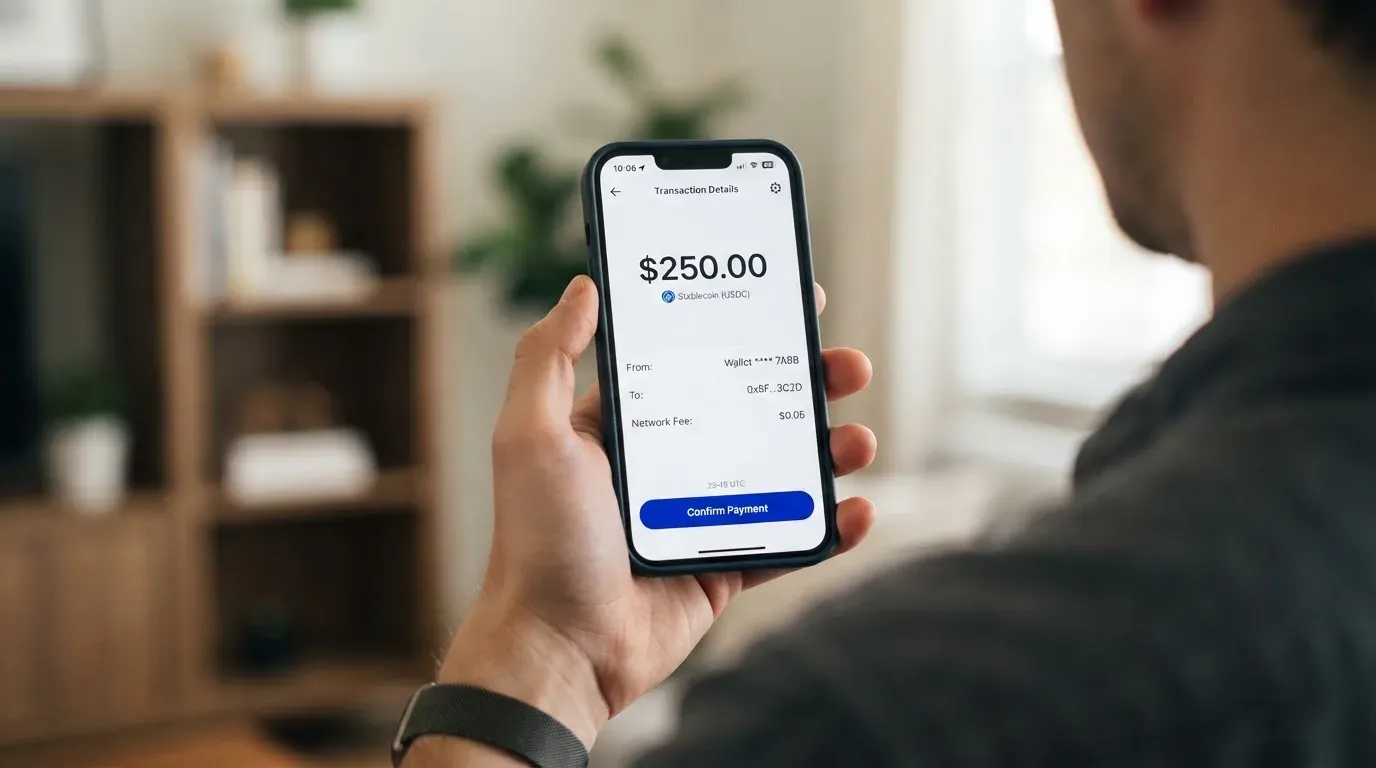
A few practical points that are worth knowing before your first deposit. First, the network is Solana, and the assets are wrapped or Solana-native versions of the ones the site names. If you send USDC on Ethereum, or USDT on Tron, the funds will not arrive; the wrong-network problem is one of the most common ways people lose money moving into a Solana-only product, and the blockchain does not let you reverse it. Second, the card uses a non-custodial wallet, which means you hold the keys, and that also means the usual self-custody risks apply: phishing, clipboard malware that swaps addresses, and the simple fact that losing a seed phrase means losing access. Third, when you top up with stablecoins, the wallet still needs a small amount of SOL to pay the network fee on the transaction, so leaving a dust balance of SOL is a sensible habit.
A reasonable mental model is this: think of top-up as a transfer to your own wallet that the card then spends from. The fees, if any, will be the Solana network fee on the deposit, the swap fee if you need to convert a token the card does not accept, and whatever the card itself charges on top (the official materials do not state one). If you are funding from another chain, budget for the bridge and the destination-chain fee, because the card will not pay those for you.
Paying with it every day
Once the card is in your wallet, the experience is meant to be familiar. Apple Pay and Google Pay are described as native, the virtual card activates instantly, and there is a Blocked Merchants document that explains the MCCs the card declines automatically. The MCC list is the kind of detail that does not matter until it does: gambling and lotteries, money transfer services, escort and massage services, and a handful of named merchants. If you regularly use one of those, this is not the card for you.
Cashback is paid in USDC to your wallet at settlement, which is a nice touch in a card category where rewards are usually paid in the platform’s own token and can be clawed back. The numbers are by tier: 0.5% on Basic, 1% on Silver, 1.5% on Gold and 2% on Platinum in Credit mode. Cash-mode cashback is not stated. The cap is not stated either, so do not assume the rate applies to a six-figure monthly spend without checking.
For disputes, the terms say you have 60 days from the date a charge is posted to report it, and that chargebacks resolved in your favour are credited back to your Xplace account. That window is on the short side (some cards allow longer) and it puts the burden on you to keep an eye on the statement, especially in the first two months of using the card. Prepaid cards are not always covered by the same US debit reversal rights as bank accounts, so do not assume consumer protection you have read about elsewhere applies here.
Two practical things that come up once you start using the card. Authorisation holds (hotels, car rentals, gas stations) can reserve part of your balance for up to seven days even if the final charge is smaller, and the card’s monthly limit counts the held amount, not just the settled amount. If a merchant places a hold larger than the final charge, the leftover room in your limit recovers when the hold releases, which it usually does within a week but is not guaranteed. And because the card is non-custodial, support cannot reverse a transaction that the blockchain has already settled; their ability to help is mostly limited to interactions on the card-programme side (issuer, network, chargebacks), not the on-chain transfer itself.
What can go wrong
Three things deserve a closer look, because they are the ones that show up in the user reviews and the third-party trackers: hidden fees, support, and the Credit mode mechanics.
The “hidden fees” complaint shows up repeatedly in the reviews. Reading the public Trustpilot and Google Play threads, the pattern is that users find a charge they did not expect, often on a tier that the marketing had framed as fee-free. Some of those charges are explained by the gap between the official 0% FX line and the unofficial per-tier FX rates; some are explained by exchange-rate slippage on a stablecoin spend; some are explained by the swap fee when the wallet does not hold the asset the card expects. The card terms do not publish a single per-tier fee table that covers all of these, so the cleanest defence is to know which tier you are on, what the unofficial FX rate is, and what token the card is going to take when you spend.
Support is the second running theme. The card’s own materials promise “real support, 24/7, across every tier” and list [email protected] and a Dubai phone number, with Discord, X, Telegram, Instagram, YouTube and LinkedIn as community channels. The reviews say response times can be slow at lower tiers and that the experience varies. If a $40 charge goes wrong on a credit card you can walk into a branch; on a non-custodial card you are working through email, in-app chat, and a small set of social channels, and the resolution time is a function of how busy the team is and how well you can describe a transaction in their language.
The third risk is the one that matters most if you plan to use Credit mode. A secondary guide reviewed on 2 October 2026, which I am flagging as unverified, says Credit mode is a collateral-backed loan with interest and that the underlying protocol has changed over time: a 2022-era exploit on the Drift lending protocol reportedly affected users, and XPlace moved to Kamino in May of that year. The card’s own materials describe Credit mode as borrowing against your holdings and the official copy does not characterise it as risk-free; the user-facing framing is that you get cashback and a credit limit, the underlying reality is that the cashback is funded by the protocol, the credit limit is your collateral minus a liquidation threshold, and the value of the collateral moves with the market. If you are comfortable managing a collateral position, Credit mode is one of the more interesting designs in the category. If you are not, Cash mode is the safer way to use the card.
Two more risks worth naming. First, the Drift-on-Kamino protocol migration is a real-world example of a card program changing the underlying protocol; migrations are not always smooth, and any non-custodial product that relies on a third-party lending protocol inherits the protocol’s risk. Second, the company structure puts the card program on a community bank (Third National) under Signify Holdings as programme manager, and the brand entity in Dubai’s Meydan Free Zone. If the card programme is suspended, your ability to spend stops at the issuer level, and the rest of the question (how the balance comes back, on what timeline) is a function of the suspension terms, the programme manager and the underlying protocol.
A short note on safety. The official materials say “XPlace does not hold your funds” and “XPlace cannot freeze, seize, or move your funds”; that is the non-custodial pitch and it is broadly accurate, with the qualifier that the card programme itself is a separate layer that can stop the card from working. Two-factor authentication, in-app card freeze, and spending controls are not stated as features in the materials I read, so do not assume them; insurance on the balance is not stated either.
What to take instead
The honest comparison is not “Xplace versus the average bank card”, because the two products do different things. The honest comparison is “Xplace versus other non-custodial or semi-custodial crypto cards”, and the three that come up in the same conversation are Sponge, Nexo and ether.fi.
Sponge is a virtual Visa issued by Rain (a Visa Principal Member), created with a card fund flow from a Sponge wallet, typically on Base, and described on the homepage as a credit card. The card’s score in the category is 4.9 out of 10 in my reading, and the main reason is that the public materials leave a lot of ordinary questions unanswered: no country list, no fee table, no published rewards. The point of comparison with Xplace is that Sponge is a virtual-only product and is meaningfully more “crypto-only” in its framing, so if you want a physical card and a published annual fee structure, Sponge is not in the running. If you want a small virtual card that spends USDC on Base and you are comfortable with very little published information, Sponge is closer to that brief than Xplace is.
Nexo is a Mastercard issued by DiPocket UAB, with no monthly, annual or inactivity fee, virtual and physical cards, and at least 100 digital assets supported through the Nexo account. The headline scores around 6.3 out of 10, and the design is closer to a traditional crypto-card experience: spend from the Nexo account in Debit Mode using stablecoins, crypto, or the platform’s own FiatX tokens (EURx, USDx, GBPx), or in Credit Mode with cashback in NEXO tokens or Bitcoin. FX fees are 0.2% on weekdays in the EEA/UK/Switzerland and 2% in the rest of the world (with a higher weekend rate), and the cashback tier is tied to the share of NEXO tokens in your portfolio. Compared with Xplace, Nexo has more published detail on its fees and a clearer custodial story, but it asks you to hold NEXO to get the better cashback, and the platform is custodial. The third-party news worth flagging is a 2025-era Bulgarian police raid on Nexo’s Sofia office over alleged Russia-sanctions and AML issues, with no official Nexo statement on Russian customers that I could find. If non-custody is the reason you are looking at Xplace, Nexo is not the same product; if a published fee table and a wider asset list are what you want, Nexo reads more clearly.
Ether.fi is a Visa issued only in listed jurisdictions, with virtual and physical cards and a tiered FX structure (Core 0.5%, Luxe 0.25%, Pinnacle and VIP 0%, with 0% specifically for EUR purchases at the top tiers). The headline score in the category is around 6.7 out of 10, and the rewards are paid in ETHFI with a 7-day lock before they are claimable. The 0% EUR FX article is a real point of comparison for European Xplace users who would otherwise be paying the unofficial 0.5% Silver rate, and the published jurisdiction list is much longer than Xplace’s. The catch is the lock-up on the rewards and the requirement to hold ETHFI to climb the tiers. Compared with Xplace, ether.fi gives you a clearer fee table and a clearer country list in exchange for a more custodial feel and a reward token you have to manage.
| Card | Custody | Network | Annual fee | FX (top tier) | Cashback | Cash at ATM |
|---|---|---|---|---|---|---|
| Xplace | Non-custodial (on Solana) | Visa | Free–$999 | 0% (Platinum, official) | 0.5%–2% in USDC | Not available |
| Sponge | Custodial (Sponge wallet) | Visa | Not stated | Not stated | Not stated | Not stated |
| Nexo | Custodial (Nexo account) | Mastercard | None | 0.2% EEA/UK, 2% RoW | Up to 2% in NEXO or BTC | Available, with limits |
| ether.fi | Self-custody (user’s Safe) | Visa | Not stated | 0% (Pinnacle/VIP, EUR) | Up to 3% in ETHFI (7-day lock) | Blocked in some jurisdictions |
The simplest way to read this is: Xplace is the only one of the four that is genuinely non-custodial, supports a Solana-only stablecoin flow, and has published annual fees and monthly limits; everything else either asks you to hold a native token to get the headline rate, is more clearly custodial, or does not publish the same detail. The trade-off is the parts of the Xplace user experience that the public materials do not spell out.
Who I would recommend it to
The narrow case for Xplace is the case where the design fits. If you hold USDC, USDT or SOL in a self-custody wallet on Solana, and you want a Visa to spend from that balance without giving up custody, Xplace does the basic thing it sets out to do. If you are the kind of person who is comfortable with the idea that Credit mode is a collateralised loan against a DeFi protocol, who treats Cashback as protocol yield rather than as a bank-style reward, and who has accepted that there is no published per-day limit and no ATM cash option, the card is a real improvement on the custodial crypto cards that ask you to load a balance and trust the platform to look after it.
The narrower case against Xplace is also real. If you travel frequently and rely on a published FX rate per tier, the gap between “0% in the terms” and the unofficial 0.5% Silver FX rate is a problem you do not want to discover at the till. If you want a card that an everyday merchant will accept without a second look, the public reviews of slow support and authorisation issues are a warning. If you live in a country whose status under Xplace is not on the official 160+ Visa acceptance page or on the third-party 162-country list, sign up before you commit; the verification step is the answer. If you want to take cash out of an ATM, this is not the card.
My honest reading is that Xplace is best understood as a product for people whose primary relationship is with a Solana wallet and who are happy to treat the card as a spend interface on top of it. For the same reason, the card is not the right answer for someone whose primary relationship is with a bank and who is looking for a small crypto touch. The card’s design is honest about the trade-off, and the user reviews suggest the team is small enough that the user experience still varies, which is the kind of thing that improves as the programme matures but is not the kind of thing you should assume away today.
Frequently asked questions
What is the Xplace card?
The Xplace card is a Visa debit experience from Pontech Group L.L.C-FZ, a company registered in Dubai’s Meydan Free Zone, that lets you spend the balance of a non-custodial Solana wallet through a virtual or physical card. The card comes in four tiers (Basic, Silver, Gold, Platinum), supports Apple Pay and Google Pay, and is issued by a US community bank under a programme managed by Signify Holdings. The marketing pitch is “no hidden spread, no FX games” on the stablecoin side, with annual fees from $0 to $999 and monthly spending limits from $2,000 to $750,000 depending on tier.
How does the Xplace card work?
You create an account, complete verification, and a virtual card activates instantly. You fund the card by depositing supported assets (cbBTC, wETH, SOL, JitoSOL, USDC, USDT, xStocks) on the Solana network to your own non-custodial wallet. The card then spends from that balance in Cash mode, or borrows against the balance in Credit mode through an underlying lending protocol. Card payments route through Visa, and the network handles the merchant side. The key design point is that Xplace does not hold your funds, which means the card cannot overdraw and the custody of the underlying crypto stays with you.
Is Xplace a bank?
No. The official materials say the company is not a bank, not a licensed lender and not an investment firm. The card itself is issued by a US community bank under a programme managed by Signify Holdings, which is a typical structure for a non-bank card brand. Customer funds, where they sit, are safeguarded according to the rules that apply to the issuer, not the brand; deposits are not bank deposits and the usual deposit guarantee schemes do not apply to the wallet balance.
Who owns Xplace?
Xplace is operated by Pontech Group L.L.C-FZ, registered in the Meydan Free Zone in Dubai under licence number 2527237.01. The card programme is run through Signify Holdings, Inc., and the card is issued by Third National. Ownership beyond the licence-holder entity is not stated in the public materials I read.
Is the Xplace card available in my country?
The official materials do not publish a country list. They say the card is a Visa accepted in 160+ countries and that “services are not available in all jurisdictions”. A third-party tracker (CryptoCardHub, 24 August 2026) reports 162 countries as available and 34 as explicitly unavailable, naming Russia and India among the excluded. The same source flags that being absent from the negative list is not proof of being supported. The practical answer is to attempt sign-up; verification is the gate that will tell you whether your country is in.
How do I get the Xplace card?
Create an account on the Xplace site, complete the verification step (the official materials say it takes minutes), and a virtual card activates at the end of the process. You can add the virtual card to Apple Pay or Google Pay immediately. To get a physical card, you need to be on Silver, Gold or Platinum; Silver physical is live, Gold and Platinum physical are listed as “coming soon” in the materials I read. Delivery is described as 7–14 business days depending on region.
Does the Xplace card require KYC?
Yes. The official materials describe the step as “register and verify” measured in minutes, but they do not list the specific documents, the proof-of-address requirements, the age threshold, the processing time or the rejection criteria. The third-party tracker notes that KYC processing time, document list and rejection reasons are not published. The practical answer is to have a passport or government ID, a current address, and a working phone number ready.
How do I top up the Xplace card?
You deposit one of the supported assets to your non-custodial wallet on the Solana network. The supported assets are cbBTC, wETH, SOL, JitoSOL, USDC, USDT and xStocks. The official materials do not state a top-up fee, a minimum top-up amount, or a fiat top-up option, so plan to fund the card with crypto you already hold on Solana or are willing to bridge there. Network fees (gas) on Solana are paid in SOL, so keep a small SOL balance in the wallet for the transaction.
Is the Xplace card safe?
The non-custodial design is the main safety argument: the official materials say Xplace does not hold your funds and cannot freeze, seize, or move them. The risks that remain are the standard self-custody risks (lost seed phrase, phishing, clipboard malware that swaps addresses) and the platform-level risks (a card programme suspension, a slow-support response to an in-app problem, a lending-protocol change on the Credit side). The materials do not state 2FA, in-app card freeze, spending controls, or insurance as features, so do not assume them.
How do I add the Xplace card to Apple Wallet or Google Pay?
The official materials describe Apple Pay and Google Pay as native to the card, which means the option should appear inside the app the moment the virtual card is active. Open the Xplace app, choose the card, and follow the standard Apple Pay or Google Pay add-card flow. If the option does not appear, that is the kind of friction that has come up in user reviews (one Trustpilot thread in September 2026 describes a user who could not add the card to Apple Wallet), so it is worth raising with support through [email protected] if it happens to you.
Choosing a credit or cashback card – cryptocardadvisor
Content created by the «cryptocardadvisor» team