
A US Visa that spends from a USDC balance, and the trade-offs that come with it
 Available in US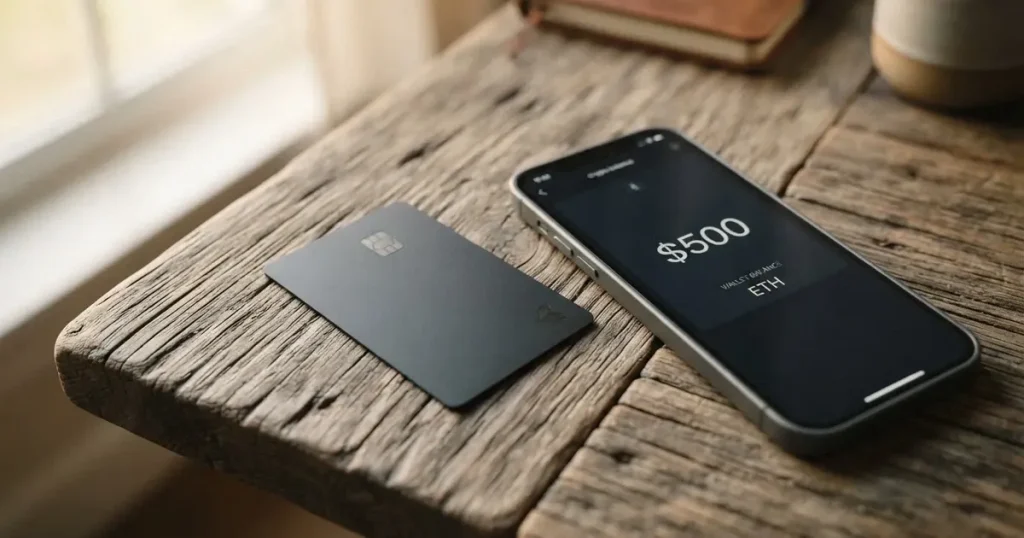
I went through Wallbit’s public pages, fee schedule and the available background, and I want to walk you through what the product is, what it costs in real spending situations, and who I think it’s a good fit for. The short version: it is a virtual, US-issued Platinum Visa that you fund with USDC (or USD, EUR or a wire) and spend in USD free, with a 2% foreign-currency fee on top of the Visa rate, plus a $5 card-issuance charge and a $2 monthly inactivity fee after three quiet months. It is one of the more interesting products in this corner of the market, but the country list is long and the support record is mixed, so the decision really depends on where you live and what you plan to do with it.
The conditions in this review are current as of October 28, 2026.
Verdict
Wallbit scores 6.7 out of 10 in my assessment. That is not a damning number, and it is not a glowing one either; it reflects a product that does one thing well (a US-issued Visa paid for in stablecoins) and then carries a set of constraints around it that you need to be aware of before you sign up.
Wallbit scores 6.7 out of 10 in my assessment. That is not a damning number, and it is not a glowing one either; it reflects a product that does one thing well (a US-issued Visa paid for in stablecoins) and then carries a set of constraints around it that you need to be aware of before you sign up.
| Criterion | Score | Why it lands there |
|---|---|---|
| Who can get it | 8 / 10 | Open to most countries, but 17 are explicitly blocked by residence |
| Cost | 7 / 10 | $5 issuance, no monthly fee, USD spending free, FX +2% |
| Top-up options | 6 / 10 | USDC/USDT free at 1:1, plus USD/EUR/wires, networks not stated |
| Reliability and complaints | 5 / 10 | SOC 2 cited, card issuer unnamed, Trustpilot 4.0 with closure complaints |
| Everyday use | 7 / 10 | Virtual only, Apple/Google Pay supported, ATM up to $250/transaction |
| Total | 6.7 / 10 |
My honest take: Wallbit is a good fit if you are a dollar saver who wants a US account and a Visa that is funded by USDC, and you live in a country that is not on the restricted list. If you are looking for a physical card, a multicurrency card, a card with cashback, or a card whose issuer you can identify before you hand it your ID, you will probably want to look at one of the alternatives further down this page.
Will Wallbit give you a card?
The first thing to check, before anything about fees or features, is whether Wallbit will actually onboard you. The list of barred countries is unusually long, and the rule is by residence or legal registration, not by the passport you hold, which is the more common pattern elsewhere.
According to the public pages, the Wallbit account and card are not available to residents or legal registrants of the following countries: Belarus, mainland China, North Korea, Cuba, India, Iraq, Iran, Israel, Myanmar, Nepal, Nicaragua, Russia, Syria, Turkey, Ukraine, Venezuela and Vietnam. In addition, FATF grey-list countries are reviewed case by case with compliance approval, so if you live in a country that has recently been added to or flagged by the FATF grey list, do not assume you will be let in automatically. Beyond the onboarding list, purchases themselves are blocked in North Korea, Cuba, Iran, Russia, Syria, Ukraine and Venezuela, so even if your account were active, those geographies would not work as a spend location.
A few things to note. The rule is by residence or registration, not by citizenship, which is unusual and important: if you are a citizen of a restricted country living in, say, the UAE, you are still inside the restricted list. Conversely, if you are a US or EU citizen living in any of the barred countries, you will not be onboarded either. The list also includes Israel, which I do not see on many competing cards, so if that affects you, treat the bar as real. If you are in any of these countries, do not waste your time uploading an ID; the system is built to decline you at the gate.
For everyone else, the onboarding is normal. You sign up with an email, a password, your full name and phone number, and a government identity document from the country where you live. Wallbit says verification “typically takes up to one business day”, which is faster than many bank-style crypto card programmes. What is not stated on the public pages is whether you will be asked for proof of address, what the age threshold is, or what specific situations will lead to a rejection beyond the country list — there is a Wallbit help-centre article on this, but it is not part of the verified public material I worked from. Treat “not stated” as “ask support before you assume”.
How to get the card
Once your account is verified, the card itself is straightforward. In the Wallbit app you tap the card button and choose “Activate my card”. The card you get is a US-issued Platinum Visa, and it is a virtual card, meaning you do not get a piece of plastic; the number, expiry and CVV are stored in the app and ready to add to a wallet. A physical card is listed as “Coming soon” on the site, so the long wait for plastic is acknowledged, but it is not here yet.
Because the card is virtual and denominated in USD, you can only spend in US dollars directly. Foreign-currency transactions are converted at the Visa wholesale rate plus a 2% fee, which I will go through in the next section. If your everyday life is in USD, you are paying nothing on the card itself; if you are paying in euros or pounds, the FX fee is the cost you should expect.
What the Wallbit card really costs
Let me walk you through the fees one by one, and then through three everyday payment situations to make it concrete. The full set of numbers is in the table below, and everything comes from Wallbit’s public fee page.
| Fee or limit | Amount |
|---|---|
| Card issuance (one-time) | $5 |
| Monthly maintenance | $0 |
| Spending in USD | $0 |
| Foreign-currency conversion | Visa exchange rate + 2% |
| Deposits (any kind) | $0 |
| ATM cash withdrawal (NFC, virtual card) | 1% with $5 minimum, plus an extra 1% for non-USD |
| ATM per-transaction limit | $250 USD |
| USDC crypto withdrawal (Classic) | 2% |
| USDC crypto withdrawal (Pro / Max) | 1% |
| USDT crypto withdrawal (Classic) | 2% |
| USDT crypto withdrawal (Pro / Max) | 1.25% |
| ACH withdrawal (Classic / Pro, Max) | 1% min $5 / 0.5% |
| Wire withdrawal (Classic / Pro, Max) | 1% min $25 / 0.5% |
| SEPA withdrawal (Classic / Pro, Max) | 1% min $10 / 0.5% |
| SWIFT withdrawal (all plans) | 1% min $25 |
| Inactivity fee | $2 / month after 3 months idle |
| Subscription tiers | Classic free, Pro $9/month, Max $19/month |
| Daily spending limit | Amount not stated (shown in app) |
A few of these need unpacking, because the way the fee schedule is written can be misleading. First, the Classic plan is free, but Pro is $9 a month and Max is $19 a month. Pro cuts withdrawal fees in half and gives priority support; Max adds the lowest investment commissions, the highest APR on cash balances and a dedicated account executive on WhatsApp. If you only want a card to spend from, Classic is enough; the paid tiers are aimed at active traders who also use the investment side of Wallbit.
Second, the 2% FX markup is on top of the Visa exchange rate. That is the standard way Visa cards in this category price FX, and it is roughly in line with what most crypto cards charge for non-USD spending.
Third, the inactivity fee is $2 per month after three months of no activity, and that is the kind of charge that quietly bleeds small balances. If you put $20 in for one weekend and forget the account, you will lose all of it within ten months of inactivity. The rule is symmetric: any qualifying activity stops the clock.
Now let me show you what this looks like in three real situations. The numbers are illustrative; they are the fee as a percentage of the spend, not the amount you will actually pay, which depends on the size of the purchase.
Situation one, paying in USD. You spend $200 with a US merchant from your USDC-funded balance. The card charge is $0, the FX fee is $0 because the merchant is paid in USD, and the deposit was free, so the only cost is the $5 you paid once to issue the card. If you do that ten times in a month, you have spent $200 with no further fees. This is the case Wallbit is best at.
Situation two, paying in EUR while travelling. You spend €200 at a Paris café. Wallbit converts your USD balance at the Visa wholesale rate and adds 2%, so the card cost is €4 in FX on top of the underlying spend. The card itself is free, and the deposit was free, so the FX markup is your entire fee. That is the same order of magnitude as most travel cards, but it is not a hidden charge; it is just what the card costs to use outside the US.
Situation three, withdrawing cash from an ATM. You need $200 in cash from a contactless ATM, using the virtual card linked to Apple Pay or Google Pay. The fee is 1% with a $5 minimum, so on $200 you pay $5. If the cash is in a currency other than USD, there is an additional 1%, so on €200 you would pay $5 + 1% of €200, plus whatever the ATM operator charges on top. The per-transaction cap is $250, so the fee-to-cash ratio is at its worst for small withdrawals; the $5 minimum is the most expensive component of the ATM feature.
How to top up Wallbit
The funding story is the part of the product I find most interesting, because it gives you several routes in and does not charge for any of them, but it is also the part with the least detail on the public pages, and that matters.
You can deposit USDC or USDT into the USD account, and the rate is 1:1, free of charge. That is the headline feature if you are holding stablecoins and want to spend them like dollars: you send USDC, your balance shows up in USD, and you use the card. The same goes for USDT, with the same 1:1 conversion. The fee page also says deposits of any kind are free, which is a clear and useful statement.
Beyond the stablecoin route, you can deposit USD and EUR directly, and you can come in by SEPA, SWIFT and FedNow, which covers most bank-rail scenarios. There is no minimum deposit stated, and there is no network-fee statement: the fee page says “deposits of any kind free”, but in practice the on-chain network fee for sending USDC or USDT is paid to the blockchain, not to Wallbit, and you will pay that from your sending wallet. If you send USDC on Ethereum mainnet during a busy moment, the gas fee can be more than the card’s foreign-currency markup, so the network choice is part of the cost in a real sense.
What is not stated is the single most important thing to check before your first deposit: which blockchains Wallbit accepts USDC and USDT on. Circle’s USDC is live on dozens of networks, Tether’s USDT is on many as well, and the wrong network is a common way to lose a deposit, because sending USDC on a network Wallbit does not support can mean the funds are not credited and may need manual support recovery. Circle stopped supporting USDC on Tron in February 2024, so if you see “USDC over TRC20” as an option anywhere, treat that as a red flag. The safest first move, before you transfer anything, is to open the Wallbit app, generate a deposit address, and check the network it shows you; then send a small test transaction.
On the way out, the withdrawal fees are the other side of the same coin. Crypto withdrawals of USDC are 2% on Classic and 1% on Pro and Max; USDT is 2% on Classic and 1.25% on Pro and Max. ACH withdrawals are 1% with a $5 minimum on Classic, dropping to 0.5% on Pro and Max. Wire is 1% with a $25 minimum on Classic, 0.5% on Pro and Max. SEPA is 1% with a $10 minimum on Classic, 0.5% on Pro and Max. SWIFT is 1% with a $25 minimum on all plans. For a typical user spending in USD and topping up with USDC, the most relevant numbers are free deposits and the FX rate when you spend outside the US.
Paying with the Wallbit card every day
In normal use, the Wallbit card behaves like a US-issued virtual Visa tied to a USDC-funded balance. You add it to Apple Pay or Google Pay, and you tap to pay at any contactless terminal that accepts Visa. Online, you type in the card number, expiry and CVV from the app, and 3-D Secure may or may not challenge you depending on the merchant. That part is the same as any Visa debit card.
What is unusual is that the card is a virtual one, and the public pages list a physical card as “Coming soon”. For most online and in-store use, the virtual card plus Apple Pay or Google Pay is enough. What it does not cover well is older payment terminals that need a physical card swipe or insert, or ATM use without NFC, and the everyday cash story is built around NFC ATMs, which are not universal.
Two friction points are worth flagging. The first is merchant category restrictions: Wallbit does not publish a list of blocked merchant categories, so gambling, adult content, crypto purchases and similar high-friction MCCs may be declined at the issuer level without a clear reason. If a payment fails, the practical question is whether the merchant category is the cause, which the app may or may not tell you. The second is the US billing address problem: some merchants apply extra scrutiny to cards with a US billing address that is being used from a different country, especially for online purchases, and that can lead to declines that have nothing to do with the balance on the card.
There is no cashback or rewards programme, so do not expect points, miles or a percentage back. If your reason for choosing a card is rewards, this is not it. The app itself is on iOS and Android, and the in-app features include the card lock and unlock toggle, the balance in USD, EUR, USDT and USDC, and the deposit and withdrawal flows.
On the disputes side, Wallbit has help-centre articles about declined or pending payments, but the formal chargeback process and time frames are not stated in the public material. A user report describes a missing trace for a Brazilian PIX payment, and PIX is not a method Wallbit’s pages mention as a deposit route, so if you are coming in from Brazil via PIX specifically, you are moving outside the documented path. Treat any undocumented payment rail as a place to test with a small amount first.
What can go wrong with Wallbit
Now for the part I think you should read carefully, because the Trustpilot record is mixed and the structural risks are real.
On the company side, Wallbit is Wallbit LLC. Wallbit and its banking and investment partners are registered in the United States. Brokerage services run through Alpaca Securities LLC, which is FINRA- and SIPC-registered, and investment advisory is via W2B, Inc., an SEC-registered investment adviser with CRD# 331220. That covers the investment side of the business. The platform’s card partner remains undisclosed on the public site, and that is unusual: most crypto cards in this category name the issuing bank or e-money institution prominently, so you should ask support to clarify before you load a large balance.
On the security side, the account is custodial, which means Wallbit holds the funds and the credentials rather than the user. The card has an in-app lock and unlock toggle, and SOC 2 Type I and Type II audits are cited, which is the standard independent attestation for cloud security controls. On the investment side, SIPC Excess up to $75 million per account is mentioned, which is the private insurance SIPC member firms carry on top of the basic SIPC coverage. That covers investments, not the card balance, and the two are not the same product. The help center is at help.wallbit.io, with English and Spanish articles.
The Trustpilot picture is where you should slow down. As of late October 2026, Wallbit’s Trustpilot score is 4.0 out of 5, from 69 reviews. About 70% are five-star and 23% are one-star, and the one-star reviews cluster around themes like account closure after approval, citing compliance, and unanswered support emails. There is no public incident report from Wallbit on any of these, and the overall rating is still positive on balance, but the pattern is the kind of thing that matters when you are picking a card to hold a meaningful balance.
There are also some structural risks that come with the product category rather than with Wallbit specifically. A virtual card programme can be suspended by the card network, and history shows that happens: WaveCrest, a Visa card issuer that supplied crypto card brands, was suspended by Visa in Europe in 2018 and every WaveCrest-issued Visa programme was closed. More recently, Visa terminated its global agreements with FTX in November 2022, and the FTX US debit card was wound down. In both cases, the user experience was the same: notice period, then no new loads, then no spending, then instructions to withdraw. If a programme is suspended, you do not have a card to use, and your money is in the issuer’s account, and your only path is the withdrawal process the issuer runs. There is also one secondary source, not confirmed, describing a 2026 card programme that stopped loading in July and stopped spending in August, which I include as a generic pattern to be aware of rather than as a claim about Wallbit.
The other structural point is that crypto on a custodial platform is exposed to the platform itself. The history of custodial crypto platforms includes Mt. Gox (around $350 million reported stolen between 2011 and 2014), Coincheck (around $400 million in 2018) and the Ronin Network (around $625 million in 2022). None of this means Wallbit is unsafe, but it does mean that the safest balance is the one you would be comfortable losing, and the safest workflow is to load the card shortly before spending rather than parking a large amount indefinitely. The card’s design, with a free deposit and a $5 issuance, supports that workflow.
What to use instead of Wallbit
The honest comparison: I looked at three alternatives that show up in the same part of the market, each with its own trade-offs. The numbers below are taken from the public pages of each product, and the limitations of what is and is not stated are real.
UNi Card scores 6.1 out of 10 in my reading. It is a multicurrency card on the Mastercard network, and it spends from a UNi.Global account balance. The fees are described as “no annual fee or foreign transaction fee”, with assets converted at live OTC rates and “no hidden exchange fees”. It is pitched at a similar user to Wallbit, with a Spend-to-Earn programme of up to 3% on the UNi Card side. The limitation is the gaps: the country list, the funding routes, and whether the card is virtual or physical are not stated on the public material I worked from. If multicurrency spend and zero FX are your priority, UNi Card is a more direct match than Wallbit; if a US billing address and USDC funding are your priority, Wallbit is more direct.
Whop Cards scores 5.2 out of 10. The country list is more transparent than Wallbit’s in one direction and less in another: for consumers, it is available in 31 US states (Alabama, Alaska, Arkansas, California, Colorado, Connecticut, Florida, Hawaii, Illinois, Indiana, Iowa, Kansas, Kentucky, Maine, Massachusetts, Michigan, Minnesota, Montana, Nebraska, New Hampshire, New Jersey, New York, North Carolina, Oklahoma, Pennsylvania, South Carolina, Texas, Utah, Virginia, West Virginia and Wyoming) and the unsupported consumer countries are Belarus, mainland China, Cuba, Hong Kong, India, Iran, Iraq, Israel, Myanmar, Nepal, Nicaragua, North Korea, Russia, Syria, Turkey, Ukraine, Venezuela and Vietnam, which is broadly similar to Wallbit’s list, with the US-state limitation added. The card is a Visa that works anywhere Visa is accepted. The funding story is different: it spends from a Whop balance, which is backed by stablecoin collateral from a linked wallet, and pending balance is usable as soon as a payment arrives, with standard withdrawals using settled funds. The reward is 5% cashback at select merchants, currently including Uber, with more planned. The trade-off is that Whop Cards is not a personal-banking product in the same way Wallbit is, and the network and coin support for the underlying stablecoin collateral is not stated.
Stella scores 6.5 out of 10. The card is virtual and physical, on the Visa network, and the company positions it as working at over 40 million Visa merchants. The terms bar users under economic sanctions programmes and route US and European users through affiliates. The country list itself is not stated on the public pages, which is a transparency gap. The funding is a deposit of crypto into the account, which automatically tops up the card through an in-app custodial wallet. The reward side is split: the card itself has no cashback on the official card page, and there is a separate Earn product that is a yield product, not a card reward. Stella is closer to Wallbit in shape than UNi Card is, but the fee schedule is not stated on the public material I worked from, so I cannot compare it on cost.
| Card | Score | Card type | FX fee | Cashback | Best fit |
|---|---|---|---|---|---|
| Wallbit | 6.7 / 10 | US Visa, virtual | Visa rate + 2% | None stated | USDC holders in eligible countries |
| UNi Card | 6.1 / 10 | Mastercard, multicurrency | None stated | Up to 3% | Multicurrency spend, no FX fee |
| Whop Cards | 5.2 / 10 | Visa | Not stated | 5% at select merchants | US-based creators and affiliates |
| Stella | 6.5 / 10 | Visa, virtual and physical | Not stated | None stated | Crypto-funded Visa without a US dollar focus |
If you want a US billing address, USDC funding and a clean fee schedule, Wallbit is the most direct match in this list. If you want zero FX on a multicurrency card, UNi Card is the better fit. If you want cashback at specific merchants, Whop Cards is the only one of the four that names a cashback rate. If you want both virtual and physical from day one, Stella is the only one of the four that offers a physical card now.
Who I would recommend Wallbit to
Putting it all together, here is who I think should seriously consider the card, and who should pass.
Wallbit is a sensible choice if you are a dollar saver, or you are paid in USDC, or you hold USDT and want to spend it as if it were a US bank account, and you live in a country that is not on the seventeen-country restricted list, and you are comfortable with a virtual card plus Apple Pay and Google Pay. The fee profile is straightforward, the deposit is free, the FX markup is in line with the category, and the funding story is one of the cleaner ones I have seen for a US-issued product.
Wallbit is not a good fit if you need a physical card today, if you want a multicurrency account with a low or zero FX fee, if you want cashback or other rewards, if you are in any of the seventeen restricted countries, if you are uncomfortable with an unnamed card issuer on the public pages, or if you intend to hold a large balance on a custodial platform for a long time. The Trustpilot pattern around account closures after approval and unanswered support is small in absolute terms but is the kind of thing that warrants testing with a small balance before you commit a larger one.
A practical onboarding path: start with a small USDC deposit on the network Wallbit shows you in the app, activate the virtual card, add it to Apple Pay or Google Pay, and run a small in-person purchase in USD to confirm that everything works end to end. If the experience holds up and the country situation is fine, scale up. If the experience does not hold up, the cost of the test is the $5 issuance and the network fee on the test deposit, and you will have learned what you needed to learn before the balance got large.
Frequently asked questions
What is the Wallbit card?
The Wallbit card is a virtual, US-issued Platinum Visa debit card that is funded by a USDC, USDT, USD or EUR balance held inside a Wallbit account. It is currently virtual only, with a physical card listed as “Coming soon” on the public site.
How does the Wallbit card work?
You sign up for a Wallbit account, complete identity verification, deposit USDC or USDT (or a fiat currency) into the account, activate the virtual card in the app, and add it to Apple Pay or Google Pay for contactless spending or use the card number for online purchases. Spending in USD is free; spending in other currencies is charged at the Visa exchange rate plus a 2% fee.
Is Wallbit a bank?
Wallbit itself is not a bank. Wallbit LLC runs the platform, and brokerage and investment-advisory services run through US-registered partners (Alpaca Securities LLC and W2B, Inc.). The card issuer is not named on the public pages.
Who owns Wallbit?
Wallbit is operated by Wallbit LLC, a US-registered company. The banking and investment partners behind the platform are also registered in the United States.
Is the Wallbit card available in my country?
It is open to most countries, but not to residents or legal registrants of Belarus, mainland China, North Korea, Cuba, India, Iraq, Iran, Israel, Myanmar, Nepal, Nicaragua, Russia, Syria, Turkey, Ukraine, Venezuela or Vietnam. FATF grey-list countries are reviewed case by case. The rule is by residence or legal registration, not by the passport you hold.
How do I get the Wallbit card?
You create an account on the Wallbit app or website, complete identity verification with a government ID from your country of residence, and then tap the card button in the app and choose “Activate my card”. Verification is described as taking up to one business day, and the card itself is virtual.
Does the Wallbit card require KYC?
Yes. The onboarding requires an email, password, full name, phone and a government identity document from the country where you live, with verification typically completed within one business day. The full set of requirements (proof of address, age threshold) is not stated on the public pages.
How do I top up the Wallbit card?
You deposit USDC or USDT into your Wallbit USD account at a 1:1 rate, free of charge, or you deposit USD, EUR or funds via SEPA, SWIFT or FedNow. The specific networks supported for USDC and USDT are not stated on the public pages, so generate a deposit address in the app and confirm the network before you send.
Is the Wallbit card free?
The card has a $5 one-time issuance fee, no monthly maintenance fee, free USD spending and a $2 monthly inactivity fee after three months of no activity. Foreign-currency transactions cost 2% on top of the Visa rate, and ATM withdrawals cost 1% with a $5 minimum.
Is the Wallbit card safe?
The platform cites SOC 2 Type I and II audits, offers an in-app card lock and unlock, and uses a custodial account structure. The card issuer is not named on the public pages, and Trustpilot sits at 4.0 out of 69 reviews with a recurring theme of accounts being closed after approval and slow or missing support replies, so test with a small balance first.
Choosing an app or neobank card – cryptocardadvisor
Content created by the «cryptocardadvisor» team