
VaultLeap card review — a USDC-only Visa that leans light on fees, heavy on the issuer's small print
 Available in US
The VaultLeap card is a virtual Visa debit card funded in USDC, and the review I’ll walk you through covers who the card is actually for, what it costs day to day, and where the rough edges show up. VaultLeap is a brand run by Klydo Inc., a California S Corporation, with Bridge Ventures LLC (a licensed money transmitter in Delaware) acting as program manager and Lead Bank, a Missouri state-chartered bank, acting as the actual issuer. That stack matters for everything from disputes to complaint channels, and I’ll come back to it as we go.
The card targets US and Latin American residents who want to spend a stablecoin balance online. It’s virtual-only, Apple Pay and Google Pay are supported, and there is no physical card and no ATM access. On the cost side, the headline numbers are unusually clean — no monthly fee, no per-purchase fee, no FX markup on the card itself — but USDC is the only documented top-up route, and the rules around the card are written firmly under US law.
Conditions are current as of October 28, 2026.
Verdict
After weighing the six criteria I check on every crypto card (eligibility, cost, top-up options, reliability, everyday use, and the audience it actually fits), VaultLeap comes in at 6.0 / 10. The card does several things right: the fee structure is honest, the card is issued in minutes, and the wallet is self-custodial in the sense that VaultLeap itself states it does not hold customer funds. What drags the score down is a thin public record of how the top-up flow actually works, a small but vocal set of user complaints about account suspensions and uncredited funds on Trustpilot, and the fact that the cardholder agreement is written under US law and is “not directly marketed outside the U.S.” even though the marketing page lists 27 countries.
The reader I’d point at this card is a US or Latin American resident who already holds USDC, wants a clean virtual Visa to spend it online, and is comfortable with a self-custodial wallet and US-style dispute rules. The reader I’d steer away is anyone outside the covered geography, anyone who needs cash or ATM access, anyone who wants a multicurrency account, or anyone who can’t tolerate the possibility of a frozen account while support works through a ticket queue.
Score
| Criterion | Mark | Reason |
|---|---|---|
| Who can get it | 5 / 10 | Marketed for 27 countries (US, Latin America, Ghana) but the cardholder agreement is issued under US law and is not directly marketed outside the US. |
| Cost | 9 / 10 | No monthly, annual, per-purchase, or closure fees; 0% international fee and no FX markup; only about 0.5% in partner pass-through on conversion. |
| Top-up options | 5 / 10 | USDC only, moved manually from the VaultLeap balance via the dashboard; other coins and supported networks are not stated. |
| Reliability and complaints | 5 / 10 | Trustpilot score 3.4 from 34 reviews with recurring complaints about account suspensions in 2026 and funds not credited. |
| Everyday use | 5 / 10 | Virtual Visa issued in minutes with Apple Pay and Google Pay, but no physical card and no ATM access. |
| Total | 6.0 / 10 | A clean fee profile and fast issuance weighed against a narrow top-up path and unresolved user complaints. |
Who they will give you the card
The VaultLeap card is advertised for 27 countries, although the public list on the website isn’t fully spelled out. The starting data I’ve seen names the United States, a block of Latin American countries (Argentina, Colombia, Mexico, Brazil, Peru, Bolivia, Guatemala, Dominican Republic, Ecuador, Costa Rica, El Salvador, Honduras, Panama, Paraguay, and Uruguay), and Ghana. The cardholder agreement, however, is a different document from the marketing page, and it tells a tighter story: the card is issued under US law and is “not directly marketed outside the U.S.” That gap between the marketing map and the legal text is worth taking seriously, because the legal text is what governs if something goes wrong.
The eligibility basics are simple: you have to be at least 18 (the age of majority in your jurisdiction) and you have to pass identity verification. The card is requested from the dashboard “once your account is verified,” which is the standard pattern for this kind of product. What the public pages do not state is which documents you’ll be asked for, whether proof of address is required, and whether there are tiered KYC levels that unlock higher limits. If you live in a country that’s not on the marketed list, there is no public path to a VaultLeap card today, and the agreement is explicit that the product is not directed at non-US residents.
The card itself is a virtual Visa debit. The legal text calls it a “Prepaid Debit Visa Card,” which is the US regulatory term for a card that draws on a stored balance rather than a linked bank account. It’s issued in minutes, denominated in USD, and the only form factor is virtual — replacement is free, but that means a new virtual card, not a plastic one. There is no public information about KYC tiers or what each tier unlocks.
How to get it
The signup flow is the kind of flow you’d expect from a self-custodial wallet with a card bolted on: you create a VaultLeap account, complete identity verification, and then request the card from the dashboard. The card is virtual and is issued in minutes once the account is verified.
The exact documents the platform asks for aren’t stated on the public pages. US-style KYC programmes typically want a government-issued ID, a date of birth, a residential address, and an identification number such as a Social Security Number, and electronic KYC systems usually cross-check a proof-of-address document against records. If you live outside the US but in a country on the marketed list, you should expect the platform to ask for documents that satisfy the same general pattern, and to take a view on whether the relationship fits the US issuer’s policy.
Two practical notes. First, the card is virtual-only, so there is no delivery step in the physical sense — the card details appear in the dashboard and can be added to a mobile wallet. Second, the cost of issuance is not stated on the public pages, which is unusual for a card that otherwise publishes every other fee at zero. The “Cost” section below covers what is and isn’t disclosed.
What it really costs — VaultLeap fees
The fee table is the strongest part of the VaultLeap story. Every figure below comes from the public pages or the cardholder agreement, and every cell that is not stated is marked as such.

| Fee or limit | Amount |
|---|---|
| Card issuance | Not stated |
| Monthly fee | $0 |
| Annual fee | $0 |
| Per-purchase fee | $0 |
| Closure fee | $0 |
| International transaction fee | 0% |
| FX markup | None on the card |
| Conversion pass-through | About 0.5% in partner fees |
| ATM withdrawal | Not available |
| Balance inquiry | Not available |
| Maximum per-transaction load | $2,000.00 |
| Other limits | May be set by the bank |
The two things I’d flag are the issuance fee and the conversion line. The public pages list monthly, annual, per-purchase, and closure fees at zero, and they state the international transaction fee at 0% with no FX markup, but the issuance fee is not stated — which is a gap you’d want to confirm on the checkout screen before you commit. The conversion pass-through of about 0.5% is described as partner fees, not a VaultLeap markup, and it’s a real cost you’ll see in practice when USDC moves from your wallet balance into the card’s spendable balance.
A few everyday scenarios to make the table concrete. Buying something in USD with USDC you’ve already loaded: no VaultLeap fee on the purchase itself, and no FX fee; you only eat the conversion pass-through at the time you load the card. Buying something in a foreign currency: the card doesn’t add a fee, and the conversion goes through the Visa network rate, so the bank’s own “no FX markup” line holds; the only cost in that path is the spread that already lives inside the USDC-to-USD step. Withdrawing cash at an ATM: not supported, so the question doesn’t arise.
The account layer is separate from the card layer. VaultLeap offers account plans (Standard, Pro at $14.99 a month or $144 a year, and a Zero tier for transfer fees), but those are platform fees for the wallet and transfer features, not card fees. If all you need is the card, you can ignore them.
How to top up VaultLeap
The top-up path is the narrowest part of the product. USDC is the only documented way to fund the card, and the flow is manual: from the VaultLeap dashboard you go to Card → Add Funds and move USDC from your VaultLeap balance to the Bridge-powered card wallet. Other coins are not listed as supported, the networks on which the USDC transfer is expected to arrive are not stated on the public pages, and the user pays the blockchain (gas) fees on the transfer.
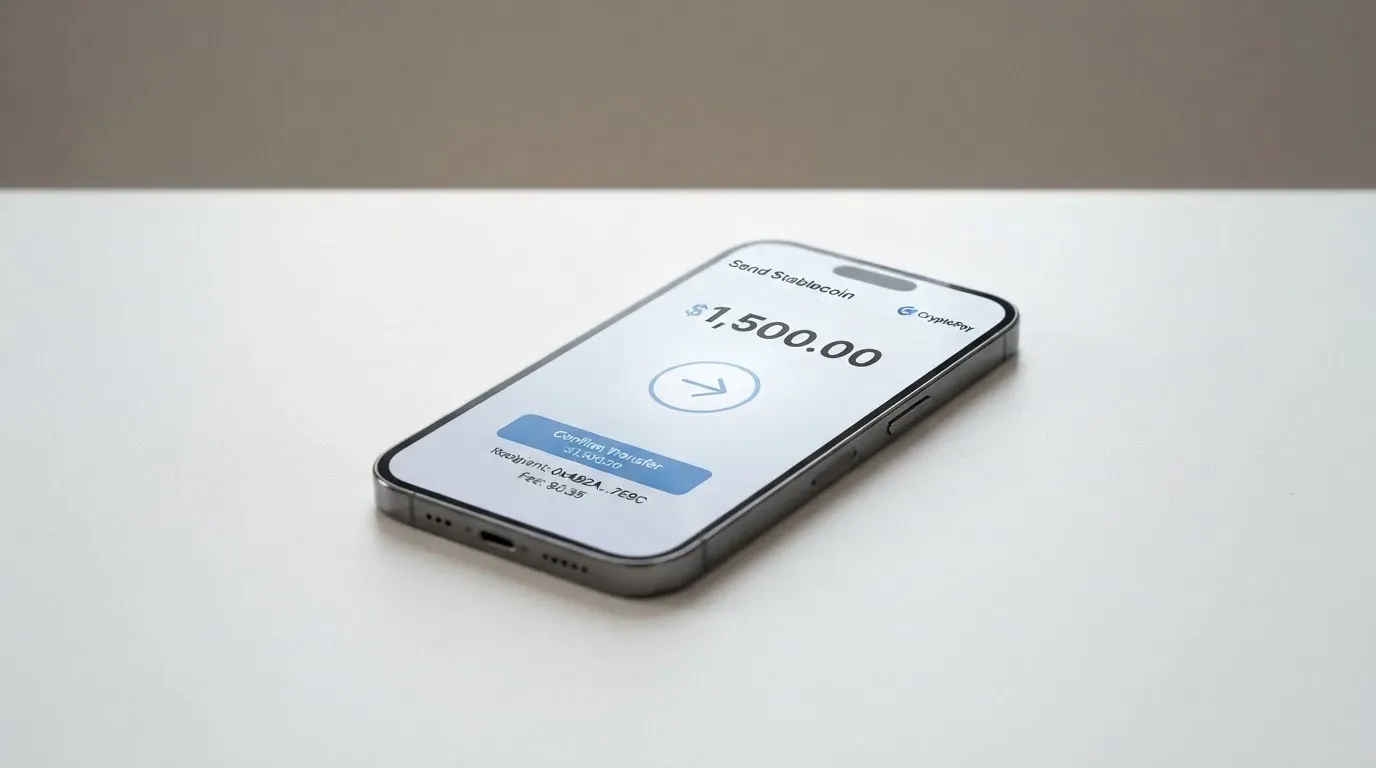
The card itself holds a USD balance, but the top-up source is a USDC balance on the VaultLeap platform. The conversion from USDC to the card’s USD balance is where the about 0.5% partner pass-through comes in. There is no public minimum top-up and no public deposit fee, and there is no public support for direct purchases of USDC inside the app — you bring USDC to the platform, hold it in your VaultLeap balance, and then push it to the card.
When you close the card, any remaining fiat balance on the card is sent back to the platform wallet as stablecoins, and the platform’s terms note that the bank may refuse balances under $1.00. From the platform wallet you can withdraw to any supported USD or EUR bank account.
A practical warning that applies to any stablecoin top-up: blockchain transfers are irreversible, and if you send USDC on a network the platform doesn’t support, or to an address of another network, the funds can be lost or stuck in manual recovery with no guarantee of return. Circle currently lists USDC as natively supported on 38 networks (as of 16 September 2026), and the platform does not tell you publicly which of those it accepts for the card top-up. Before you send anything, check the dashboard for the exact network and address, send a small test amount first, and only then send the rest.
Paying with VaultLeap every day
In day-to-day use, the card behaves like a standard prepaid Visa debit. You spend in USD at checkout, the funds come off the card’s loaded balance, and the card cannot overdraw because the balance is what it is. The card is virtual, and the card details can be added to Apple Pay and Google Pay, which means a phone or watch can pay at any contactless terminal that takes Visa.
Online checkout is where most of the friction lives. The card number is a US-issued Visa number, and merchants that do an Address Verification Service (AVS) check may decline it if the billing address you typed doesn’t match the issuer’s records — AVS is largely a US/Canada/UK tool and is generally not available for foreign-issued cards, which is a real source of declines for prepaid and BIN-foreign cards. 3-D Secure (branded as Visa Secure) is the more common authentication path; whether a given checkout challenges you depends on the issuer’s risk decision, and you should be ready for either a frictionless pass or a one-time code or biometric prompt.
Apple Pay and Google Pay add a layer of safety. The card number is replaced by a device-specific Device Account Number stored in the Secure Element, and each payment uses a one-time dynamic security code. The issuer can also restrict the tokenised number — for example, block it on magnetic-stripe or website use — so a tokenised card can behave differently from the raw card number in your dashboard.
Three things the public pages do not state: which merchant categories are blocked (gambling MCC 7995 is commonly restricted, but the list for VaultLeap is not public), whether there is any cashback or rewards programme (the help centre has a “Points & Rewards” category whose contents I haven’t read), and what the app’s ratings are on the App Store and Google Play. The app is listed on both stores.
If something goes wrong with a transaction, the dispute path runs through the dashboard: Support → File a Ticket → Dispute a Charge. Errors have to be reported within 60 days; the bank decides within 10 business days, with a possible extension to 45 days (90 days for new cards, point-of-sale, or foreign transactions). For unauthorised transactions, the liability cap is $50 if you report within two business days, and up to $500 after that. These windows are tight and are the kind of detail that matters when a charge doesn’t look right.
What can go wrong
The risks I’d group under three heads: operational, structural, and legal.
Operational risk is the set of things user reports describe. The Trustpilot score for VaultLeap sits at 3.4 out of 5 from 34 reviews (as of 21 October 2026), and the recurring themes are accounts suspended or blocked without a clear reason (with reports dated January 2026 and June–August 2026), funds not credited or returned (October 2025 and June 2026), and slow or unclear communication from support. A review dated 12 October 2026 acknowledges card-issuance problems. None of this proves the product is broken, but a small sample with that pattern of complaints is a real signal: support is the bottleneck, and the platform’s recovery from a freeze is something you should weigh before you load meaningful funds.
Structural risk is about who actually holds and moves the money. The crypto side of the product is self-custodial in the sense that VaultLeap’s terms say the company “does not hold customer funds” — your private key, and therefore your crypto, stays with you. The card side, however, runs through Bridge Ventures LLC (a licensed money transmitter and the program manager) and Lead Bank (the issuer). Funds on the card are not FDIC-insured, and a freeze in the app — Dashboard → Card → Freeze — is a tool you have, not a guarantee you’ll get. In the broader category, custodial platforms have failed before (Mt. Gox, Coincheck, Ronin), and a programme manager or issuer can change terms, raise fees, or wind down a programme, as happened with FTX’s Visa programme in November 2022 and with WaveCrest-issued cards in Europe in 2018.
Legal risk is the document stack. The cardholder agreement is issued under US law, the platform is operated by a US company, and the issuer is a US bank. If you live in a covered country outside the US, you are still dealing with a US issuer’s terms, US dispute rules (including the $50 / $500 unauthorised-transaction caps above), and US regulatory definitions. KYC rules in the EU, for example, are different and require a sanctions check, a PEP determination, and an established purpose for the relationship; if due diligence can’t be completed, the institution is required to end the relationship. If the issuer’s risk view of your country or profile changes, the card can be frozen or closed.
The category-level risks are also worth naming. Stablecoins aim to hold a stable value but are not necessarily stable — TerraUSD collapsed in May 2022, and USDC briefly lost its peg in March 2023. Tether says it disables tokens in wallets on the OFAC sanctions list and has frozen funds tied to illicit activity, which is also a reminder that stablecoins are not censorship-proof. And while the wallet side is self-custodial, a stolen seed phrase (typically 12 to 24 words) hands over the wallet and everything in it, with no built-in recovery.
What to take instead
If the VaultLeap profile doesn’t fit you — too US-centric, too thin on top-up options, too uncomfortable with the complaint pattern — there are three alternative cards worth looking at, each with a different angle.
| Card | Score | What it does | Where it fits |
|---|---|---|---|
| International Visa Card | 6.7 / 10 | A US-issued Platinum Visa paid in USD; virtual today, physical “coming soon”. | US-style prepaid card for online spending, with explicit restrictions on residents or legal registrants of Belarus, mainland China, North Korea, Cuba, India, Iraq, Iran, Israel, Myanmar, Nepal, Nicaragua, Russia, Syria, Turkey, Ukraine, Venezuela and Vietnam, and purchases blocked in North Korea, Cuba, Iran, Russia, Syria, Ukraine and Venezuela. FATF grey-list countries are reviewed case by case. |
| UNi Card | 6.1 / 10 | A multicurrency Mastercard on the UNi.Global account balance. | Users who want a multicurrency account rather than a USD-only card, with assets converted at live OTC rates and no annual or foreign transaction fee. Spend-to-Earn rewards up to 3%. |
| Whop Cards | 5.2 / 10 | A Visa that spends from a Whop balance, available to consumers in 31 US states and to businesses in 41 states. | US-side users who want 5% cashback at select merchants (currently Uber, more planned) and are willing to live inside a US-state coverage map. |
A few notes on the comparison. The International Visa Card has a published $5 one-time virtual issuance fee and three plans (Classic free, Pro $9.00 a month, Max $19.00 a month), with a 2% FX fee on foreign currency on top of the Visa exchange rate and free deposits of any kind. UNi Card states no annual fee, no foreign transaction fee, and no hidden exchange fees, with cashback up to 3%, and its public pages do not state which countries it supports. Whop Cards lists its US-state coverage by name, names the unsupported consumer countries (which include the same set as the International Visa Card plus Hong Kong), and states “no extra fees” without breaking out conversion or FX amounts.
The card-network axis matters here as well. VaultLeap, the International Visa Card, and Whop Cards are Visa products; UNi Card is a Mastercard product. A merchant that blocks one network or one card type can still take the other, so the practical effect is that having a Visa and a Mastercard from different programmes gives you more redundancy than two Visas.
Who I would recommend it to
The short version is that VaultLeap is a reasonable fit for a fairly specific reader, and a poor fit for almost everyone else.
A reasonable fit if you live in the United States or in one of the listed Latin American countries (or in Ghana), you’re already holding USDC and you’re comfortable with a self-custodial wallet, you want a clean virtual Visa to spend that USDC online, and you don’t need a physical card, ATM access, or a multicurrency account. The fee profile is honest, the card is issued in minutes, and the mobile-wallet support is real.
A poor fit if you live outside the covered geography, you need cash, you want to top up with anything other than USDC, you want a multicurrency account, or you’re not comfortable with the complaint pattern on Trustpilot and the possibility of a frozen account while support works through a ticket queue. The cardholder agreement’s US-law framing and the “not directly marketed outside the U.S.” line also make this a non-starter for anyone whose primary need is a non-US-issued card.
The two practical things I’d ask before signing up are: confirm the issuance fee on the checkout screen (the public page doesn’t state one), and confirm the supported USDC network on the dashboard before you send any top-up. The 60-day dispute window, the 10-to-45-day bank decision window, and the $50 / $500 unauthorised-transaction caps are all US-standard and worth reading once before you load meaningful funds.
Frequently asked questions
What is the VaultLeap card?
The VaultLeap card is a virtual Visa debit card funded in USDC. It is operated by Klydo Inc. (a California S Corporation), with Bridge Ventures LLC as the program manager and Lead Bank as the issuer, and the card itself is described in the legal text as a “Prepaid Debit Visa Card” that draws on a stored USD balance.
How does the VaultLeap card work?
You hold USDC in your VaultLeap balance, move it to the card’s spendable balance from the dashboard, and the card then pays like a normal prepaid Visa. The wallet side is self-custodial in the sense that VaultLeap’s terms state the company does not hold customer funds, and the card side is run by Bridge Ventures LLC and issued by Lead Bank.
Is VaultLeap a bank?
No. VaultLeap is a brand operated by Klydo Inc. The card is issued by Lead Bank, a Missouri state-chartered bank, and the program is managed by Bridge Ventures LLC, a licensed money transmitter in Delaware. Card funds are not FDIC-insured.
Who owns VaultLeap?
Klydo Inc., a California S Corporation, operates the VaultLeap brand. The program manager is Bridge Ventures LLC (Delaware) and the card issuer is Lead Bank (Missouri). The cardholder agreement is written under US law and states the product is “not directly marketed outside the U.S.”
Is the VaultLeap card available in my country?
The marketing page lists 27 countries, with the United States, a block of Latin American countries (Argentina, Colombia, Mexico, Brazil, Peru, Bolivia, Guatemala, Dominican Republic, Ecuador, Costa Rica, El Salvador, Honduras, Panama, Paraguay, Uruguay), and Ghana named in the starting data. The cardholder agreement, however, is issued under US law and is “not directly marketed outside the U.S.,” so the legal position is narrower than the marketing map suggests.
How do I get a VaultLeap card?
Create a VaultLeap account, complete identity verification, and request the card from the dashboard once the account is verified. The card is virtual and is issued in minutes. The public pages do not state the issuance fee, so confirm the cost on the checkout screen.
Does the VaultLeap card require KYC?
Yes. The card is requested from the dashboard “once your account is verified,” and identity verification is required. The public pages do not state which documents are needed, whether proof of address is required, or whether there are tiered KYC levels.
How do I top up the VaultLeap card?
From the VaultLeap dashboard, go to Card → Add Funds and move USDC from your VaultLeap balance to the Bridge-powered card wallet. The flow is manual, USDC is the only documented top-up coin, the supported networks are not stated publicly, and the user pays the blockchain (gas) fees.
Is the VaultLeap card free?
There is no monthly fee, no annual fee, no per-purchase fee, no closure fee, no international transaction fee, and no FX markup on the card. The issuance fee is not stated on the public pages, and the conversion from USDC to USD carries about 0.5% in partner pass-through fees. Account plans such as Pro ($14.99 a month or $144 a year) and Zero are platform fees, not card fees.
How do I add the VaultLeap card to Apple Wallet or Google Pay?
The card is virtual and supports Apple Pay and Google Pay, so you can add it from the dashboard or from the Wallet app on a compatible device. Tokenised cards use a device-specific Device Account Number stored in the Secure Element, and the issuer can restrict how a tokenised number is used (for example, block it on magnetic-stripe or website use), so behaviour can differ from the raw card number.
Choosing an app or neobank card – cryptocardadvisor
Content created by the «cryptocardadvisor» team