
Tulkit card review: a prepaid Mastercard built for Peru, with rough edges elsewhere
 Available in US
Tulkit is a prepaid Mastercard that draws on a balance you top up with soles, dollars or crypto. The promise is a familiar-looking card you can spend anywhere Mastercard is accepted, while your funds sit with a Peruvian e-money issuer and your crypto conversion happens inside the same app. That combination sounds tidy on paper, but a closer look at the eligibility, the published fees and the daily-use features turns up gaps that matter depending on where you live and how you pay.
The score I land on after working through the facts is 5.5 out of 10. The card has genuine strengths: no monthly or annual fee, a free virtual and physical Mastercard, top-ups through Yape, Plin, bank transfer or crypto, and a rewards rate of up to 2% back in Bitcoin. The weaknesses are just as real, though. Peru is the only country named on the public pages, the physical card ships within Peru, the conversion fee for crypto and the FX markup for foreign currency are not disclosed in plain figures, and there is no public licence number for the e-money issuer. Anyone outside Peru is effectively locked out of the physical card and the on-the-ground support that goes with it.
I will walk through who the card is for, what it costs, how you top it up and what to watch out for, and then compare it to a few alternatives before finishing with the questions readers most often type into search.
Conditions are current as of October 28, 2026.
Verdict
For a Peruvian resident who lives on Yape and Plin and wants a simple prepaid card with a Bitcoin kickback, Tulkit does what it says: free to open, free to use day to day, and topped up from the apps they already have. The card falls down for everyone else, and even for the Peruvian reader the missing fee schedule is a real blind spot.
Score breakdown
| Criterion | Mark | Why |
|---|---|---|
| Who can get it | 1 / 10 | Only Peru is named; physical card ships within Peru |
| Cost | 8 / 10 | No monthly or annual fee, account and cards are free; crypto conversion fee not disclosed |
| Top-up options | 5 / 10 | Yape, Plin, bank transfer and crypto, 24/7; supported coins and networks not listed |
| Reliability and complaints | 7 / 10 | Tulkit Pay S.A.C. handles conversion; e-money issued by GMoney S.A. under SBS (Peru); no licence number, no complaints found |
| Everyday use | 7 / 10 | Virtual Mastercard instantly, 12 physical designs free in Peru; Apple Pay, Google Pay and ATM use not stated |
| Total | 5.5 / 10 | Strong value inside Peru, narrow reach outside it |
Who will they give you the card
If you are reading this from outside Peru, you can stop here: the card is not built for you. The public pages name Peru as the only country where the card is available, and the physical card ships anywhere within Peru. The only foreign-national pathway I could see is a mention that foreigners with a valid Peruvian immigration card may be eligible, but the details, such as which immigration card, are not stated. If you do not have Peruvian residency, the practical question is whether you can even open an account.
Inside Peru the picture is friendlier. Tulkit is a prepaid Mastercard aimed at residents who already use local instant-payment apps. The card settles only in soles, which is fine for daily spending in supermarkets, restaurants and online shops that price in PEN, but it does mean the card is structurally a soles product, even though the marketing also talks about paying in dollars or crypto. That contradiction shows up again in the fees section.
A useful comparison: a prepaid card draws on a stored balance, while a standard debit card asks the holder’s bank to withdraw funds from a linked account at the time of purchase. Many crypto cards behave like prepaid cards, and Tulkit is one of them: crypto is converted and loaded as fiat balance, and the card cannot overdraw. If that model suits you, read on. If you wanted a card that pulls directly from your bank account, this is not it.
How to get it
Sign-up is described as quick. You download the Tulkit Pay app on iOS or Android, register with a phone number, and complete identity verification by taking a few photos. The site says the whole process takes minutes, and registration is advertised as under two minutes, with no paperwork and no credit check. What is not stated is the exact list of documents you need to upload, whether a proof of address is required, and the minimum age. Regulated prepaid cards generally require adults (18+), but Tulkit does not say so on the page, and the KYC tiers are also not stated.
Once your identity is verified, the virtual Mastercard is issued instantly in the app. The physical card comes in 12 designs and is shipped free of charge within Peru. Delivery time and the cost of a replacement card are not stated, so it is worth asking support before you need that information urgently.
Two practical notes from the wider category worth keeping in mind as you go through sign-up. First, customer due diligence in regulated markets usually covers name, address, date of birth, nationality and identity documentation, plus a sanctions check, so be ready to provide documents that prove where you live, not just who you are. Second, in the United States, the customer identification programme requires name, date of birth, address and an identification number, and electronic KYC systems cross-check proof-of-address documents against records. Tulkit is a Peruvian product rather than a US one, but the principle of “have your documents ready” is the same.
What it really costs: Tulkit card fees
Cost is the part where Tulkit looks best on the surface, and worst when you start looking for the numbers. The headline message is clear: no monthly fee, no annual fee, the account is free, and the virtual and physical cards are free. Soles sent or received through Yape, Plin and bank transfer are also free. On top of that, Tulkit claims an exchange rate that is “one of the best on the market”, without quoting a figure.
Here is the cost picture as far as the public pages and the official Tarifario Tulkit Card PDF go.
Costs at a glance
| Fee or limit | What Tulkit says |
|---|---|
| Account opening | Free |
| Virtual card | Free |
| Physical card (12 designs) | Free |
| Monthly fee | None |
| Annual fee | None |
| Sending/receiving soles via Yape, Plin and banks | Free |
| Exchange rate for crypto conversion | Claimed as “one of the best on the market”, no figure |
| Crypto conversion fee | Not stated |
| FX fee for foreign currency | Not stated |
| ATM fee | Not stated |
| ATM limits | Not stated |
| QR payments | Capped at S/5,150 per day |
| Card spending limits | Adjustable in the app |
| Other limits | Not stated |
| Replacement card cost | Not stated |
The patterns matter more than the blanks. The card has no recurring cost, which is excellent. The card has no disclosed conversion fee or FX markup, which is the opposite of excellent. With crypto cards, the spread between the mid-market rate and the rate you actually get is where most providers make their money, so a “best on the market” claim with no supporting number is something to test yourself before relying on the card for large purchases.
Let me walk through three everyday payments and which fees you would actually pay.
Coffee in Lima, paid by card. You have topped up in soles, the merchant is in Peru, Mastercard settles in soles. The transaction should be free of any conversion or FX fee, because you are paying in the card’s settlement currency. This is the cheapest case for Tulkit.
Online subscription priced in US dollars. You are paying in USD, the card settles in soles, so Tulkit has to convert. This is exactly the situation where the missing FX fee hurts you. You do not know what the markup is until you see it on your statement. The wider category has a useful reference: a competitor card I checked for the alternatives section quotes “Visa exchange rate + 2% FX fee” for non-USD spending, so a 2% markup is a realistic benchmark, not the floor.
Crypto top-up, then spend. You send USDT (or another coin) from your own wallet, Tulkit converts it to soles and you spend. Two costs may apply: the on-chain network fee charged by the blockchain for sending your deposit (this is set by miners or validators, not by Tulkit), and the conversion spread inside the Tulkit app. The on-chain fee is visible in your wallet before you send. The conversion spread is not stated.
Two other things to keep in mind. First, blockchain transfers are typically irreversible, so a deposit sent on a network the card provider does not support, or to an address of another network, can be lost or need manual support recovery with no guarantee. The supported coins and networks are not listed, which makes this an active risk rather than a hypothetical one. Second, the Tarifario PDF is the only place where the full fee schedule lives, and you should read it before relying on the card for anything sizeable.
How to top up Tulkit card: funding options
Tulkit advertises top-up 24/7 through four channels: Yape, Plin, bank transfer, or crypto. Sending and receiving soles through Yape, Plin and banks is free. Crypto stays available for withdrawal at any time, and transfers are described as instant, with no fees stated.
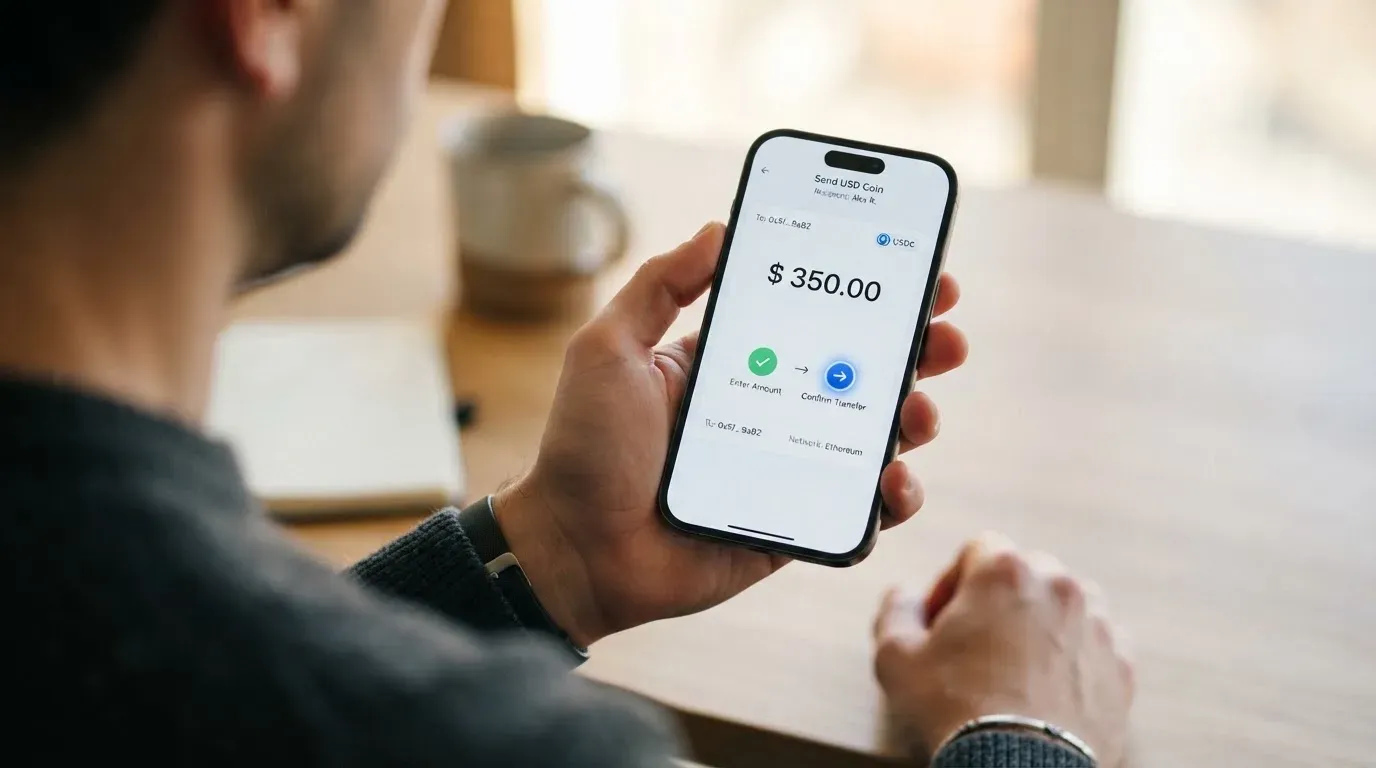
The first thing to flag is what the public pages do not say. The list of supported coins is not given, and the list of supported networks is not given either. The starting assumption is the usual set (BTC, ETH, USDT and so on), but that is an assumption, not a confirmation. If the card does not list the coins and chains, you have to check the app or write to support before you send anything non-trivial, because crypto transfers are irreversible. Sending USDT on the wrong network, for example Tron when the card expects Ethereum, is exactly the kind of mistake that has no built-in undo. A useful category fact: ERC-20 is the Ethereum token standard, and fees (gas) are paid only in ETH, so a wallet with USDT but no ETH cannot send. Tron’s network uses bandwidth and energy, and Circle stopped supporting USDC on Tron in February 2024, so “USDC over TRC20” is not a native option.
The second thing to flag is the minimum deposit, the deposit fee and the network fee: none of these are stated on the public pages. In the wider category, on-chain network fees (gas, bandwidth) for the user’s deposit are charged by the blockchain, not by the card provider, so you should expect to pay that side of the cost regardless. The Tulkit side is a question mark.
The third thing worth knowing is the closure balance, which is the amount you can pull out when you close the account. That figure is also not stated. Combined with the missing coin and network list, the practical advice is simple: top up small the first time, complete a full cycle of deposit, conversion and spend, and only then scale up.
Paying with it every day
For a Peruvian user, the day-to-day picture is solid where Tulkit has said anything, and silent where it has not.
The virtual Mastercard is issued instantly and works for online purchases as soon as you finish sign-up. The physical card comes in 12 designs and is shipped free within Peru. Together that gives you a card for online shopping today and a wallet card for the supermarket tomorrow, which is the standard prepaid-card experience.
Spending limits can be set inside the app, which is a useful safety control. QR payments are capped at S/5,150 per day, which is a specific product detail rather than a free-form setting.
The rewards offer is up to 2% back in Bitcoin on each purchase. The further conditions, such as the cap, the merchants that qualify, the timing of when the Bitcoin arrives and whether it is a true cashback or a points-style credit, are not stated. A Bitcoin-denominated reward also has a tax dimension: the IRS treats digital assets as property, so exchanging them for goods, services, dollars or other digital assets generally produces a taxable gain or loss. Peru has its own tax treatment, and a Bitcoin kickback is not a free lunch from a tax perspective; the gain between the time you earn the satoshis and the time you spend or sell them may be taxable. This is a category-level observation, not tax advice.
Where everyday use goes thin is the parts Tulkit has not described. Apple Pay and Google Pay support are not stated. ATM withdrawals are not stated: there is no published fee and no published limit. The wallets or exchanges that integrate directly with Tulkit are not stated. Disputes and chargebacks are not stated. A chargeback is a refund ordered by the card issuer to settle a dispute, with reason codes such as fraud, duplicate billing or goods not received, and US debit card reversal rights come from Regulation E, while credit card rights come from Regulation Z; prepaid-card coverage varies and should not be assumed. If you plan to use Tulkit as your main card, the absence of a published disputes process is something to weigh against the zero monthly fee.
A couple of category-level points help frame what “not stated” usually means. Address Verification Service compares numeric parts of the billing address the buyer typed (street number, ZIP) with issuer records, and is mainly offered in the US, Canada and the UK. It is generally unavailable for foreign-issued cards, which can cause declines. Some merchants also decline prepaid or foreign BINs because the BIN lookup reveals the card type and issuer country. Tulkit is a Peruvian card, so a Peruvian shopper at a Peruvian merchant should be unaffected, but a Peruvian card used abroad may hit these frictions.
What can go wrong
The risks for a Tulkit user fall into four buckets: who is behind the card, what safeguards exist, how you reach support, and what we do and do not know.
Who is behind the card. Tulkit Pay S.A.C. is the company you interact with and handles the fiat and crypto conversion. The e-money itself is issued by GMoney S.A., which is described as “authorized and regulated by the SBS” (Superintendencia de Banca y Seguros, the Peruvian financial supervisor). The SBS licence number is not given on Tulkit’s pages. A licence number is the easiest way for a reader to verify that an e-money issuer is in good standing, and its absence is a small but real transparency gap. A useful comparison: a regulated EU e-money institution must safeguard customer funds by segregating them in dedicated accounts or insuring them, and such funds are not the same as bank deposits and may not be covered by deposit guarantee schemes. The same logic applies in Peru, and Tulkit has not published its safeguarding policy.
Safeguards. Tulkit claims “bank-level security” and encryption. It says 90% of assets are held offline, which is a cold-storage claim typical of custodial crypto platforms. The app lets you lock and unlock the card, freeze it, set card limits, and report account theft through a form. The deeper detail, such as how funds are segregated, who the custodian is, and what insurance exists, is not stated. Custodial platforms have a record of failures: Mt. Gox (about US$350 million reported stolen 2011-2014), Coincheck (about US$400 million, 2018) and Ronin Network (US$625 million, 2022). Holding funds with a custodian carries counterparty and hack risk, which is why the question of who holds the assets and how is more than a footnote.
Support. The published support channels are email at [email protected], a complaints book (“Consultas y Reclamos”), and a placeholder WhatsApp link. The GMoney support address is [email protected]. There is no phone number, and the support hours are not stated. No public phone line is a real limitation if your card is blocked on a Saturday night.
What we do and do not know. I found no official incident, and no third-party complaints surfaced. There is no dated news on either Tulkit Pay or GMoney that I could find, and there is no Trustpilot page for tulkitpay.com. The empty review landscape cuts both ways: it suggests there has been no major public issue, and it also means there is not much third-party reassurance. The complaint process is the published “Consultas y Reclamos” book, which is a Peruvian regulatory requirement, so there is at least a formal channel.
A broader category risk worth naming: Visa and Mastercard themselves do not issue crypto cards to consumers; they license issuers and can suspend a programme. In November 2022 Visa said it had terminated its global agreements with FTX, and the FTX US debit card programme was wound down by its issuer. WaveCrest, a Visa card issuer that supplied crypto card brands, was suspended by Visa in Europe in 2018, closing all WaveCrest-issued Visa programmes. Tulkit is on Mastercard, and the same dynamic applies: a programme manager cannot control the network, and the issuer’s standing is what keeps the card alive.
A note on sanctions and what to expect. Nationality is recorded and screened separately from residence because sanctions screening and issuer risk policy are often applied to citizenship and country of birth as well as to the country of address. If your documents list a sanctioned country of birth, expect more checks, not fewer, even if you live in Lima.
What to take instead
If Tulkit does not fit, three alternatives cover different needs. None of them is a perfect substitute, because the alternatives either serve non-Peruvian users or sit in a different regulatory regime. I have included the headline trade-offs so you can decide which axis matters most for you.
| Card | Score | Where it works | Cost picture | Funding | Rewards |
|---|---|---|---|---|---|
| Tulkit | 5.5 / 10 | Peru only; physical ships within Peru | No monthly or annual fee; conversion and FX not stated | Yape, Plin, bank transfer, crypto | Up to 2% back in Bitcoin |
| International Visa Card | 6.7 / 10 | Many countries, but unavailable to residents of a long list including Russia, Ukraine, Belarus, Iran, Cuba, North Korea, Syria, Venezuela, Turkey, Vietnam, India, China and others; FATF grey-list countries case by case | Virtual issuance $5 one-time; no maintenance fee; plans Classic free, Pro $9/month, Max $19/month; FX “Visa rate + 2%” | USDC or USDT to USD account free at 1:1; also USD, EUR, SEPA, SWIFT, FedNow | None stated |
| UNi Card | 6.1 / 10 | Multicurrency on Mastercard; availability not stated | No annual fee; issuance not stated; no foreign transaction fee; assets at live OTC rates | Not stated | Spend-to-Earn rewards up to 3% |
| Whop Cards | 5.2 / 10 | 31 US states for consumers (Alabama, Alaska, Arkansas, California, Colorado, Connecticut, Florida, Hawaii, Illinois, Indiana, Iowa, Kansas, Kentucky, Maine, Massachusetts, Michigan, Minnesota, Montana, Nebraska, New Hampshire, New Jersey, New York, North Carolina, Oklahoma, Pennsylvania, South Carolina, Texas, Utah, Virginia, West Virginia, Wyoming); business programme in 41 states; long unsupported-country list similar to International Visa Card | “No extra fees”; no figures | Spends from a Whop balance backed by stablecoin collateral | 5% cashback at select merchants, including Uber |
If you are outside Peru and you need a card, the International Visa Card has the broadest funding mix and a published fee schedule, at the cost of a monthly subscription if you want the higher tiers. If you are a US-based consumer who wants a stablecoin-backed card and does not need ATM access, Whop Cards is the closest in spirit, with the cashback concentration on a small set of merchants. UNi Card is the option to look at if multicurrency spending and the lack of an FX fee matter more than the underlying funding story.
A word on what I have not compared. I have not compared Tulkit to Peruvian debit cards from traditional banks, because those are not crypto cards and the question the reader is asking is about crypto-funded spending. If you do not need crypto on the way in, an ordinary Peruvian debit card will almost always beat Tulkit on FX, ATM access and dispute handling.
Who I would recommend it to
Putting the facts together, the Tulkit card fits a fairly narrow profile, and it fits that profile well.
It is a good fit if you live in Peru, you already use Yape and Plin for day-to-day payments, you hold some crypto and you want a way to spend it through a familiar-looking Mastercard without opening a brokerage account. The zero monthly fee, the free virtual and physical cards, the 24/7 top-up and the 2% Bitcoin kickback are a real package for that user. The 12 physical designs are a small touch, but in a market where most prepaid cards look the same, it is something.
It is not a fit if you live outside Peru, because the card is not built for you. It is not a fit if you want a published conversion fee and FX markup, because the numbers are not there. It is not a fit if you need ATM access, because the ATM fee and limit are not stated. It is not a fit if you need Apple Pay or Google Pay, because tokenised wallet support is not stated. It is not a fit if you want a strong, formal disputes process, because the policy is not described. It is not a fit if you want a card that survives a regulator-driven programme shutdown with maximum notice, because the issuer’s licence number and the safeguarding policy are not published.
In short, the card is a sensible Peruvian prepaid product with a crypto on-ramp and a small Bitcoin kickback. If that is what you need, the cost profile is hard to beat. If you need anything else, the alternatives table is the place to look.
Frequently asked questions
What is the Tulkit card?
The Tulkit card is a prepaid Mastercard you top up with soles, dollars or crypto and spend wherever Mastercard is accepted. The account and card are issued by Tulkit Pay S.A.C. and GMoney S.A. in Peru. It is built for Peruvian residents, with a free virtual card issued instantly and a free physical card in twelve designs.
Is Tulkit a bank?
No. Tulkit Pay S.A.C. is a Peruvian company that runs the app and handles the fiat and crypto conversion, while the e-money itself is issued by GMoney S.A., an e-money institution authorised and regulated by the SBS in Peru. The e-money is not the same as a bank deposit, and there is no deposit guarantee mentioned on the public pages.
Who owns Tulkit?
The owner structure of Tulkit Pay S.A.C. is not stated on the public pages, and there is no published company registry excerpt I can point you to. The operating partner on the regulated side is GMoney S.A., which issues the e-money under SBS supervision, though Tulkit has not published the GMoney licence number.
Is the Tulkit card available outside Peru?
The public pages name Peru as the only country where the card is available, and the physical card is shipped within Peru. Foreigners with a valid Peruvian immigration card may be eligible, but the specific card type and the process are not stated. If you do not have Peruvian residency, treat the card as unavailable.
How do I get a Tulkit card?
You download the Tulkit Pay app on iOS or Android, register with a phone number, and complete identity verification by taking a few photos. The site says registration takes minutes, with no paperwork and no credit check. The virtual card is issued instantly, and the physical card is shipped free within Peru; the delivery time and replacement cost are not stated.
How do I top up the Tulkit card?
You top up 24/7 through Yape, Plin, a bank transfer, or crypto. Soles transfers through Yape, Plin and banks are free. The list of supported coins and networks, the minimum deposit, the deposit fee, and any network fee are not stated, so check the app before sending a non-trivial amount, and remember that crypto transfers are irreversible.
How much does the Tulkit card cost?
The account, virtual card and physical card are free, with no monthly or annual fee. Sending and receiving soles via Yape, Plin and banks is free. The crypto conversion fee and the FX fee for foreign currency are not stated; the marketing claim of “one of the best on the market” exchange rate has no number behind it. The full schedule is in the Tarifario Tulkit Card PDF.
Can I add the Tulkit card to Apple Pay or Google Pay?
Apple Pay and Google Pay support is not stated on Tulkit’s public pages. Until the company publishes compatibility or you confirm it inside the app, do not assume you can tokenise the card into a mobile wallet, especially if you rely on phone payments for everyday spending.
Is the Tulkit card safe?
Tulkit claims bank-level security and encryption, with 90% of assets held offline, instant card lock and freeze, adjustable card limits, and an account-theft reporting form. The deeper detail, such as how customer funds are safeguarded and what insurance exists, is not stated. There is no public licence number for the e-money issuer, and there is no phone support line or stated support hours, which is a real gap if you ever need urgent help.
How do I delete my Tulkit account?
The public pages do not describe a closure flow. The practical steps are to withdraw your crypto balance through the app while it is available, run your soles balance to zero, and email [email protected] to request account closure. The closure balance, the time it takes to return funds, and the data-deletion process are not stated, so ask support for the policy in writing before you initiate.
Choosing an app or neobank card – cryptocardadvisor
Content created by the «cryptocardadvisor» team