
A Telegram-only virtual card with almost nothing disclosed
 Available in US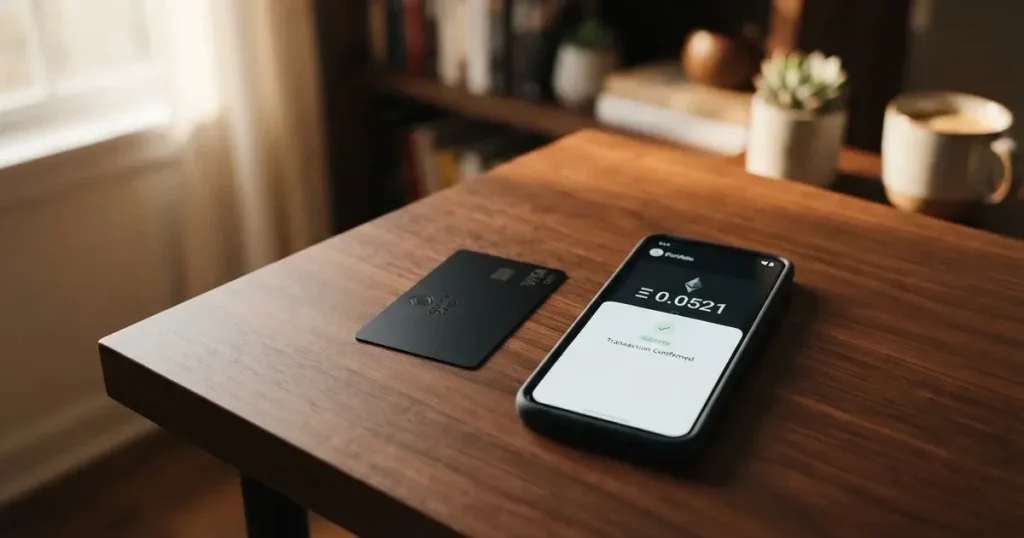
OnCards is a virtual card that lives inside Telegram and is funded with USDT on the BEP20 network. The pitch is speed — you get a card number through a bot, load it, and start spending. The problem is that almost nothing you would need to judge the product is stated publicly. No country list, no fee amounts, no named legal entity or issuer, no licence numbers, no support channel beyond social media handles. The site promises “Simple and clear fees — no hidden charges” without publishing a single number to back that up. I scored it 4.6 out of 10, and most of that score comes from what is missing rather than what is present.
Conditions described here are current as of October 28, 2026.
Who It’s For and Who It Isn’t
OnCards suits a narrow profile: someone who already holds USDT on BEP20, lives comfortably inside the crypto/Telegram ecosystem, wants a card number quickly for online spending, and can tolerate very little public accountability from the provider. If you are that person — you already know what a BEP20 transfer is, you keep your own keys elsewhere, and you treat the card balance as spending money rather than savings — the convenience is real.
It does not suit anyone who needs to know where they stand before committing money. The card’s country coverage is not stated at all. There is no list of supported countries, and no mention of how Russian or Belarusian citizens or residents are treated. That is not a small gap: sanctions screening, issuer risk policy and country-of-birth checks all feed into whether you get approved, and none of that is described here.
| Criterion | Mark | Reason |
|---|---|---|
| Who can get it | 5 / 10 | Country list not disclosed on the site |
| Cost | 5 / 10 | “Simple and clear fees” claimed, amounts never published |
| Top-up options | 4 / 10 | USDT BEP20 only; bank transfers not accepted |
| Reliability and complaints | 3 / 10 | No legal entity, issuer or licences named; no reviews found |
| Everyday use | 6 / 10 | Virtual card in Telegram, Apple Pay and Google Pay; no plastic, no ATM |
| Total | 4.6 / 10 | A fast virtual card in Telegram funded with USDT BEP20 |
Note the shape of that table. The highest score is everyday use, at 6, and even that is limited by the fact that there is no physical card and no ATM access. The lowest is reliability at 3, because the site carries only “© 2026 OnCard” with no company behind it. A single 3 out of 10 drags an otherwise middling card down hard — and it deserves to, because the single most important question about any card is who is liable when something goes wrong.
Will They Give You the Card
Here is the honest answer: I cannot tell you from the public pages, and neither can the site tell you.
There is no country list. No mention of which nationalities or which residents are accepted or excluded. No statement about whether the issuer screens by citizenship, by country of birth, or by where you live. No mention of Russian or Belarusian citizens or residents specifically. For a card whose entire model is “load crypto, spend anywhere Mastercard is accepted,” that silence is doing a lot of work — because in practice the answer to “will they give me the card” often depends on exactly the kind of screening the site never mentions.
If you are outside a sanctioned jurisdiction and hold no citizenship that raises flags, this absence may cost you nothing. But you should assume the provider applies some internal country policy anyway, and that you will only discover it at the moment of application. That is a poor way to find out.
Beyond countries, the card’s onboarding is unusually thin. There is no stated KYC level, no description of what documents are required, no indication of whether identity verification is required at all before the card number appears. The site’s own framing is “Launch the Telegram Bot” — activation is automatic. That reads as a low-friction flow, but low friction is not the same as light regulation, and I would want to know which one this is before funding anything.
How to Get It
The process as described is short enough to summarise in one line: launch the Telegram bot, and a virtual card appears.
The card itself is virtual only. The site describes “a virtual Mastercard / Visa card directly in your Telegram” — note that the network is not fixed in the site’s own wording, which is unusual phrasing for a card product and leaves open whether you get a Visa or a Mastercard, or which one you get when. The card currency is not stated either.
Some of the blanks that normally accompany a card review simply do not apply here. There is no delivery question, because there is no physical card — the site never mentions one. But the gaps that remain are the ones that matter:
- No stated KYC requirement or identity verification level
- No stated card currency
- No fixed card network named (Visa or Mastercard not specified)
- No account closure or deletion process described
The fourth point on that list comes up in search constantly — people want to know how to close an account and get their balance out. The site says nothing about how to delete an account, and nothing about how to withdraw money from the card. Both are things you would want to know *before* you load it.
What It Really Costs: Fees and Everyday Payments
The cost section is where this card is most frustrating, and I want to be precise about why rather than just calling it a bad sign. The site states: “Simple and clear fees — no hidden charges.” That is a direct claim of cost transparency. And then it publishes no amounts at all.

Here is everything the cost picture looks like as the public pages describe it:
| Fee or limit | What the site says |
|---|---|
| Issuance fee | not stated |
| Monthly fee | not stated |
| Conversion fee (crypto to fiat) | not stated |
| Foreign exchange fee | not stated |
| ATM withdrawal | not stated; the card is “intended for payments of goods and services only” |
| Daily limit | “High daily limits up to $250,000” |
| Monthly limit | “no monthly restrictions” |
| Card currency | not stated |
| Tiers or plans | not stated; a single product is shown |
Read that last two rows together. A card that claims no monthly restrictions and daily limits up to $250,000 is making a promise about volume. It is also, at the same time, unable to tell you what a single payment costs. Those two facts sit oddly next to each other, and I would want the second answered before trusting the first.
The “intended for payments of goods and services only” line is doing quiet double duty. It reads at first like a use restriction, but in practice it is also the answer to the ATM question: no cash withdrawals, or at least none advertised. There is no ATM fee because there is no ATM.
What happens when you actually pay for something. Let me walk through three everyday situations and which fees would apply, based only on what is disclosed:
Buying a subscription or online service. You would fund the card with USDT BEP20, the card converts to its currency, and the charge goes through the virtual card in Telegram. The conversion fee applies here — this is the point at which crypto becomes fiat — but its amount is not stated. If the card currency is not your own, a foreign exchange fee may also apply; also not stated.
Paying in a physical shop, contactless. Same conversion step. If the shop is in a different country from the card’s currency, you are exposed to the exchange rate the provider chooses, plus whatever foreign exchange fee exists. Neither the rate source nor the fee amount is disclosed. This is a case where the absence of information costs you money silently.
Paying through Apple Pay or Google Pay. The card can be added to either wallet, and payments go through the tokenised number on your phone. The conversion and any exchange fee still apply underneath, because the underlying funding path is unchanged. Adding it to a wallet hides the card number but not the cost structure.
The honest summary: every real cost of this card happens at conversion, and the conversion cost is exactly the number the site has not published.
How to Top Up
Top-up is the clearest thing about this card, and also the most restrictive. The site is unambiguous: “Fund your card using USDT BEP20.” Bank transfers are not accepted. That is the whole funding story — a transfer of USDT on the BEP20 network from your own wallet to the card’s address.
Not stated: the top-up fee, if any; the minimum top-up; how long a top-up takes to clear; and whether there is a way to withdraw money from the card back out. That last one matters as a practical matter, because it determines whether you can move your balance somewhere else if the card stops working.
The one-name funding is a double-edged sword. It is genuinely convenient if USDT BEP20 is what you already hold — BEP20 is the BNB Smart Chain, and many crypto users keep USDT there because transfers on it are cheap and fast. But it also means this card is unusable for anyone whose funds sit elsewhere. If your USDT is on Ethereum, or Tron, or in a custodial exchange balance that does not support BEP20 withdrawals, you have a transfer ahead of you before you can even start.
On the general mechanics, worth keeping in mind for any crypto card top-up: on-chain network fees for your deposit are charged by the blockchain, not by the card provider, so that cost sits outside anything the provider quotes you. And blockchain transfers are irreversible — a deposit sent to an address on a network the provider does not support, or to the wrong network’s address, can be lost, or need manual support recovery with no guarantee of success. This card only accepts BEP20, so the safe path is exactly one network and one asset, and getting it wrong is not reversible.
Paying With It Every Day
Everyday use is where this card actually scores best, at 6 out of 10, though the ceiling on that score is low.
What you can do:
- Add the card to Apple Pay or Google Pay
- Pay for goods and services (that is the stated intended use)
- Spend up to $250,000 per day, with no stated monthly restriction
- Hold it entirely inside Telegram — no separate app to install
What you cannot do, or what is not stated:
- No physical card, so nothing to hand over in a shop that insists on it
- No ATM withdrawals
- No standalone app — it all happens through the Telegram bot
- Blocked merchant categories are not stated
- Rewards or cashback are not stated
The lack of a physical card is worth dwelling on, because it is a real constraint rather than a preference. Plenty of small shops still do not accept contactless or will not take a virtual card number typed from a phone. If you spend in a city full of independent shops, this card will work online and in larger retailers, and it will simply fail in some places.
The merchant-category question is the one I would most want answered. Card issuers routinely block categories — gambling is the classic one, at merchant category code 7995 — and some issuers block specific services. OnCards does not say what, if anything, it blocks. Whether that is good news or bad depends entirely on what you were planning to pay for.
On safety of the mobile wallet route specifically: adding the card to Apple Pay or Google Pay replaces the raw card number with a device-specific token stored on the phone’s secure hardware, and each payment uses a one-time dynamic code. That is a genuine security improvement over typing your card number into sites. It does not, however, tell you anything about who holds the funds behind the card, which is the more important question for anything you load onto it.
What Can Go Wrong
The counterparty risk is the big one, and it is unnamed. The site’s only corporate trace is “© 2026 OnCard” — no legal entity, no issuer, no licence numbers. That means you cannot establish who is actually responsible for your balance. Normally a payment card sits with a named institution: an e-money institution or bank licensed to issue under the card network’s licence, holding the programme and responsible for safeguarding. Here, you cannot tell whether there is a licensed issuer behind the card at all, or whether the brand is only a front-end over someone else’s programme.
This is not a hypothetical concern for the category. Visa terminated its global agreements with FTX in November 2022, and the FTX US debit card programme was wound down. Visa also suspended WaveCrest in Europe in 2018, closing all WaveCrest-issued Visa programmes. Programme closures typically follow a pattern: a notice period, then spending and loading stop, then users are asked to withdraw remaining balances. A 2026 closure reported by a single secondary source had new loads ending 8 July 2026 and spending stopping 8 August 2026 — unconfirmed, but it shows the shape these things take. If a closure happened here, you would be trying to get your balance out through a support channel that the site does not list.
There is no stated dispute or chargeback process. What happens if a payment is charged twice, or a merchant never delivers? A chargeback is a refund the issuer orders to settle a dispute, with reason codes like fraud or goods not received. Nothing about that is described here. For prepaid-style cards, coverage also varies and should not be assumed. For a card funded from crypto, a declined authorisation can leave a hold on your funds for several days, sometimes up to seven — and if there is no dispute process, you have little recourse.
Custodial risk on the crypto side. If your USDT is loaded onto a card whose provider holds the keys, you are trusting that provider with the balance. Custodial platforms have a real record of failures: Mt. Gox (about $350 million reported stolen, 2011–2014), Coincheck (about $400 million, 2018), Ronin Network ($625 million, 2022). If this card is custodial — which a Telegram-bot, provider-funded design almost certainly is — you carry that counterparty risk on top of the issuer risk.
No security features are described. No two-factor authentication, no instant card freeze, no spending-limit controls, no 3-D Secure confirmation is mentioned. I am not saying these are absent; I am saying the site does not say they are present, and for a card you are loading with real money, unspecified security is a gap.
No complaints data exists to check. I searched for third-party reviews and found none — results were generic USDT-card guides, one of which advises against Telegram-only providers that do not operate publicly. The Trustpilot page for the site could not be read, so it is not that reviews are negative; it is that there is no track record to lean on either way. For most readers, no reviews means no independent confirmation that payments even go through smoothly. No official incidents were found, but absence of reports at this scale of publicity is not evidence of safety.
Support is thin. No support channel is listed. The site points to Instagram and X. That is a social-media presence, not a support desk. If you have a stuck top-up on the wrong network — a real possibility given transfers are irreversible — a DM to an account is not a durable safety net.
Your balance may be held by someone who is not a bank. Funds at electronic money institutions are supposed to be safeguarded, segregated or insured, but such funds are not the same as bank deposits and may not be covered by deposit guarantee schemes. Whether this card’s balance has any such protection at all is not stated.
And on taxes, which nobody asks about until later. The IRS treats digital assets as property, so exchanging them for goods, services or dollars generally produces a taxable gain or loss. Each card payment funded from crypto may be a separate disposal, measured at the fair market value on the transaction date. I am not giving tax advice — I am flagging that spending this card is a series of disposals, not a neutral purchase, and that this has consequences you should look into for your own situation rather than take from a review.
Alternatives to Consider Instead
If the Telegram-and-USDT convenience is what draws you, there are other cards in the same space that publish considerably more. Here is how they compare on the things this card leaves blank.
Azul Card (5.3 / 10). Virtual only, works anywhere Mastercard is accepted, no physical card for now but one may come. Balance in USD. Eligibility is unusually clear: available worldwide except Russia, Belarus, North Korea, Iran, Syria, Cuba, Sudan, Venezuela, Ukraine, and the Crimea, Donetsk, Luhansk, Zaporizhzhia and Kherson regions — and the restrictions apply regardless of the user’s nationality. On cost, it is transparent: $20 to create the card, refunded after $2,000 in spending, $5 monthly maintenance. Fees: 4% on crypto top-up, $0.25 per transaction, foreign exchange fee not stated. Top-up is crypto sent to the card in Telegram, first one up to 10 minutes, later ones 1–5 minutes. Rewards: no cashback stated, but a referral programme pays “up to 40% of our fees from every transaction made by your referrals.”
Telecard (6.1 / 10). The highest-scoring of the three, and the most explicit about its terms. Virtual Mastercard, instant, no physical or metal card, currency USD with a conversion fee on non-USD payments. Eligibility: usable in over 150 countries wherever Mastercard is accepted, identity check “available in most major regions,” with no list of supported or excluded countries — but the terms at least bar users “blocked or sanctioned by the United States Government, including OFAC,” which is at least a stated rule rather than an unstated practice. Cost: standard plan $5 one-time; VIP $49 setup then $19/month, with $15 reissuance; the main page says signing up is free with no monthly fee on the basic plan; a $99 minimum deposit to activate, stated as “NOT a fee” because it stays in your wallet. Fees: 1.5% currency conversion on non-USD payments, 0.5 USDT gas fee per successful transaction, FX and cross-border fees “up to 3% each,” deposit fee advertised as 0%. Top-up: USDT on Tron (TRC-20) or Ethereum (ERC-20), USDC on Ethereum, Polygon not supported — two chains rather than one. Bank transfers “coming soon.” Rewards: referral pays Fiorini per activated friend plus cashback when friends spend; 1 USDT = 100 Fiorini, cashback rate not specified.
Ape Wallet (5.5 / 10). Virtual Visa in two forms: a “service card” for subscriptions and online payments, and an Apple Pay / Google Pay card. Card currency not stated, issuance price not stated (promo codes change it, though holders of an active Apple or Google Pay card get a discount on the service card). Fees: no amounts, but the useful detail is that “fee and total are shown before confirming any operation” — you see the cost before you commit, which is the transparency this card lacks most. Transfers to other users by Telegram username carry no fees. Top-up: wallet balance in USDT; issuance and top-ups paid from that balance. Rewards: no cashback stated, two-level referral programme pays a share of invited users’ card purchases with no percentages given. On eligibility, no country list is given and it says the card works “wherever Visa is accepted,” with a Russian focus (SBP payments, Russian passport for KYC) but nothing stated on citizenship versus residence.
| OnCards | Azul Card | Telecard | Ape Wallet | |
|---|---|---|---|---|
| Score | 4.6 / 10 | 5.3 / 10 | 6.1 / 10 | 5.5 / 10 |
| Card | Virtual, network not fixed | Virtual only | Virtual Mastercard | Virtual Visa (two variants) |
| Currency | not stated | USD | USD | not stated |
| Issuing cost | not stated | $20, refunded after $2,000 spend | $5 standard; $49 setup + $19/mo VIP | not stated |
| Monthly fee | not stated | $5 | $19 (VIP only) | not stated |
| Top-up | USDT BEP20 only | Crypto, network not named | USDT TRC-20/ERC-20, USDC ERC-20 | USDT wallet balance |
| Bank transfer | not accepted | not stated | “coming soon” | not stated |
| Key strength | Speed, in-Telegram | Clear country list | Most terms published | Fee shown before you confirm |
| Key gap | Nothing named or priced | FX fee not stated | No country list | Issuance price not stated |
The pattern across all four is that each one trades transparency for something. Telecard publishes the most numbers but keeps its country list vague. Azul publishes a hard country list and its fees, but keeps the FX fee quiet. Ape shows you the fee before you confirm but will not state a headline price. OnCards publishes the least of anything — but its one real advantage, instant issuance entirely inside Telegram funded by a single stablecoin on a single chain, is genuine and none of the others match it exactly.
Who I Would Recommend It To
I would recommend this card, cautiously, to exactly one kind of person: someone who already lives in USDT on BEP20, who wants a card number in Telegram today rather than after a paper application, who is spending small amounts rather than holding a balance, and who has deliberately decided to accept that they cannot verify who they are trusting. For that person, the speed is real and the trade-off is one they are making knowingly.
I would not recommend it to anyone who needs to hold a meaningful balance on it, to anyone who has to answer a bank, an employer or a landlord about where the funds came from, or to anyone whose country or citizenship is not openly covered by the provider. It is also a poor fit if you are the type who reads terms — because the terms that would tell you how to dispute a charge, how to withdraw, or what happens at closure simply do not exist here. And if cash matters to you, the absence of any ATM function rules the card out.
The thing I keep coming back to is that the fee claim and the fee absence are in direct tension. “Simple and clear fees — no hidden charges” is a promise about exactly the information this review could not find. I do not assume the fees are high — I genuinely do not know, because no amount is published. But a provider that claims transparency while publishing no prices has not demonstrated it, and you should treat the claim as unverified until an amount appears. Same with the country access: silence is not permission.
My advice is to test it with the smallest amount you would not mind losing entirely, load it, make one small online payment, and watch what happens — including how long the top-up takes and whether the balance moves as described. That experiment costs you almost nothing and tells you more than any review, including this one, can.
Frequently Asked Questions
What is OnCards?
OnCards is a virtual payment card that you obtain through a Telegram bot and fund with USDT on the BEP20 network. It is virtual only — there is no physical card and no ATM function. The site describes it as a “virtual Mastercard / Visa card” without fixing which network you get, and it is intended for paying for goods and services. Activation is described as automatic once you launch the bot.
Is OnCards a bank, and who owns it?
The public pages name no bank and no legal entity. The only corporate trace is a “© 2026 OnCard” notice, with no issuer, no licence numbers, and no explanation of which institution actually holds the card programme. That means you cannot establish who is responsible for your balance. I could not verify the ownership or regulatory status from the site’s own information.
Which countries can use the OnCards card?
Not stated. The site publishes no country list and does not say how citizens or residents of any particular country, including Russian or Belarusian ones, are treated. Whether you are accepted may depend on an internal screening policy the site never describes. You would only find out by applying.
Does the OnCards card require KYC or identity verification?
Not stated. The site does not describe any identity check, required documents, or KYC level, and it presents the flow as simply launching the Telegram bot with automatic activation. This is worth clarifying yourself before loading funds, since the absence of a stated requirement is not the same as a confirmed absence.
How do I top up the OnCards card?
You fund it with USDT on the BEP20 network, sent from your own wallet to the card’s address — that is the only funding route given, and bank transfers are not accepted. The top-up fee and minimum are not stated, and no timing is given. Because transfers are irreversible, send only on the BEP20 network; a deposit sent on any other network can be lost or need manual recovery with no guarantee.
What are the fees for the OnCards card?
No amounts are published. The site claims “Simple and clear fees — no hidden charges” but lists no issuance fee, no monthly fee, no crypto conversion fee, and no foreign exchange fee. It does state high daily limits up to $250,000 and no monthly restrictions, and that the card is for payments of goods and services only. The limits are clear; the costs are not.
Is the OnCards card safe to use?
The safety picture is mostly unknown. No security features are described — no two-factor authentication, no card freeze, no spending limits, no 3-D Secure. No legal entity, issuer or licence is named, so there is no clear party responsible for your funds. No third-party reviews could be found, and no support channel beyond Instagram and X is listed. I would load only a small amount you could afford to lose.
Can I use the OnCards card with Apple Pay and Google Pay?
Yes — adding the card to Apple Pay or Google Pay is an explicitly stated feature, and it is one of the card’s genuine strengths. Tokenised mobile payments replace your raw card number with a device-specific number stored in the phone’s secure hardware and use a one-time code per payment. However, the underlying conversion and any exchange cost still apply, so adding it to a wallet hides the card number, not the costs.
Can I withdraw money from the OnCards card?
Not stated, and this is one of the most important blanks on the card. The site says nothing about withdrawing a balance back out, and nothing about how to delete an account. Given that provider and card-programme closures do happen, having a clear withdrawal route is something you would want confirmed before committing more than a small balance.
Is an OnCards card worth it, and what should I compare it against?
Worth it only if you already hold USDT on BEP20 and want an instant in-Telegram card for light spending, and only with a balance you could lose. For anything heavier, the same-category alternatives publish far more: Telecard (6.1 / 10) discloses its fees, networks and deposit terms; Azul Card (5.3 / 10) publishes a clear country list and card pricing; Ape Wallet (5.5 / 10) shows the fee before you confirm an operation. Compare those against an OnCards card before deciding.
Choosing a virtual card – cryptocardadvisor
Content created by the «cryptocardadvisor» team