
Munify card review
 Available in US
Munify sells itself as a simple bridge between a stablecoin wallet and a Visa card. You send USDC or USDT to a wallet address, the funds land on a Munify USD balance, and you spend that balance with a virtual Visa online or in any store that takes contactless. There is no plastic card, no bank account in the traditional sense, and no foreign-currency fee on card spending, which is what draws freelancers paid in USDC and USDT to it. The question is whether what Munify offers is really as simple as it looks, and whether the small print matches the marketing.
Conditions are current as of October 28, 2026.
Verdict
Munify earns 6.7 out of 10 in this review. The card does one thing well — it turns a stablecoin balance into a Visa number you can spend almost anywhere, and the top-up experience is fast. The number drops because Munify does not name its card issuer, has not published an account licence, and shows a thin, unhappy review base on Trustpilot with reports of accounts blocked after deposits and support that stopped replying. If you live outside the small set of restricted jurisdictions, are paid in USDC or USDT, and want a low-friction way to spend that balance online, Munify fits the bill. If you need a physical card, ATM withdrawals, or the comfort of a clearly named issuer, it does not.
| Criterion | Mark | Reason |
|---|---|---|
| Who can get it | 7 / 10 | Services are off-limits to people and businesses located in a stated list, including Belarus and Russia; the test is where you are, not what passport you hold |
| Cost | 8 / 10 | 0% exchange markup on card spending across all three plans; Plus and Premium are $7.99 and $19.99; the issuance fee and the crypto-to-card conversion fee are not stated |
| Top-up options | 9 / 10 | USDC and USDT from an external wallet on Base, Solana, Polygon, Arbitrum and Ethereum, with funds reportedly credited in seconds |
| Reliability and complaints | 4 / 10 | “Backed by YC” but no issuer named, no licence listed, no registration country; Trustpilot reviews in 2026 describe accounts blocked after a deposit and silence from support |
| Everyday use | 5 / 10 | Unlimited virtual Visa cards generated instantly, Apple Wallet supported, but no plastic card, no ATM access, and Google Pay is not mentioned |
The verdict that follows from those marks: this is a card for someone comfortable with a virtual-only product from a young company whose issuer and licence page is still empty, and who mostly wants to spend stablecoins online rather than draw cash or hand over a physical card. The rest of the review walks through who Munify says it will serve, what it actually charges, and where the rough edges are.
Will they give you the card
Munify’s terms say the service is “not available to individuals, entities, or businesses located in” a list of jurisdictions that includes Belarus and the Russian Federation. The same test applies to companies that are registered or operate in those places. The cut-off is the country you are physically in or the country your business is registered in, not the passport in your pocket, which matters if you have moved but kept your original citizenship. The product page itself does not publish a list of supported countries, so the only public way to know whether you qualify is to read the restricted list in the terms, sign up, and see what Munify returns.
Two consequences fall out of that wording. First, someone based in a non-restricted country is not guaranteed a card on day one; Munify reserves the right to ask for identity documents, source-of-funds information or “other documentation at any time” and to keep checking that the location and business information on file stays accurate. Second, if you change country or company details, you have to update them — the terms treat a stale address as a reason to suspend service. The App Store listing describes the process as “quick onboarding”, but the App Store text is marketing copy rather than a commitment, and Munify has not published which documents it actually requests, what counts as a valid proof of address, or whether there is a minimum age beyond the usual 18.
How to get it
Sign-up happens in the Munify app. The store listing says onboarding is quick; the company has not published a step-by-step, but the flow implied by the terms and the app description is: download the iOS or Android app, create an account, complete identity verification when Munify asks for it, generate a virtual Visa card, and (if you want to spend from a stablecoin balance) connect an external wallet and send USDC or USDT to the address Munify shows you.
The card you get is a virtual Visa denominated in US dollars. The Munify app generates one on demand, and the product page says you can create an unlimited number of cards — useful if you want one card per subscription, or a single-use number for an unfamiliar merchant. The cards appear in your account the moment you generate them, which is what the company means by “instant creation”. There is no physical card, so there is also no delivery step: nothing is shipped, and there is no PIN to remember for ATM use because ATM access is not part of the offer.
The KYC level you reach — basic identity check, full document upload, or enhanced due diligence — is not stated publicly. What the terms do say is that Munify can ask for more at any point, even after your account is open, and that inaccurate location or business information is grounds to suspend. In practice that means a card that works on day one can be frozen weeks later if a review turns up a mismatch. It also means anyone with thin or hard-to-verify documents (a freelancer in a country with limited ID infrastructure, a refugee with temporary papers, a small business with a freshly registered company) should expect more friction than the App Store description suggests.
What it really costs — Munify card fees
The headline fee number is 0% — Munify markets a “0% FX and $0 fees” banner. That 0% applies to the exchange rate applied when the card is used to pay, on all three plans, and it is the single most important number for everyday spending. Outside that banner, the picture is more mixed: two of the three plans carry a flat monthly fee, the top-up fee is not disclosed, and the cost of converting crypto onto the card is not stated at all.
| Item | Standard | Plus | Premium |
|---|---|---|---|
| Plan price | not stated | $7.99 | $19.99 |
| Exchange rate on card spending | 0% | 0% | 0% |
| Local-transfer exchange rate | 1% | 0.4% | 0% |
| Digital-wallet transfer fee | 0.9% (min $2.99) | 0.4% (min $1.99) | 0% |
| Card points (rewards) | 10% | 25% | 50% |
| Card issuance fee | not stated | not stated | not stated |
| Crypto-to-card conversion fee | not stated | not stated | not stated |
| ATM fee | not stated | not stated | not stated |
| Card daily / monthly limits | not stated | not stated | not stated |
| USD account deposit minimum | $2.00 | $2.00 | $2.00 |
| USD account deposit maximum | $10,000 | $10,000 | $10,000 |
A few things to pull out of that table for everyday spending. First, a $4 coffee in a non-USD country, paid with the card, runs through Visa at the wholesale rate with no Munify markup; the price you see on the terminal is the converted amount, and that is the end of the cost from Munify’s side. Second, sending USDC or USDT in to fund that coffee carries a fee that is not on the public page — the only assurance is the line “predictable network fees and zero hidden exchange markups”, which describes the *exchange* part of the cost, not the network gas or any markup on the conversion from USDC to the USD balance. Third, a $5 monthly subscription does not earn enough in points to cover the $7.99 Plus plan, so the upgrade only makes sense once monthly card spending is high enough that the 25% reward beats the $7.99 fee. Fourth, the $10,000 deposit ceiling on the USD account is per deposit, not per day, but the card-side daily and monthly limits — the ones that decide whether a single transaction goes through — are not stated anywhere, which makes the card hard to plan around for a large purchase.
The Premium plan’s price tag has a condition worth noticing: it requires “at least $2,000 via USD earnings or USDC by end of 2026”. That is a funding target rather than a spending one, and it is dated, so anyone thinking of subscribing to Premium should check the live wording before paying $19.99 for the first month.
How to top up Munify
Topping up the card starts in your external wallet. Munify accepts USDC and USDT on five networks: Base, Solana, Polygon, Arbitrum and Ethereum. The marketing claims funds are added “in seconds”, which in practice means the card balance updates once the transfer reaches the required number of confirmations on the relevant network. From the user’s point of view, the flow is: open the app, copy the deposit address for the network and token of your choice, send the amount from your wallet, wait for the credit.
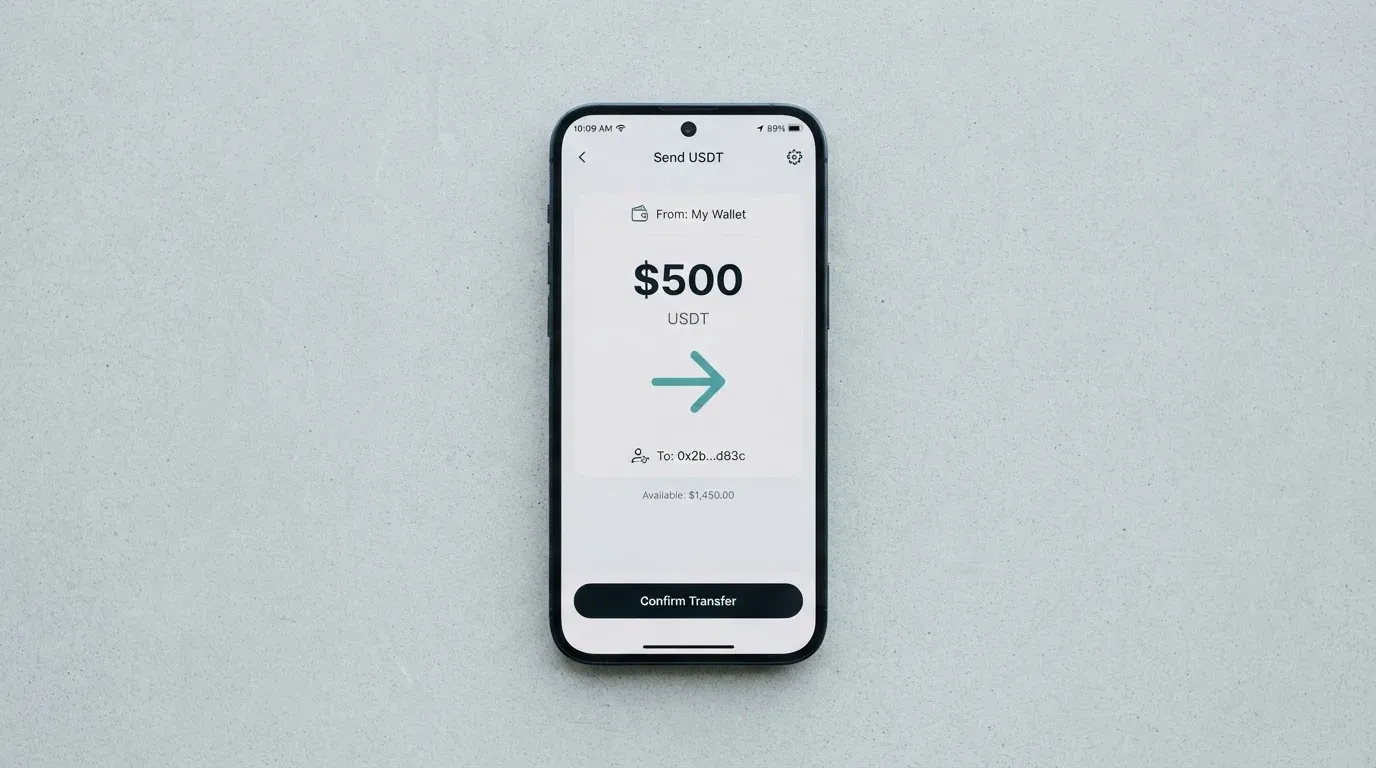
Two practical points follow. First, the choice of network is yours, and the gas cost lives with you — the Ethereum mainnet is the most expensive of the five and the slowest during congested periods, while Base, Polygon and Arbitrum are L2s with low fees, and Solana is its own chain. Second, sending on the wrong network to a Munify address built for another is the classic way to lose a stablecoin deposit: the tokens arrive at an address Munify does not monitor for that chain, and because blockchain transfers are irreversible, recovery has to go through Munify support with no guarantee. Pick the network in the app, then send on that exact network.
Beyond the crypto top-up, Munify also offers a USD account that can be funded by ACH, Fedwire, SWIFT or SEPA — useful for someone who wants to hold dollars outside the stablecoin flow — and an outgoing bank transfer that settles “within minutes using instant local rails such as instapay etc.”. The fee on that outgoing transfer is not stated. ACH deposits into the USD account are described as free; the card-top-up fee and the minimum card top-up are also not stated, and the minimum amount for a USD-account deposit is $2 with a per-deposit ceiling of $10,000.
To withdraw, you add a bank account in the “Transfer” section of the app and send the USD balance to it. The terms are clear that Munify can restrict, suspend or close accounts, and they do not describe what happens to a remaining balance on closure — another small print gap worth knowing about if you keep a meaningful balance on the platform.
Paying with Munify every day
Once the card is funded, everyday use is the part Munify has clearly thought about. The card is a Visa, so it works anywhere Visa is taken — that includes most online stores and any physical terminal that accepts contactless. The Munify app supports Apple Wallet, which the App Store listing describes directly, and you can generate as many virtual cards as you need. Each card is a separate Visa number, so a leaked card for a single subscription can be killed without affecting the rest. Adding a card to Google Pay is not stated on the public page, which is a gap for Android users who would expect the same mobile-wallet experience.
In terms of rewards, the points system is the other everyday number to know. Standard earns 10% back on card spending, Plus 25% and Premium 50%. The points are not the same as cashback in fiat; the currency of the payout and the conditions for redeeming it are not stated, so the headline number should be read as “points credited” rather than “dollars in your account”. If you spend $100 on the Standard plan, the 10 points-per-dollar rate is a 10-point credit on a card that costs nothing in monthly fees; on the Premium plan the same $100 produces 50 points but costs $19.99 a month, so the rewards are only an upgrade if the 50% rate is materially better than the 10% rate once the fee is paid in.
Online, the card behaves like any other Visa: it goes through 3-D Secure where the merchant asks for it, the issuer (whoever that turns out to be) approves or challenges the transaction, and the funds come off the pre-loaded USD balance. Because the card is pre-loaded, it cannot overdraw, which is one of the quieter advantages of this kind of product. The downsides are the ones the product page does not mention: merchant category blocks (the blocked categories on Munify are not stated), hold times on pending authorisations, and the well-known fact that some merchants decline prepaid or foreign-BIN cards outright — none of which Munify promises to be different on.
The app is the second piece of everyday life. The iOS app has a 2.9 out of 5 rating from 28 reviews as of late October 2026, which is low for a finance app and worth treating as a signal about the polish of the experience rather than the security of the product. The Google Play listing is referenced on Munify’s site but its rating was not part of the public material at the time of this review, so on Android the experience is hard to score.
Disputes, when they come up, are governed by Munify’s own process rather than by card-network rules alone. The terms require you to raise a complaint with Munify first, wait at least 30 days for informal resolution, and then move to binding arbitration under the American Arbitration Association; claims filed more than a year after the event are time-barred. Fees Munify charges are non-refundable except where the law requires otherwise. A separate Refund Policy is published on the Munify site, but chargebacks under Visa’s reason codes are not addressed in the public material — another case where the page you would expect to read is missing or thin.
What can go wrong with Munify
The two main risks for a user are company-level: who is behind Munify, and how it handles accounts that need scrutiny. The legal entity is Munify Corporation, the marketing line is “Backed by YC”, and the terms are governed by Delaware law. Beyond that, three things are not stated: the country of registration, the card issuer, and the licences the company holds. The terms say explicitly that Munify “does not act as a bank, custodian, trustee, or fiduciary” — which is a useful sentence to read carefully, because it tells you that any balance you hold with Munify is not a bank deposit and is not covered by a bank-style deposit guarantee. The site does name banking and card-network partners, but does not name a specific issuer, and does not link to a regulator’s register.
That gap is not theoretical. The Trustpilot profile, read on 21 October 2026, sits at 3.2 out of 5 from 7 reviews, all in the last 12 months. The pattern in those reviews, in the words of the people who left them, is consistent: accounts blocked after a deposit (one user described a $4,000 deposit followed by an account block, dated August 2026; another described a $50 deposit followed by a “Rejected” profile, dated September 2026), and support that stopped responding over chat or email (August 2026). The positives in the same window describe a quick sign-up and easy spending. There is no official incident report or regulator action to point to, and 7 reviews is a small sample, but the combination of “blocked after deposit” and “support silent” is the exact combination a reader should not have to discover after the fact.
Security on the user side has the standard pieces: app-based 2FA, the ability to freeze a virtual card from a “secured dashboard”, and the option to set per-card limits. The terms do not describe how the underlying customer funds are held — the company has said it is not a custodian, but the mechanism (segregated accounts, money-market fund, insurance) is not on the public page. That is a meaningful gap for a product that holds a USD balance funded by stablecoins: a reader who treats Munify like a bank is reading the wrong document.
The third category of risk is structural. Crypto cards depend on two licences that belong to two different companies: the card-programme licence (held by the issuer under Visa’s or Mastercard’s network rules) and the crypto-asset service licence (held by the brand in its home jurisdiction). Munify has not named the issuer, has not published its own crypto-asset licence, and gives no date for either. The track record of crypto cards being suspended because their issuer lost its network status — WaveCrest in 2018, FTX US in November 2022 — is the precedent, and Munify’s public material does not address it. There is no dated licence, issuer or programme news on the public site, so the reader has nothing to track over time.
Support channels are listed on the contact page and include Discord, X, YouTube and LinkedIn, which is a reasonable social footprint but not a substitute for a regulated complaint route. The 30-day informal-resolution and AAA arbitration path in the terms is the formal route, and it is the route that runs after the chat has gone quiet.
What to take instead of Munify
Munify is not the only USDC-to-card product in the category. The three alternatives below are taken from the same research; their own scores are listed so you can see at a glance how they compare.
| Card | Score | Issuer / brand | Top-up | Card | FX on spend | Plan cost |
|---|---|---|---|---|---|---|
| Munify | 6.7 / 10 | Issuer not named, “banking and card network partners” | USDC, USDT on Base, Solana, Polygon, Arbitrum, Ethereum | Virtual Visa in USD, unlimited cards | 0% on all plans | Standard n/a, Plus $7.99, Premium $19.99 |
| International Visa Card | 6.7 / 10 | U.S.-issued Platinum Visa (issuer not named in the public material) | USDC, USDT into the USD account; also USD/EUR via SEPA, SWIFT, FedNow | Virtual card in USD, physical “coming soon” | 0% in USD, otherwise Visa rate + 2% FX | Classic free, Pro $9.00, Max $19.00; virtual card $5 one-time |
| UNi Card | 6.1 / 10 | Mastercard network via UNi.Global | not stated | Multicurrency card | Live OTC rates, “no hidden exchange fees” | “No annual fee” |
| Whop Cards | 5.2 / 10 | Visa, programme details not stated | Whop balance backed by stablecoin collateral from a linked wallet (coins and networks not stated) | Visa card, virtual/physical and currency not stated | not stated | “No extra fees” |
A few words on each. The International Visa Card sits at the same overall score, but its country list is the more restrictive of the two: it excludes residents and legal registrants of Belarus, mainland China, North Korea, Cuba, India, Iraq, Iran, Israel, Myanmar, Nepal, Nicaragua, Russia, Syria, Turkey, Ukraine, Venezuela and Vietnam, and blocks purchases in North Korea, Cuba, Iran, Russia, Syria, Ukraine and Venezuela. The same logic applies — residency and registration, not citizenship — so a person in an unrestricted country has a route in. It charges $5 once for the virtual card, has no maintenance fee on the free plan, and charges 2% on top of the Visa rate for non-USD spending, which is more than Munify’s 0% but a known quantity.
UNi Card is a Mastercard rather than a Visa, multicurrency rather than USD-only, and is sold on no annual fee and no foreign-transaction fee; the trade-off is that the funding path and the card’s form factor are not stated in the public material, so a reader has to do more work to find out whether it fits a USDC balance. Whop Cards is at the bottom of the list at 5.2: it accepts U.S. consumers in 31 states and businesses in 41 states, blocks a long list of countries for both, and offers 5% cashback at selected merchants (currently Uber, with more planned), but it has not published its conversion fee, FX markup, or the networks and coins that fund the underlying balance. The score gap to Munify is small (0.9 points), and Whop’s value is in the merchant cashback rather than the FX rate.
If the deciding factor for you is the 0% FX on card spending, Munify and the International Visa Card are the two that publish that number; UNi and Whop are competitive on cost in other ways. If the deciding factor is the stability of the issuer, none of the four gives a complete answer, and that is the category-wide problem rather than a Munify-specific one.
Who I would recommend Munify to
A reasonable reader for this card is a freelancer or remote worker who is paid in USDC or USDT, lives outside the restricted list, is comfortable with a virtual card rather than a plastic one, and is happy to keep the balance on the card small and the rewards modest. The card fits that profile: it is fast to fund, the spend-side FX is 0%, and the app generates as many virtual Visa numbers as you need for online subscriptions and one-off purchases.
A reader for whom Munify is the wrong product is one who needs any of the following: a physical card, ATM access, a clearly named issuer with a published licence, a Google Pay experience, a published daily and monthly card limit, a published crypto-to-card conversion fee, or a card that can be used to draw cash in a foreign currency. Munify does not promise any of those today, and the Trustpilot signal — accounts blocked after a deposit, support that stops responding — is a real reason to be cautious with a meaningful balance.
The honest summary is that Munify is a competent, narrow product in a category that still has wide variance in how issuers and licences are disclosed. Used as a thin spending layer on top of a self-custody stablecoin balance, with a small balance, by a reader who has read the restricted-jurisdiction list and accepts the support risk, it does the job. Used as a long-term home for a large USD balance, it is not the right place.
Frequently asked questions
What is the Munify card?
Munify is a virtual Visa card linked to a USD balance in the Munify app. The balance can be funded by USDC or USDT from an external wallet on five networks, and the card is used to spend that balance wherever Visa is accepted online or in store.
How does Munify work?
You sign up in the Munify app, complete identity verification when asked, generate a virtual Visa card, and send USDC or USDT to the deposit address the app shows you. Once the transfer is confirmed on the chosen network, the USD balance updates and the card is ready to spend.
Is Munify a bank?
No. The terms say Munify “does not act as a bank, custodian, trustee, or fiduciary”, so a balance on the platform is not a bank deposit and is not covered by a deposit-guarantee scheme.
Who owns Munify?
The legal entity is Munify Corporation. The marketing line is “Backed by YC”, the terms are governed by Delaware law, and the country of registration, the card issuer and the company’s licences are not stated on the public site.
Is Munify available in my country?
The terms rule out people and businesses located in a list that includes Belarus and Russia. The test is where you are or where your company is registered, not the citizenship on your passport, and Munify does not publish a list of supported countries.
Does Munify require KYC?
Munify says it may request identity verification, source-of-funds information or other documentation at any time. The exact documents and the KYC level are not published; the App Store listing calls the onboarding “quick”, but the terms reserve the right to ask for more later.
How do I add the Munify card to Apple Wallet?
The Munify app supports Apple Wallet according to the App Store listing. The card is virtual, so once it is generated in the app the option to add it to Apple Wallet appears in the card details. Google Pay is not mentioned in the public material.
How do I top up Munify?
Open the app, copy the deposit address for the token (USDC or USDT) and the network (Base, Solana, Polygon, Arbitrum or Ethereum) you want to use, and send the transfer from your external wallet. Funds are credited in seconds once the network confirms the transfer; pick the network in the app and send on that exact network to avoid losing the deposit.
How do I withdraw from Munify?
Add a bank account under “Transfer” in the app and send your USD balance to it. Munify says the transfer settles within minutes using local instant rails; the fee is not stated.
Is Munify safe?
The card uses app-based 2FA, instant card freeze and per-card controls. The corporate disclosure is the weak point: no named issuer, no published licence, a 3.2-out-of-5 Trustpilot score in 2026, and several reviews describing accounts blocked after a deposit and support that stopped replying, which is a reason to keep only a small balance on the platform.
Choosing an app or neobank card – cryptocardadvisor
Content created by the «cryptocardadvisor» team