
A virtual Visa and Mastercard for spending crypto, with three card types and a closed list of eligible countries
 Available in US
Mirocard is a virtual Visa and Mastercard product aimed at people who want to pay online from a crypto balance rather than a bank account. The pitch is simple: register on the web, complete a KYC check, top up a Master Balance with crypto, and spend that balance through a card that arrives in seconds. There is no physical card, no bank account, and no public list of which countries the card serves. What you find instead is a small set of card types priced differently, a quietly worded statement that the issuer is a third party, and very little in the way of public feedback from real users.
The conditions described here are current as of October 28, 2026.
Verdict
I have given Mirocard 6.1 out of 10, and the breakdown below is the honest version of that score.
| Criterion | Mark | Reason |
|---|---|---|
| Who can get it | 5 / 10 | No published list of supported countries; the card is not offered to people in any “Restricted Jurisdiction” the AML policy names, without enumerating them |
| Cost | 7 / 10 | One-off issuance fee, no monthly fee, but transaction fees and per-card top-up fees vary and the FX fee is not stated |
| Top-up options | 9 / 10 | ETH, USDC, USDT, BTC, SOL, TON, TRX and other major coins, credited “within a few minutes” |
| Reliability and complaints | 5 / 10 | Issuer not named, Mirocard is not a bank or e-money institution, no public reviews or complaints found |
| Everyday use | 5 / 10 | Virtual Visa and Mastercard only, instant; Apple Pay and Google Pay only on the travel card, no ATM access |
| Total | 6.1 / 10 |
The audience this card suits best, reading the merchant categories the company lists itself, is people paying for ads, online services and digital subscriptions with crypto: freelancers buying ad accounts from Meta, Google or TikTok, arbitrageurs running paid-traffic campaigns, and small teams paying for design tools, AI services, hosting and the like. The travel card is the most expensive of the three and the only one that supports mobile wallets, which suggests it is the option for someone who also wants to pay in a shop or add the card to a phone.
It does not suit a reader who needs a physical card, an ATM, a published list of supported countries, or a clearly identified issuer. Anyone looking for a card with detailed public reviews, a transparent fee schedule, or a name of the bank behind the BIN should keep looking.
Who will they give you the card
The honest answer to “can I get Mirocard where I live” is: I cannot tell you from the public pages, and neither can Mirocard. There is no list of supported countries. The pricing page shows card BINs in the US, Singapore and Estonia, plus Hong Kong and Singapore for the travel card, but those are the countries the card numbers are issued from, not the list of places residents are allowed to apply from. The terms state that the card is “not offered to people located in, ordinarily resident in, incorporated in or subject to a ‘Restricted Jurisdiction’ designated under the AML Policy,” and the AML policy does not publish that list. The site is available in English, which serves an international audience.
What the terms do say, and what is more useful in practice, is the shape of the eligibility check itself. Registration happens online in “2 minutes” and is free. The company may collect personal data such as name, date of birth, nationality, address, and ID under the AML policy. You must be at least 18 years old. Mirocard and its unnamed Card Provider may require verification, and either can refuse an application if documents are inaccurate, verification fails or the risk picture is unfavourable. The card itself is virtual only, available on both Visa and Mastercard, and you can hold several cards in one account. The card’s currency is not stated on the public pages, and prices are quoted in USD. Proof of address is not stated as a requirement.
For a reader, the practical effect is that you can apply, but you should not assume your country is supported just because you can sign up. You should not assume it is not, either. The only way to find out is to register, see what the verification flow asks for, and watch for a refusal.
How to get it
Sign-up is a web flow, not a phone app: the account lives at app.mirocard.com, and the public site does not mention a mobile app. You register with an email address, complete the KYC step the AML policy describes, and the virtual card is issued instantly. There is no shipping because the product is digital.
The KYC step is the bottleneck in practice. The terms let Mirocard or the Card Provider ask for “verification” at any point and refuse the application if it does not pass. The document set the AML policy names includes identity and address details. The published pages do not say whether a proof of address is required in addition to the ID, and they do not say which KYC tier the average account lands on. The terms do make clear that the company can refuse for inaccurate documents, failed verification or risk reasons, so a refused application is a real outcome, not a theoretical one.
The practical steps, in plain order, are: register on the web, supply the identity and address details the KYC flow asks for, complete verification, then issue a card from your account. Several cards can sit under one account, so once you are through KYC, additional cards of any of the three types can be issued without going through the whole check again.
If you have to close the account, the terms describe that as an email to [email protected]. Prepayments made to Mirocard for services are generally non-refundable, and refunds of eligible unused prepayments are processed within 30 calendar days of a request and the required documents.
Fees: what it really costs
The cost picture is one of the few places where Mirocard is more transparent than the rest of the public information. There is a one-off issuance fee that depends on which of the three card types you pick, no monthly fee, a per-transaction fee that also varies by type, and a top-up fee that is described as individual to each card rather than a single number on the page.
| Fee or limit | Amount or rule |
|---|---|
| Issuance — travel / international | $15.00 |
| Issuance — advertising / arbitrage | $5.00 |
| Issuance — foreign services / subscriptions | from $5 |
| Monthly fee | None (“No monthly charges”) |
| Transaction fee — travel | $0.20 |
| Transaction fee — advertising | $0.00 |
| Transaction fee — services | $0.00 |
| Top-up fee | “Individual for each card” — no published number |
| FX fee | Not stated |
| ATM fee | Not stated (virtual card only, no ATM access) |
| Daily and monthly limits | “Without limits or blocks” — no numeric limits |
| Card currency | Not stated (prices in USD) |
The three card types are the single biggest cost variable. The travel / international card costs $15.00 to issue and $0.20 per transaction. It is also the only one of the three that supports Apple Pay and Google Pay, which matters if you want to tap to pay in a shop. The advertising / arbitrage card costs $5.00 to issue and has no per-transaction fee, so it is the natural pick for someone running many small ad payments. The foreign services / subscriptions card costs from $5 to issue and also has no per-transaction fee, which is the shape of a card meant for ongoing SaaS, hosting and subscription bills.
What the table cannot tell you is what your real cost will be, because the FX fee is not stated and the top-up fee is “individual for each card” with no amount. A reader paying in a non-USD currency can be charged an FX fee at the point of conversion without that fee being visible in the headline table. A reader topping up in anything other than the simplest case can be charged a top-up fee that also is not visible in the headline table.
A few everyday payments help to put the numbers in context. A $50 ad payment on the advertising card: $5.00 issuance (a one-off), $0.00 transaction fee, plus an unknown top-up fee and an unknown FX fee if your card currency is not USD. A $200 software subscription on the services card: from $5.00 issuance, $0.00 transaction fee, again with the same two unknowns. A $40 tap-to-pay coffee on the travel card abroad: $15.00 issuance, $0.20 transaction fee, the conversion fee that is not stated, and any top-up fee the conversion from crypto to USD attracted on the way in. Across the three, the visible cost is between $0.20 and $15.20 per card, with everything else a function of the rates you cannot see in the public pages.
Top up: how to fund the card
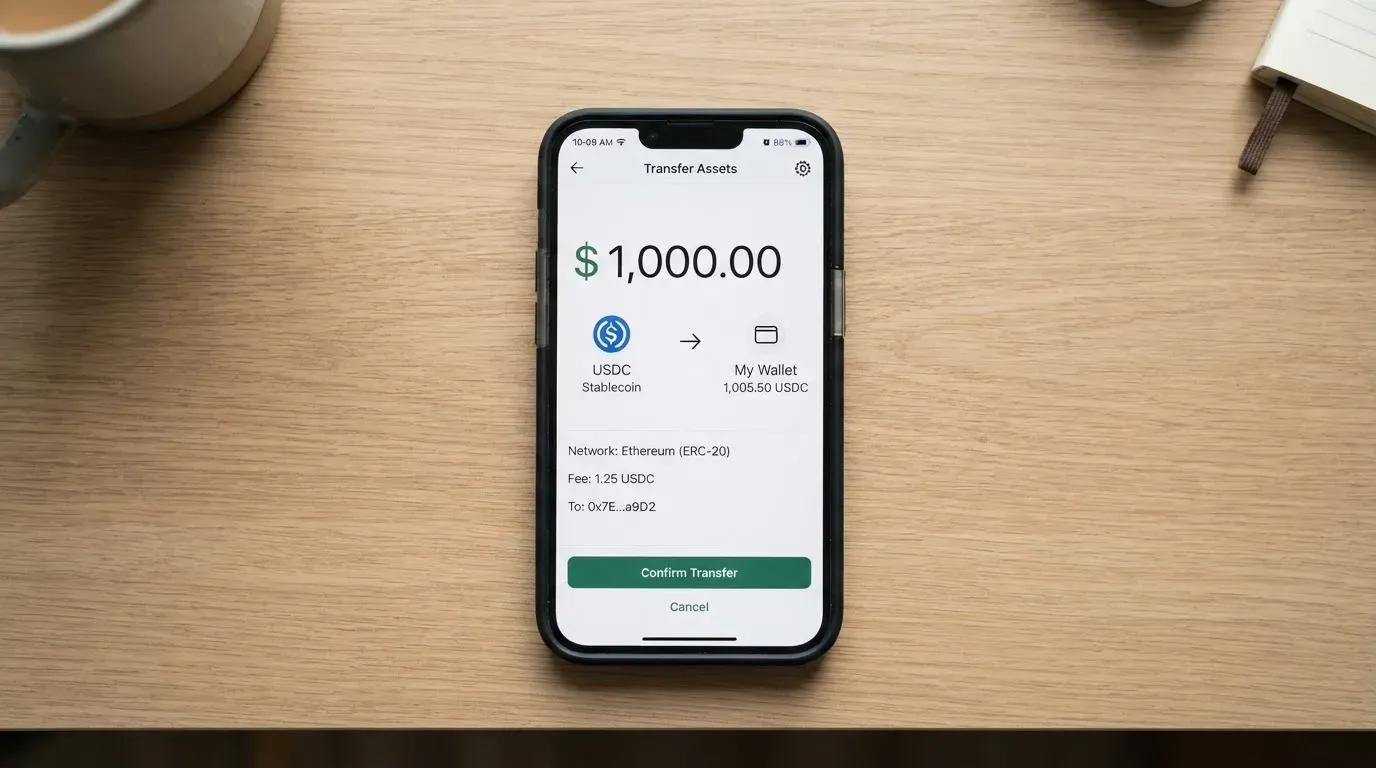
Top-ups are the cleanest part of the product. You fund a Master Balance in your Mirocard account from any wallet or exchange, and the supported coins are the major ones: ETH, USDC, USDT, BTC, SOL, TON, TRX and others listed as “all major coins”. Once the network confirms the transfer, the balance is credited “within a few minutes”, and you then transfer from the Master Balance to the card you want to spend from.
What the page does not list is which networks you can send on. The company names the coins but not the chains, so a reader has to know in advance that, for example, USDT can be sent on Ethereum, Tron, Solana, Polygon and others, and only the network or networks Mirocard supports will actually credit. The page also does not say who pays the on-chain network fee, what the minimum top-up is, or what “individual for each card” translates to in practice for a given top-up. These are the questions to put to support before you send anything non-trivial.
The other side of funding is the off-ramp. The card is a prepaid spend vehicle: it draws on the loaded balance and cannot overdraw, and there is no public description of how to pull money from the card balance back out to a bank or wallet. Closing the account is by email to [email protected], with the refund rules described in the section above.
A small but useful detail: a top-up is a blockchain transfer, and blockchain transfers are irreversible. If you send on a network Mirocard does not support, or to an address belonging to a different network, the funds can be lost or end up needing manual support recovery with no guarantee. Stablecoins are not the same as cash, and they are not censorship-proof either: the issuer can freeze tokens tied to sanctioned wallets. Picking the right network is part of the top-up, not a side note.
Paying with it every day
For everyday spending, what the card can actually do in the real world is narrower than the headline suggests. It is a virtual product, so there is no card to tap at a terminal, no card to insert, and no card to hand to a cashier. The travel card is the only one of the three that can be added to Apple Pay or Google Pay, which is the way you pay in a physical shop with a Mirocard. The advertising and services cards are web-only by design, because that is what the merchant list on the site describes: ads, games, AI services, subscriptions, design tools, travel, delivery, hosting, shopping. The company has not published a list of merchant categories it blocks, so a reader cannot tell from the public pages whether a specific category (gambling, for instance) will be declined.
The card account itself is a web app at app.mirocard.com, with no mobile app mentioned on the public site and no app-store ratings to lean on. From the account you see your Master Balance, issue new cards, manage existing ones and view the card number, expiry and CVC after an extra confirmation step. The confirmation step is the same on all three card types; on the advertising card, every individual payment also requires a confirmation, which is a friction worth knowing about if you are used to frictionless card-on-file billing.
Support is run through a Telegram bot (mirocard_support_bot), a Telegram community and the email address [email protected], with hours described as “always available”. The site is available in Russian, so the team is at least bilingual at the support tier. Disputes and chargebacks on card purchases are governed exclusively by the Card Provider’s terms, not Mirocard’s, and the company asks that complaints go to [email protected] first. The page does not state the time frame within which a dispute has to be raised or resolved.
A reward or cashback programme is not stated, so the card is best treated as a payments tool rather than a way to earn anything back on spending.
What can go wrong
The risk picture has three parts: the structural risks of any prepaid crypto-funded card, the risks specific to Mirocard’s set-up, and the practical risks of running into a problem with no public record of how the company handles it.
On the structural side, the card is prepaid, so it draws only on the loaded balance. If the balance is empty the card is declined. If a transaction is held, the hold can sit on the balance for several days. If a merchant uses Address Verification Service, a foreign-issued BIN can be declined outright, because AVS is generally unavailable for cards issued outside the merchant’s home market. Crypto-to-fiat conversion is performed by the Card Provider at a rate the page does not publish, and that rate, plus any FX fee, is what you actually pay above the headline.
On the Mirocard-specific side, the issuer is an unnamed “Card Provider”. Mirocard itself is not a bank, not an e-money institution, and not a card issuer. The terms state that Mirocard does not hold customer card balances, which is the language a programme manager uses when the licensed entity behind the BIN is a separate company. The footer reads “© 2026 Mirocard” and the starting data points to a Kyrgyz entity (Byte Commerce LLC in the Kyrgyz Republic), but that is not confirmed in the documents I read and is best treated as an unofficial company address. A cardholder is, in practice, a customer of a chain that includes Mirocard on the front end and an un-named licensed issuer on the back end, and the licence behind the BIN is what determines how customer funds are safeguarded, if at all.
On the public-trust side, I could not find a Trustpilot page for the company website, and I could not find user reviews of the service. That does not mean the card is bad, and it does not mean it is good, but it does mean that a reader has very little to lean on beyond the company’s own pages. No news about a security incident or a programme suspension is published on the site, and the time frames for complaint handling are not stated. The card programme manager role has a track record elsewhere of being shut down by Visa or Mastercard with relatively short notice, so the issuer behind the BIN is worth knowing.
Two operational risks are worth raising. First, the FX fee is not stated, so a cardholder paying in a non-USD currency does not have a number to budget against. Second, the top-up fee is “individual for each card”, so the cost of moving crypto onto a card is only known after the top-up, not before. Both are gaps the company could close on the public pricing page and has not.
What to take instead
Mirocard is one of several virtual crypto cards aimed at people who cannot or do not want to use an ordinary bank card. The alternatives below come from the same research pass and are useful as a comparison set. They are not endorsements.
| Card | Score | What it is | Cost (from public pages) | Top-ups | KYC / country | Card type |
|---|---|---|---|---|---|---|
| Mirocard | 6.1 / 10 | Virtual Visa / Mastercard, three card types | Issuance $5–$15, transaction $0–$0.20, no monthly fee, top-up fee not stated | ETH, USDC, USDT, BTC, SOL, TON, TRX and others | No country list, 18+, AML verification | Virtual only |
| Cardex | 5.6 / 10 | Debit crypto card, VERVE, Visa, Mastercard, UnionPay | No published fee schedule, real-time crypto-to-fiat conversion at payment, fee not stated | USDT, USDC, BTC | 200+ countries claimed, no exclusions list; Naira-focused listing | Virtual and physical |
| CardFlow | 4.9 / 10 | Virtual USD Mastercard, around 3 minutes to create | “Creating a virtual card is completely free”, monthly fee not stated | BTC, USDT, ETH, Naira bank transfer | Aimed at Nigeria and “global users”, no exclusions list | Virtual only |
| HyperCard | 4.7 / 10 | Prepaid card, balance in USD or EUR, accepted “in more than 176 countries” | App Store page lists no fees; otherwise not stated | USDT, BTC, ETH in the app | No published country list, acceptance is global | Not stated |
Reading the table across the rows, what stands out is how thin the published numbers are on every card in this corner of the market. Cardex advertises a wider network choice (including UnionPay and VERVE) and a 200+ country claim, but the fee schedule is not on the public page. CardFlow is the cheapest entry point if “free to create” is what matters, and it also accepts a Naira bank transfer, which is unusual. HyperCard’s “176 countries” figure is about acceptance, not eligibility, the same way a foreign-issued Visa works in many more shops than it is offered in. None of the three publishes a list of supported countries, a named issuer, or a transparent fee schedule, so the comparison mostly tells you what to ask each provider before sending money.
A reader who is choosing among them on more than price should look at three things: which coins and networks the card actually accepts (because blockchain transfers are irreversible), whether the provider publishes the name of the licensed issuer behind the BIN, and whether the country eligibility rules are public. Mirocard does not publish any of these, and neither do the alternatives, which is itself a useful data point.
Who I would recommend it to
I would recommend Mirocard to a reader who already knows the shape of the product and is comfortable with the gaps in the public information. Concretely, that means a freelancer or small business paying for online services, advertising accounts or subscriptions in USD, who is happy to fund a card with crypto, can tolerate an FX fee that is not stated, and does not need a physical card or an ATM. The advertising and services cards are the natural fit, because they have no per-transaction fee and the cost is the issuance fee plus the (unknown) top-up fee. The travel card is the right pick only if you specifically need Apple Pay or Google Pay.
I would not recommend Mirocard to a reader who needs a physical card, who needs an ATM, who needs a published list of supported countries before they apply, who needs to see the name of the licensed issuer behind the BIN, or who needs a public review trail to lean on before sending real money. The same applies to a reader who is paying in a non-USD currency and needs to budget a conversion cost in advance: the FX fee is not on the page, and that gap matters.
The single piece of advice I would give before signing up is to ask support, in writing, for the name of the Card Provider, the licence it operates under, the list of supported countries, the FX fee, the top-up fee for the card you intend to issue, and the network or networks you can send each coin on. The answers to those six questions turn the review from “the public information is thin” into “I know what I am buying”, and that is the difference between a useful tool and a costly experiment.
Frequently asked questions
What is Mirocard card?
Mirocard is a virtual Visa and Mastercard product that spends from a crypto-funded balance. You register on the web, complete KYC, top up a Master Balance with crypto such as ETH, USDC, USDT, BTC, SOL, TON or TRX, and the card is issued instantly. There is no physical card, no bank account, and the card-issuing institution is an unnamed “Card Provider” the terms reference.
How does Mirocard card work?
You fund a Master Balance in your Mirocard account from an external wallet or exchange. Once the network confirms the transfer, the balance is credited “within a few minutes”, and you transfer from the Master Balance to the card you want to spend from. At payment, the Card Provider converts the loaded balance and settles the transaction through Visa or Mastercard, depending on which card type you picked.
Is Mirocard a bank?
No. The terms state that Mirocard is not a bank, not an e-money institution, and not a card issuer. The card is issued by an unnamed third-party Card Provider, and the terms add that Mirocard does not hold customer card balances.
Who owns Mirocard?
The site footer reads “© 2026 Mirocard”. The starting data points to a Kyrgyz entity, Byte Commerce LLC in the Kyrgyz Republic, but that is not confirmed in the documents I read and should be treated as unofficial until the company publishes more.
Is Mirocard card available in my country?
The public pages do not publish a list of supported countries. The pricing page shows card BINs in the US, Singapore, Estonia, Hong Kong and Singapore, and the terms exclude residents of an unspecified “Restricted Jurisdiction” under the AML policy. The only way to find out whether your country is supported is to register and see what the verification flow does.
How do I get a Mirocard card?
You register at app.mirocard.com, complete the KYC check (name, date of birth, nationality, address, and ID, with the right to ask for more), and issue a virtual card. Several cards can sit under one account, and additional cards of any of the three types can be issued after KYC without going through the full check again.
Does Mirocard card require KYC?
Yes. The AML policy lists personal data including name, date of birth, nationality, address, and ID as the data set the company may collect, and the terms let Mirocard or the Card Provider ask for further verification. Either can refuse the application if documents are inaccurate, verification fails or the risk picture is unfavourable. Proof of address is not stated as a requirement.
How do I top up Mirocard card?
You send crypto to the address Mirocard provides for the Master Balance. The supported coins are ETH, USDC, USDT, BTC, SOL, TON, TRX and “all major coins”, and the page credits balances “within a few minutes” after network confirmation. The page does not list the supported networks for each coin, the minimum top-up, or who pays the on-chain network fee, so check with support before you send a non-trivial amount.
How do I add Mirocard card to Apple Wallet?
Only the travel card supports Apple Pay and Google Pay. The other two card types are web-only. To add the travel card, you add it through the Apple Wallet or Google Wallet flow using the card number, expiry and CVC shown in your Mirocard account after the extra confirmation step.
Is Mirocard card safe?
The card uses 3-D Secure on all three types, the card number, expiry and CVC are gated behind an extra confirmation, and the advertising card requires confirmation for every payment. The structural risk is that Mirocard is not a bank or e-money institution, the issuer is unnamed, and the top-up and FX fees are not on the public page, so the cost of a problem is hard to estimate in advance. No public Trustpilot page or user reviews of mirocard.com were found, which limits the evidence base.
Choosing a virtual card – cryptocardadvisor
Content created by the «cryptocardadvisor» team